



13.9K ·GitHub
What is this?
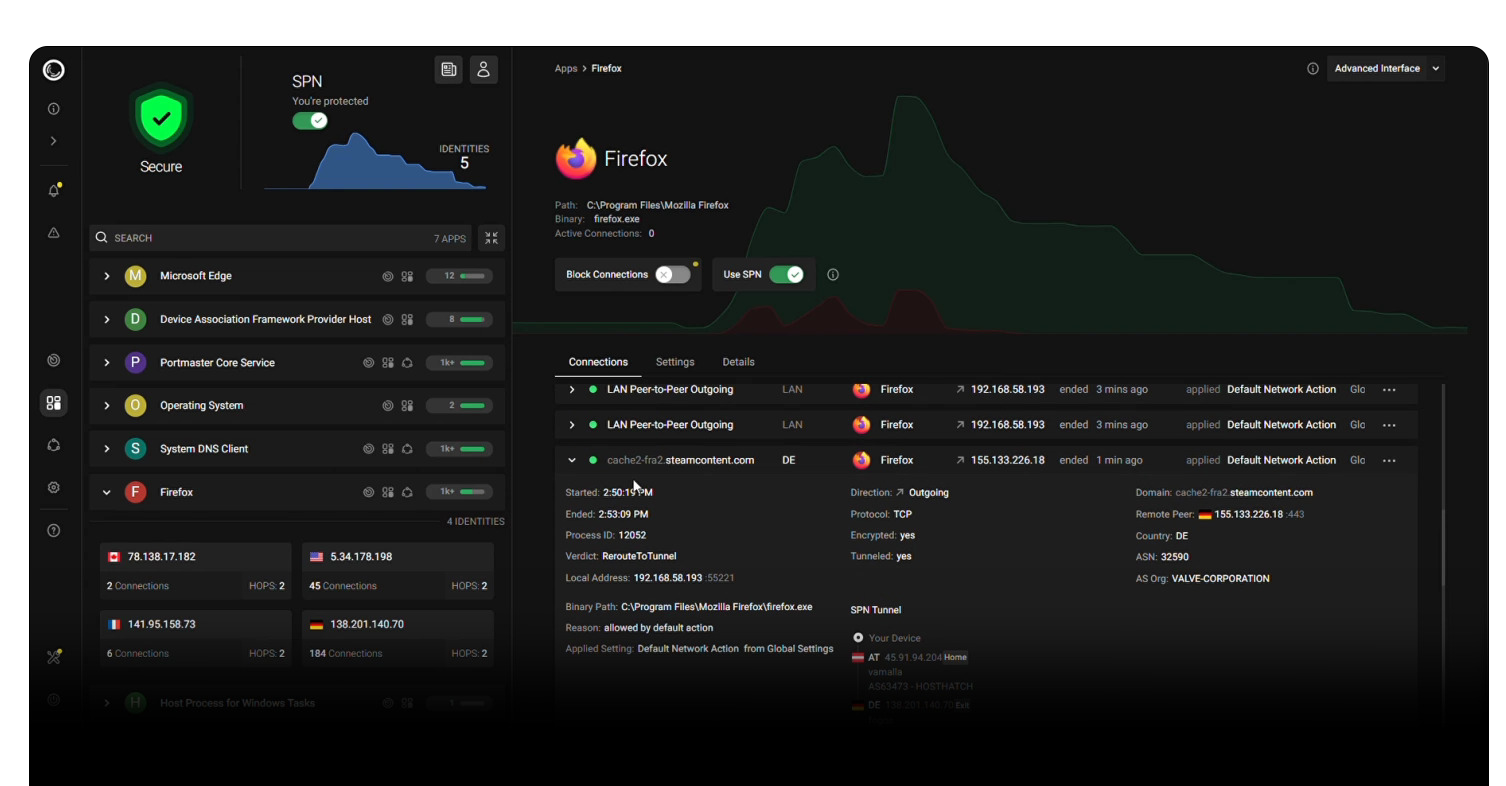
 Portmaster is a free, open-source application firewall for Windows and Linux that intercepts all network traffic on your machine, letting you monitor and block connections per app, filter DNS, and block trackers and malware with good defaults out of the box.
Portmaster is a free, open-source application firewall for Windows and Linux that intercepts all network traffic on your machine, letting you monitor and block connections per app, filter DNS, and block trackers and malware with good defaults out of the box.Is this a VPN, or something else?Portmaster itself is an application firewall, not a VPN. It also offers an optional paid add-on called SPN (Safing Privacy Network), which the project describes as sitting between a VPN and Tor rather than being a direct VPN replacement.
Portmaster itself is an application firewall, not a VPN. It also offers an optional paid add-on called SPN (Safing Privacy Network), which the project describes as sitting between a VPN and Tor rather than being a direct VPN replacement.Does it run on macOS too?No, the README only describes support for Windows and Linux desktops, with no mention of macOS. The UI also still relies on Electron as a wrapper for now, though the team says that will change.
No, the README only describes support for Windows and Linux desktops, with no mention of macOS. The UI also still relies on Electron as a wrapper for now, though the team says that will change.Where does my network and DNS data go?Connection history, filtering decisions and DNS resolution are all processed locally on your device. The only exception is if you opt into the paid SPN network, which routes traffic through Safing's and the community's servers.
Connection history, filtering decisions and DNS resolution are all processed locally on your device. The only exception is if you opt into the paid SPN network, which routes traffic through Safing's and the community's servers.What is SPN and how is it different from a regular VPN or Tor?SPN routes your traffic through multiple onion-encrypted hops like Tor, but it picks routes that maximize distance within the network for privacy and chooses exit nodes near your destination, which can also help bypass geo-blocking. Nodes are run by Safing and the community, with speeds over 100Mbit/s.
SPN routes your traffic through multiple onion-encrypted hops like Tor, but it picks routes that maximize distance within the network for privacy and chooses exit nodes near your destination, which can also help bypass geo-blocking. Nodes are run by Safing and the community, with speeds over 100Mbit/s.Does Portmaster block ads and malware automatically?Yes, it ships with filter lists that automatically block common malware, ad and tracker domains, and you can also write your own rules based on domain, IP, country or network scope.
Yes, it ships with filter lists that automatically block common malware, ad and tracker domains, and you can also write your own rules based on domain, IP, country or network scope.What are similar projects?opensnitch, smartdns, DnsServer, GoLiveBypass, algo, gluetun, netbird, dnscrypt-proxy
opensnitch, smartdns, DnsServer, GoLiveBypass, algo, gluetun, netbird, dnscrypt-proxyWhich topics is it in?dns-over-tls, dns-over-https, tor, ebpf, malware, firewall, network-security, privacy-tools, dns, vpn, encryption, electron
dns-over-tls, dns-over-https, tor, ebpf, malware, firewall, network-security, privacy-tools, dns, vpn, encryption, electron