




Что это такое?
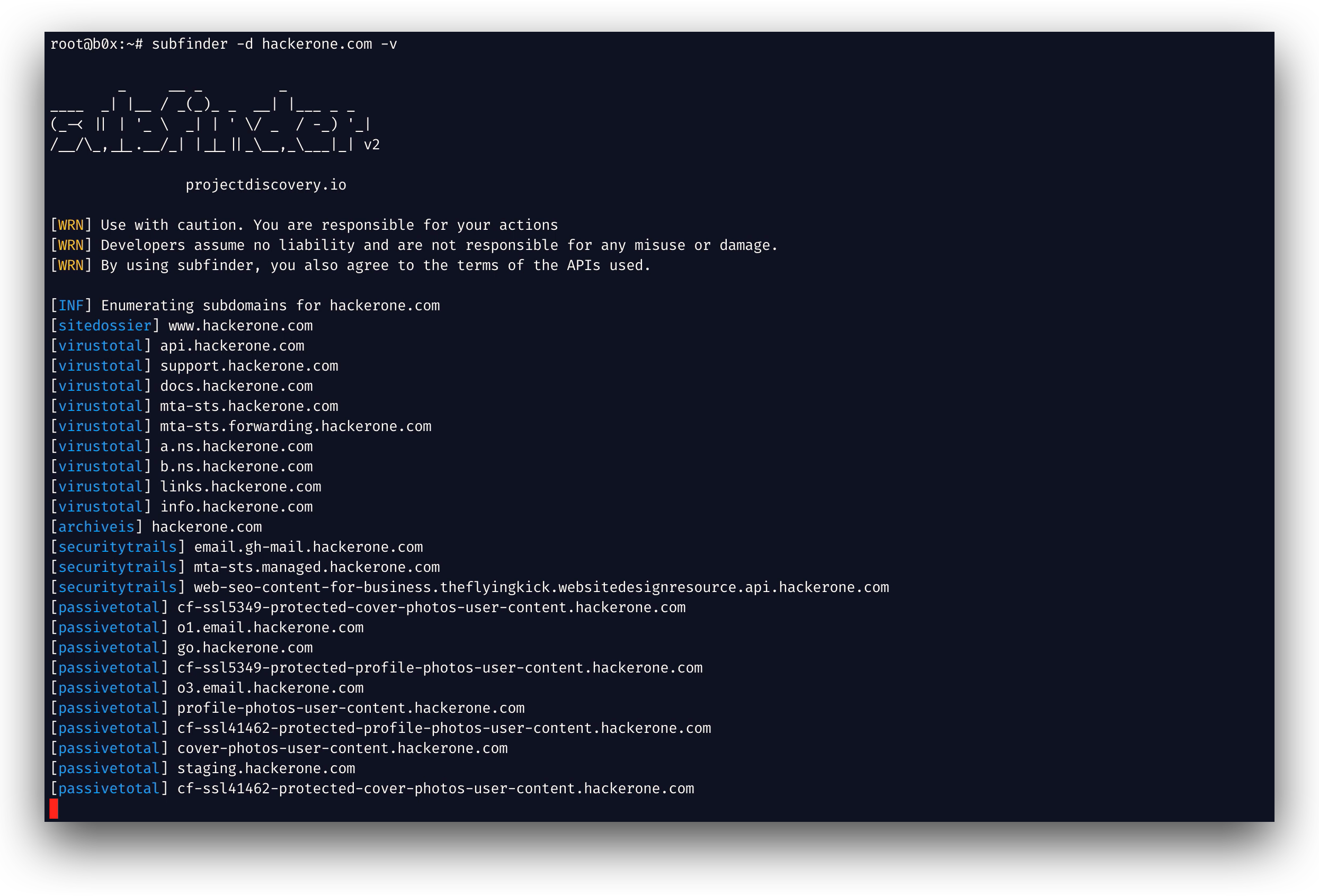
 Subfinder — это быстрый инструмент пассивного поиска поддоменов, который находит действующие поддомены сайта, запрашивая открытые пассивные источники. Создан для специалистов по тестированию на проникновение и охотников за багами.
Subfinder — это быстрый инструмент пассивного поиска поддоменов, который находит действующие поддомены сайта, запрашивая открытые пассивные источники. Создан для специалистов по тестированию на проникновение и охотников за багами.Это только CLI-инструмент или его можно использовать и как библиотеку?В первую очередь это CLI-инструмент, но он также поставляется как библиотека на Go (SDK), которую можно напрямую подключить к своим программам на Go для поиска поддоменов.
В первую очередь это CLI-инструмент, но он также поставляется как библиотека на Go (SDK), которую можно напрямую подключить к своим программам на Go для поиска поддоменов.Нужны ли мне API-ключи, чтобы им пользоваться?Subfinder можно запустить сразу после установки, но многим его пассивным источникам для выдачи результатов нужны API-ключи, которые задаются в файле provider-config.yaml.
Subfinder можно запустить сразу после установки, но многим его пассивным источникам для выдачи результатов нужны API-ключи, которые задаются в файле provider-config.yaml.Он делает активное сканирование или брутфорс?Нет, он работает строго пассивно: только запрашивает отобранные пассивные источники и не выполняет активных проверок. Это делает его быстрым и незаметным, но ограничивает результаты тем, что эти источники содержат.
Нет, он работает строго пассивно: только запрашивает отобранные пассивные источники и не выполняет активных проверок. Это делает его быстрым и незаметным, но ограничивает результаты тем, что эти источники содержат.Для кого в первую очередь создан этот инструмент?Он рассчитан на специалистов по тестированию на проникновение и охотников за багами, которым нужен быстрый и незаметный поиск поддоменов на этапе разведки.
Он рассчитан на специалистов по тестированию на проникновение и охотников за багами, которым нужен быстрый и незаметный поиск поддоменов на этапе разведки.Можно ли запускать это на любой ОС?Да, так как это бинарный файл на Go, он работает на Linux, macOS и Windows.
Да, так как это бинарный файл на Go, он работает на Linux, macOS и Windows.Соблюдает ли он условия лицензий источников, которые опрашивает?Да, проект спроектирован так, чтобы соблюдать ограничения на использование и лицензии всех пассивных источников данных, с которыми он интегрирован.
Да, проект спроектирован так, чтобы соблюдать ограничения на использование и лицензии всех пассивных источников данных, с которыми он интегрирован.Какие форматы вывода он поддерживает?Subfinder поддерживает несколько форматов вывода: JSON, запись в файл и stdout. Также он хорошо работает со STDIN/STDOUT, так что результаты можно передавать другим инструментам через конвейер.
Subfinder поддерживает несколько форматов вывода: JSON, запись в файл и stdout. Также он хорошо работает со STDIN/STDOUT, так что результаты можно передавать другим инструментам через конвейер.Можно ли изменить расположение конфигурационных файлов?Да, можно переопределить пути к стандартному конфигу и provider-config с помощью переменных окружения SUBFINDER_CONFIG и SUBFINDER_PROVIDER_CONFIG.
Да, можно переопределить пути к стандартному конфигу и provider-config с помощью переменных окружения SUBFINDER_CONFIG и SUBFINDER_PROVIDER_CONFIG.Есть ли готовый Docker-образ?Да, проект поддерживает Docker, так что Subfinder можно запустить в контейнере без установки Go на компьютер.
Да, проект поддерживает Docker, так что Subfinder можно запустить в контейнере без установки Go на компьютер.What are similar projects?bbot, httpx, OneForAll, awesome-hacker-search-engines, gobuster, ffuf, theHarvester, redamon
bbot, httpx, OneForAll, awesome-hacker-search-engines, gobuster, ffuf, theHarvester, redamonWhich topics is it in?subdomain-enumeration, bugbounty, reconnaissance, osint, penetration-testing, hacking, cybersecurity, hacktoberfest, go, security, terminal, library
subdomain-enumeration, bugbounty, reconnaissance, osint, penetration-testing, hacking, cybersecurity, hacktoberfest, go, security, terminal, library