




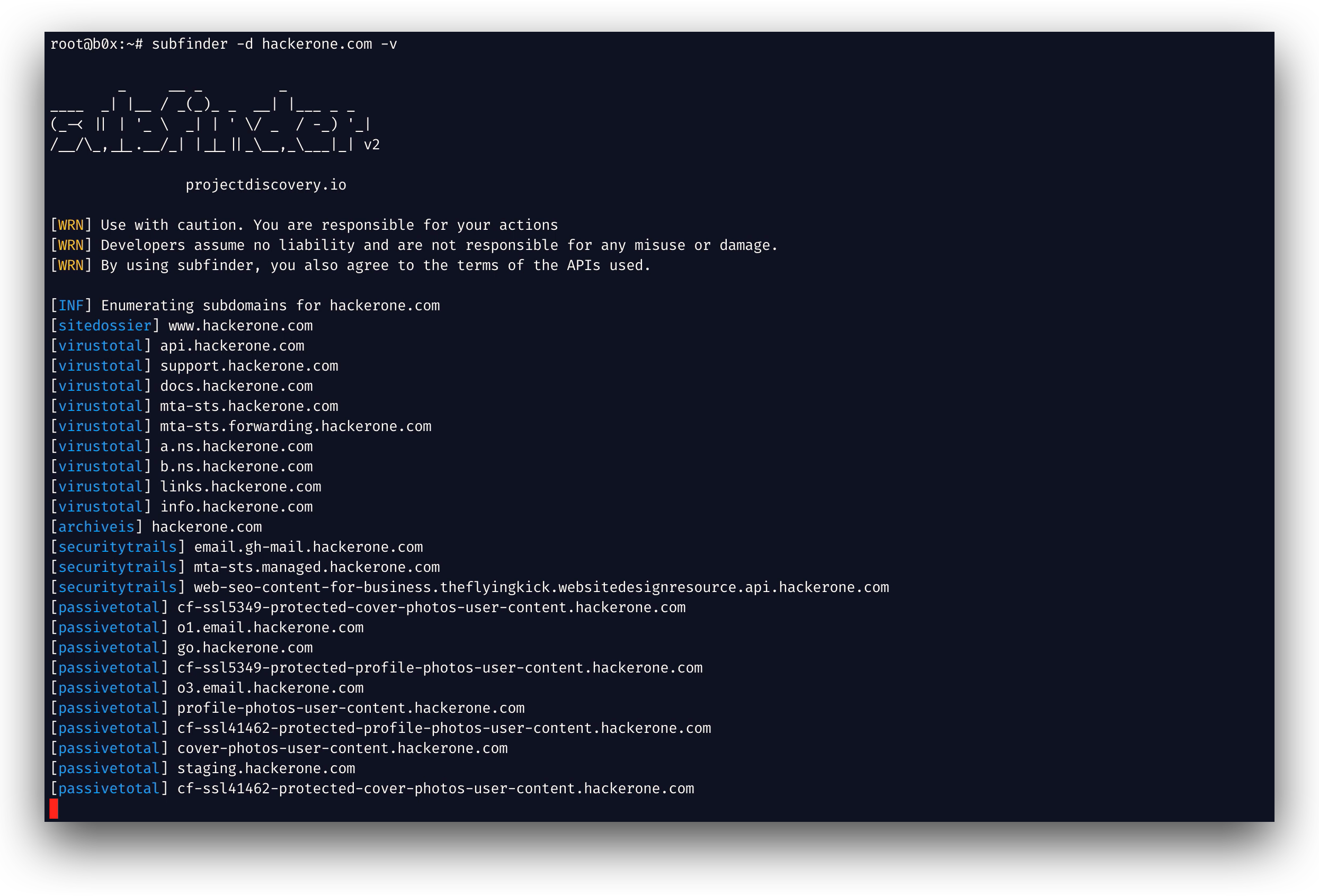
What is this?
 Subfinder is a fast passive subdomain enumeration tool that returns valid subdomains for a website by querying passive online sources, built for penetration testers and bug bounty hunters.
Subfinder is a fast passive subdomain enumeration tool that returns valid subdomains for a website by querying passive online sources, built for penetration testers and bug bounty hunters.Is this just a CLI tool, or can I use it as a library too?It is primarily a CLI tool, but it also ships as a Go library (SDK) that you can import directly into your own Go programs for subdomain enumeration.
It is primarily a CLI tool, but it also ships as a Go library (SDK) that you can import directly into your own Go programs for subdomain enumeration.Do I need API keys to use it?You can run Subfinder right after installing it, but many of its passive sources require API keys to actually return results, configured via a provider-config.yaml file.
You can run Subfinder right after installing it, but many of its passive sources require API keys to actually return results, configured via a provider-config.yaml file.Does it do active scanning or brute-forcing?No, it is strictly passive — it only queries curated passive sources and does not perform active probing, which keeps it fast and stealthy but limits results to what those sources expose.
No, it is strictly passive — it only queries curated passive sources and does not perform active probing, which keeps it fast and stealthy but limits results to what those sources expose.Who is this tool mainly built for?It targets penetration testers and bug bounty hunters who need fast, stealthy subdomain discovery as part of their reconnaissance workflow.
It targets penetration testers and bug bounty hunters who need fast, stealthy subdomain discovery as part of their reconnaissance workflow.Can I run this on any OS?Yes, since it's a Go binary it runs cross-platform on Linux, macOS, and Windows.
Yes, since it's a Go binary it runs cross-platform on Linux, macOS, and Windows.Does it respect the licensing terms of the sources it queries?Yes, the project is designed to comply with the usage restrictions and licenses of all the passive data sources it integrates with.
Yes, the project is designed to comply with the usage restrictions and licenses of all the passive data sources it integrates with.What output formats does it support?Subfinder supports multiple output formats including JSON, file output, and stdout, and it works well with STDIN/STDOUT for piping into other tools.
Subfinder supports multiple output formats including JSON, file output, and stdout, and it works well with STDIN/STDOUT for piping into other tools.Can I customize where config files live?Yes, you can override the default config and provider-config paths using the SUBFINDER_CONFIG and SUBFINDER_PROVIDER_CONFIG environment variables.
Yes, you can override the default config and provider-config paths using the SUBFINDER_CONFIG and SUBFINDER_PROVIDER_CONFIG environment variables.Is there a Docker image available?Yes, the project provides Docker support so you can run Subfinder in a container without installing Go locally.
Yes, the project provides Docker support so you can run Subfinder in a container without installing Go locally.What are similar projects?bbot, httpx, OneForAll, awesome-hacker-search-engines, gobuster, ffuf, theHarvester, redamon
bbot, httpx, OneForAll, awesome-hacker-search-engines, gobuster, ffuf, theHarvester, redamonWhich topics is it in?subdomain-enumeration, bugbounty, reconnaissance, osint, penetration-testing, hacking, cybersecurity, hacktoberfest, go, security, terminal, library
subdomain-enumeration, bugbounty, reconnaissance, osint, penetration-testing, hacking, cybersecurity, hacktoberfest, go, security, terminal, library