
488 ·GitHub
What is this?
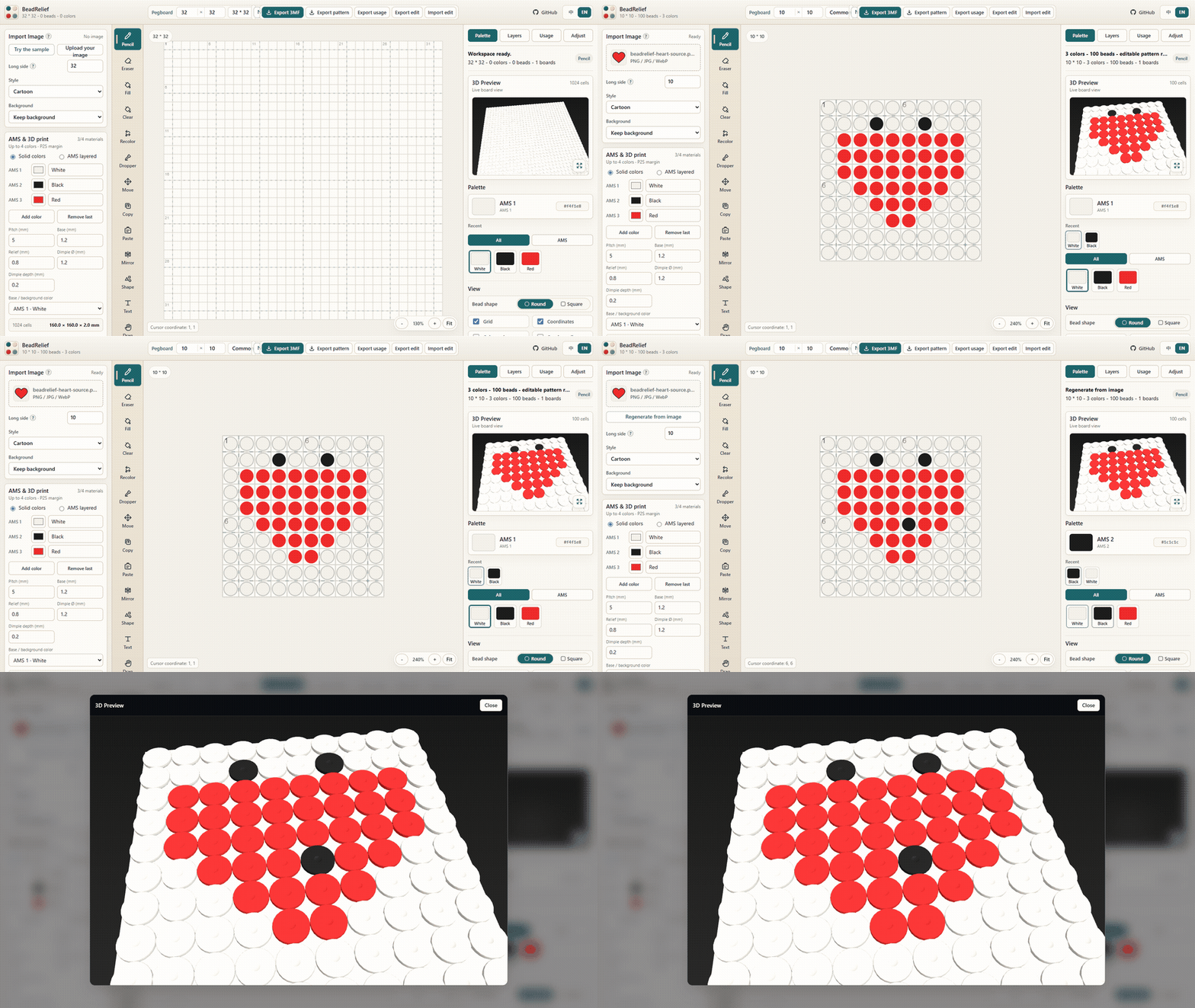
 BeadRelief turns any image into an editable bead pattern (like Perler beads) or a multicolor 3MF relief for 3D printing, entirely inside your browser.
BeadRelief turns any image into an editable bead pattern (like Perler beads) or a multicolor 3MF relief for 3D printing, entirely inside your browser.Is this a desktop app I install, or something I use in the browser?It is a browser-based web app — you open the live demo page and work there; running it locally only requires a small Node.js dev server, no install for normal use.
It is a browser-based web app — you open the live demo page and work there; running it locally only requires a small Node.js dev server, no install for normal use.How do I turn a photo into a bead pattern or 3D relief?Open the live demo, choose Bead pattern or 3D print, upload a JPG/PNG/WebP image, adjust size/color limit/crop, edit cells with the tools, then export a PNG/PDF pattern or a 3MF file.
Open the live demo, choose Bead pattern or 3D print, upload a JPG/PNG/WebP image, adjust size/color limit/crop, edit cells with the tools, then export a PNG/PDF pattern or a 3MF file.Do I need anything besides a browser?Just a desktop browser with WebGL; the latest Chrome or Edge is the supported setup. Running the project from source instead requires Node.js 22.9 or newer.
Just a desktop browser with WebGL; the latest Chrome or Edge is the supported setup. Running the project from source instead requires Node.js 22.9 or newer.Any catches before I send a design to print?3MF export is capped at 32×32 cells, layered multi-color mode is experimental and uses one global filament order (not Bambu Studio Mixed Filament metadata), and Firefox/Safari are not yet officially supported.
3MF export is capped at 32×32 cells, layered multi-color mode is experimental and uses one global filament order (not Bambu Studio Mixed Filament metadata), and Firefox/Safari are not yet officially supported.Does it work on mobile or in Firefox?No — it's desktop-first, needs a viewport of at least 980px for the full workspace, and only current Chromium browsers (Chrome/Edge) are verified; Firefox and Safari aren't part of the supported release yet.
No — it's desktop-first, needs a viewport of at least 980px for the full workspace, and only current Chromium browsers (Chrome/Edge) are verified; Firefox and Safari aren't part of the supported release yet.Does my uploaded image ever leave my computer?No, all image processing and file generation happens locally in the browser; nothing is uploaded to a server, though the current draft may sit in browser local storage until exported or cleared.
No, all image processing and file generation happens locally in the browser; nothing is uploaded to a server, though the current draft may sit in browser local storage until exported or cleared.What is the MARD palette used for bead patterns?It is the color palette system (Basic/Complete MARD) built into Bead pattern mode, offering up to 291 bead colors with PNG/PDF/XLSX usage-workbook and JSON exports.
It is the color palette system (Basic/Complete MARD) built into Bead pattern mode, offering up to 291 bead colors with PNG/PDF/XLSX usage-workbook and JSON exports.How does the 3MF file work with Bambu Studio?The exported 3MF embeds project-filament colors and part assignments so you can map them to physical AMS slots; the workflow is verified with a Bambu Lab P2S printer and 0.4mm nozzle.
The exported 3MF embeds project-filament colors and part assignments so you can map them to physical AMS slots; the workflow is verified with a Bambu Lab P2S printer and 0.4mm nozzle.What is BeadRelief built on?It is based on the MIT-licensed Jett-Wu/PerlerBeadsGenerator project, with BeadRelief adding the 3D-print and multicolor 3MF relief workflow on top.
It is based on the MIT-licensed Jett-Wu/PerlerBeadsGenerator project, with BeadRelief adding the 3D-print and multicolor 3MF relief workflow on top.How many colors can a 3D-printed relief actually use?3D print mode is limited to up to four AMS filament colors per model, while bead-pattern mode can use the full 291-color palette since it isn't bound by AMS limits.
3D print mode is limited to up to four AMS filament colors per model, while bead-pattern mode can use the full 291-color palette since it isn't bound by AMS limits.What are similar projects?openreel-video, omni-tools, floorplan-3d, bead-grid-studio, bible-strong-avatar-lab, human-atlas, neonplan3d, img2threejs
openreel-video, omni-tools, floorplan-3d, bead-grid-studio, bible-strong-avatar-lab, human-atlas, neonplan3d, img2threejsWhich topics is it in?image-to-3d, generator, 3d-printing, xlsx, threejs, 3d, image-processing, json, pdf, local-first, web-app, react
image-to-3d, generator, 3d-printing, xlsx, threejs, 3d, image-processing, json, pdf, local-first, web-app, react