OP Vault
OP Vault uses the OP Stack (OpenAI + Pinecone Vector Database) to enable users to upload their own custom knowledgebase files and ask questions about their contents.
vault.pash.city

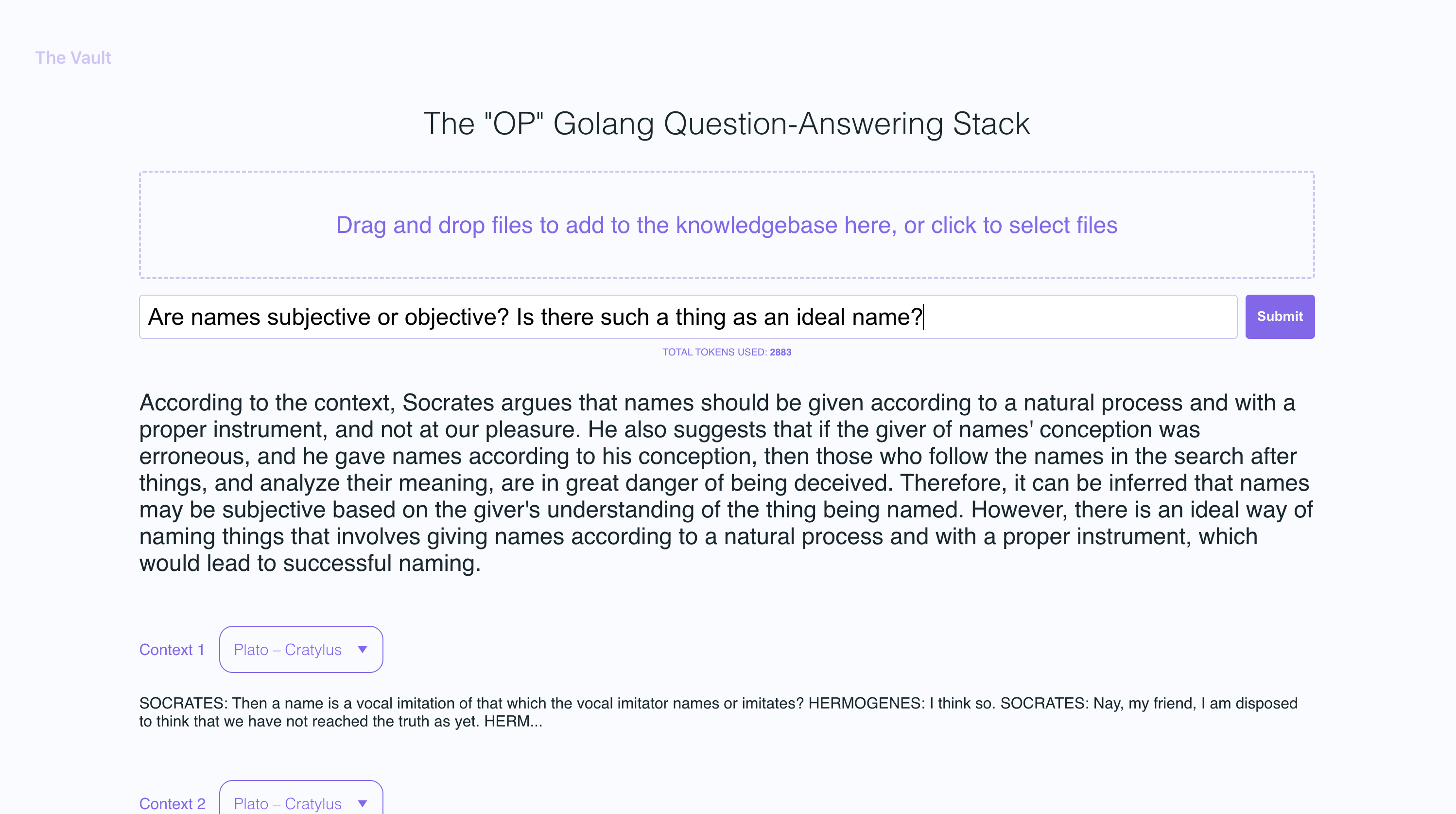
With quick setup, you can launch your own version of this Golang server along with a user-friendly React frontend that allows users to ask OpenAI questions about the specific knowledge base provided. The primary focus is on human-readable content like books, letters, and other documents, making it a practical and valuable tool for knowledge extraction and question-answering. You can upload an entire library's worth of books and documents and recieve pointed answers along with the name of the file and specific section within the file that the answer is based on!
What can you do with OP Vault?
With The Vault, you can:
- Upload a variety of popular document types via a simple react frontend to create a custom knowledge base
- Retrieve accurate and relevant answers based on the content of your uploaded documents
- See the filenames and specific context snippets that inform the answer
- Explore the power of the OP Stack (OpenAI + Pinecone Vector Database) in a user-friendly interface
- Load entire libraries' worth of books into The Vault
Manual Dependencies
- node: v19
- go: v1.18.9 darwin/arm64
- poppler
Setup
Install manual dependencies
- Install go:
Follow the go docs here
- Install node v19
I recommend installing nvm and using it to install node v19
- Install poppler
sudo apt-get install -y poppler-utils on Ubuntu, or brew install poppler on Mac
Set up your API keys and endpoints in the secret folder
- Create a new file
secret/openai_api_key and paste your OpenAI API key into it:
echo "your_openai_api_key_here" > secret/openai_api_key
- Create a new file
secret/pinecone_api_key and paste your Pinecone API key into it:
echo "your_pinecone_api_key_here" > secret/pinecone_api_key
When setting up your pinecone index, use a vector size of 1536 and keep all the default settings the same.
- Create a new file
secret/pinecone_api_endpoint and paste your Pinecone API endpoint into it:
echo "https://example-50709b5.svc.asia-southeast1-gcp.pinecone.io" > secret/pinecone_api_endpoint
Running the development environment
Install javascript package dependencies:
npm install
Run the golang webserver (default port :8100):
npm start
In another terminal window, run webpack to compile the js code and create a bundle.js file:
npm run dev
Visit the local version of the site at http://localhost:8100
Screenshots:
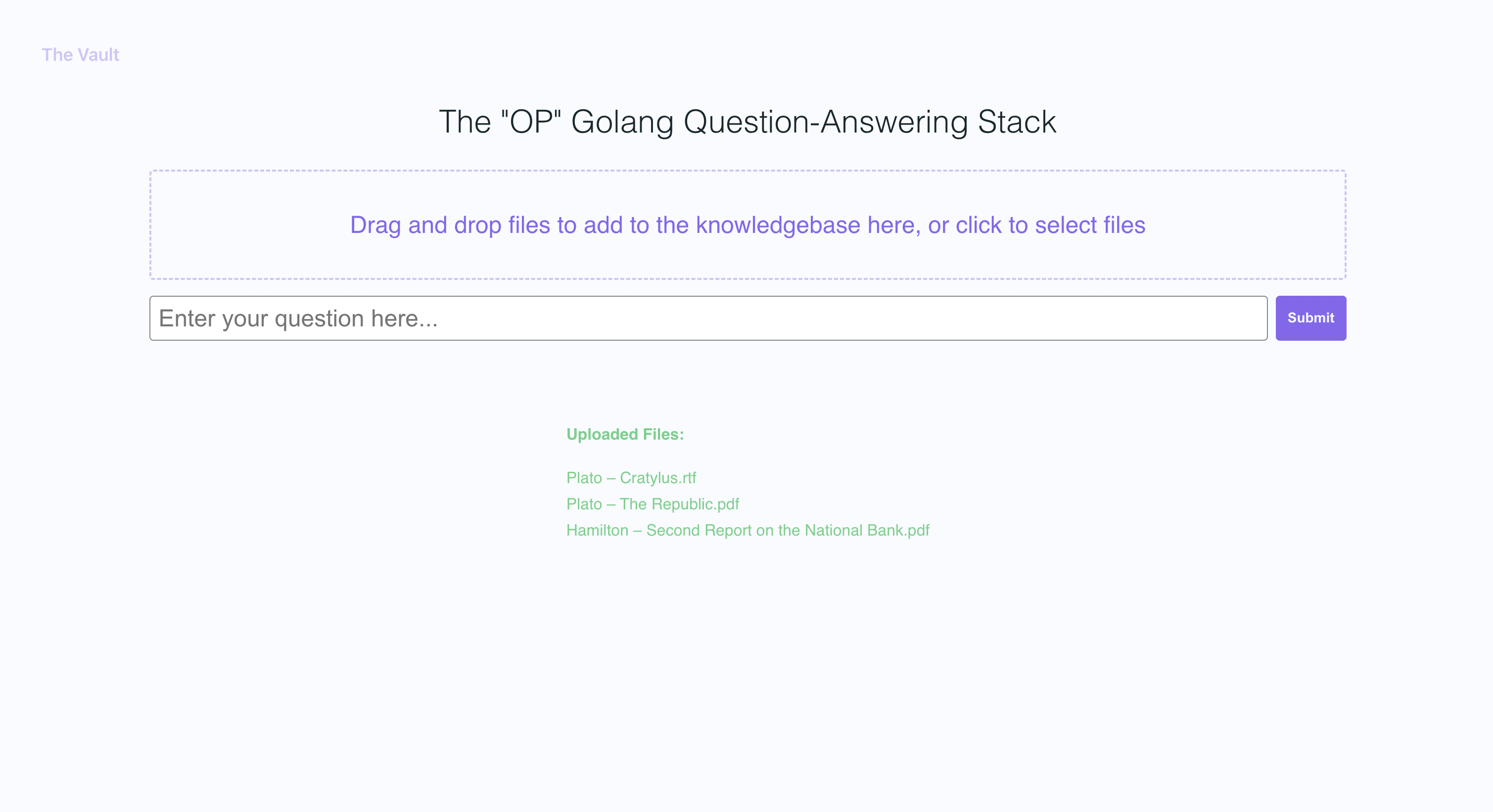
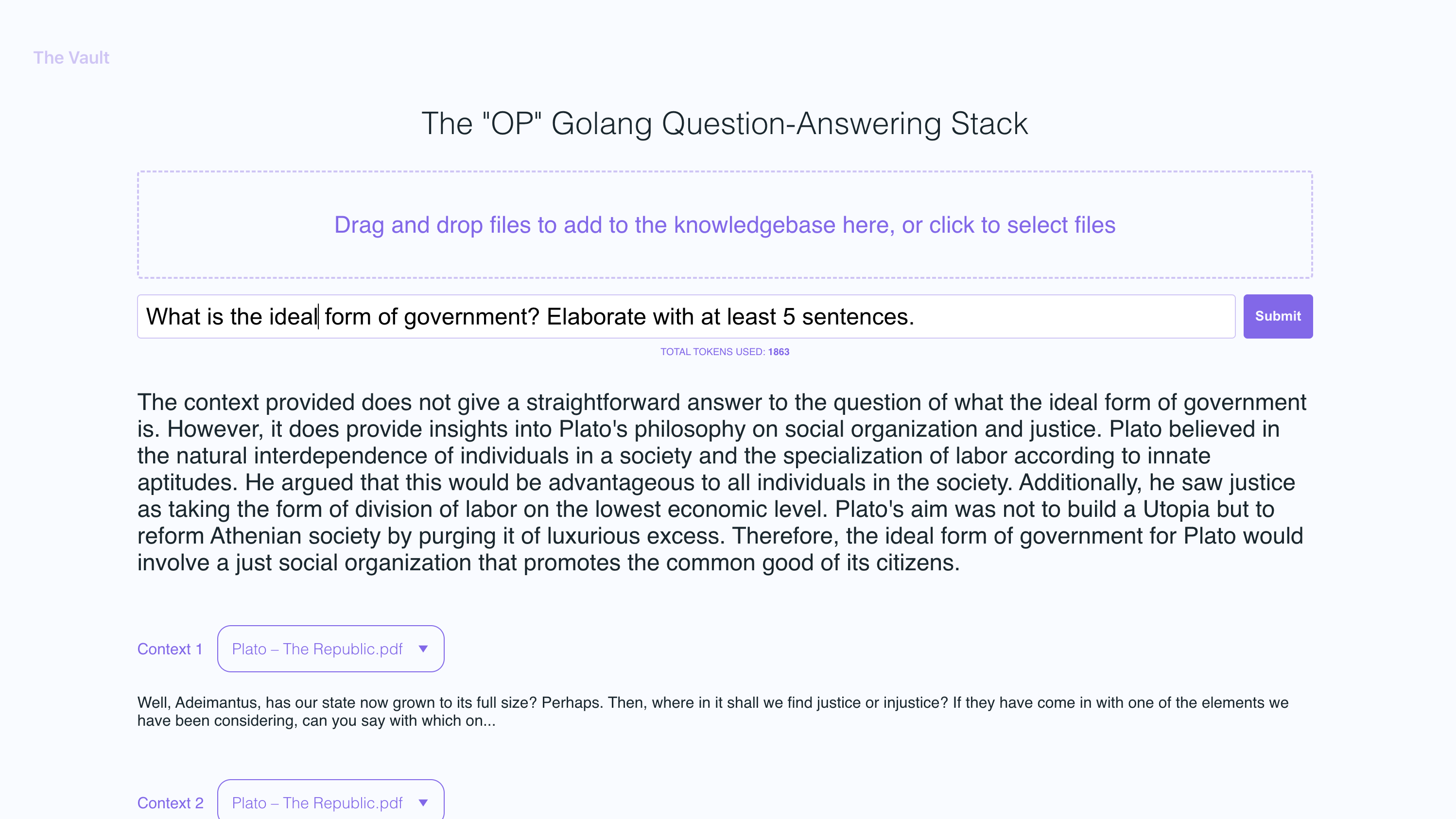
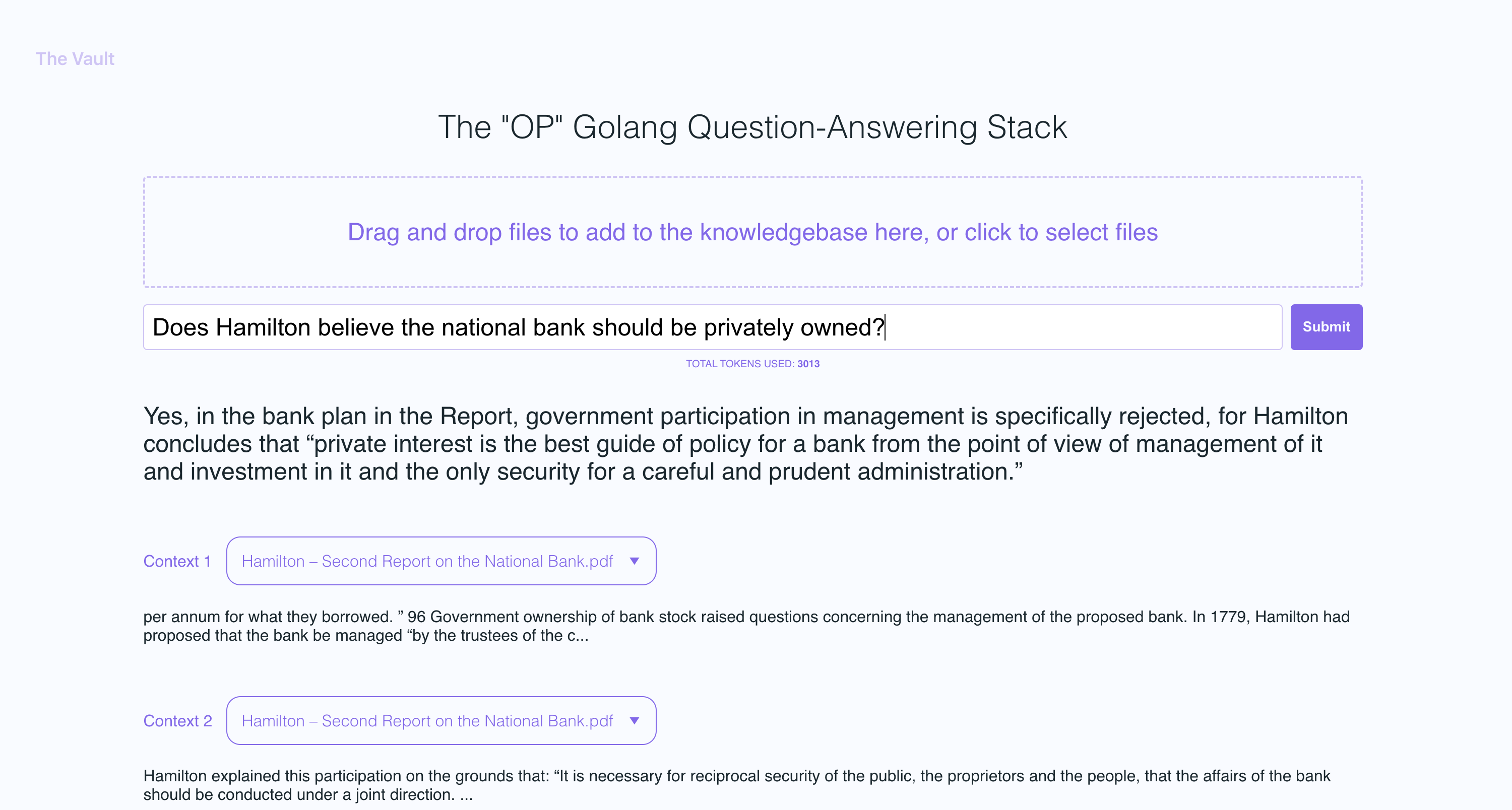
In the example screenshots, I uploaded a couple of books by Plato and some letters by Alexander Hamilton, showcasing the ability of OP Vault to answer questions based on the uploaded content.
Uploading files

Asking questions
Under the hood
The golang server uses POST APIs to process incoming uploads and respond to questions:
/upload for uploading files
/api/question for answering questions
All api endpoints are declared in the vault-web-server/main.go file.
Uploading files and processing them into embeddings
The vault-web-server/postapi/fileupload.go file contains the UploadHandler logic for handling incoming uploads on the backend.
The UploadHandler function in the postapi package is responsible for handling file uploads (with a maximum total upload size of 300 MB) and processing them into embeddings to store in Pinecone. It accepts PDF, epub, .docx, and plain text files, extracts text from them, and divides the content into chunks. Using OpenAI API, it obtains embeddings for each chunk and upserts (inserts or updates) the embeddings into Pinecone. The function returns a JSON response containing information about the uploaded files and their processing status.
- Limit the size of the request body to MAX_TOTAL_UPLOAD_SIZE (300 MB).
- Parse the incoming multipart form data with a maximum allowed size of 300 MB.
- Initialize response data with fields for successful and failed file uploads.
- Iterate over the uploaded files, and for each file:
a. Check if the file size is within the allowed limit (MAX_FILE_SIZE, 300 MB).
b. Read the file into memory.
c. If the file is a PDF, extract the text from it; otherwise, read the contents as plain text.
d. Divide the file contents into chunks.
e. Use OpenAI API to obtain embeddings for each chunk.
f. Upsert (insert or update) the embeddings into Pinecone.
g. Update the response data with information about successful and failed uploads.
- Return a JSON response containing information about the uploaded files and their processing status.
Storing embeddings into Pinecone db
After getting OpenAI embeddings for each chunk of an uploaded file, the server stores all of the embeddings, along with metadata associated for each embedding in Pinecone DB. The metadata for each embedding is created in the upsertEmbeddingsToPinecone function, with the following keys and values:
file_name: The name of the file from which the text chunk was extracted.start: The starting character position of the text chunk in the original file.end: The ending character position of the text chunk in the original file.title: The title of the chunk, which is also the file name in this case.text: The text of the chunk.
This metadata is useful for providing context to the embeddings and is used to display additional information about the matched embeddings when retrieving results from the Pinecone database.
Answering questions
The QuestionHandler function in vault-web-server/postapi/questions.go is responsible for handling all incoming questions. When a question is entered on the frontend and the user presses "search" (or enter), the server uses the OpenAI embeddings API once again to get an embedding for the question (a.k.a. query vector). This query vector is used to query Pinecone db to get the most relevant context for the question. Finally, a prompt is built by packing the most relevant context + the question in a prompt string that adheres to OpenAI token limits (the go tiktoken library is used to estimate token count).
Frontend info
The frontend is built using React.js and less for styling.
Generative question-answering with long-term memory
If you'd like to read more about this topic, I recommend this post from the pinecone blog:
I hope you enjoy it (:
Uploading larger files
I currently have the max individual file size set to 3MB. If you want to increase this limit, edit the MAX_FILE_SIZE and MAX_TOTAL_UPLOAD_SIZE constants in fileupload.go.
Supported Filetypes
PDFs, .txt, .rtf, .docx, .epub, and plaintext.
New Pinecone Free Tier Restrictions
Recently, Pinecone limited the use of namespaces for free tier users. If you're on a newly created free tier, these restrictions will apply to you.

 OP Vault 让 ChatGPT 能长期记住你自己的文档内容:你上传一个由书籍、信件或 PDF 组成的知识库,然后就能就其中的内容提问,底层由 OpenAI 和 Pinecone 向量数据库驱动。