

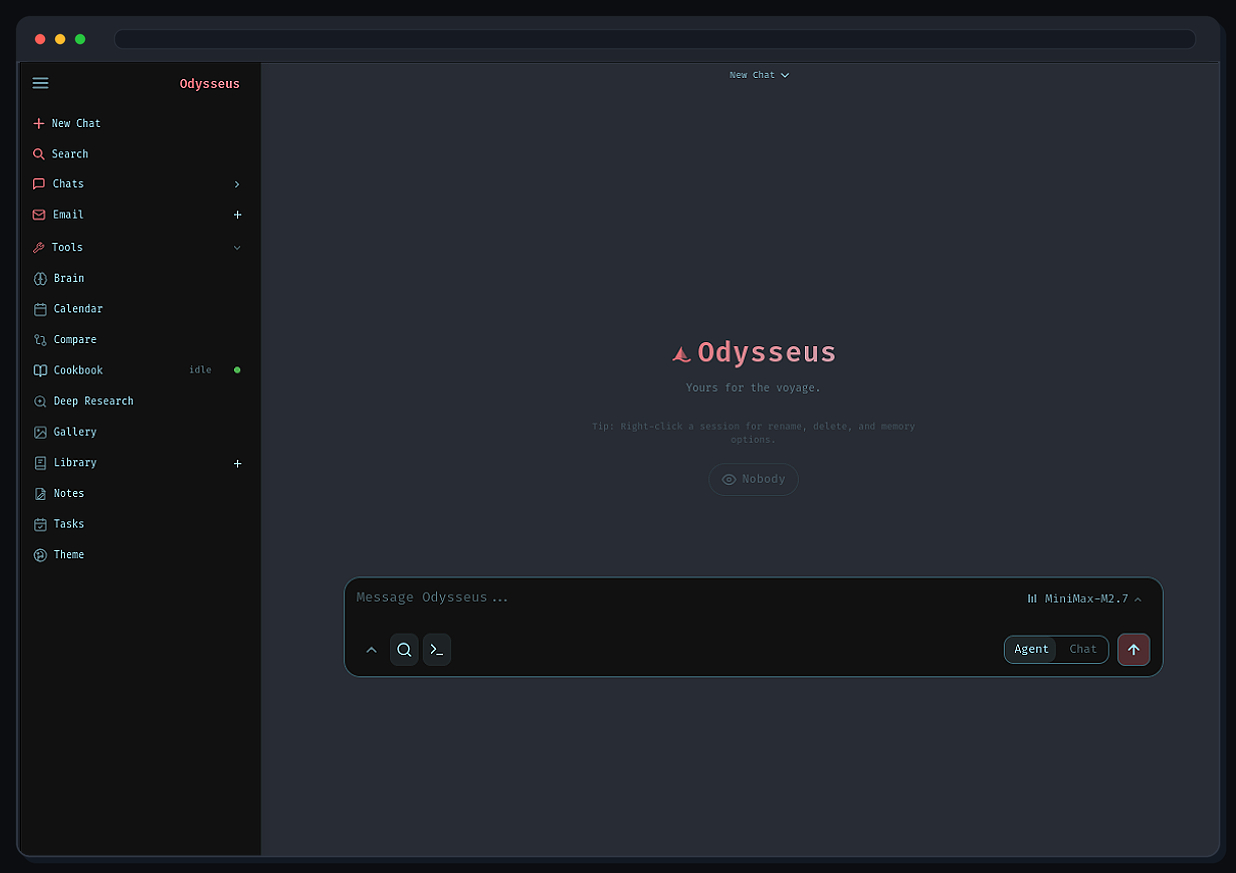
这是什么?
 Odysseus 是一个可自托管的 AI 工作空间,集成了聊天、智能体、深度研究、文档编辑器、邮件、笔记、任务和日历功能,可搭配本地模型或 API 模型使用。
Odysseus 是一个可自托管的 AI 工作空间,集成了聊天、智能体、深度研究、文档编辑器、邮件、笔记、任务和日历功能,可搭配本地模型或 API 模型使用。这是托管的 SaaS 服务,还是需要我自己运行?需要你自己运行。它是一个基于 Docker 的应用,有自己的容器,并不是云服务,你可以把它部署在自己的电脑或服务器上。
需要你自己运行。它是一个基于 Docker 的应用,有自己的容器,并不是云服务,你可以把它部署在自己的电脑或服务器上。怎么把它跑起来?使用 docker compose 启动;待容器状态正常后,在浏览器中打开应用。首个管理员密码会打印在 odysseus 服务的 docker compose 日志中。
使用 docker compose 启动;待容器状态正常后,在浏览器中打开应用。首个管理员密码会打印在 odysseus 服务的 docker compose 日志中。必须安装 Docker 吗?还是可以直接原生安装?默认使用 Docker。不使用容器的原生安装、GPU 配置,以及 HTTPS 和其他配置细节,都写在单独的安装指南中。
默认使用 Docker。不使用容器的原生安装、GPU 配置,以及 HTTPS 和其他配置细节,都写在单独的安装指南中。部署时最需要注意什么?安全要靠你自己保障:任何可通过网络访问的部署都要保持 AUTHENABLED=true,在本地开发之外保持 LOCALHOSTBYPASS=false,并且绝不要把原始的模型或服务端口暴露到公网。
安全要靠你自己保障:任何可通过网络访问的部署都要保持 AUTHENABLED=true,在本地开发之外保持 LOCALHOSTBYPASS=false,并且绝不要把原始的模型或服务端口暴露到公网。只能在 Linux 上运行,还是也支持 Windows 和 macOS?除默认的 Linux/Docker 方案外,指南还提供了 Windows 和 macOS 的专门安装说明,以及 GPU 相关说明。
除默认的 Linux/Docker 方案外,指南还提供了 Windows 和 macOS 的专门安装说明,以及 GPU 相关说明。它会读取我的邮件和笔记,这些数据会去哪里?所有数据都留在你自己的自托管服务器上。README 明确提醒:不要把私人数据提交到 Git,也绝不要把原始的模型或服务端口暴露到公共互联网。
所有数据都留在你自己的自托管服务器上。README 明确提醒:不要把私人数据提交到 Git,也绝不要把原始的模型或服务端口暴露到公共互联网。邮件功能具体能做什么?它通过 IMAP/SMTP 连接你的收件箱,可以完成邮件分类、打标签、生成摘要、设置提醒,并起草回复。
它通过 IMAP/SMTP 连接你的收件箱,可以完成邮件分类、打标签、生成摘要、设置提醒,并起草回复。什么是深度研究模式?这是一个多步骤的智能体,能自主进行网络调研、阅读资料来源,并撰写综合报告。
这是一个多步骤的智能体,能自主进行网络调研、阅读资料来源,并撰写综合报告。Cookbook 功能是做什么用的?它会根据硬件情况推荐适合的本地模型,并可直接在应用中下载和运行这些模型。
它会根据硬件情况推荐适合的本地模型,并可直接在应用中下载和运行这些模型。它支持 MCP 和外部工具吗?支持。聊天和智能体模块可以将本地或 API 模型与工具、MCP、文件和 Shell 访问、技能以及记忆功能结合使用。
支持。聊天和智能体模块可以将本地或 API 模型与工具、MCP、文件和 Shell 访问、技能以及记忆功能结合使用。What are similar projects?mail, stalwart, mailinabox, rowboat, khoj, EnvoyMesh, taskuary, atomic-agent
mail, stalwart, mailinabox, rowboat, khoj, EnvoyMesh, taskuary, atomic-agentWhich topics is it in?imap, smtp, web-search, calendar, 2fa, task-management, note-taking, email, chat, local-llm, agpl, agents
imap, smtp, web-search, calendar, 2fa, task-management, note-taking, email, chat, local-llm, agpl, agents