



modly README

The project's README from github.com/lightningpixel/modly. As one markdown file: README.md.

Modly logo

Modly

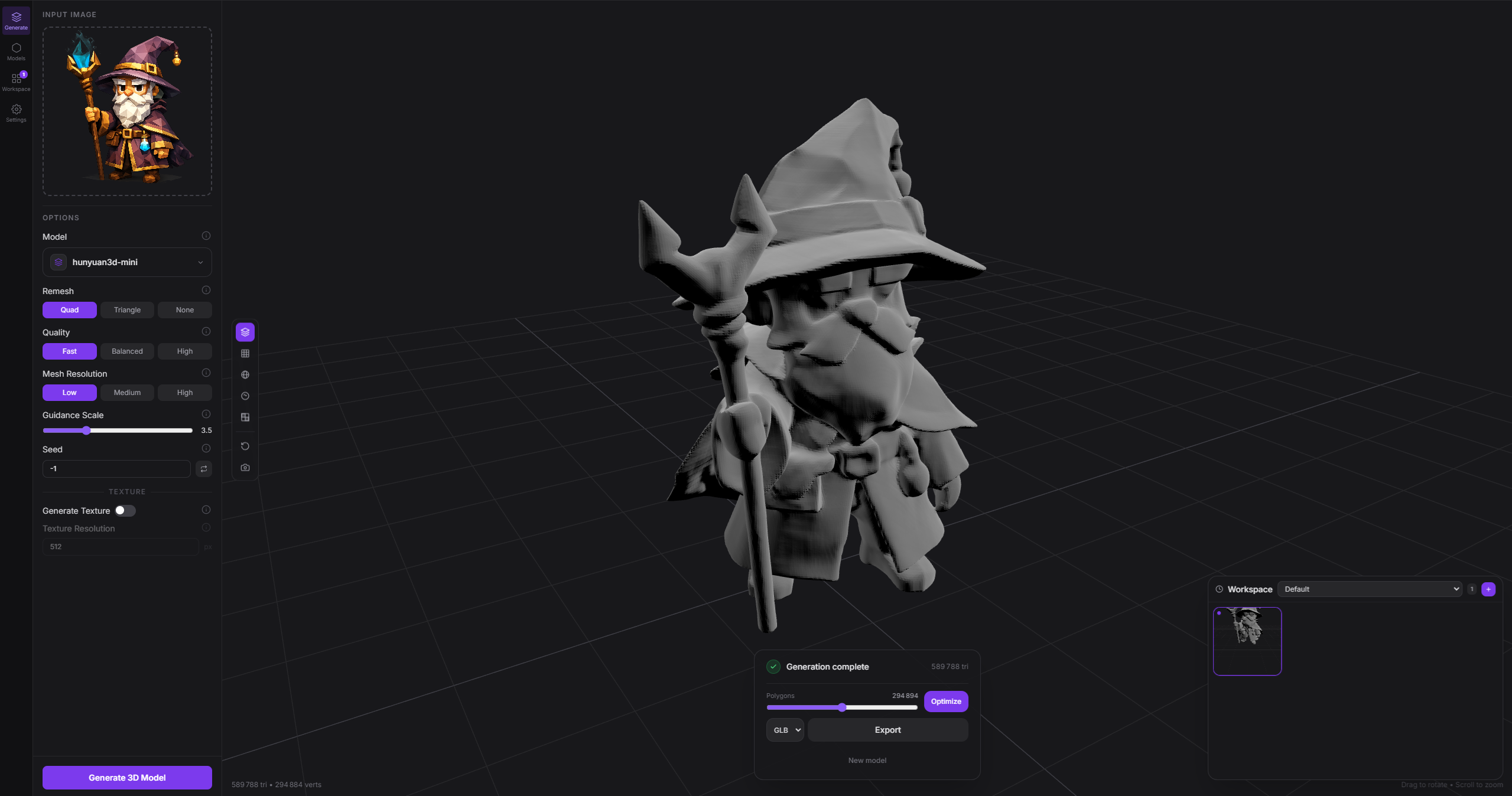
Local, open source, AI-powered image-to-3D mesh generation. Turn any photo into a 3D model using open source AI models running entirely on your GPU. Modly is a desktop application for Windows, Linux, and Apple Silicon macOS.

Created by Lightning Pixel

Modly screenshot


Download

Head to the Releases page to download the latest installer for Windows, Linux, or Apple Silicon macOS.

Alternatively, you can clone the repository and run the app directly without installing:

# Windows
launch.bat

# Linux / macOS
./launch.sh

Getting started

1. Install JS dependencies

npm install

2. Set up Python backend

cd api
python -m venv .venv
.venv\Scripts\activate     # Windows
source .venv/bin/activate  # Linux / macOS
pip install -r requirements.txt

3. Run in development

npm run dev

4. Test

npm test
./node_modules/.bin/tsc --noEmit -p tsconfig.node.json
npm run build

Platform notes


Extension system

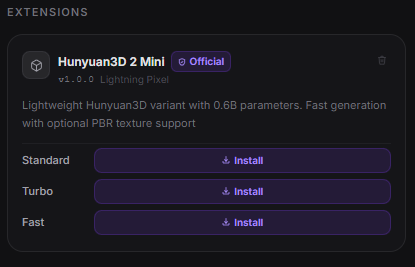
Modly supports external model and process extensions. Each extension is a GitHub repository containing a manifest.json plus the runtime entry files required by its type.

Official extensions

Extension Model URL
modly-hunyuan3d-mini-extension Hunyuan3D 2 Mini https://github.com/lightningpixel/modly-hunyuan3d-mini-extension
modly-hunyuan3d-mini-turbo-extension Hunyuan3D 2 Mini Turbo https://github.com/lightningpixel/modly-hunyuan3d-mini-turbo-extension
modly-hunyuan3d-mini-fast-extension Hunyuan3D 2 Mini Fast https://github.com/lightningpixel/modly-hunyuan3d-mini-fast-extension
modly-triposg-extension TripoSG https://github.com/lightningpixel/modly-triposg-extension
modly-trellis2-gguf-extension Trellis2 GGUF https://github.com/lightningpixel/modly-trellis2-gguf-extension

How to install an extension

1. Go to the Models page and click Install from GitHub.

Install from GitHub

2. Enter the HTTPS URL of the extension repository and confirm.

Enter extension URL

3. If the extension exposes model nodes, download the model or one of its variants. Process extensions are ready once installation and setup complete.

Install models


Workflows

Start with a basic workflow first. For example, on the "Workflows" tab, try: Image -> Generate Mesh -> Add to Scene. Make sure there is a connection between each of the steps. Go to the "Generate" tab, make sure the workflow is selected, then click on "Generate 3D Model". Click on "Settings/Logs/Errors" to see any issues.

Modly CLI

Agents and scripts can call a running Modly desktop app without using the UI via the stdlib-only CLI. The CLI is a thin helper over Modly's canonical automation concepts and keeps final machine-readable JSON on stdout:

python tools/modly-cli/agent.py health
python tools/modly-cli/agent.py model list
python tools/modly-cli/agent.py workflow-run status <run_id>
python tools/modly-cli/agent.py generate --image ./input.png --output ./export.glb

Canonical commands are health, model, workflow-run, capability, and process-run. The friendly generate command starts POST /workflow-runs/from-image, polls the returned run, exports the final mesh when requested, and includes recovery metadata such as workflow-run status ... and workflow-run cancel ... in the JSON response.

Compatibility and helper surfaces are intentionally separated: legacy wraps old /generate/* job endpoints, dev serve-api / dev ensure-server start only the FastAPI backend and do not prove Electron/Desktop bridge readiness, and experimental comfy-image / experimental generate-from-workflow are external ComfyUI orchestration helpers rather than the canonical Modly agent contract. Hidden helper aliases such as status, export, and batch remain parseable for scripts, but they are not presented as canonical root commands.

experimental generate-from-workflow --workflow <name> --output <path> treats --output as the final artifact location. When the ComfyUI workflow produces a downloadable 3D asset, the CLI downloads it directly; image-only workflows remain a compatibility path through Modly image-to-3D generation.

See tools/modly-cli/SKILL.md for the agent workflow and output contract.


Community

Join the Discord server to stay up to date with the latest news, report bugs, and share feedback.


Sponsors

Thanks to our early sponsors for believing in Modly and helping make local AI 3D generation more accessible.

DrHepa
DrHepa
   benjapenjamin
benjapenjamin
   iammojogo-sudo
iammojogo-sudo


License

MIT License — see LICENSE for details.

If you fork this project and build your own app from it, you must credit the original project and its creator:

Based on Modly by Lightning Pixel

This is a requirement of the MIT license attribution clause. Please keep this credit visible in your app's UI or documentation.

modly (lightningpixel/modly)

Searching Database…

8.2K ·GitHub
这是什么?Modly 是一款桌面应用,使用开源 AI 模型,把一张照片(或一段文字提示)生成为 3D 网格模型,完全在你自己的 GPU 上运行,不调用任何云端服务。
这是独立应用,还是我可以嵌入自己项目的库?它是一款基于 React 和 Three.js 构建的独立 Electron 桌面应用,而不是库;它还附带一个仅使用 Python 标准库的 CLI,用于脚本调用。
我该如何让它运行起来?从 Releases 页面下载适用于你所用平台的安装包,或者克隆仓库、安装 JS 依赖、配置 Python 后端,然后以开发模式运行。
使用它需要特定的 GPU 或其他运行环境吗?需要。生成过程完全在本地 GPU 上运行,而且应用自带 Python 后端,与 Node/Electron 前端一起打包;如果从源码构建,你需要同时配置好 Node 和 Python。
我的 Mac 都能用吗,还是只能用较新的机型?macOS 仅支持 Apple Silicon,不支持 Intel 版 Mac;Windows 和 Linux 则完全支持。
它能在哪些操作系统上运行?Windows、Linux 和 Apple Silicon 版 macOS,均可从 Releases 页面下载对应的原生安装包。
我的数据会离开我的电脑吗?不会。生成过程设计为完全在你自己的 GPU 上使用本地开源模型运行,因此图片和提示词都保留在你的电脑上。
Modly CLI 有什么用?它让智能体和脚本能够无界面地驱动正在运行的 Modly 桌面实例,调用与界面相同的 workflow-run 接口,并返回机器可读的 JSON,无需操作 Electron 窗口。
扩展系统是如何工作的?扩展是包含 manifest.json 及运行时文件的 GitHub 仓库。你可以在 Models 页面粘贴其 HTTPS 地址来安装扩展,然后下载它提供的模型。官方扩展包括 Hunyuan3D 2 Mini/Turbo/Fast、TripoSG 和 Trellis2 GGUF。
应用内的工作流是如何运作的?工作流是节点图,你在 Workflows 标签页中连接节点,例如 Image -> Generate Mesh -> Add to Scene。无效的图会被拦截并显示行内警告,不会破坏当前的网格。
生成网格后,我能再做清理吗?可以。导入的网格可以直接在应用内进行平滑处理和减面,优化后的结果会写回你的工作区。
Size
25.2 MB
Stars
8.2K
Age
7mo
Commits · 90 Days