




Что это такое?
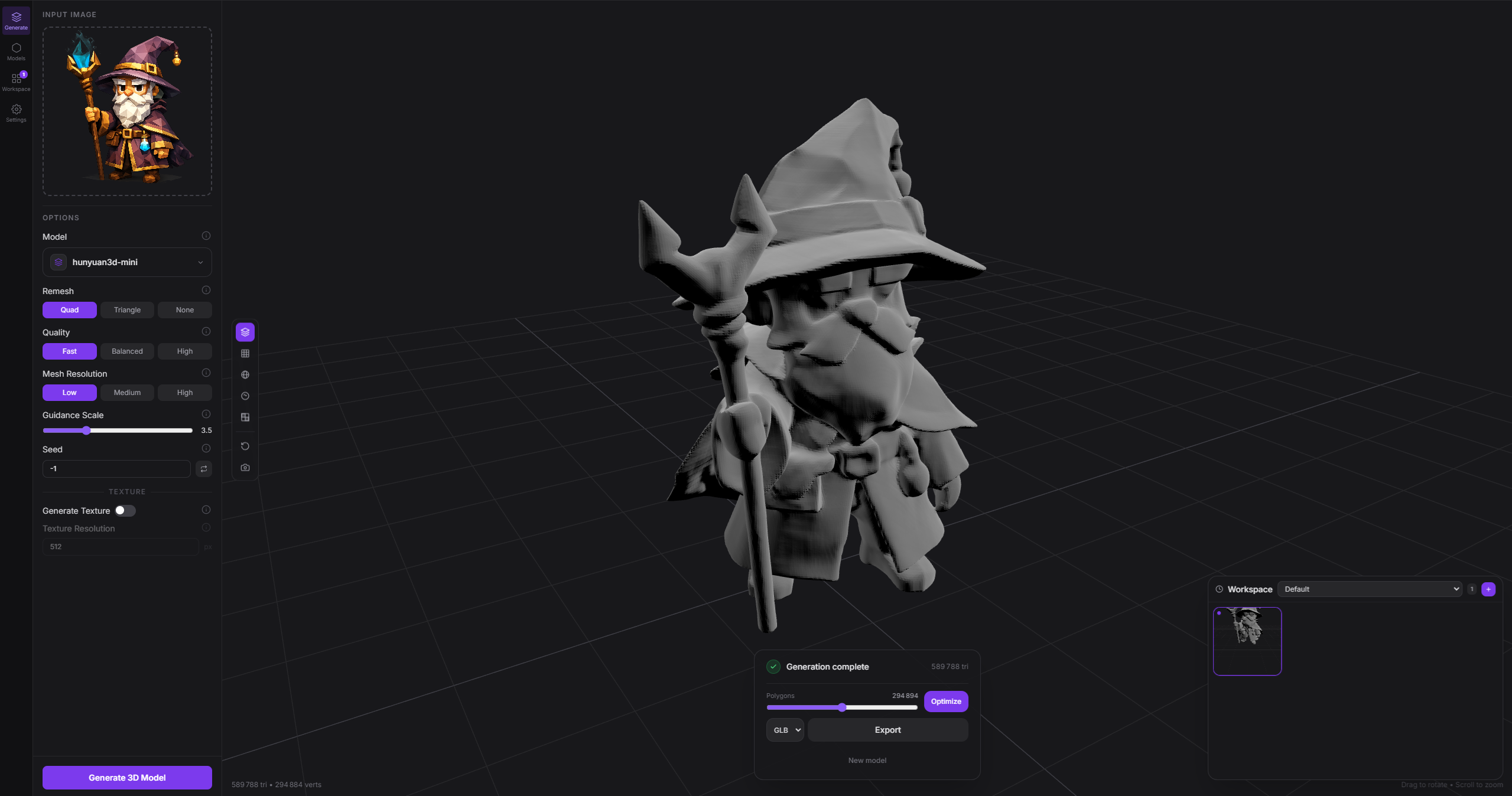
 Modly — это настольное приложение, которое превращает фотографию (или текстовый запрос) в 3D-модель с помощью открытых моделей ИИ. Всё работает полностью на вашей видеокарте, без обращения к облачным сервисам.
Modly — это настольное приложение, которое превращает фотографию (или текстовый запрос) в 3D-модель с помощью открытых моделей ИИ. Всё работает полностью на вашей видеокарте, без обращения к облачным сервисам.Это самостоятельное приложение или библиотека, которую можно встроить в мой проект?Это самостоятельное настольное приложение на Electron, созданное с помощью React и Three.js, а не библиотека. Кроме того, в комплекте есть отдельный CLI для скриптов, который использует только стандартную библиотеку Python.
Это самостоятельное настольное приложение на Electron, созданное с помощью React и Three.js, а не библиотека. Кроме того, в комплекте есть отдельный CLI для скриптов, который использует только стандартную библиотеку Python.Как его запустить?Скачайте установщик для своей платформы на странице Releases или клонируйте репозиторий, установите JS-зависимости, настройте Python-бэкенд и запустите приложение в режиме разработки.
Скачайте установщик для своей платформы на странице Releases или клонируйте репозиторий, установите JS-зависимости, настройте Python-бэкенд и запустите приложение в режиме разработки.Нужна ли особая видеокарта или дополнительные среды выполнения, чтобы им пользоваться?Да, генерация полностью выполняется на вашей локальной видеокарте. Кроме того, приложение включает Python-бэкенд наряду с фронтендом на Node/Electron, поэтому при сборке из исходников нужно настроить и Node, и Python.
Да, генерация полностью выполняется на вашей локальной видеокарте. Кроме того, приложение включает Python-бэкенд наряду с фронтендом на Node/Electron, поэтому при сборке из исходников нужно настроить и Node, и Python.Работает ли это на любом Mac или только на новых?Поддержка macOS ограничена только чипами Apple Silicon: компьютеры Mac на процессорах Intel не поддерживаются, тогда как Windows и Linux поддерживаются полностью.
Поддержка macOS ограничена только чипами Apple Silicon: компьютеры Mac на процессорах Intel не поддерживаются, тогда как Windows и Linux поддерживаются полностью.На каких операционных системах это работает?Windows, Linux и macOS на Apple Silicon. Для каждой системы есть собственные установщики на странице Releases.
Windows, Linux и macOS на Apple Silicon. Для каждой системы есть собственные установщики на странице Releases.Покидают ли мои данные компьютер?Нет, генерация изначально рассчитана на полную работу на вашей видеокарте с локальными открытыми моделями, поэтому изображения и запросы остаются на вашем компьютере.
Нет, генерация изначально рассчитана на полную работу на вашей видеокарте с локальными открытыми моделями, поэтому изображения и запросы остаются на вашем компьютере.Для чего нужен CLI Modly?Он позволяет агентам и скриптам управлять запущенным настольным приложением Modly в фоновом режиме: они обращаются к тем же эндпоинтам запуска воркфлоу, что и интерфейс, и получают ответ в формате JSON, пригодном для машинной обработки, не трогая окно Electron.
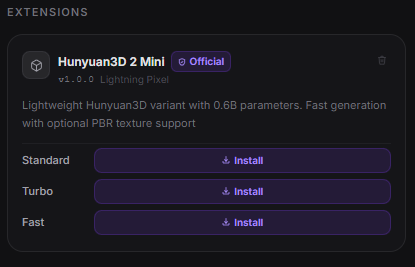
Он позволяет агентам и скриптам управлять запущенным настольным приложением Modly в фоновом режиме: они обращаются к тем же эндпоинтам запуска воркфлоу, что и интерфейс, и получают ответ в формате JSON, пригодном для машинной обработки, не трогая окно Electron.Как устроена система расширений?Расширения — это репозитории на GitHub, которые содержат файл manifest.json и файлы среды выполнения. Чтобы установить расширение, вставьте его HTTPS-ссылку на странице Models, а затем скачайте модель, которую оно предоставляет. Официальные расширения включают Hunyuan3D 2 Mini/Turbo/Fast, TripoSG и Trellis2 GGUF.
Расширения — это репозитории на GitHub, которые содержат файл manifest.json и файлы среды выполнения. Чтобы установить расширение, вставьте его HTTPS-ссылку на странице Models, а затем скачайте модель, которую оно предоставляет. Официальные расширения включают Hunyuan3D 2 Mini/Turbo/Fast, TripoSG и Trellis2 GGUF.Как работают воркфлоу внутри приложения?Воркфлоу — это графы узлов, которые вы собираете на вкладке Workflows, например Image -> Generate Mesh -> Add to Scene. Некорректные графы блокируются с встроенными предупреждениями и не ломают текущую модель.
Воркфлоу — это графы узлов, которые вы собираете на вкладке Workflows, например Image -> Generate Mesh -> Add to Scene. Некорректные графы блокируются с встроенными предупреждениями и не ломают текущую модель.Можно ли потом доработать созданную модель?Да, импортированные модели можно сгладить и упростить прямо в приложении, а оптимизированный результат сохраняется обратно в вашу рабочую папку.
Да, импортированные модели можно сгладить и упростить прямо в приложении, а оптимизированный результат сохраняется обратно в вашу рабочую папку.What are similar projects?ooosplat, TRELLIS, image-to-3dlab, dioramas, image-blaster, ml-sharp, genex-desktop, artcraft
ooosplat, TRELLIS, image-to-3dlab, dioramas, image-blaster, ml-sharp, genex-desktop, artcraftWhich topics is it in?gaussian-splatting, image-to-3d, 3d-generation, local-ai, ai-tools, plugin-system, 3d, apple-silicon, electron, gpu, react, desktop-app
gaussian-splatting, image-to-3d, 3d-generation, local-ai, ai-tools, plugin-system, 3d, apple-silicon, electron, gpu, react, desktop-app