



What is this?
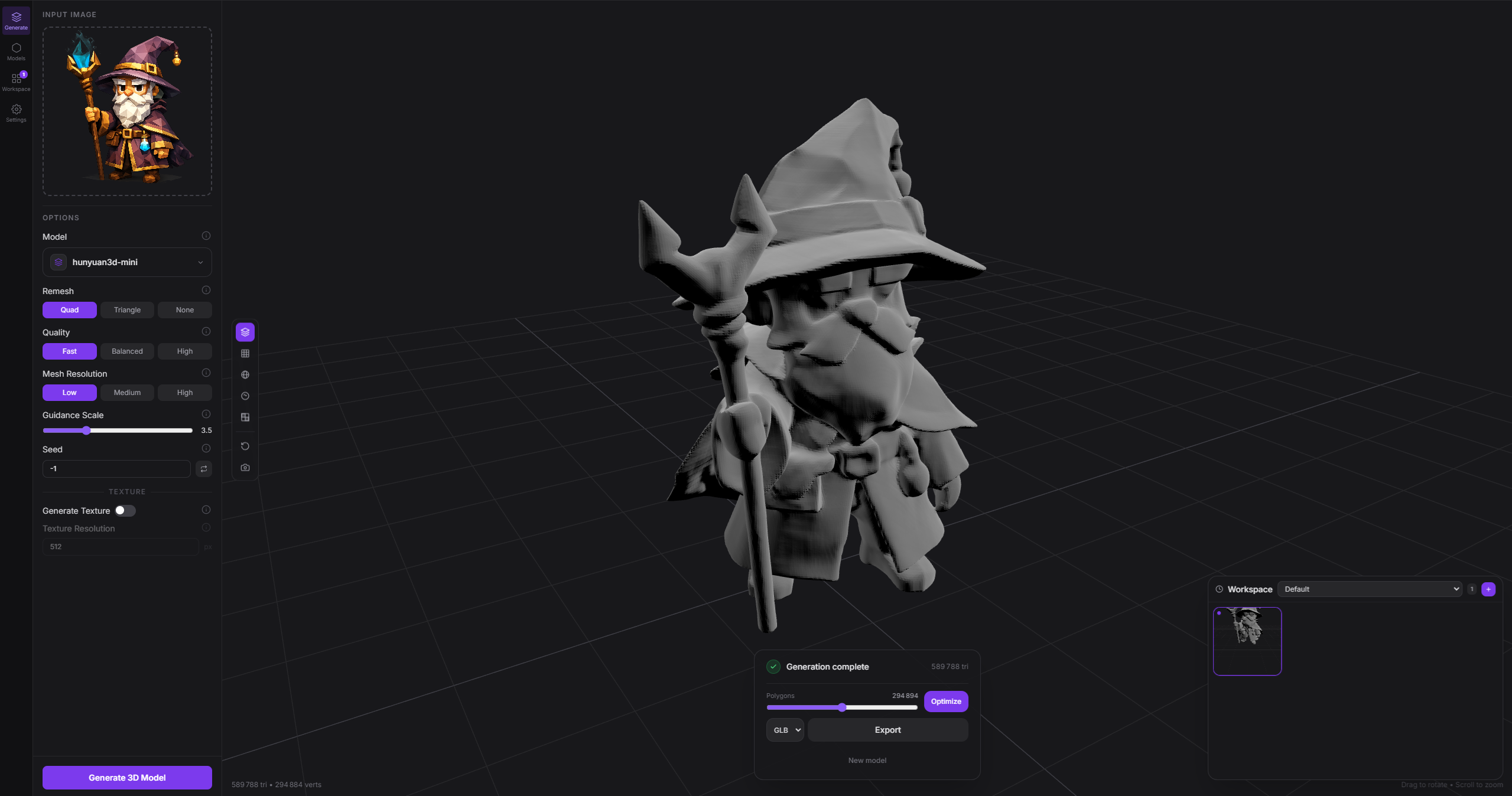
 Modly is a desktop app that turns a photo (or a text prompt) into a 3D mesh using open source AI models, running entirely on your own GPU with no cloud calls.
Modly is a desktop app that turns a photo (or a text prompt) into a 3D mesh using open source AI models, running entirely on your own GPU with no cloud calls.Is this a standalone app or a library I'd embed in my own project?It is a standalone Electron desktop application built with React and Three.js, not a library; it also ships a separate stdlib-only CLI for scripting it.
It is a standalone Electron desktop application built with React and Three.js, not a library; it also ships a separate stdlib-only CLI for scripting it.How do I get it running?Download the installer for your platform from the Releases page, or clone the repository, install the JS dependencies, set up the Python backend, and run it in development mode.
Download the installer for your platform from the Releases page, or clone the repository, install the JS dependencies, set up the Python backend, and run it in development mode.Do I need a specific GPU or any extra runtime to use it?Yes, generation runs entirely on your local GPU, and the app bundles a Python backend alongside its Node/Electron frontend, so you need both Node and Python set up if building from source.
Yes, generation runs entirely on your local GPU, and the app bundles a Python backend alongside its Node/Electron frontend, so you need both Node and Python set up if building from source.Does it work on any Mac, or only newer ones?macOS support is limited to Apple Silicon only; Intel Macs are not supported, while Windows and Linux are fully supported.
macOS support is limited to Apple Silicon only; Intel Macs are not supported, while Windows and Linux are fully supported.Which operating systems does it run on?Windows, Linux, and Apple Silicon macOS, each with native installers from the Releases page.
Windows, Linux, and Apple Silicon macOS, each with native installers from the Releases page.Does any of my data leave my machine?No, generation is designed to run entirely on your own GPU with local open source models, so images and prompts stay on your machine.
No, generation is designed to run entirely on your own GPU with local open source models, so images and prompts stay on your machine.What is the Modly CLI for?It lets agents and scripts drive a running Modly desktop instance headlessly, hitting the same workflow-run endpoints as the UI and getting machine-readable JSON back, without touching the Electron window.
It lets agents and scripts drive a running Modly desktop instance headlessly, hitting the same workflow-run endpoints as the UI and getting machine-readable JSON back, without touching the Electron window.How does the extension system work?Extensions are GitHub repos containing a manifest.json plus runtime files; you install one from the Models page by pasting its HTTPS URL, then download the model it exposes. Official extensions include Hunyuan3D 2 Mini/Turbo/Fast, TripoSG, and Trellis2 GGUF.
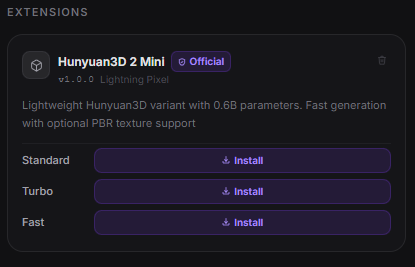
Extensions are GitHub repos containing a manifest.json plus runtime files; you install one from the Models page by pasting its HTTPS URL, then download the model it exposes. Official extensions include Hunyuan3D 2 Mini/Turbo/Fast, TripoSG, and Trellis2 GGUF.How do workflows work inside the app?Workflows are node graphs you wire on the Workflows tab, e.g. Image -> Generate Mesh -> Add to Scene; invalid graphs are blocked with inline warnings instead of breaking the current mesh.
Workflows are node graphs you wire on the Workflows tab, e.g. Image -> Generate Mesh -> Add to Scene; invalid graphs are blocked with inline warnings instead of breaking the current mesh.Can I clean up a generated mesh afterward?Yes, imported meshes can be smoothed and decimated directly inside the app, with the optimized result written back into your workspace.
Yes, imported meshes can be smoothed and decimated directly inside the app, with the optimized result written back into your workspace.What are similar projects?ooosplat, TRELLIS, image-to-3dlab, dioramas, image-blaster, ml-sharp, genex-desktop, artcraft
ooosplat, TRELLIS, image-to-3dlab, dioramas, image-blaster, ml-sharp, genex-desktop, artcraftWhich topics is it in?gaussian-splatting, image-to-3d, 3d-generation, local-ai, ai-tools, plugin-system, 3d, apple-silicon, electron, gpu, react, desktop-app
gaussian-splatting, image-to-3d, 3d-generation, local-ai, ai-tools, plugin-system, 3d, apple-silicon, electron, gpu, react, desktop-app