这是什么东西?
 Google 的开源跨平台工具包,用于在实时和流式媒体中做端侧机器学习:提供现成的库和预训练模型,可以直接接入你自己的应用。
Google 的开源跨平台工具包,用于在实时和流式媒体中做端侧机器学习:提供现成的库和预训练模型,可以直接接入你自己的应用。它是一个库,还是一整套工具箱?是一整套工具箱。MediaPipe Solutions 把跨平台的 Task API 和库与预训练、开箱即用的模型打包在一起;而底层的 MediaPipe Framework 则让你构建自己的高效端侧机器学习流水线。
是一整套工具箱。MediaPipe Solutions 把跨平台的 Task API 和库与预训练、开箱即用的模型打包在一起;而底层的 MediaPipe Framework 则让你构建自己的高效端侧机器学习流水线。我该怎么上手?先选一份对应你要做的视觉、文本或音频任务的开发者指南,然后按照你的平台的安装指南操作:Android、Web 应用或 Python。如果想用底层的 Framework,安装后就可以开始构建 C++、Android 和 iOS 的示例应用。
先选一份对应你要做的视觉、文本或音频任务的开发者指南,然后按照你的平台的安装指南操作:Android、Web 应用或 Python。如果想用底层的 Framework,安装后就可以开始构建 C++、Android 和 iOS 的示例应用。我需要会写 C++ 才能用它吗?用现成的 Solutions 不需要——你通过跨平台的 MediaPipe Tasks API 来使用它们,并有 Android、Web 和 Python 的指南。只有当你要在底层 Framework 上构建自定义流水线时才需要 C++。
用现成的 Solutions 不需要——你通过跨平台的 MediaPipe Tasks API 来使用它们,并有 Android、Web 和 Python 的指南。只有当你要在底层 Framework 上构建自定义流水线时才需要 C++。仓库里的所有内容目前还在积极维护吗?不是。旧的 MediaPipe Legacy Solutions 的支持已于 2023 年 3 月 1 日结束——其代码和预编译二进制文件仍按原样提供,正逐步被新的 MediaPipe Solutions 取代。
不是。旧的 MediaPipe Legacy Solutions 的支持已于 2023 年 3 月 1 日结束——其代码和预编译二进制文件仍按原样提供,正逐步被新的 MediaPipe Solutions 取代。用它开发的应用能运行在哪里?移动端(Android 和 iOS)、Web、桌面、边缘设备和物联网——同一套方案可以接入所有这些开发平台上的应用。
移动端(Android 和 iOS)、Web、桌面、边缘设备和物联网——同一套方案可以接入所有这些开发平台上的应用。我用户的数据会离开设备吗?不会——图像、视频、文本等输入数据都在设备上处理,不会发送到 Google 服务器。但有一点要注意:Tasks API 会向 Google 发送性能和使用情况指标,因此你可能需要为此征得用户同意。
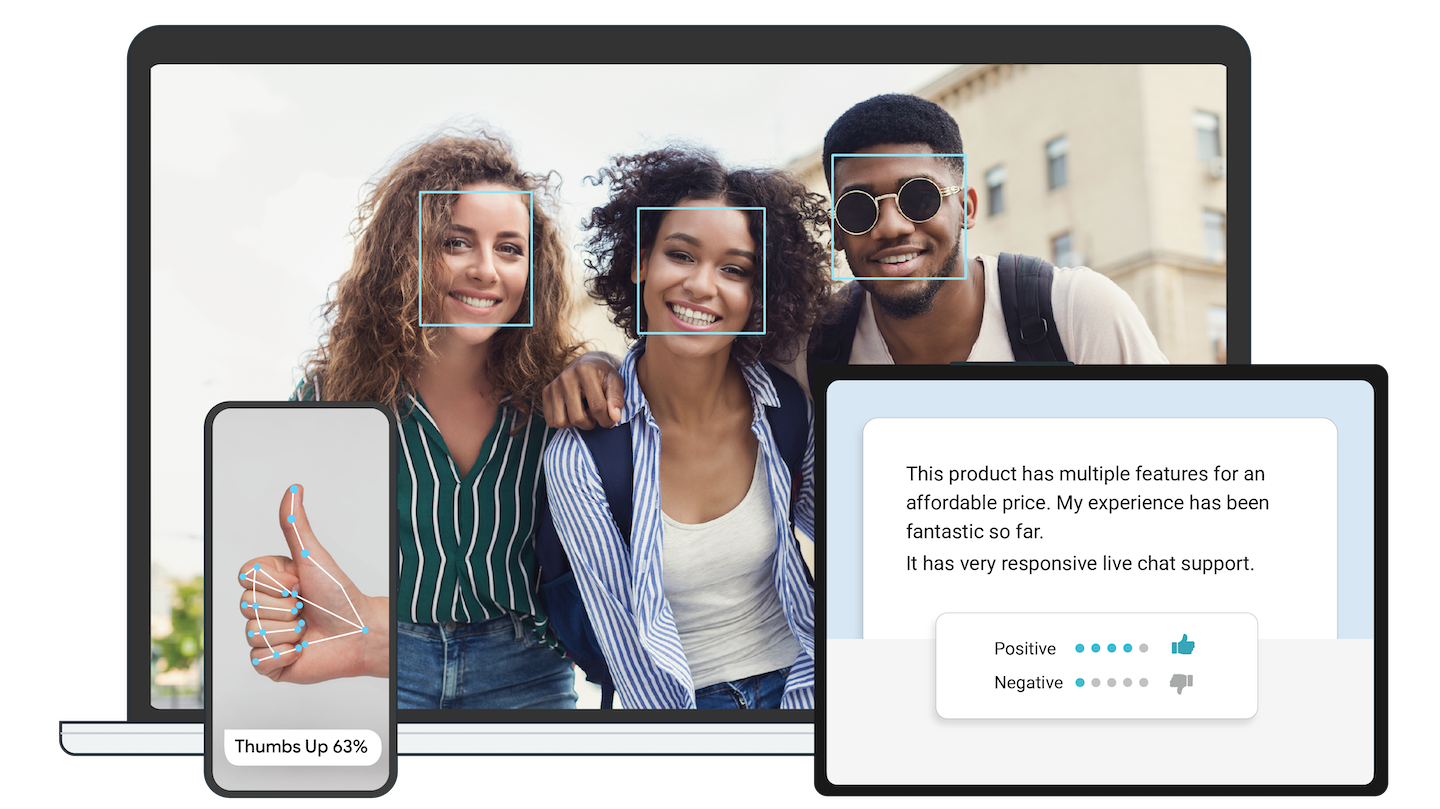
不会——图像、视频、文本等输入数据都在设备上处理,不会发送到 Google 服务器。但有一点要注意:Tasks API 会向 Google 发送性能和使用情况指标,因此你可能需要为此征得用户同意。我究竟能用它做出什么东西?项目的发布列表提到了实时手部追踪、基于 BlazePose 的全身姿态追踪、带深度估计的人脸和眼部追踪、3D 物体检测、即时运动追踪,以及用 AutoFlip 做智能视频重构——Google Meet 背景功能用的就是同一类技术。
项目的发布列表提到了实时手部追踪、基于 BlazePose 的全身姿态追踪、带深度估计的人脸和眼部追踪、3D 物体检测、即时运动追踪,以及用 AutoFlip 做智能视频重构——Google Meet 背景功能用的就是同一类技术。我能用自己的数据调整这些模型吗?可以。MediaPipe Model Maker 能用你的数据定制方案模型,MediaPipe Studio 让你在浏览器里对模型进行可视化、评估和基准测试;而且这些方案本身是开源项目的一部分,你也可以直接修改方案代码。
可以。MediaPipe Model Maker 能用你的数据定制方案模型,MediaPipe Studio 让你在浏览器里对模型进行可视化、评估和基准测试;而且这些方案本身是开源项目的一部分,你也可以直接修改方案代码。在我自己的产品里使用它收费吗?免费——它是以 Apache-2.0 许可证开源的,设计初衷就是让你把这些方案接入覆盖移动端、Web 和桌面的应用。
免费——它是以 Apache-2.0 许可证开源的,设计初衷就是让你把这些方案接入覆盖移动端、Web 和桌面的应用。What are similar projects?silero-vad, opencv, coyopedal, runanywhere-sdks, supertonic, ncnn, SmarterStreaming, MNN
silero-vad, opencv, coyopedal, runanywhere-sdks, supertonic, ncnn, SmarterStreaming, MNNWhich topics is it in?stream-processing, on-device-ai, edge-ai, c-plus-plus, audio-processing, iot, mobile-development, video-processing, google, real-time, artificial-intelligence, streaming
stream-processing, on-device-ai, edge-ai, c-plus-plus, audio-processing, iot, mobile-development, video-processing, google, real-time, artificial-intelligence, streaming