




ParlAI (pronounced “par-lay”) is a python framework for
sharing, training and testing dialogue models, from open-domain chitchat, to
task-oriented dialogue, to visual question answering.
Its goal is to provide researchers:
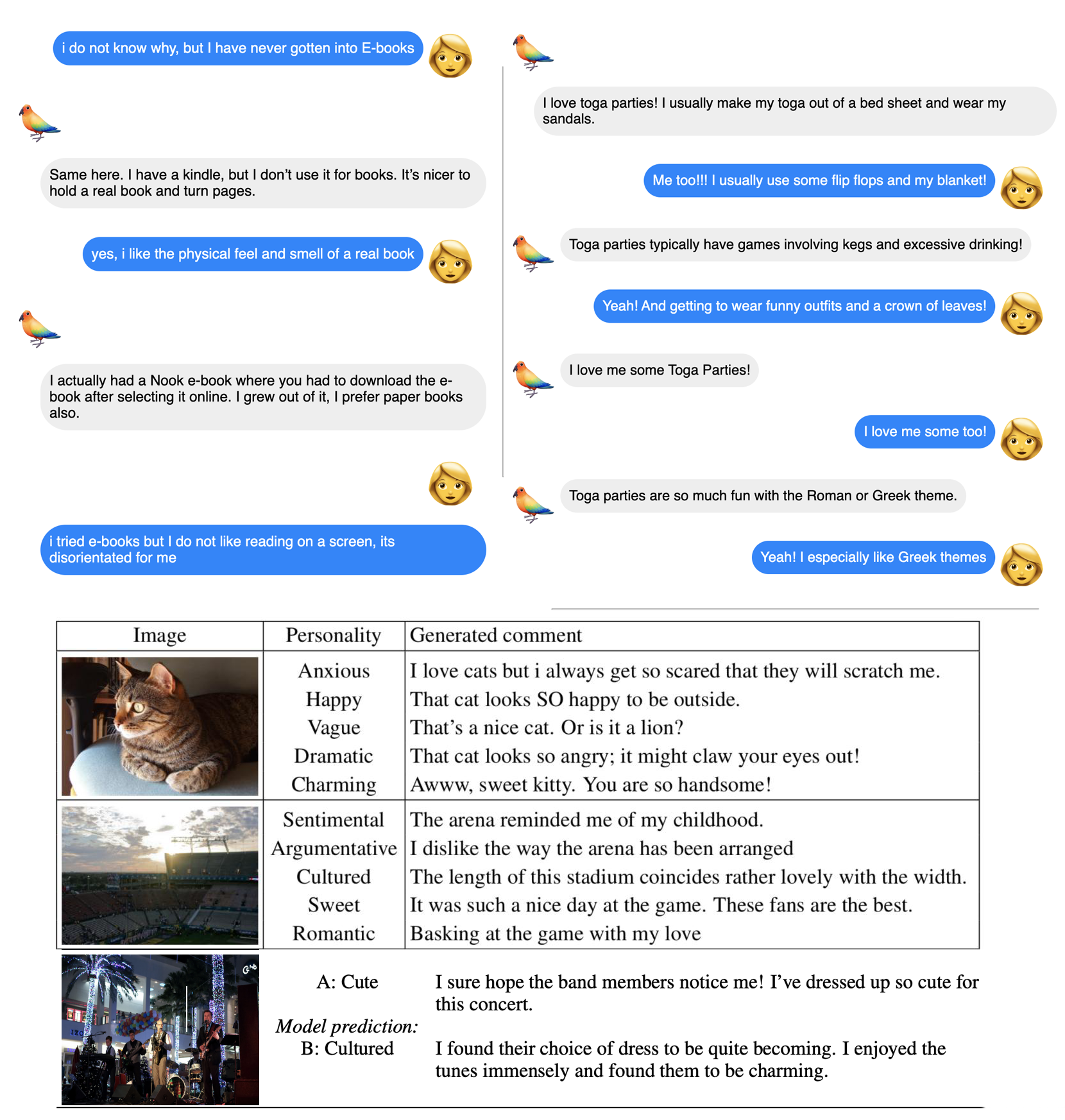
- 100+ popular datasets available all in one place, with the same API, among them PersonaChat, DailyDialog, Wizard of Wikipedia, Empathetic Dialogues, SQuAD, MS MARCO, QuAC, HotpotQA, QACNN & QADailyMail, CBT, BookTest, bAbI Dialogue tasks, Ubuntu Dialogue, OpenSubtitles, Image Chat, VQA, VisDial and CLEVR. See the complete list here.
- a wide set of reference models -- from retrieval baselines to Transformers.
- a large zoo of pretrained models ready to use off-the-shelf
- seamless integration of Amazon Mechanical Turk for data collection and human evaluation
- integration with Facebook Messenger to connect agents with humans in a chat interface
- a large range of helpers to create your own agents and train on several tasks with multitasking
- multimodality, some tasks use text and images
ParlAI is described in the following paper:
“ParlAI: A Dialog Research Software Platform", arXiv:1705.06476
or see these more up-to-date slides.
Follow us on Twitter and check out our Release
notes to see the latest
information about new features & updates, and the website
http://parl.ai for further docs. For an archived list of updates,
check out NEWS.md.
Interactive Tutorial
For those who want to start with ParlAI now, you can try our Colab Tutorial.
Installing ParlAI
Operating System
ParlAI should work as inteded under Linux or macOS. We do not support Windows at this time, but many users report success on Windows using Python 3.8 and issues with Python 3.9. We are happy to accept patches that improve Windows support.
Python Interpreter
ParlAI currently requires Python3.8+.
Requirements
ParlAI supports Pytorch 1.6 or higher.
All requirements of the core modules are listed in requirements.txt. However, some models included (in parlai/agents) have additional requirements.
Virtual Environment
We strongly recommend you install ParlAI in a virtual environment using venv or conda.
End User Installation
If you want to use ParlAI without modifications, you can install it with:
cd /path/to/your/parlai-app
python3.8 -m venv venv
venv/bin/pip install --upgrade pip setuptools wheel
venv/bin/pip install parlai
Developer Installation
Many users will want to modify some parts of ParlAI. To set up a development
environment, run the following commands to clone the repository and install
ParlAI:
git clone https://github.com/facebookresearch/ParlAI.git ~/ParlAI
cd ~/ParlAI
python3.8 -m venv venv
venv/bin/pip install --upgrade pip setuptools wheel
venv/bin/python setup.py develop
Note
Sometimes the install from source maynot work due to dependencies (specially in PyTorch related packaged).
In that case try building a fresh conda environment and running the similar to the following:
conda install pytorch==2.0.0 torchvision torchaudio torchtext pytorch-cuda=11.8 -c pytorch -c nvidia.
Check torch setup documentation for your CUDA and OS versions.
All needed data will be downloaded to ~/ParlAI/data. If you need to clear out
the space used by these files, you can safely delete these directories and any
files needed will be downloaded again.
Documentation
Examples
A large set of scripts can be found in parlai/scripts. Here are a few of them.
Note: If any of these examples fail, check the installation section to see if you have missed something.
Display 10 random examples from the SQuAD task
parlai display_data -t squad
Evaluate an IR baseline model on the validation set of the Personachat task:
parlai eval_model -m ir_baseline -t personachat -dt valid
Train a single layer transformer on PersonaChat (requires pytorch and torchtext).
Detail: embedding size 300, 4 attention heads, 2 epochs using batchsize 64, word vectors are initialized with fasttext and the other elements of the batch are used as negative during training.
parlai train_model -t personachat -m transformer/ranker -mf /tmp/model_tr6 --n-layers 1 --embedding-size 300 --ffn-size 600 --n-heads 4 --num-epochs 2 -veps 0.25 -bs 64 -lr 0.001 --dropout 0.1 --embedding-type fasttext_cc --candidates batch
Code Organization
The code is set up into several main directories:
- core: contains the primary code for the framework
- agents: contains agents which can interact with the different tasks (e.g. machine learning models)
- scripts: contains a number of useful scripts, like training, evaluating, interactive chatting, ...
- tasks: contains code for the different tasks available from within ParlAI
- mturk: contains code for setting up Mechanical Turk, as well as sample MTurk tasks
- messenger: contains code for interfacing with Facebook Messenger
- utils: contains a wide number of frequently used utility methods
- crowdsourcing: contains code for running crowdsourcing tasks, such as on Amazon Mechanical Turk
- chat_service: contains code for interfacing with services such as Facebook Messenger
- zoo: contains code to directly download and use pretrained models from our model zoo
Support
If you have any questions, bug reports or feature requests, please don't hesitate to post on our Github Issues page.
You may also be interested in checking out our FAQ and
our Tips n Tricks.
Please remember to follow our Code of Conduct.
Contributing
We welcome PRs from the community!
You can find information about contributing to ParlAI in our
Contributing
document.
The Team
ParlAI is currently maintained by Moya Chen, Emily Dinan, Dexter Ju, Mojtaba
Komeili, Spencer Poff, Pratik Ringshia, Stephen Roller, Kurt Shuster,
Eric Michael Smith, Megan Ung, Jack Urbanek, Jason Weston, Mary Williamson,
and Jing Xu. Kurt Shuster is the current Tech Lead.
Former major contributors and maintainers include Alexander H. Miller, Margaret
Li, Will Feng, Adam Fisch, Jiasen Lu, Antoine Bordes, Devi Parikh, Dhruv Batra,
Filipe de Avila Belbute Peres, Chao Pan, and Vedant Puri.
Citation
Please cite the arXiv paper if you use ParlAI in your work:
@article{miller2017parlai,
  title={ParlAI: A Dialog Research Software Platform},
  author={{Miller}, A.~H. and {Feng}, W. and {Fisch}, A. and {Lu}, J. and {Batra}, D. and {Bordes}, A. and {Parikh}, D. and {Weston}, J.},
  journal={arXiv preprint arXiv:{1705.06476}},
  year={2017}
}
License
ParlAI is MIT licensed. See the LICENSE file for details.

 ParlAI 是 Facebook(Meta)AI 研究院推出的一个 Python 框架,用于共享、训练和评估对话 AI 模型,涵盖从开放域闲聊到面向任务的对话以及视觉问答等场景,并通过统一的 API 提供 100 多个数据集。