Jevbox
A full stack, permission-aware document library. Browse with Extend UI Finder, inspect document trees and parsed output, share with organization members, search the hierarchy with JEV, and ask source-grounded questions through the AI SDK.

Render setup requirements: prepare the shared environment group, private S3 bucket, and SMTP credentials before deploying.
See it in action
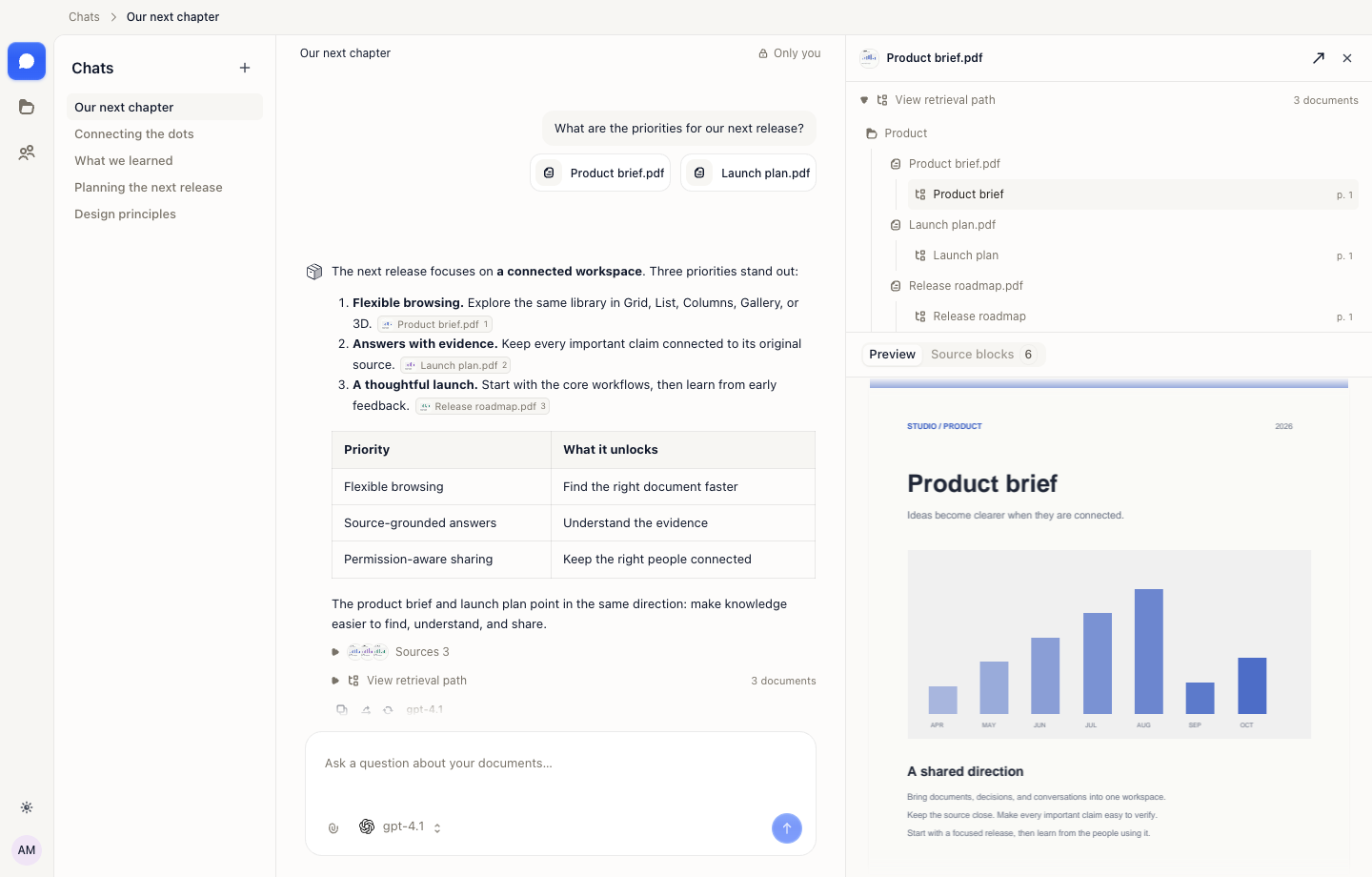
Chat, with the evidence beside you
Ask questions across your library, follow inline citations, and preview the original source without leaving the conversation.
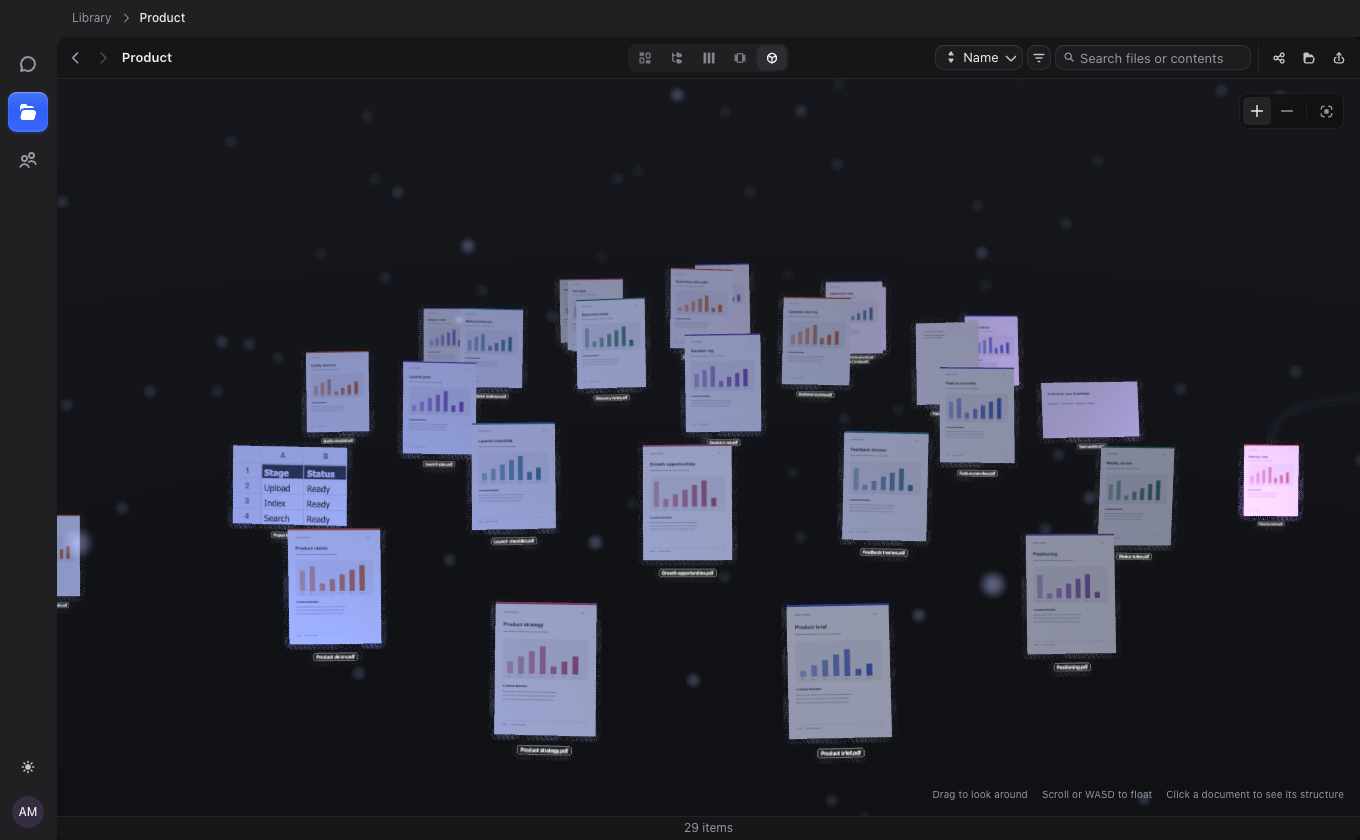
A Finder in three dimensions
Explore folders and documents in a spatial library, then move closer to reveal their structure.
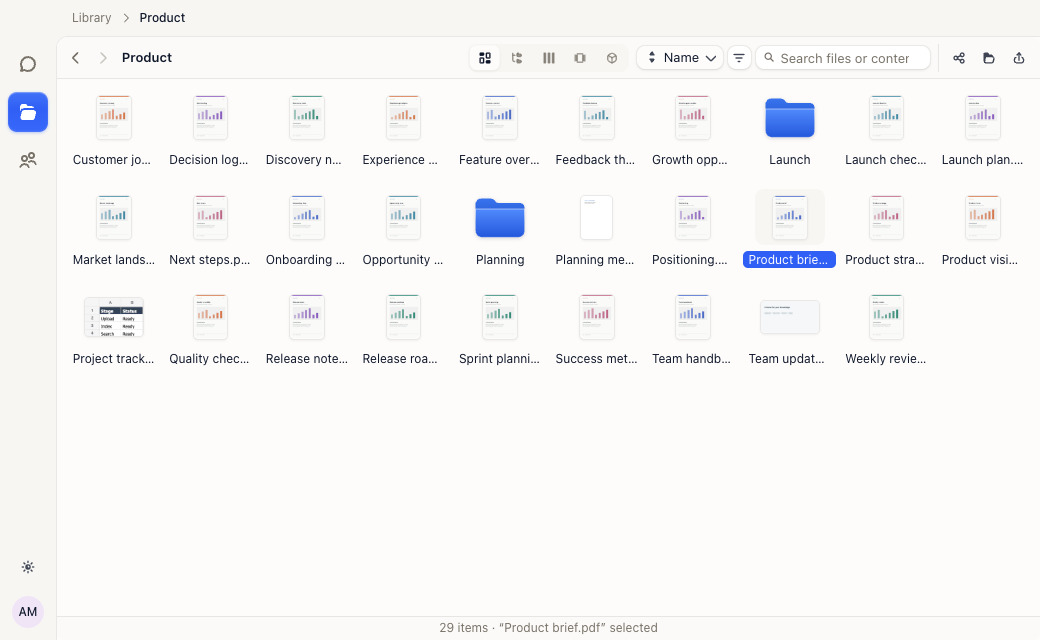
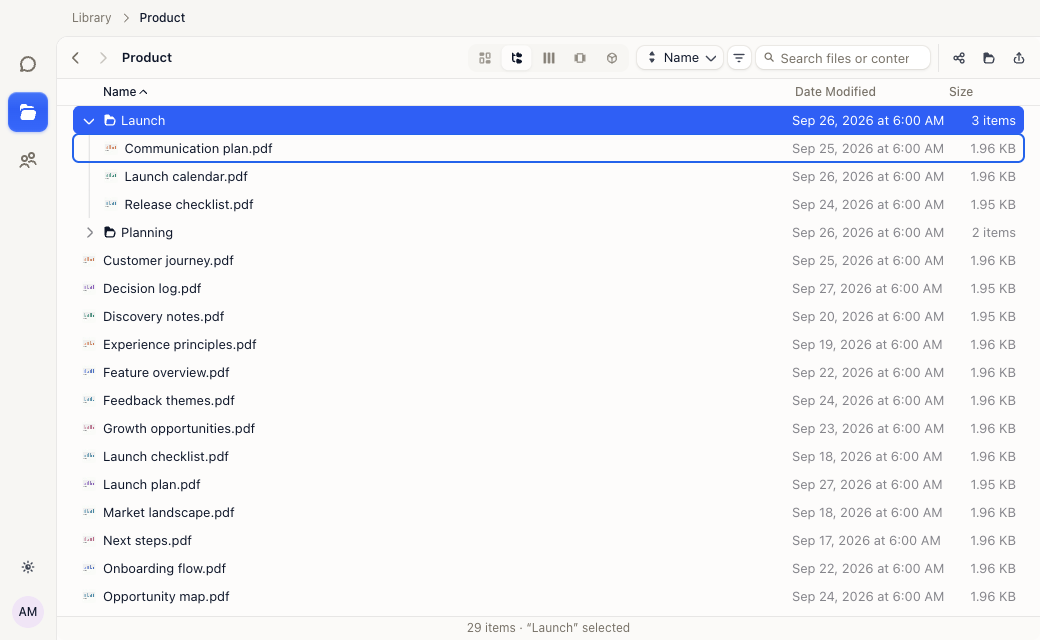
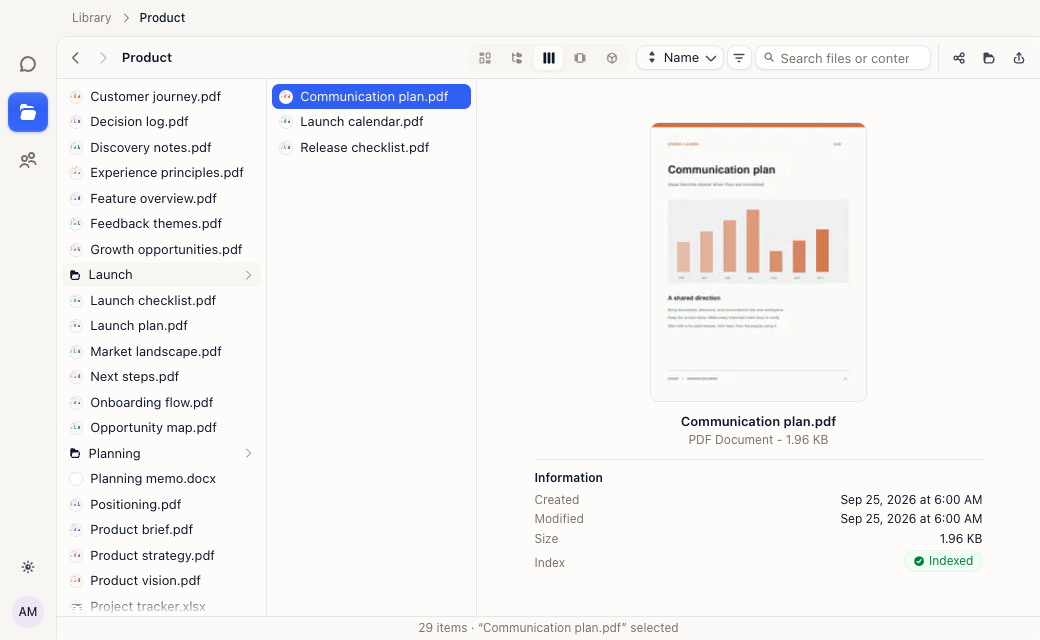
Your library, your view
Switch between visual browsing, a compact outline, folder columns, and full-page previews.
| Grid |
List |
 |
 |
| Columns |
Gallery |
 |
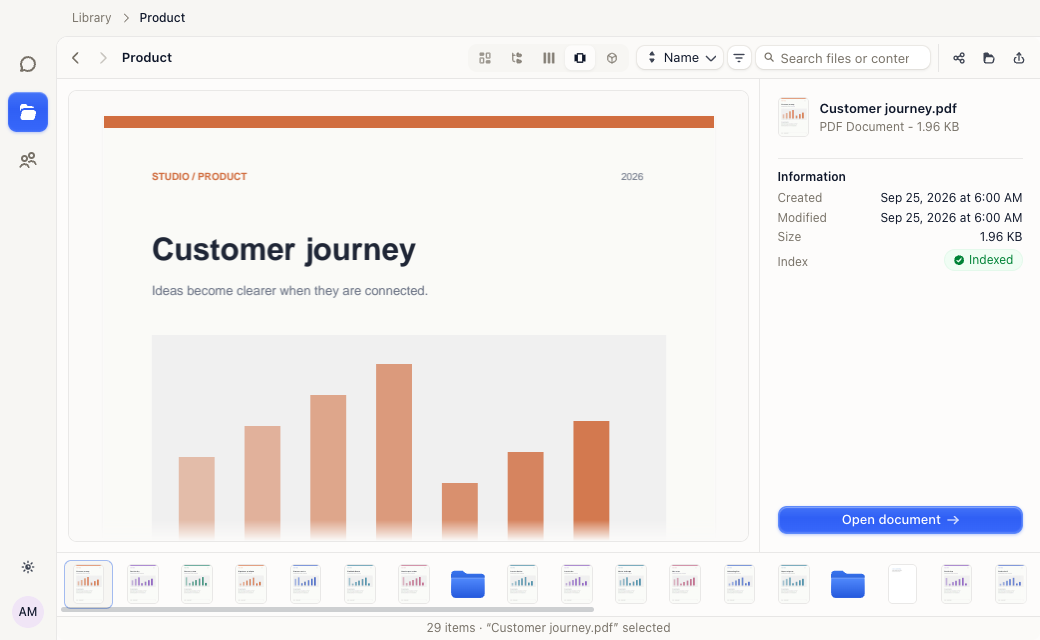 |
Captured from the app using a demo workspace.
Run locally
Requires Node 24.6+, pnpm 10.15.1, and a running Docker engine with Compose.
For the first run, from the repository root:
pnpm install
pnpm setup:local
pnpm services:up
pnpm dev
pnpm setup:local creates .env and a stable encryption key. pnpm services:up starts PostgreSQL and SpiceDB in Docker and waits for both to be ready. pnpm dev then starts the app server, Vite frontend, and pg-boss consumers in your terminal. pnpm dev does not start PostgreSQL or SpiceDB. Keep that terminal open while using the app.
On later days, start Docker and run pnpm services:up followed by pnpm dev. Open http://localhost:4310, create an organization, and configure Settings → Connections:
- Extend API key for parsing PDFs, Office documents, and images. Plain text, Markdown, code, JSON, HTML, and CSV index locally.
- TypeSafe API key for hierarchical beam search through categories, documents, and sections, followed by independent usefulness scoring of source passages. Search and document questions require this connection; there is no keyword or embedding fallback.
- Chat providers and model IDs for answers with page and section citations. Indexing stores the parsed structure, heading outlines, and original source passages without generative summaries. Automatic filing can use a separately selected model for occasional folder names and descriptions. Members can choose among administrator-configured models and attach up to eight accessible, indexed documents to scope an answer.
Keys are encrypted on the server and never sent back to the browser. Leave a key blank to retain it, or use Clear on save. Configure additional provider options through the encrypted advanced JSON field.
pnpm test
pnpm build
pnpm start
Alternatively, run the complete app and its services in Docker after pnpm setup:local:
docker compose up --build
PostgreSQL stores accounts, sessions, document metadata, parsed output, and chats. Production uses private S3 storage for original files and thumbnails; local development defaults to PostgreSQL bytes. See file storage for Render variables, Kubernetes settings, and migration. A local SpiceDB container evaluates permissions and persists its relationships in a separate PostgreSQL database. Compose binds PostgreSQL and SpiceDB to loopback ports 55432 and 58443. The Compose passwords are for local development only.
pnpm services:stop stops the two services without deleting their volume. Never run docker compose down -v unless you intend to erase the databases. SQLite is no longer used; this change starts with a fresh database.
Capabilities
Personal API keys and REST usage documentation in Settings → API keys, with MCP connection guides and connected apps in Settings → MCP. The versioned read-only API and MCP server use current document permissions and accept API-key or OAuth authentication. See API and MCP access.
Better Auth email/password authentication with mailbox verification, password recovery, and signed HttpOnly session cookies.
Better Auth organizations and emailed invitations, admin/member role management, member removal, organization switching, and admin-only settings. Membership acceptance requires a verified matching email and atomic SpiceDB publication.
Nested categories and uploads up to 30 MB, durable indexing jobs, retries, and persistent document content.
Select documents and choose Organize to queue classification, with durable progress and failures visible in the library. Existing paths are preferred; new branches are proposed and validated when needed.
Automatic filing of new uploads: JEV walks existing folders, keeps uncertain documents in a suitable parent, and validates occasional model-proposed branches. Uploads also trigger bounded reviews of related documents using their cached indexes; manual placements remain fixed. Administrators can disable filing or select an inexpensive naming model in Connections. See automatic filing.
Fixed icon rail, Jevbox identity, Nucleo icons, compact breadcrumbs, and light/dark themes with Retina hairlines.
Extend UI Finder and PDF, DOCX, XLSX, and PPTX viewers, with Base UI and coss primitives.
Markdown/GFM, Pierre code previews, JSON trees, CSV/TSV tables, image zoom/pan, sandboxed HTML, archive inspection, and audio/video playback. Unknown formats have a safe download fallback.
Section trees with heading outlines, page ranges, source blocks, external links, structured output, and deep links to nodes. Sections continue across parsed pages, and bounded source passages preserve evidence throughout long sections.
Private, organization, and inherited sharing; per-member viewer/editor roles; owner-only permission management.
Permission-filtered JEV beam search, usefulness thresholds, private saved chats, source citations, and retrieval paths. Weak first-pass evidence widens exploration into alternate routes. Revoked sources block the entire dependent conversation. See retrieval architecture.
Streamed answers with Stop, a persistent per-chat message queue, editing, removing, sending a waiting message next, and drag reordering queued messages, selected-model regeneration, and branching from any saved message into a separate private chat. Message controls appear on hover or keyboard focus, and remain available on touch screens.
Queued messages survive navigation, reloads, and server restarts. Accepted generations continue through browser disconnects and window closes, and reopening chat restores saved progress. MCP search and answer tools return durable run handles recoverable through get_run or list_runs; answers also appear in web chat. See durable MCP work. Stopped or failed turns pause the queue until retried or removed. Send now moves the chosen message ahead of waiting or paused turns, after any answer already running. pg-boss recovers interrupted delivery; an answer interrupted after generation starts requires explicit retry to avoid silently repeating a model request. Branches copy history through the selected message and retain the same source permission checks.
Background jobs
pg-boss jobs handle indexing, filing, upload-driven reviews, chat, MCP search, authentication email, and permission cleanup in PostgreSQL. Production runs the web service with pnpm start and a separate background service with pnpm worker, using the same image and shared configuration. Local pnpm dev embeds consumers for convenience; do not also start pnpm dev:worker unless you are testing multiple consumers. Docker Compose starts both services.
Providers
Native chat adapters: OpenAI, Anthropic, Google Gemini, Azure OpenAI, Amazon Bedrock, Google Vertex, Anthropic on AWS, Mistral, Groq, DeepSeek, xAI, Cohere, Together AI, Fireworks, DeepInfra, Cerebras, Perplexity, Alibaba, Baseten, MiniMax, Moonshot AI, Z.AI, and Hugging Face.
AI Gateway offers its model catalog; OpenAI-compatible endpoints support additional services. Any further AI SDK language provider can be installed through the server extension registry. See provider configuration. Speech/image-only providers are not chat models.
Deploy
The Deploy to Render button opens Render's Blueprint setup directly for this repository's render.yaml. After completing the Render setup requirements, review and approve the three paid services (web, worker, and SpiceDB) and two PostgreSQL databases. Render prompts for the signup setting and generates the bootstrap and SpiceDB tokens. The Blueprint enables automatic service deploys from main after CI passes.
Deployment guide includes Docker, cloud-neutral Helm, and AWS/EKS Terraform. Deployment requires an explicit target account, region, namespace, image, domain, and secret.
The Helm chart runs one web replica, a separate pg-boss worker Deployment, and a private SpiceDB container. Supply two dedicated PostgreSQL databases, a private S3 bucket, and credentials through a Kubernetes Secret or an EKS IAM role. The app has no persistent filesystem requirement. Permission updates publish complete versioned relationship snapshots before committing metadata; unavailable SpiceDB fails closed. Workers can scale independently. The current snapshot rebuild and in-process API rate limiting keep the web service at a single replica.
Security and verification
Authenticated browser, REST, and MCP requests share a per-user safeguard of 100,000 reads and 100,000 writes per minute, far above normal UI activity. Uploads allow 10,000 attempts per minute and 100,000 per hour per user. There are no shared organization or deployment quotas, no document-count, storage, daily-byte, or processing-queue quotas, and no default upload request-count cap. Incoming bodies wait within a 512 MiB memory budget instead of receiving a busy rejection. Sign-in and account recovery retain separate protections. See deployment configuration for defaults and overrides.
The core schema uses a consolidated initial migration, followed by numbered migrations for durable filing and upload-driven review jobs. There is no production upgrade path from earlier development migration histories. Existing development documents must be reindexed to create the new passage index; retry indexing to rebuild the passage index. Automatic filing applies to new uploads, explicit filing retries, and related documents previously filed automatically. Existing documents are not moved on startup.
Read security boundaries before deploying. Automated integration tests exercise real HTTP routes and an isolated PostgreSQL schema and the real local SpiceDB service; third-party providers use controlled responses. Real parsing and model acceptance require your keys and must be checked in your own organization.
For an isolated browser verification environment with synthetic content and provider responses:
pnpm fixture
This runs on port 4311, creates an isolated PostgreSQL schema, and prints its local test login. It uses synthetic provider responses and does not contact external providers. Do not expose this verification server publicly.
UI sources are vendored so this repository builds without sibling checkouts. See third-party notices.
Email/password sign-in uses Better Auth and requires email verification. Local invitation, verification, and password-reset emails appear in Mailpit after pnpm services:up. Run pnpm setup:local to generate the stable local auth secret. Deployed environments require SMTP settings and BETTER_AUTH_SECRET; see the deployment guide. Existing accounts keep their IDs and passwords, but must verify their email and sign in again after migration.
Contributing
We are not planning to take PRs on this repo, it is more to serve as a starting point/template for a system you can fork and make your own. We encourage you to deploy it in your own infra. If you see a bug or issue though, we would greatly appreciate you filing it on the Issues. Thank you!

 Jevbox 是一个可自行托管的全栈、权限感知的文档库,带有空间化文件浏览器、组织范围共享、层级搜索,以及基于你文档内容、有据可依的 AI 对话。