这是什么?
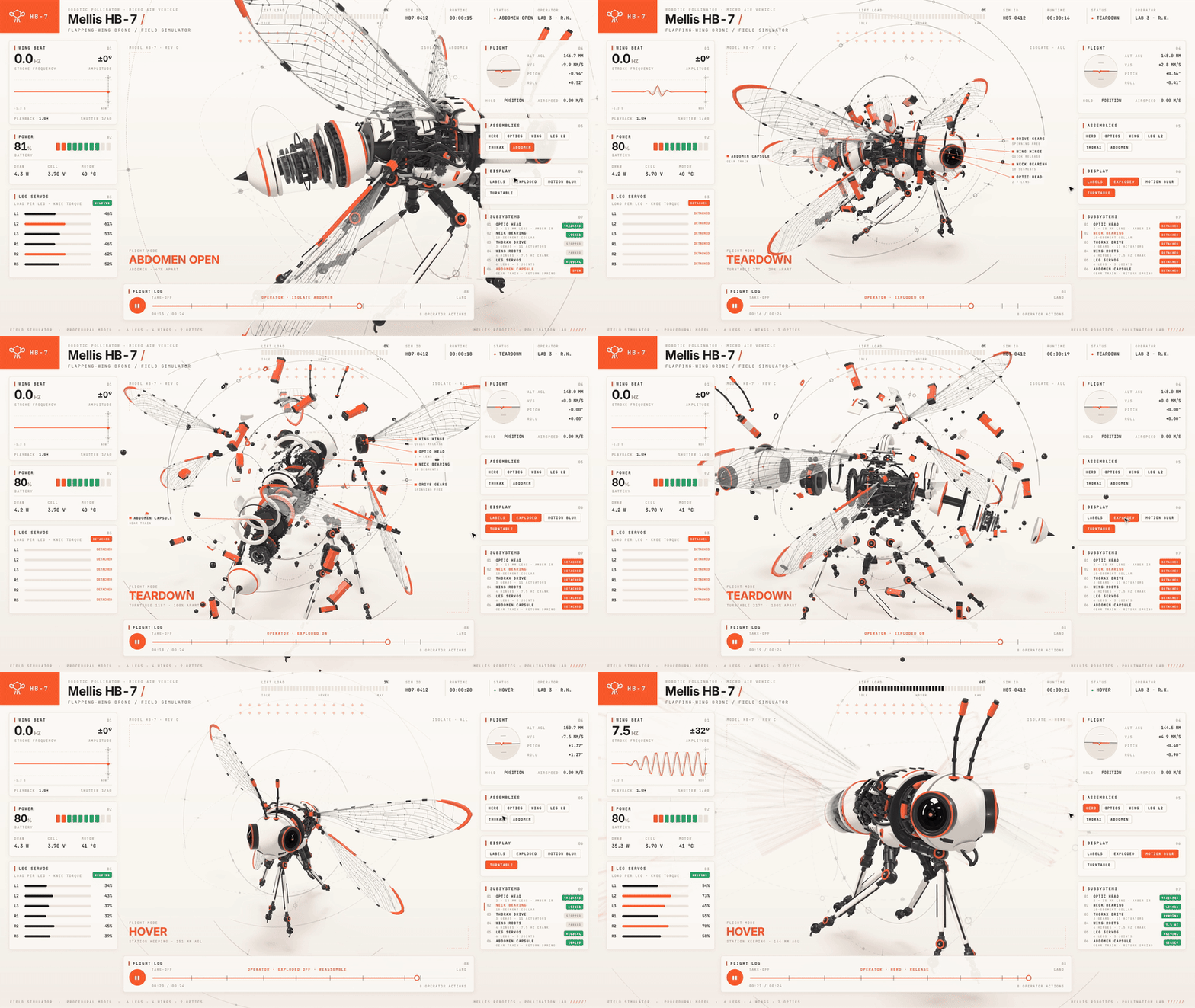
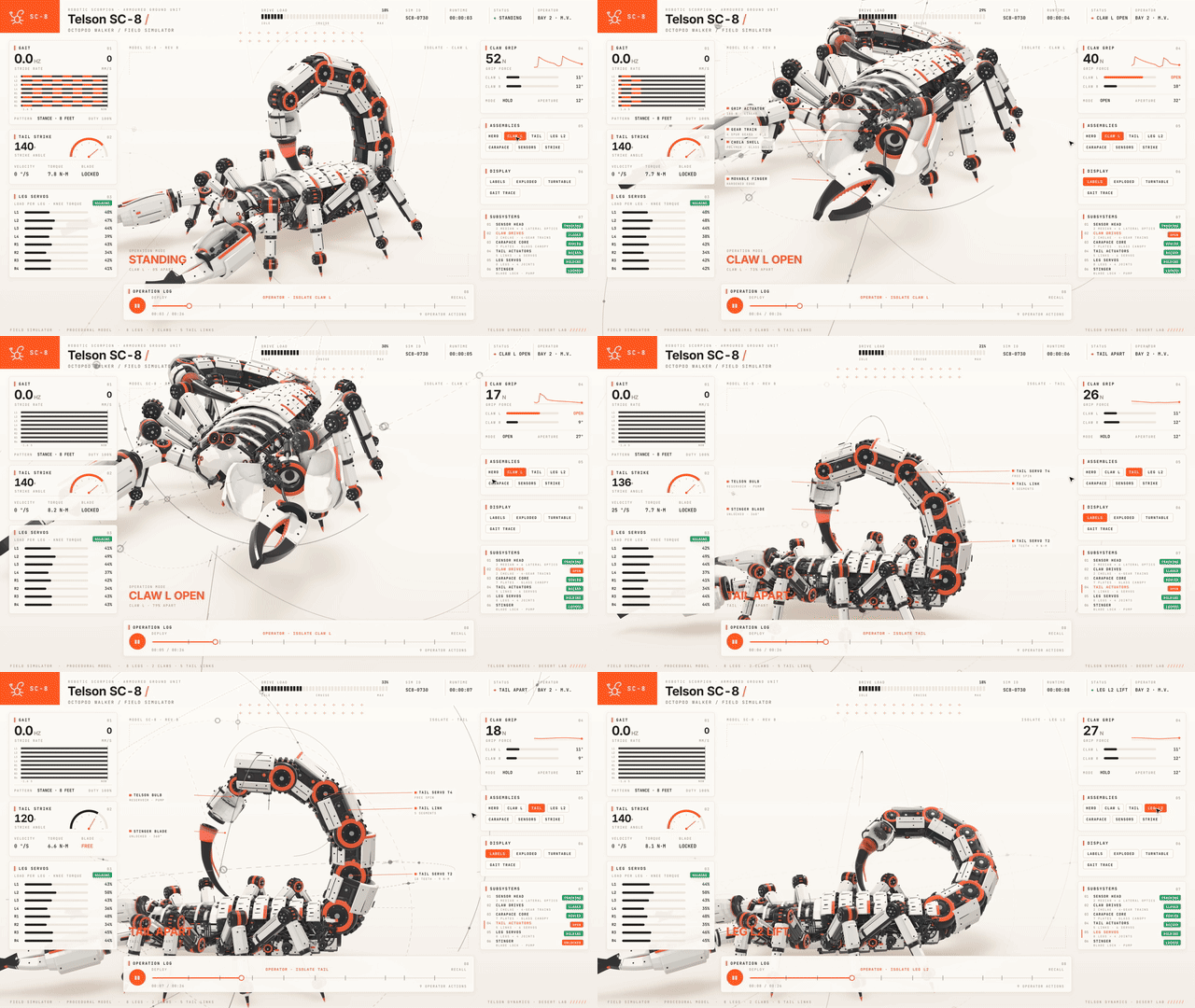
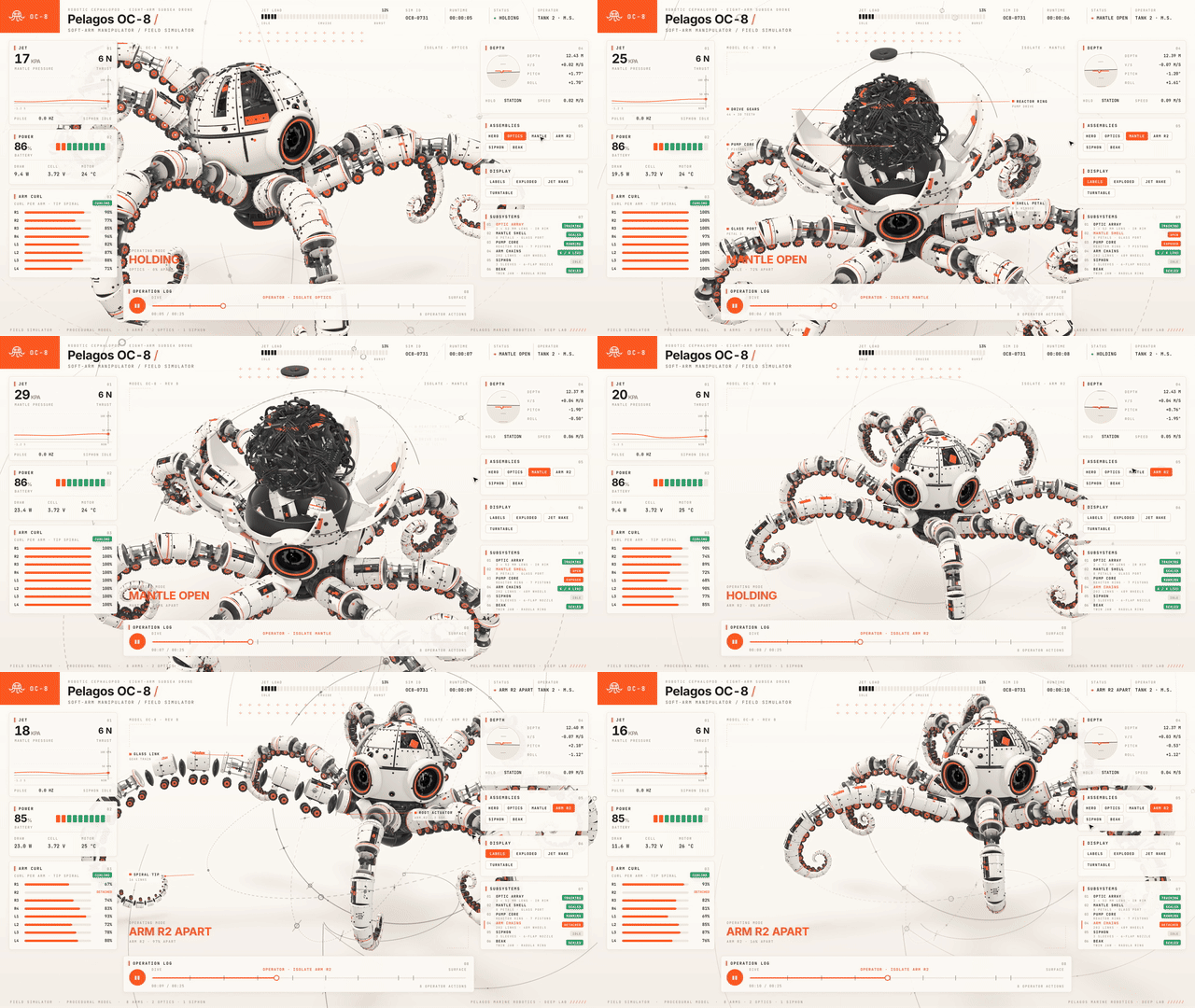
 一个 Claude Code 技能,可以把你描述的任何机械装置转换为交互式三维模拟器:这是一个可离线打开的单个 HTML 页面,机械装置位于中央,周围的面板显示真实数值,点击按钮即可打开正在工作的部件。
这是独立的模拟器应用,还是由 Claude Code 为我生成的东西?它是一个 Claude Code 技能,而不是独立应用。SKILL.md 教 Claude 如何构建机械模拟器,你提出需求时,Claude 会为你生成 HTML 页面。
它是一个 Claude Code 技能,而不是独立应用。SKILL.md 教 Claude 如何构建机械模拟器,你提出需求时,Claude 会为你生成 HTML 页面。我该如何在 Claude Code 中使用它?在项目文件夹中安装一次该技能,然后直接用日常语言让 Claude Code 构建模拟器即可,例如:“帮我做一个可以拆解的四冲程摩托车发动机模拟器。”
在项目文件夹中安装一次该技能,然后直接用日常语言让 Claude Code 构建模拟器即可,例如:“帮我做一个可以拆解的四冲程摩托车发动机模拟器。”使用它需要先安装什么?构建模拟器页面需要 Node.js 20 或更高版本。生成视频还需要 ffmpeg,程序化生成声音则需要 Python 3。
构建模拟器页面需要 Node.js 20 或更高版本。生成视频还需要 ffmpeg,程序化生成声音则需要 Python 3。每个模拟器都需要 ffmpeg 和 Python 吗?不需要。核心的离线 HTML 模拟器只需要 Node.js;ffmpeg 和 Python 仅用于可选的视频录制和程序化声音功能。
不需要。核心的离线 HTML 模拟器只需要 Node.js;ffmpeg 和 Python 仅用于可选的视频录制和程序化声音功能。生成的模拟器页面实际能做什么?机械装置位于中央,周围的面板显示真实数值;点击按钮可以打开当前正在工作的部件;如果不进行任何操作,页面会自动进行导览演示。
机械装置位于中央,周围的面板显示真实数值;点击按钮可以打开当前正在工作的部件;如果不进行任何操作,页面会自动进行导览演示。开箱即用包含哪些示例机械?sims/ 目录中附带三套完整的机械示例:V8 发动机、Cessna 飞机和 Strandbeest 行走机构,每个示例都分为共享几何数据、可实时交互的页面以及录制的影片导览三部分。
sims/ 目录中附带三套完整的机械示例:V8 发动机、Cessna 飞机和 Strandbeest 行走机构,每个示例都分为共享几何数据、可实时交互的页面以及录制的影片导览三部分。这个项目基于什么构建?它基于 whaleyxbt/claude-motion(MIT 许可证)构建,该项目提供运行时、帧捕获、声音引擎和审核规则;three.js 和字体则内嵌打包进最终的 HTML 文件中。
它基于 whaleyxbt/claude-motion(MIT 许可证)构建,该项目提供运行时、帧捕获、声音引擎和审核规则;three.js 和字体则内嵌打包进最终的 HTML 文件中。能把模拟过程转换成视频吗?可以。capture.mjs 会逐帧将导览渲染为 60fps 的 MP4 视频(或静态截图的审阅图表),程序化声音使用 CC0 授权的 Freesound 音频素材,并将响度调整至 -14 LUFS。
可以。capture.mjs 会逐帧将导览渲染为 60fps 的 MP4 视频(或静态截图的审阅图表),程序化声音使用 CC0 授权的 Freesound 音频素材,并将响度调整至 -14 LUFS。有哪些类似的项目?guizang-product-video-skill, threejs-architecture-effects, open-3d-skills, motion-video-kit, lemo-opuscar, aetherviz-master, anatomy, threejs-game-skills
guizang-product-video-skill, threejs-architecture-effects, open-3d-skills, motion-video-kit, lemo-opuscar, aetherviz-master, anatomy, threejs-game-skills它属于哪些主题?engineering, audio-generation, threejs, webgl, simulation, claude-code-skill, video-processing, ffmpeg, claude-skills, 3d, skill, offline
engineering, audio-generation, threejs, webgl, simulation, claude-code-skill, video-processing, ffmpeg, claude-skills, 3d, skill, offline