🌐 God's Eye View
A spy-satellite simulator in your browser — then you realize the sources are public and the data is real.
Photorealistic 3D globe. Live aircraft, ships, satellites, earthquakes, traffic, and public cameras. Hands-free voice control powered by a realtime AI agent.
No place left behind.
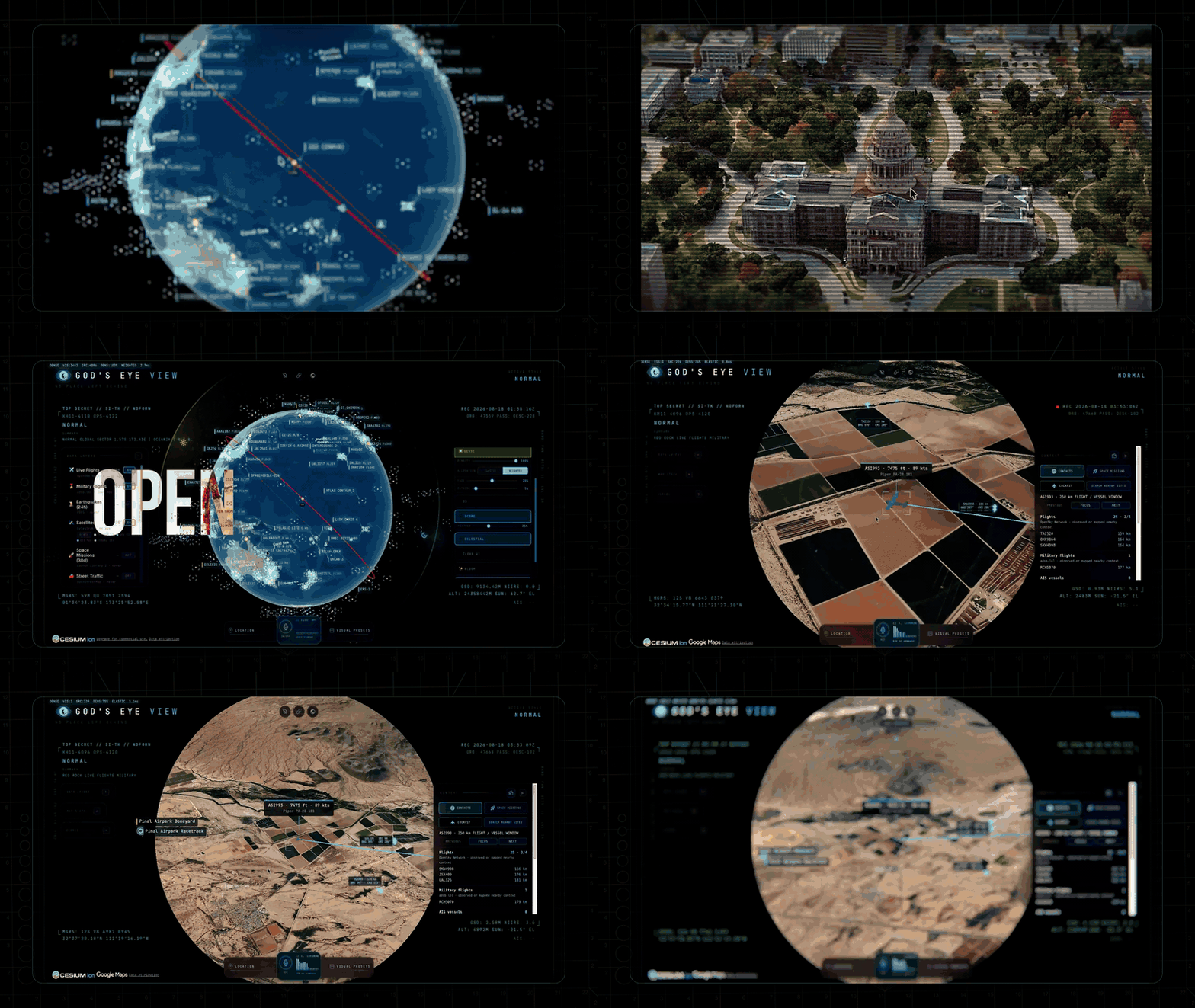
▶️ From the project behind the viral God's Eye View series (formerly WorldView) — 5M+ on YouTube · 25M+ across socials

🏆 Reached #1 on GitHub Trending, daily and weekly · August 2026
#8 Product of the Day · Hunted by Chris Messina, creator of the hashtag
“pretty cool” — Brendan Eich, creator of JavaScript and co-founder of Mozilla and Brave · Featured on Pinokio
⚡ Start without API keys. Install with Pinokio or run locally from the terminal. Add optional keys inside the app. → Quick Start
🌍 Why This Exists
God's Eye View brings public signals into one explorable globe. Track the world live. Talk to it. Break it. Extend it.
Flight transponders, ship beacons, orbital elements, seismographs, and public cameras already tell us a lot about the world. God's Eye View puts them in the same place, so you can move between a global picture and an individual aircraft, ship, or street. It runs locally in your browser, with source code you can inspect and extend.
Half the magic is that it looks like a forbidden cockpit. The other half is that every line of code is inspectable.
Most feeds are live or regularly refreshed. Traffic is simulated along real
roads using aggregate location data. CCTV camera poses and rocket launch
trajectories are coarse estimates.
Start with the included data sources, then add your own. Each layer is a separate module.
🎛️ What This Thing Does
- 🛩️ Cockpit view: Ride inside a tracked flight — the camera holds the terrain under you all the way down.
- 📡 Contacts: A 250 km roster of everything near your target — step through live aircraft and drop into any cockpit.
- 🎯 Click-to-track anything: Camera locks on, draws a fading trail, surfaces full metadata — and a tracked fire or vessel hands you off to the nearest live camera in one click.
- 🖊️ Voice whiteboard: Speak annotations onto the world — real boundary polygons, marks, and routes.
- 🛫 3D hangar: Real per-class aircraft models — 787, ATR-72, Citation, Bell 206, MQ-9 — and a tracked contact swaps from glyph to 3D model as you close in.
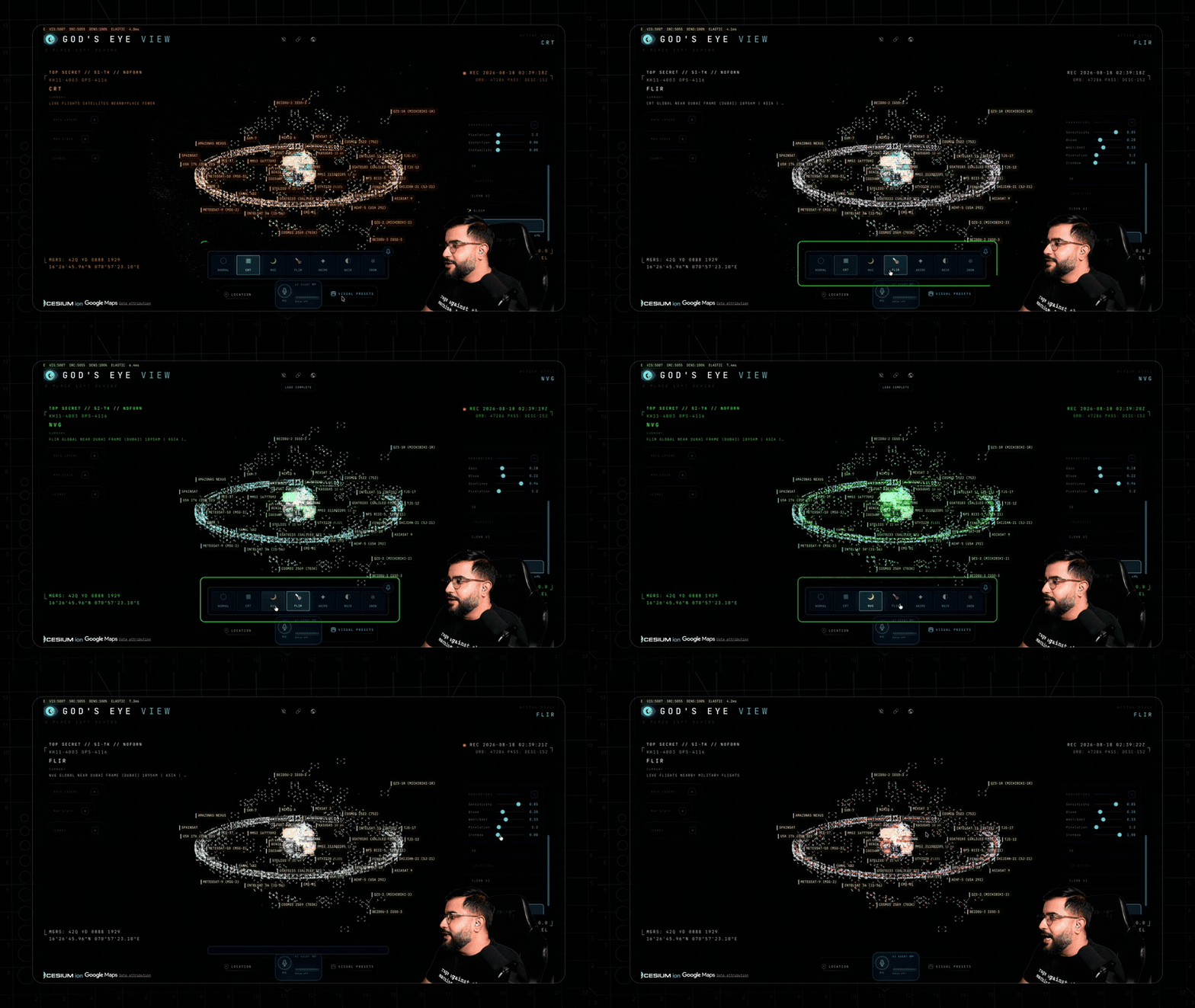
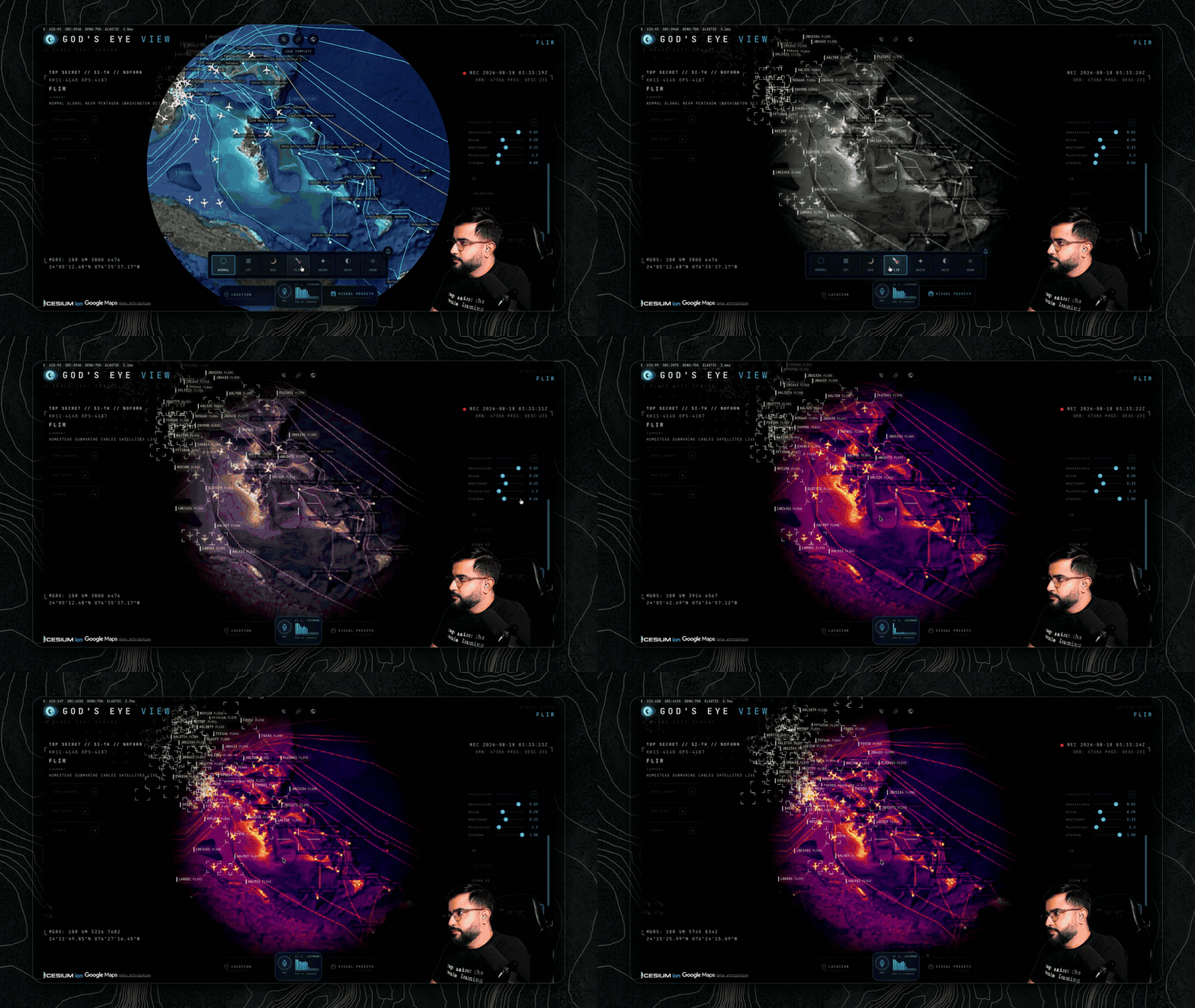
- 🎨 Reskin reality: GLSL sensor looks over the normal globe — CRT, NVG, FLIR/thermal, Noir, Snow.
- 🟩 Detection overlay: Screen-space bounding boxes and IDs on everything in view.
- 🎖️ Military HUD: Tactical heads-up display with intelligence-style telemetry.
- 🌐 Global Context: Stage the full situational picture with one switch — and get your exact view back when you leave.
- 🎥 Scene director: Capture cinematic camera tours for clips and demos.
- 🔗 Share Links: Camera, style, layers, and even one tracked target serialize into a URL — a live target is a handoff, not a bookmark.
- 🏠 Reset Globe: One control — or one sentence — back to the full Earth.
⚡ Quick Start
Start without an account or API keys. Both paths open the same app with
Esri satellite imagery and keyless terrain. OSM is the fallback if Esri is
unreachable. Flights, military traffic, satellites, earthquakes, public
cameras, radio, and launches are available without keys.
For photorealistic 3D, add a Cesium ion token for eligible personal,
non-commercial use, or a Google Maps key for the direct, metered route and
in-app place search. Provider terms and quotas apply. Add keys through the
app's POWER UP panel; Keys & Costs explains the options.
Path 1 — One click, no terminal
- Install or update Pinokio to 8.2 or later.
- Open God's Eye View in Pinokio.
- Click Install, then Start.
Available on Windows, macOS, and Linux. The Pinokio maintainer reports
cross-platform testing of the fixed installer. The launcher installs the
locked dependencies, finds a free local port, and opens the app.
Tried before and installation failed? Update Pinokio and try again.
Version 8.2 fixes the launcher installation issue;
details from the Pinokio maintainer.
Path 2 — Terminal / coding agent
Use Node.js 24.x (24.14.0 or later) or 26.x. The setup doctor warns about
Node 25, which is end-of-life.
git clone https://github.com/bilawalsidhu/gods-eye-view.git
cd gods-eye-view
npm ci
npm run doctor
npm run dev
Open http://localhost:4173. Choose Live Contacts, Space Missions,
Environmental, or Explore Manually from the first-run panel.
Startup performance
A point-in-time M5/Chrome capture measured a median 1.86-second cold start.
This is a comparison baseline, not a guarantee for your machine or connection.
See docs/PERFORMANCE.md.
macOS shortcut: ./scripts/dev-fresh.sh clears the Vite cache and pulls any
configured keys straight from the Keychain. It starts keyless too.
Then power it up — in the app, not in a file
Keys are upgrades, not prerequisites. When you want one, click the POWER UP
chip in the bottom-right corner: Provider Settings lists every supported key,
what it switches on, and where to get it. Paste, hit SAVE KEYS, and the app
restarts itself with the new capability on. Once everything is configured the
chip reads POWERED UP — and if a compact layout hides it, ?setup=1
reopens the same panel.
- Where keys land: Pinokio → the app's ignored
pinokio/ENVIRONMENT; a
terminal clone → the repo-root .env. Either file is made owner-only
before a secret is written into it. These are local plaintext files,
excluded from Git; the app uses your keys to contact the providers.
- Keys you already have stay yours: values from your shell or the macOS
Keychain show as configured externally and are read-only to the panel.
- What to get first: the free Cesium ion token
(eligible personal, non-commercial use; current terms and quotas apply) for
photorealistic 3D and world terrain; a Google Maps key only for the
billing-enabled, metered route + place search; OpenAI when you want to talk
to the world. Full map, costs included, in Keys & Costs.
Older Pinokio versions and credential storage
Do not enter credentials in Pinokio 8.0.40's native Configure panel: that
release does not save this nested app file correctly, and it logs submitted
values. Use POWER UP → Provider Settings inside GEV instead. The Pinokio
8.2 announcement fixes installation; it does not establish that this separate
Configure issue is resolved. On macOS, the Keychain via
./scripts/dev-fresh.sh remains the stronger storage option.
The server binds to localhost on both paths, and Provider Settings answers
requests only from your machine. Browser-side keys (Google Maps, Cesium ion)
must be restricted at their providers — SECURITY.md shows how,
and it carries the LAN-sharing rules alongside Keys & Costs.
🕐 The First Five Minutes
Choose a first-run mission, or try these in order. The GIFs show Google Photorealistic 3D; your starting basemap depends on the keys you've added.
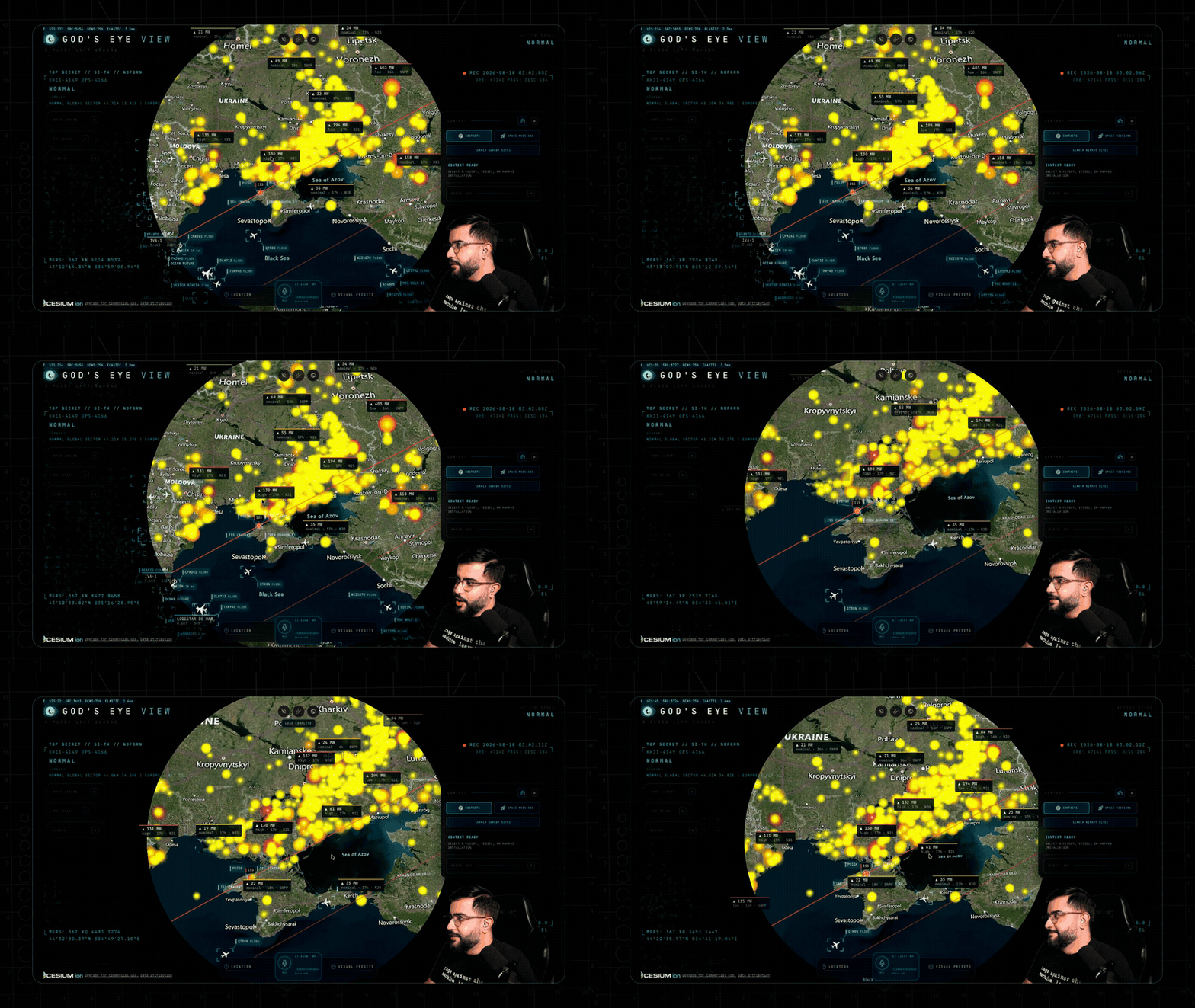
- Light up the sky. Take the Live Contacts mission (or turn on Flights yourself) — thousands of live aircraft, gliding on real telemetry, detection mesh already reading the scene. Click one: the camera locks on, a trail draws behind it, and its live telemetry card comes up.
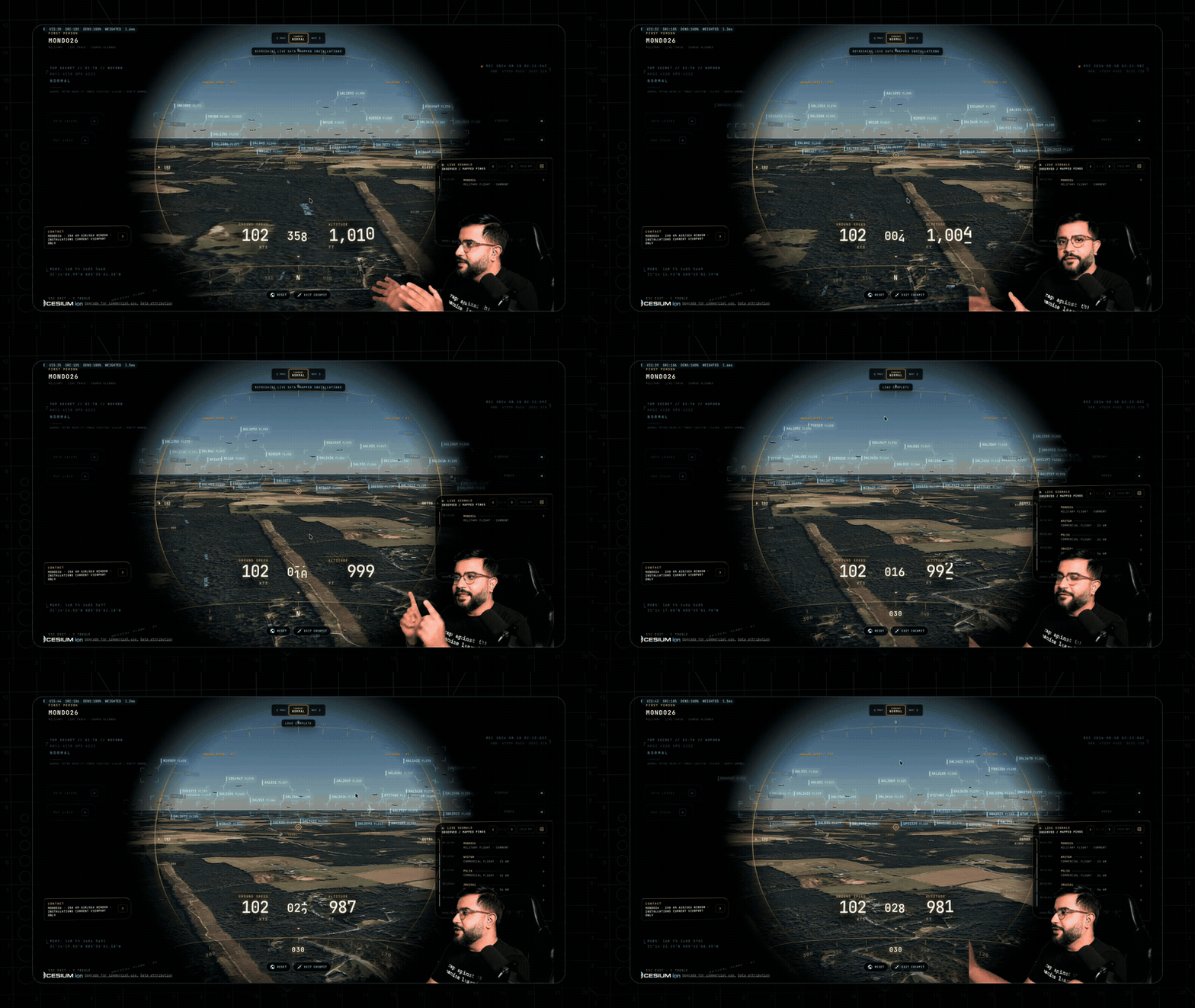
- Take the controls. Hit COCKPIT on your tracked plane and ride it down, switching sensors mid-flight: NVG into Ironbow FLIR.
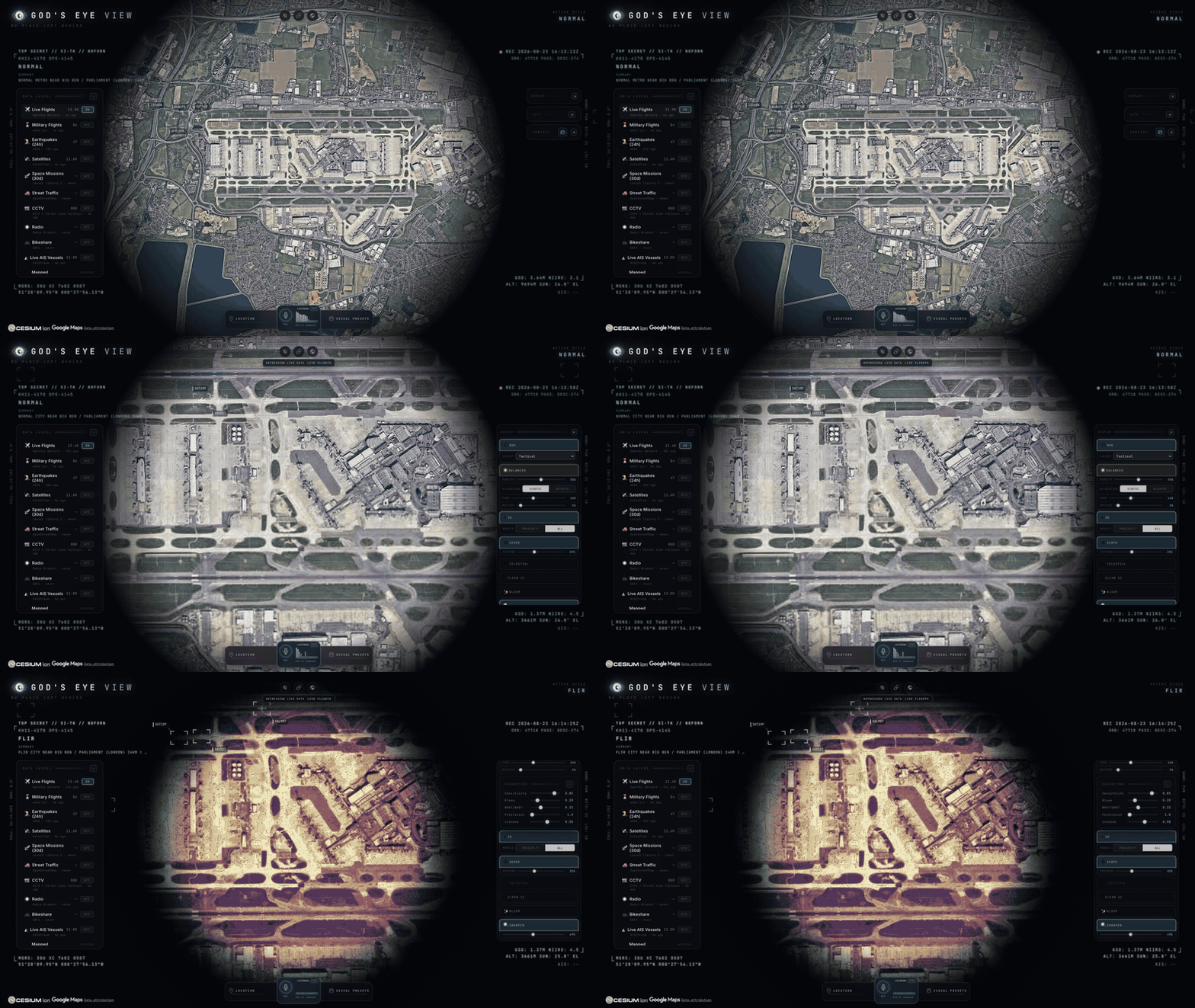
- Drop into a busy airport. Search one and descend to the taxiways with 3D aircraft on — grounded contacts, taxi trails, the whole apron working in real time.
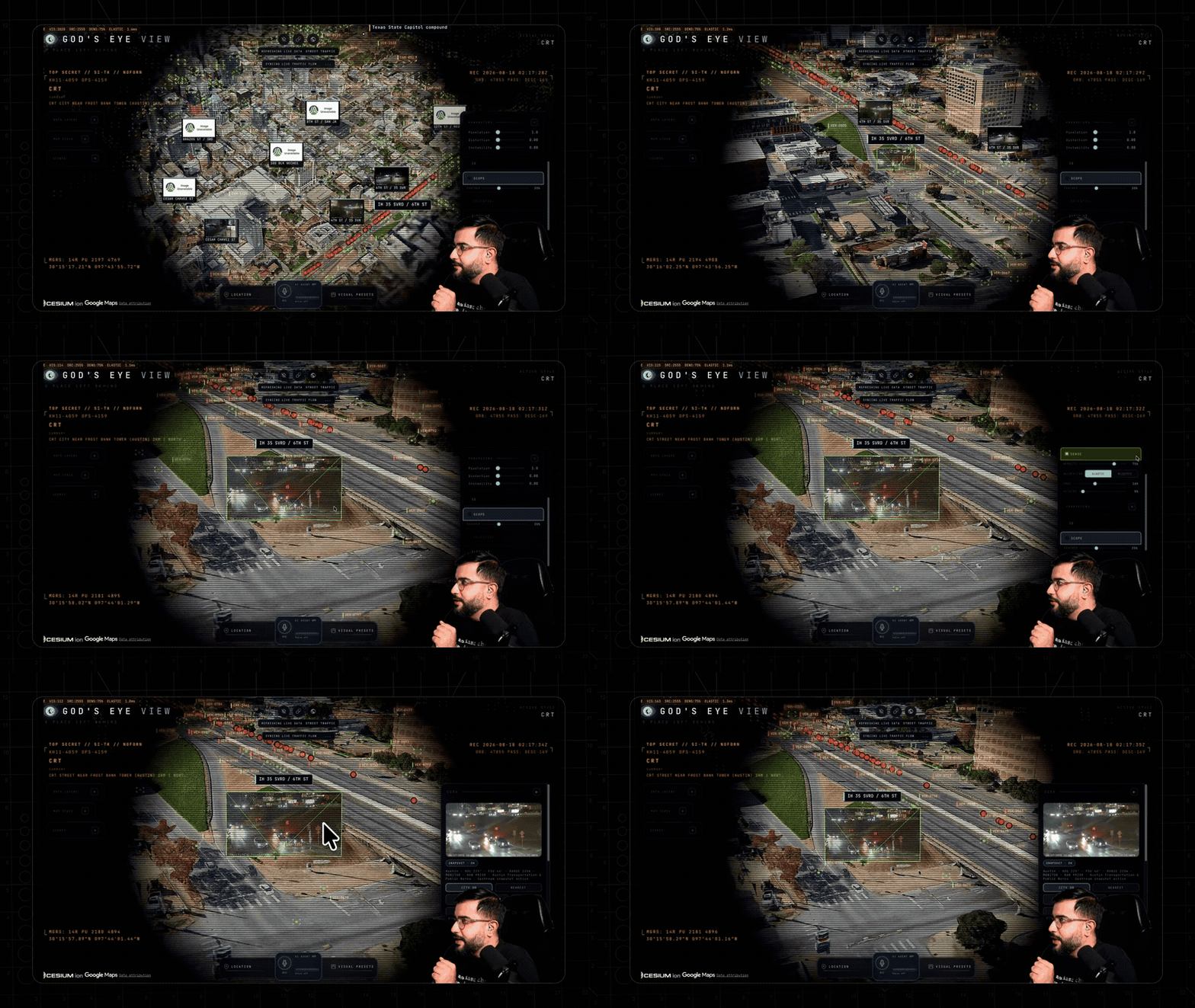
- Look through a public camera. Turn on CCTV over Austin, London, or California. The feeds aren't webcam embeds — they project into the 3D city. Cycle coverage to VIEWSHED and every camera draws its estimated coverage volume — where it reaches, and where it goes blind.
- Track something in orbit. Turn on Satellites and click the ISS — you ride along at orbital distance, orbit ring and all.
- Switch the optics. Tap
1–7 — CRT, NVG, FLIR — and the whole live planet re-renders through a different sensor.
- Talk to it (needs an OpenAI key): "Take me to LAX and select the nearest airborne aircraft."
- Come home. Hit Reset Globe — or just say "zoom out to a globe view."
Keyboard: 1–7 visual styles · H HUD · D detection · C cockpit · Esc out.
🛩️ The Cockpit
Every plane should let you do this.
Real-time cockpit mode, built from live flight data: the camera rides your contact with real terrain holding underneath, all the way down — sensor styles come along for the ride, and Contacts keeps the 250 km roster one click away: jump plane to plane and fall straight into the next cockpit.
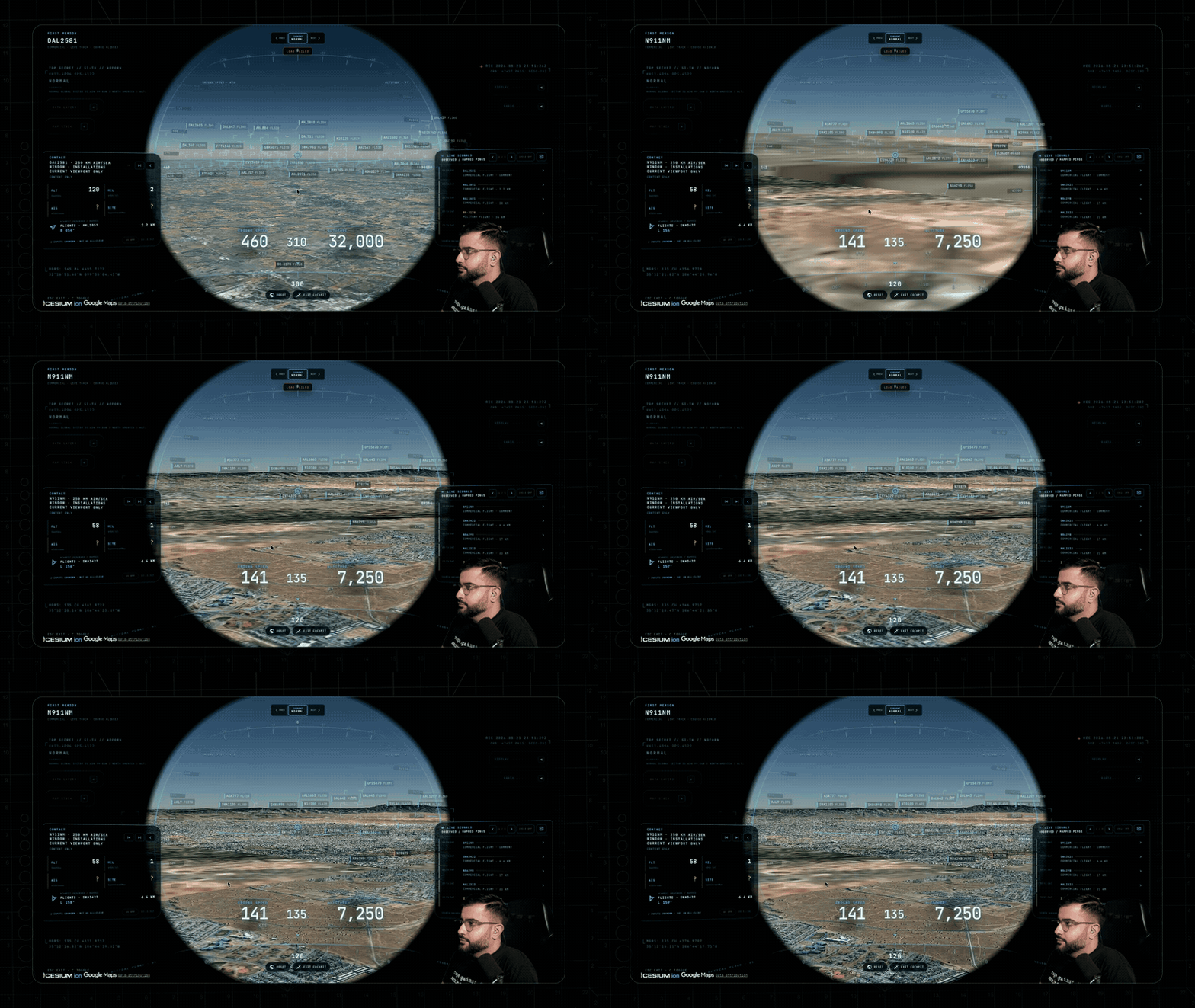
The cockpit even carries its own briefing strip: nearby live signals, regional headlines, and real local weather — with an opt-in WX mode that renders volumetric clouds from actual observations around your aircraft.

Why cockpit mode exists: you're riding a real aircraft over real terrain — and you get to pick which sensor you see the world through.
🎙️ Talk to It
Voice needs an OpenAI key. Without one the entire app still runs — the mic button just reports voice is unavailable. The same key drives the AI HUD summary: a terse, five-word intelligence-style readout of the current view that regenerates as you move.
Click GEV MIC, grant the microphone, and just talk. This is more than a voice-controlled remote:
- 🧠 It knows what it's looking at. The agent pulls live scene context before answering — including coordinates, street names, active layers, and view scale. Ask "what city is this?" mid-flight and it knows.
- 🎯 Entity Q&A. Click any plane, ship, or datacenter and ask "what's this?" It answers using the object's live telemetry.
- 👁️ Visual grounding. At street level, it reads a viewport screenshot to identify legible signage and building names, and is instructed never to hallucinate labels.
- 🎬 Cinematic framing. "Show me the planes overhead" pulls the camera back, angles it, and frames the live traffic like a director.
- 🔒 Honest and secure. The agent only confirms actions that succeeded. Your
OPENAI_API_KEY never touches the browser; the client only gets a short-lived session token.
Twenty-eight tools, four jobs — the commands below come straight from the product's voice test suite and tool playbook:
🎥 Direct it — drone-operator camera verbs:
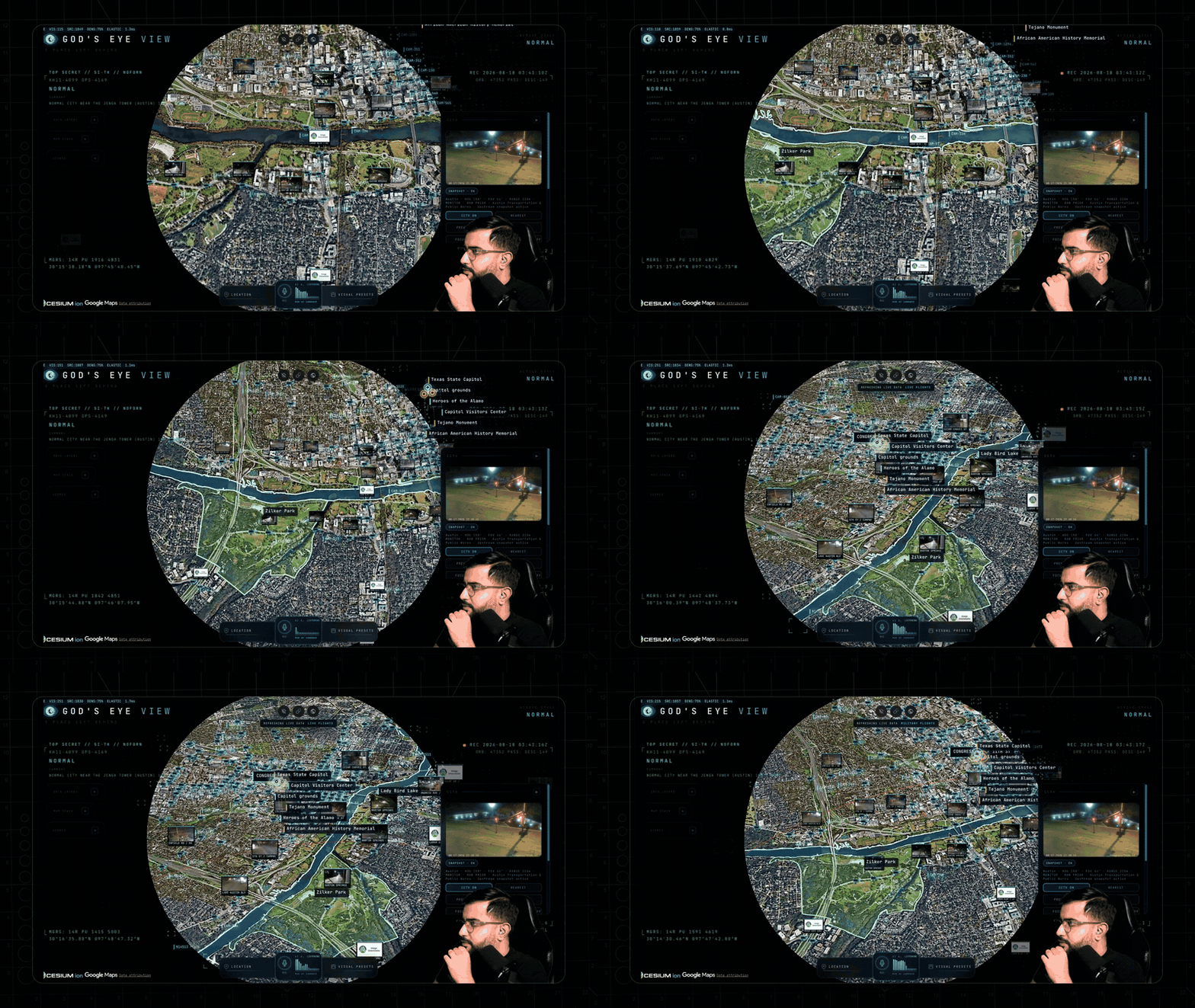
🗣️ "Take me to Tokyo." · "Orbit around this area slowly." · "Draw the walking route from the Capitol to Zilker Park." → "Fly the route we just drew." · "Zoom out to a globe view."
🖊️ Annotate it — a whiteboard over the real world:
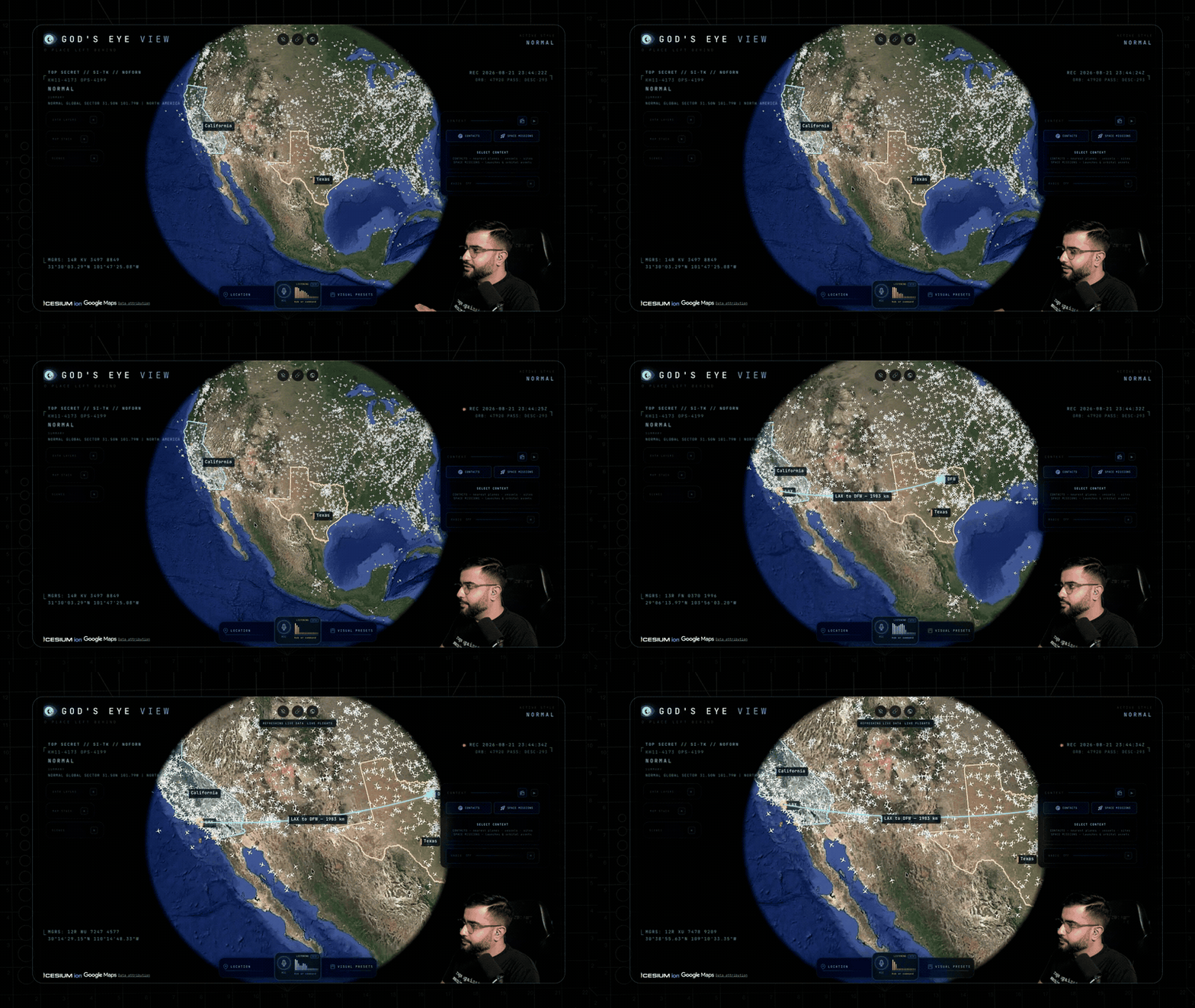
🗣️ "Outline the state of Texas." · "Annotate the Texas State Capitol and its grounds" — it draws the actual enclosing boundary, not a circle. · "How far is the Eiffel Tower from the Louvre?" — a connector arrow appears and it speaks the distance. Everything persists until you say "clear the map."
🔎 Interrogate it — analyst queries against the live layers:
🗣️ "How many flights are over Texas right now?" · "Which ships are headed to Oakland?" · "What is the biggest fire near Los Angeles?" · "Is anything flying above forty thousand feet?" · "When does the ISS pass over next?"
🎛️ Operate it — the whole console, hands-free:
🗣️ "Switch to night vision and turn on the flights layer." · "Turn on the camera viewsheds." · "Play a news radio station near Austin." · "Track that plane." → "Enter Cockpit."
And the rapid-fire tier — one sentence each:
🗣️ "Show me global infrastructure." (stages the layers and pulls back to the globe) · "Play Orbital Watch." (a full cinematic scene) · "Set detection density to fifty percent." · "Next contact — helicopters only." (mid-cockpit) · "Show me space missions." · "Switch to OSM." · "Sharpen the image a touch." · "Switch to the tactical layout." · "What's turned on right now?"
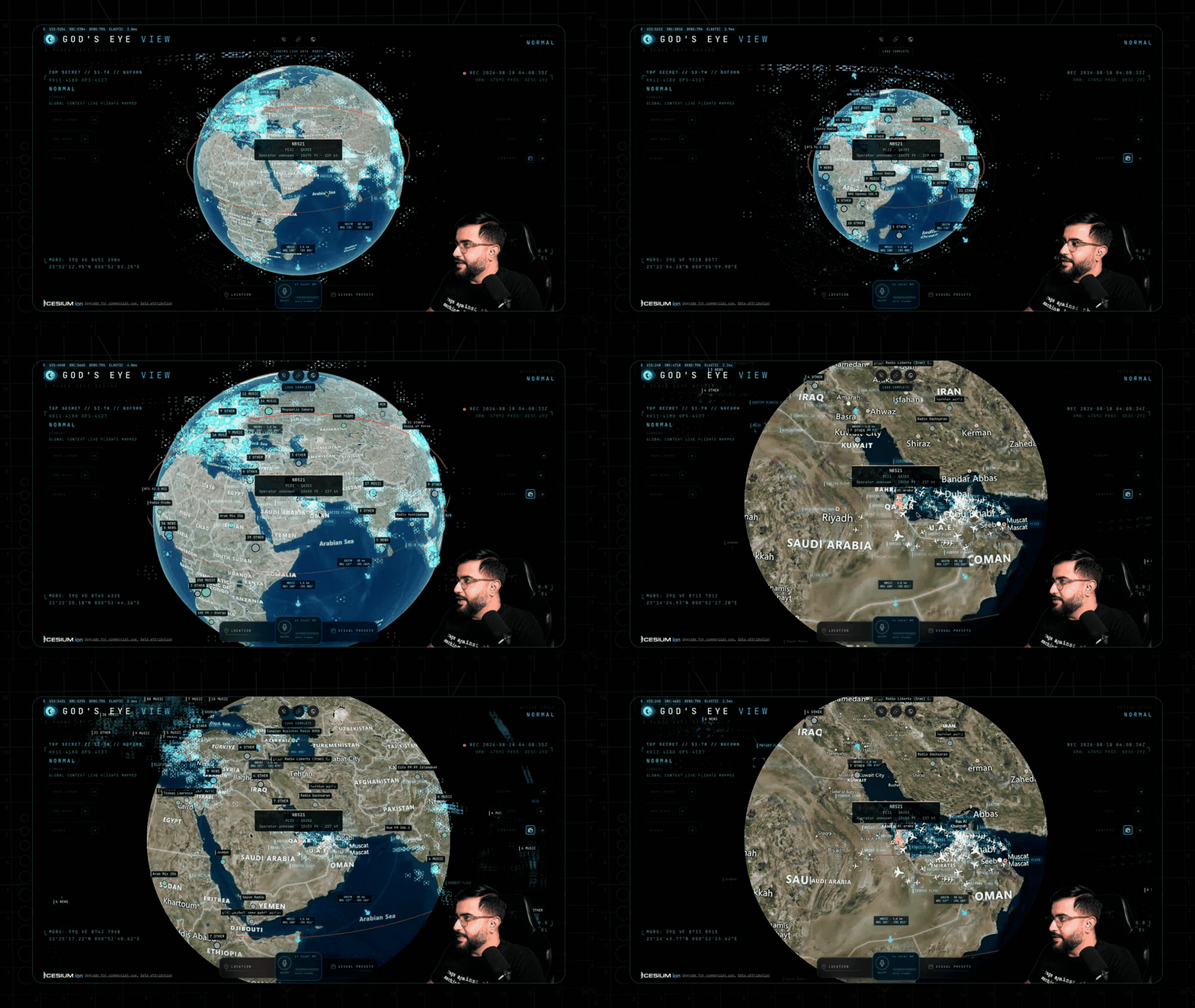
Ask for radio near anywhere and the globe starts broadcasting — every station is a real place you can fly to.
🛰️ What's on the Globe
Thirteen layers and map sources. Eleven have a keyless path. Some offer additional capabilities with a provider key. (🟢 no key · 🟡 free key · 🔴 metered.)
| Layer |
What you get |
Source |
Auth |
| 🗺️ Map Stack |
Esri satellite imagery, Google Photorealistic 3D, OSM, plus additional ion-hosted stacks |
Esri / Google / Ion / OSM |
🟢 Esri satellite + OSM · 🟡 ion-hosted Google 3D + world terrain · 🔴 direct Google + place search |
| ✈️ Live Flights |
11,000+ live aircraft + route history |
OpenSky + adsb.lol |
🟢 (🟡 optional for more polling credits) |
| 🎖️ Military Flights |
ADS-B military traffic in amber |
adsb.lol |
🟢 |
| 🚢 Live Vessels |
Thousands of ships worldwide |
AISStream |
🟡 |
| 🛰️ Satellites |
838-object catalog, color-coded by class with a live legend — the DENSE chip drops in the whole Starlink shell |
CelesTrak |
🟢 |
| 🌍 Earthquakes |
Global seismic activity, last 24h |
USGS |
🟢 |
| 🚗 Traffic |
Simulated vehicles on OSM roads. With TomTom, live flow speeds drive the simulation and congestion colors below ~8 km; individual vehicle positions are not live observations |
TomTom + OSM |
🟢 simulation · 🟡 live flow speeds |
| 📹 CCTV Mesh |
~800 public cameras projected into the 3D space — Austin · California (Caltrans) · London (TfL). Positions are published; poses are estimated priors you calibrate by dragging a gizmo on the camera itself |
City APIs |
🟢 |
| 📻 Radio |
Geolocated world radio with an analog tuner — drag the needle across up to 750 stations and the globe flies to each broadcaster |
Radio Browser / broadcasters |
🟢 |
| 🚲 Bikeshare |
Live station availability |
GBFS |
🟢 |
| 🔥 Active Fires |
Live NASA FIRMS detections, trailing 24h |
NASA FIRMS |
🟡 |
| 🚀 Space Missions |
Rolling 30-day launches with payload, stage, and recovery detail |
Launch Library 2 |
🟢 (🟡 optional token raises the allowance) |
| 🎖️ Mapped Installations |
Viewport-bounded military-site context from community mapping — incomplete by nature, and labeled that way |
OpenStreetMap |
🟢 |
The basemap ladder — what each tier buys you:
| You have |
The globe you get |
| 🟢 Nothing |
Esri World Imagery satellite basemap + keyless terrain, in 2D. OSM takes over automatically if Esri is unreachable; if terrain is unavailable the globe continues without it |
| 🟡 A free Cesium ion token |
Google Photorealistic 3D cities and world terrain — eligible personal, non-commercial use; current ion terms and quotas apply |
| 🔴 A Google Maps key |
The same 3D direct from Google, plus in-app place search — the billing-enabled, metered route |
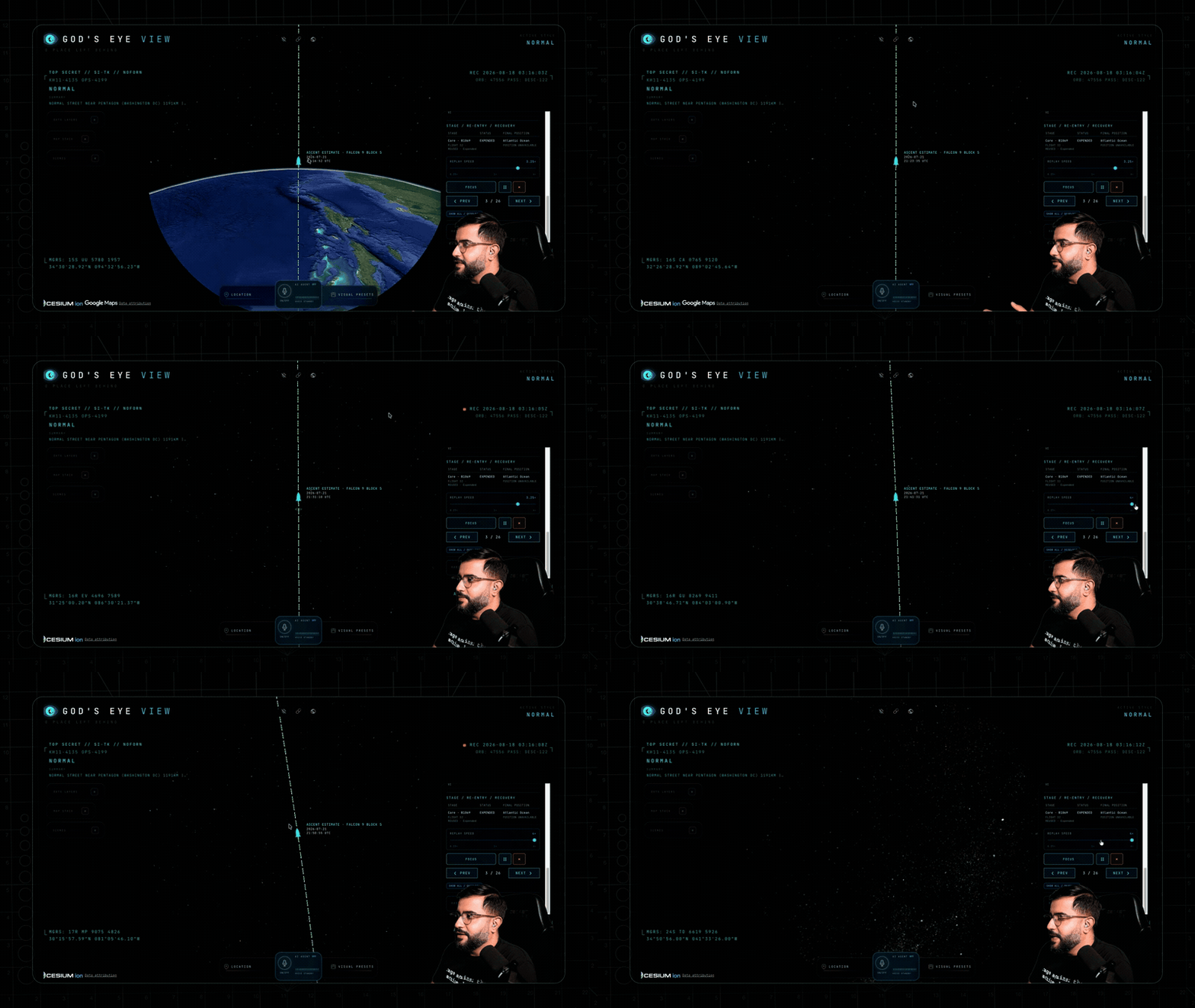
The Space Missions layer replaying a Falcon 9 ascent — labeled RECONSTRUCTED ESTIMATE, scrubbable 0.25×–4×.
Also on the globe: neighborhood overlays · an optional cockpit WX cloud effect. Bundled static infrastructure: Datacenters (4,351), Dams (704), and Submarine Cables (712).
Missing a layer you want? Open an issue — or add it and send the PR.
🎖️ Field Missions
Once the basics click, run these:
| Mission |
How |
| 🚁 Ask the planet |
"Why are all these military helicopters flying in circles?" Select a military track — it silently backfills ~24 h of real trace history — and see what it's been doing, resolved as stacked 3D loops. |
| ✈️ Final approach |
Click-track an airliner lining up for a runway, hop into the cockpit, and ride it down. |
| 🌃 Night watch |
Fly to your own city, switch to NVG, and let the detection mesh and HUD read the scene. |
| 🚢 Port call |
Vessels on over the Port of Long Beach. Click a tanker for its tactical card and wake trail — then hit NEAREST in the CCTV panel and look at the same water through a public camera. |
| 📻 Tokyo FM |
Orbit Sh |
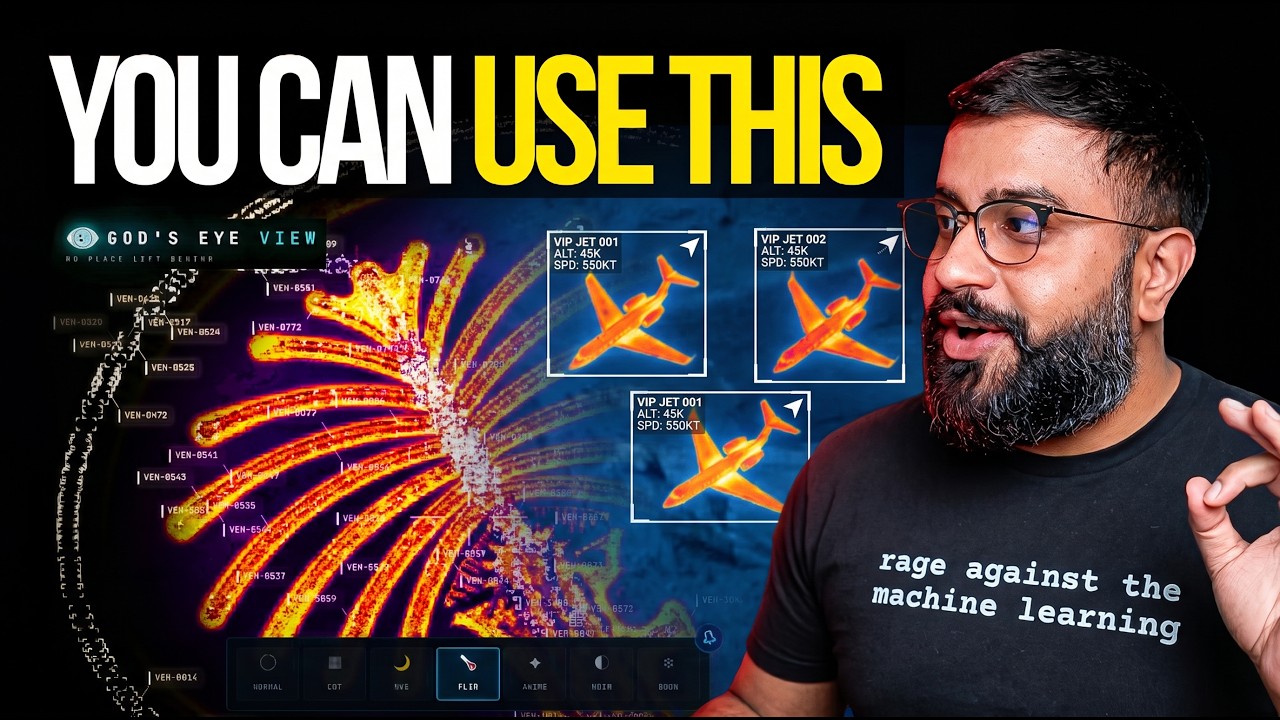

 God's Eye View 是一款基于浏览器的间谍卫星风格模拟器,它将真实的公开数据(实时飞机、船舶、卫星、地震、交通和公共摄像头)叠加到照片级逼真的 3D 地球仪上,还可以通过实时 AI 代理进行免提语音控制。