DeskBox
A free, open-source Windows desktop organizer with native-feeling WinUI 3 widgets.
English | 简体中文
External pull requests are not being merged at this time — bug reports, ideas, and discussions are very welcome via Issues / Discussions. See CONTRIBUTING.md.







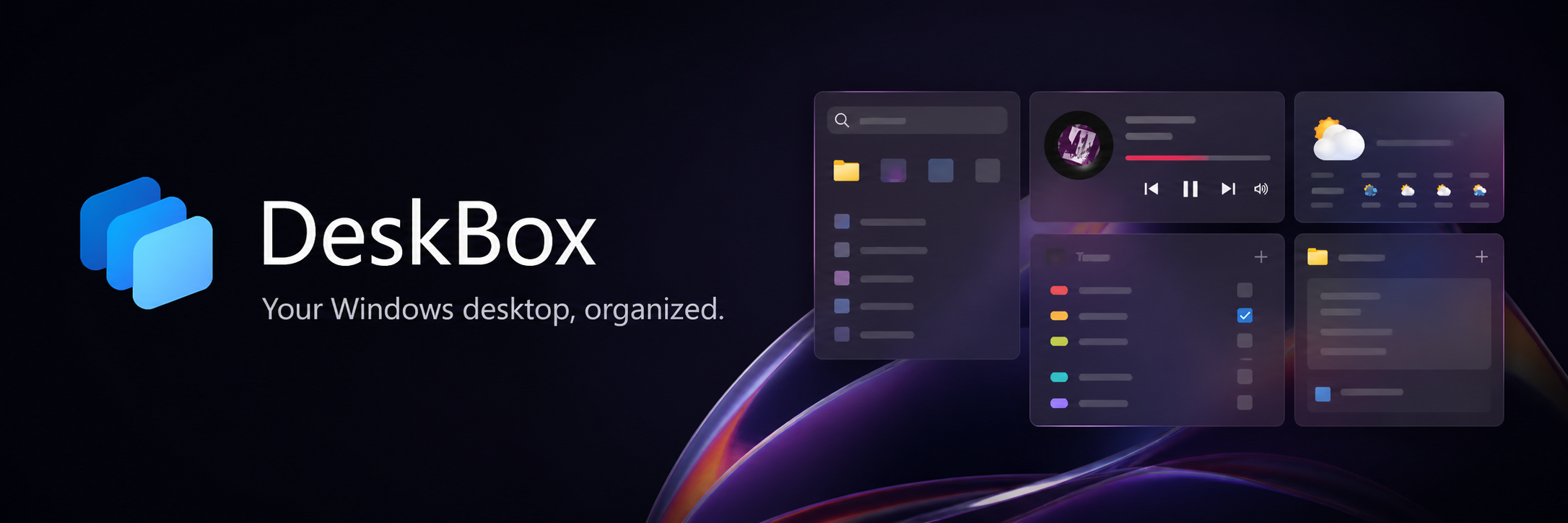
DeskBox organizes desktop files, maps existing folders, and keeps everyday tools close without replacing Explorer or changing how your files work. Its real-folder-backed widgets make it a modern open-source alternative to tools such as Stardock Fences, while Glance, todos, quick notes, search, weather, and music controls remain useful extras rather than the product's core promise.
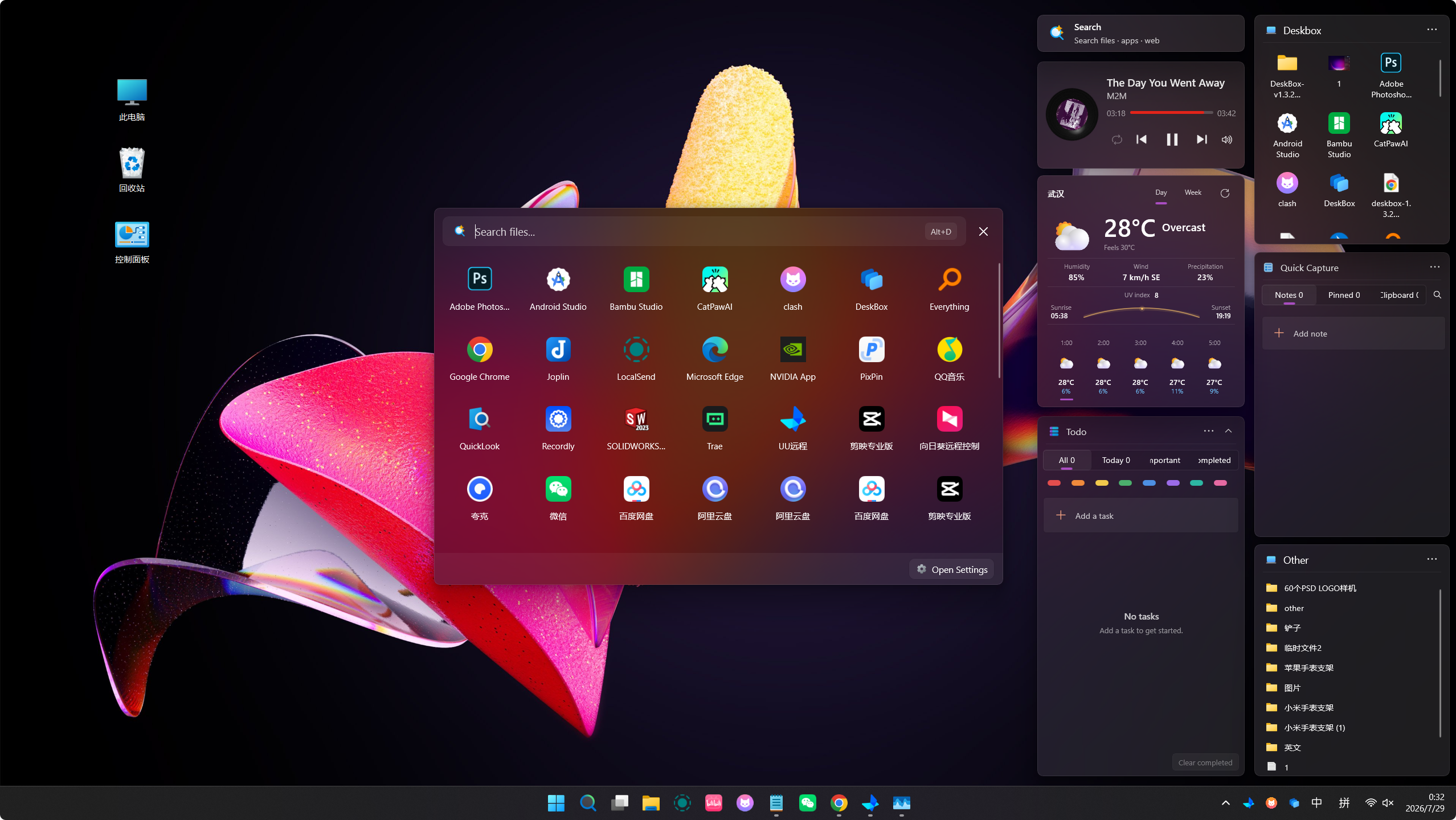
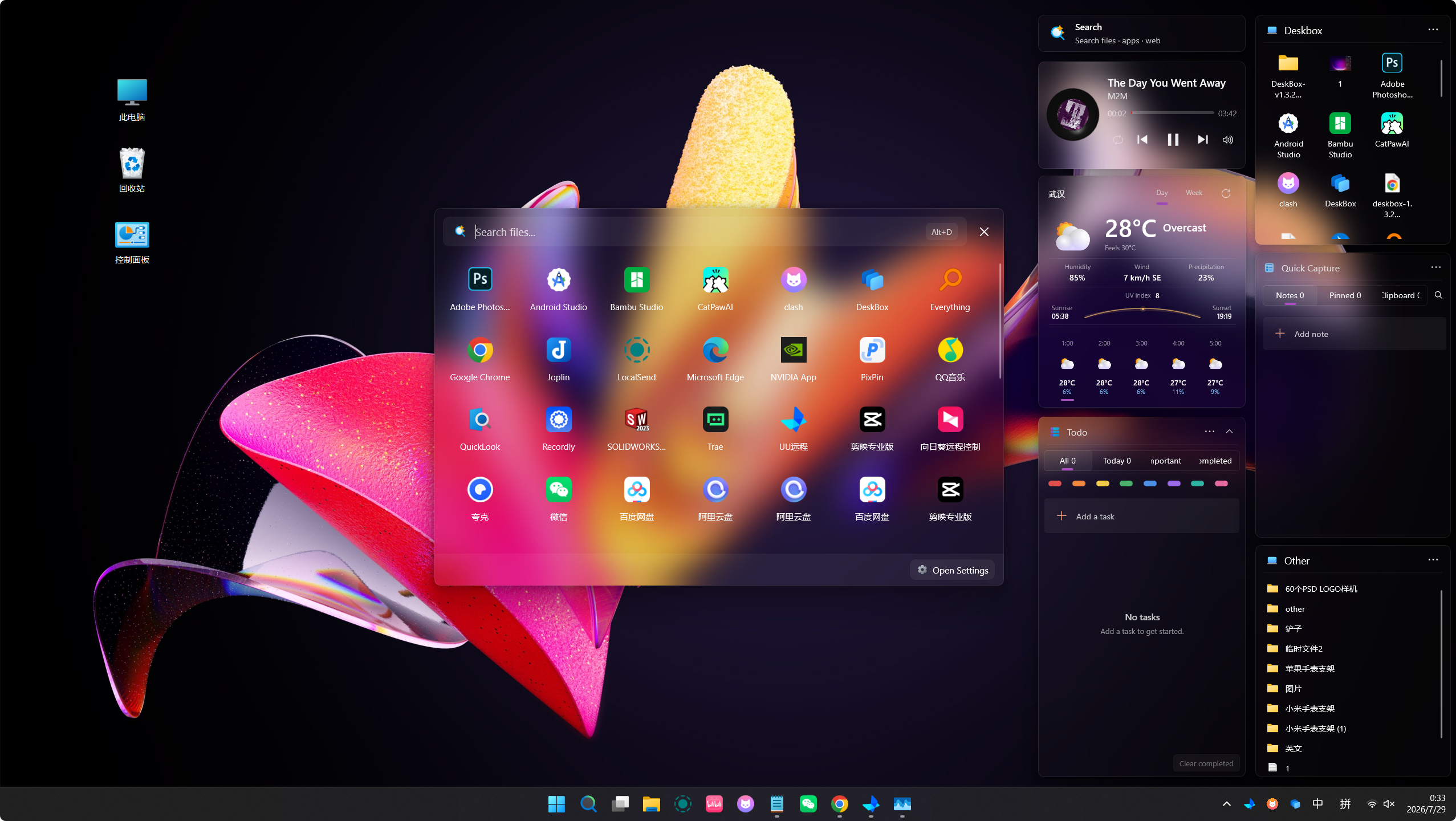
Mica and Acrylic on the desktop
DeskBox uses native-feeling Windows materials and keeps ordinary desktop files and folders in place.
| Mica |
Acrylic |
 |
 |
DeskBox at a glance
|
|
| Platform |
Windows 10/11, x64 and ARM64 |
| Technology |
C#, WinUI 3, .NET 10 Native AOT, Windows App SDK 2.4, Rust native Shell layer |
| Storage model |
Local-first; files, notes, tasks, settings, and layouts remain on the PC |
| Languages |
English, Simplified Chinese, Traditional Chinese, Japanese, German, Brazilian Portuguese, Hindi, Spanish, French, Arabic, Bengali, Russian |
| License |
GPL-3.0-only |
All twelve selectable languages share the same resource-key and formatting-placeholder coverage.
Download
The current stable release is DeskBox 1.4.9, available from GitHub Releases.
Both packages are Full Native AOT builds with the matching private Windows App Runtime 2.4, so they can install offline without downloading a separate .NET 10 or Windows App Runtime package.
Every release also publishes a matching .sha256 sidecar for each installer. The installers are currently unsigned, so verify the hash before running one if that matters to you.
DeskBox itself installs for the current user by default.
Features
- Create managed file widgets backed by ordinary folders, or map an existing folder without moving it.
- Use icon or list layouts, title styles, detail and path controls, manual or rule-based sorting, compact display density, per-widget icon size override, and one-line, two-line, or hidden file names. Widgets resize down to 50×50.
- Reorder items directly, move or copy them into a folder item, and create a folder with automatic scrolling and inline naming. Manual order is restored after restart.
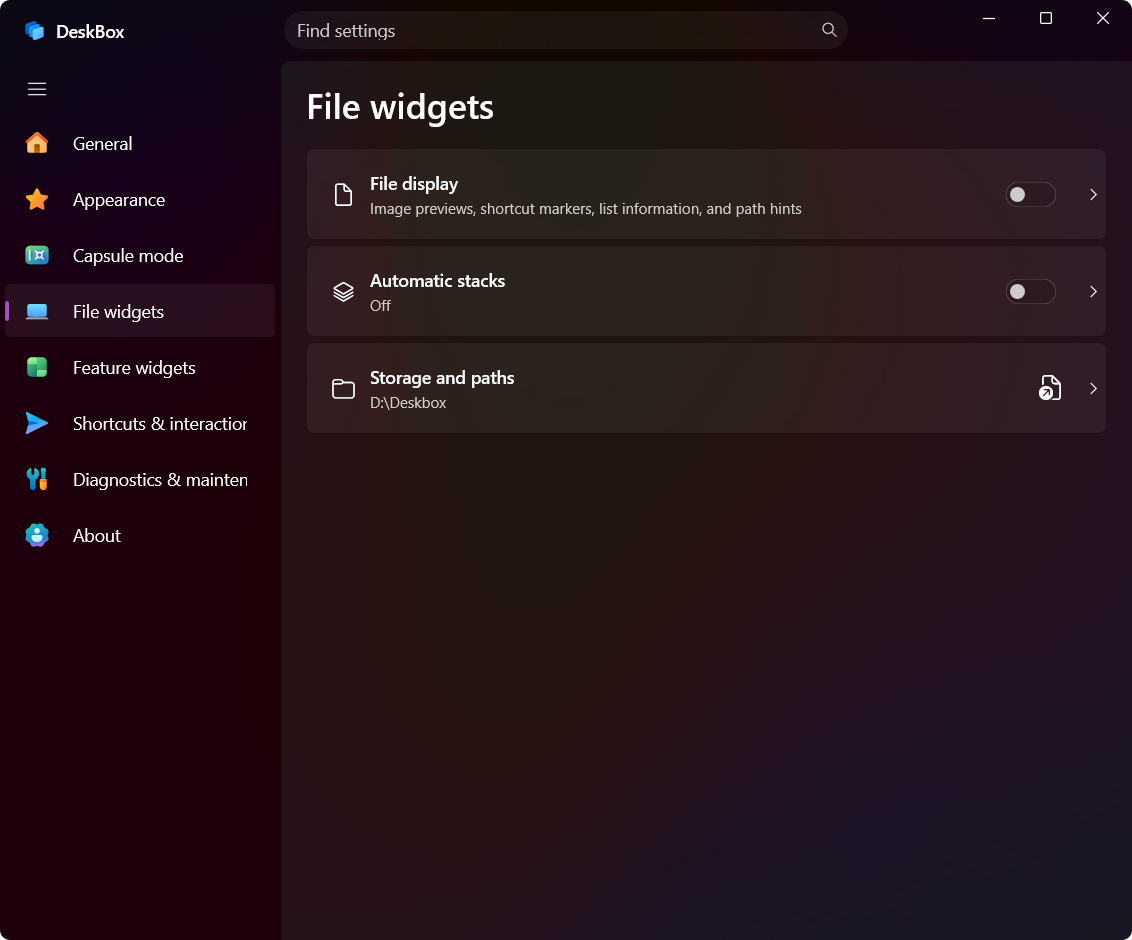
- Stack files manually, or let automatic grouping do it as a separate opt-in switch. A stack can expand inside the widget or open as an Adaptive, 3×3, or 5×5 popover that shares the grid's icon size, density, selection, and Ctrl+mouse-wheel behavior and stays within screen edges.
- Drag files and shortcuts in or out, copy, cut, paste, rename, delete, and reveal in Explorer. Dragging can follow the Windows default copy-or-move decision, including cross-volume behavior and modifier-key shortcut creation, with native drop images and target descriptions.
- Shell copy and move operations show per-item progress while keeping the source, destination, and receiving folders protected from conflicting changes.
- Create shortcuts, permanently delete with confirmation and partial-result reporting, run a supported executable as administrator, or open the rest of the native Shell menu near the pointer.
- Drop content from Explorer, WeChat, or a browser; remote image and file URLs can be downloaded and imported.
- Preview supported files through a running QuickLook instance by pressing Space.
- Merge file widgets into a group without changing their backing folders, then switch members from the title, mouse wheel, or cyclic Ctrl+Tab shortcut.
- Detach a member or dissolve a group safely; grouped and standalone file widgets share the same views, settings, menus, sorting, drag-and-drop, and QuickLook behavior.
- Preview desktop organization by category before moving anything, and choose whether each category creates a folder or reuses an existing widget.
- Optionally include retained folders, large files, and items beyond the quick batch, and get access-denied, in-use, changed, unavailable, or failed transfers explained separately instead of a silent skip.
- Optionally organize new desktop files after downloads, extraction, and same-path replacements reach a stable state.
Todo and Quick Capture
- Work in responsive Todo and Quick Capture list/detail layouts that switch between single- and dual-pane modes, with an adjustable master pane on wide widgets.
- Track tasks with due dates, reminders, recurrence, color markers, Markdown notes, attachments, filters, and batch actions.
- Save reusable text, links, images, and files in Quick Capture with pinning, paper styles, Markdown editing and preview, removable attachments, and focused editing.
- Keep attachment files linked to their original location or copy them into DeskBox-managed storage.
Desktop search
- Search files, folders, applications, settings, notes, and todos from one popup or search widget.
- File results come from Everything's existing local index over IPC and merge with DeskBox content in the same window. DeskBox no longer maintains a duplicate file index.
- Everything is detected or launched from Settings, where you can choose its executable, see connection and permission status, opt into advanced syntax, and filter low-value system and cache paths. Everything itself is not bundled and must be installed separately.
- Use configurable filters, sortable detail columns, result limits, history, favorites, and a global search hotkey.
- Select multiple rows with Ctrl or Shift, drag a selection rectangle with edge auto-scroll, and apply batch actions to the result set.
- Receive staged incremental results while individual providers stay isolated from one another when a source fails.
- The popup shell is warmed during idle time so a widget click can show and focus it first, while recommendations and icons recover in the background. A search window left hidden long enough can release its visual tree; disabling Search releases the complete search runtime.
Glance, weather, and music
- Glance keeps the date, weekday, lunar calendar, and festivals visible, with your own background image or rotation and an independent image transparency control.
- View current conditions plus hourly and multi-day forecasts with MSN Weather and automatic Open-Meteo fallback.
- Choose a theme-aware Standard weather skin or the richer condition-based skin, with responsive Day and Week views across widget sizes. Startup shows a fresh cached forecast immediately and keeps refresh work off the interaction path.
- Control the active Windows media session, playback mode, progress, and system volume from the music widget, or switch between available media sessions and follow the system-selected source.
- Use responsive cover, controls, record, and compact layouts with optional album-color ambience.
Capsule mode and native Windows behavior
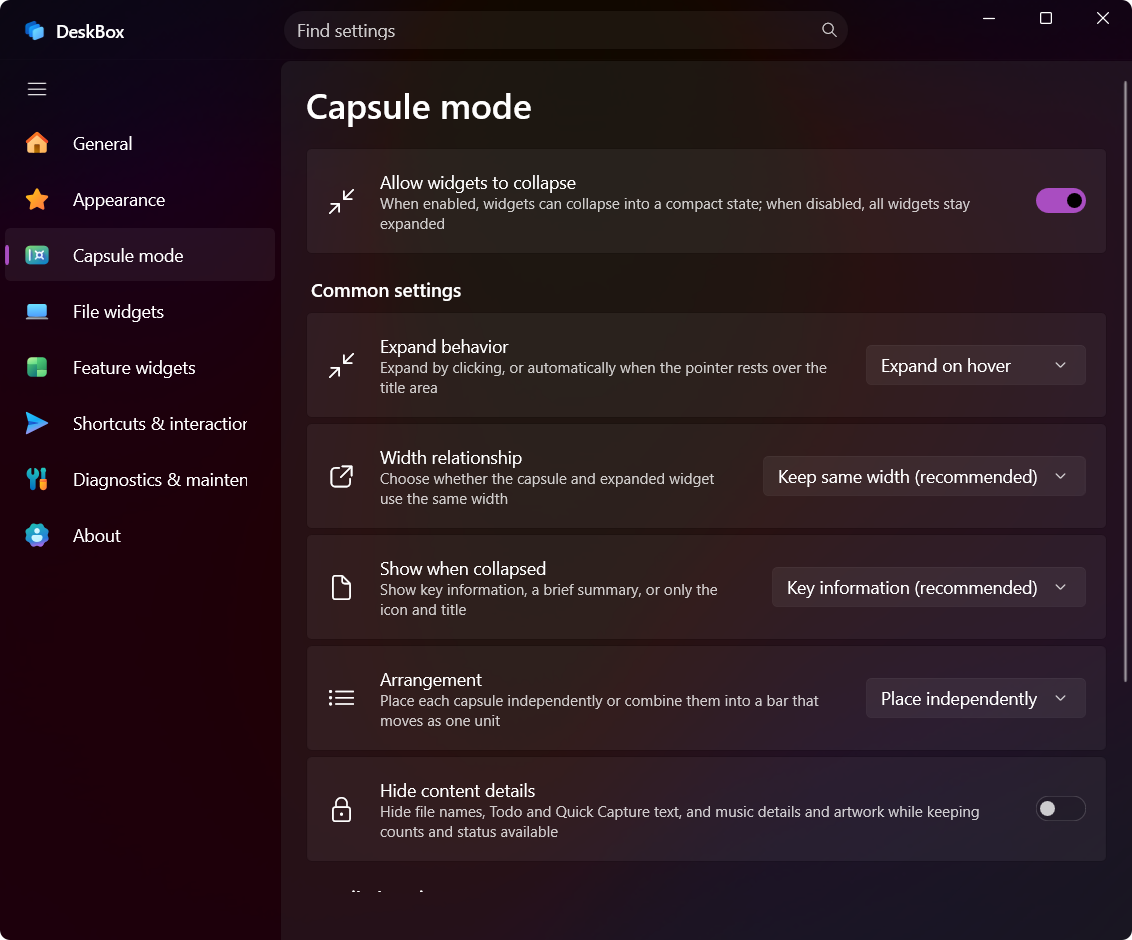
- Collapse widgets into smart capsules with click-to-toggle or hover-to-expand behavior; the expansion choice is the main capsule control, with ready-made hover presets.
- Show key information, a short summary, or only an icon and title; hide sensitive Todo and Quick Capture text while collapsed.
- Arrange capsules independently or combine them into a movable, ordered bar.
- A hover-expanded capsule or group stays open while you use a stack popover, context menu, drag operation, title editor, or close confirmation, and collapses only after the interaction ends and the pointer has left.
- Raise or hide all widgets from the tray, F7, double Ctrl, Alt+Space, Win+Space, a single Win-key tap, a custom shortcut, or an optional double-click on a blank desktop area. Reserved Windows combinations warn about their system-side effect before you enable them, and modifier-only or incomplete taps are ignored.
- Quick Reveal temporarily shows widgets above other windows without permanently changing their desktop-layer behavior, and keeps the first activating click instead of losing it.
- Serialized repeated-toggle handling and recovery cover display, DPI, sleep, and Explorer changes.
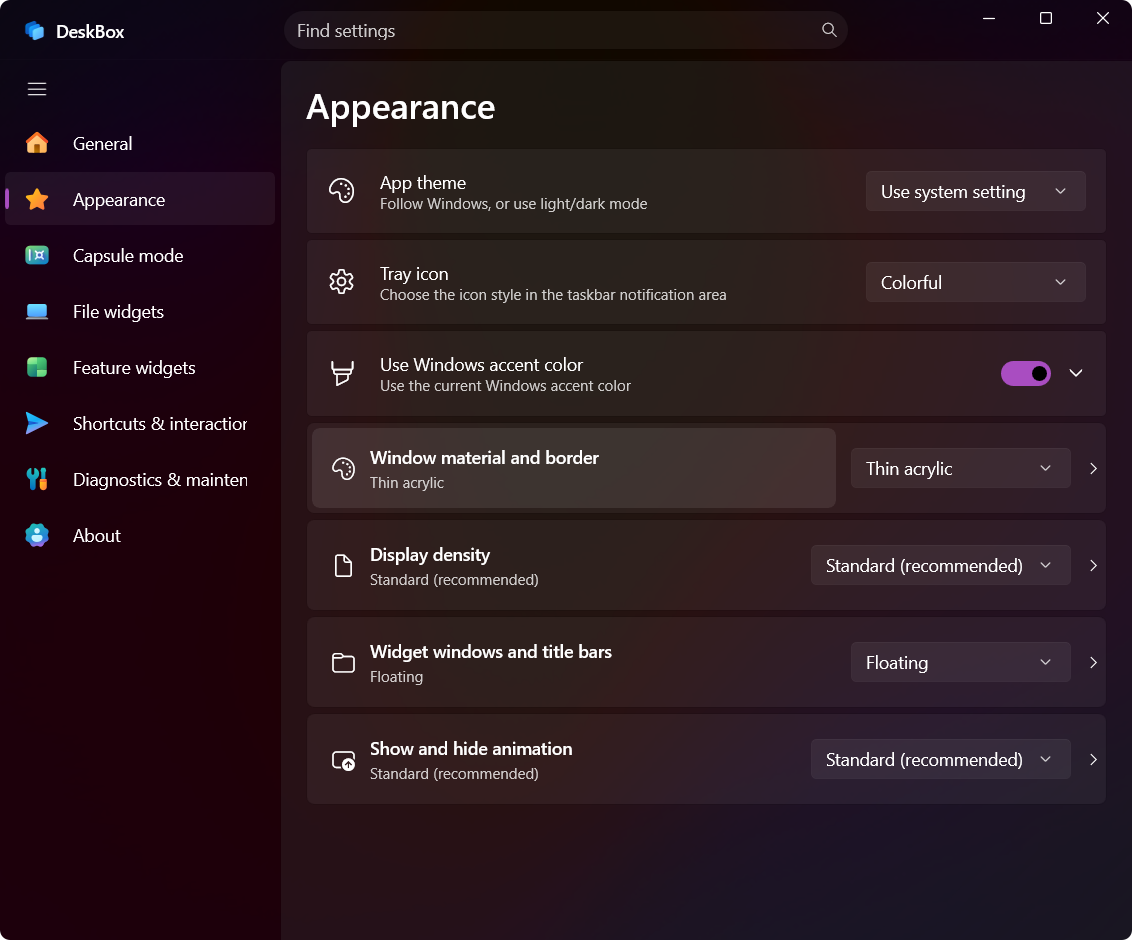
- Customize Mica/acrylic materials, opacity, borders, DWM corners, animation, title bars, icon size, and text size. Widget text and monochrome controls can follow the app theme or use light, dark, custom, and per-widget colors, with an optional text edge treatment.
- DeskBox stores a separate widget layout for each known monitor topology. Reconnecting a display arrangement restores the positions, sizes, group surfaces, and capsule placement saved for it. Hot-plug, work-area, and DPI changes settle before restore, and layout writes pause during the transition so temporary coordinates cannot overwrite a saved layout.
- A replacement or differently scaled monitor receives a proportional in-bounds layout instead of leaving widgets off-screen.
- Hold Ctrl while dragging a widget title to move every eligible widget on the current display as one bounded group. Snapping works while moving as well as resizing, with a configurable gap and screen-edge protection.
- Choose Balanced, Resource saver, or Custom performance modes. Custom controls hidden-widget cache cleanup, visible-idle cleanup, transient-window release, icon/thumbnail/image cache budget, and individual continuous animations such as text marquee, vinyl rotation, Glance image rotation, and capsule effects.
- Hidden and inactive widgets release recreatable UI surfaces, decoded images, icons, and thumbnails according to the selected policy, while process-wide WinRT settings reuse, shared brushes, cached window factories, and targeted list updates keep the hot paths quiet. Animation pacing adapts to the current display's refresh rate, with extra frame-pacing and backdrop safeguards on Windows 10.
- Startup waits for Explorer's desktop icon host to stabilize before attaching desktop-layer widgets, so widget restoration does not disturb Windows' own icon-position recovery. If the managed storage drive is temporarily disconnected, widgets stay intact and recover once it returns.
Updates, backup, and diagnostics
- Check for updates in the app, read long release notes in a dedicated view, retry failed downloads, or continue from the official website.
- Start a visible installer after DeskBox closes; upgrades reuse and lock the existing installation path instead of creating a second copy.
- Back up and restore settings, and export a privacy-filtered diagnostics package for troubleshooting.
- Recover settings from resilient snapshots, flush pending changes during shutdown, and report save failures instead of silently reverting to defaults.
What's new in 1.5.0
- Automatic data snapshots. Backups now run on a configurable schedule (every 5 minutes to every 5 days) with 3–30 retained snapshots and an optional custom directory that falls back safely with a notification when unavailable.
- Redesigned Organize Desktop with Public Desktop support. A desktop preview card with clear per-file selection, re-scans that keep your choices, resumable interrupted operations, and an optional shared Public Desktop source.
- Folder shortcuts navigate in place. A
.lnk pointing inside the widget's own tree opens inside the file widget instead of File Explorer.
- Sharper, correct icons. Files, folders, and
desktop.ini custom icons use 256-px Shell icons with overlays; .url icons (including Steam covers) resolve through the Shell.
- More control over text and menus. Independent list/content text sizes for Quick Capture and Todo, a Glance clock 12/24-hour format option, and an optional native Windows context menu for single file tiles.
- Reliable rename and drag completion. Inline rename fields receive typing reliably in every entry point, and internal reorders can no longer trigger Shell shortcut cleanup.
- Lower memory, faster Settings. Settings sections load on demand and search works before sections are created; thumbnail payloads read zero-copy, and widget title bars are more compact.
What's new in 1.4.9
- Reliable drag operations on Windows 10 and Windows 11. A drag now advertises one preferred shell operation through
RequestedOperation, avoiding the Windows 10 Copy/Move/Create-shortcut chooser without narrowing the destinations DeskBox supports.
- No more misplaced shortcuts. Internal reorder feedback is separated from filesystem completion, so
.lnk items can no longer be moved to the Recycle Bin during an in-grid or in-stack reorder.
- Explicit stack routes in both display modes. Inline stacks and stack popovers support reorder, stack-to-parent-grid, grid-to-stack, other-grid, desktop, and File Explorer routes.
- Windows 10 Native AOT packaging is complete. Direct packages include the required Windows App Runtime Insights resource, and the Native AOT audit verifies the retained binding and drag-surface contracts.
- Settings window no longer leaks. The Settings window is reused, so repeated open/close cycles do not retain native XAML trees; idle deep cleanup and memory compression are reliable again.
- Safer file interactions. File opening is gated and traced, extension-changing renames require confirmation, and stack popovers support in-place rename.
What's new in 1.4.8
- Safer managed-storage handoff. DeskBox can keep a standalone
DeskBox Files.lnk shortcut to the managed storage folder, and the uninstaller offers to create one for older users when managed files remain.
- Windows 10 corner compatibility. Windows 10 uses square outer and capsule media corners while Windows 11 continues to follow the saved corner preferences.
- Simpler weather default. New installations and restored defaults use the Standard weather skin; the richer skin remains selectable.
- More reliable search keyboard navigation. Arrow keys keep the selected result and its highlight synchronized, while Ctrl+Tab changes search tabs without leaving arrow keys controlling only the scroll view.
- Cleaner search tabs. Search tabs are text-only, content-sized, and use a taller indicator with consistent horizontal spacing.
- Safer Windows integration. This release also includes junction/symbolic-link traversal fixes, Shell-owned confirmation dialogs, watcher backoff, virtual-display recovery, and high-DPI stack layout fixes.
What's new in 1.4.7
- Safer More system operations. Extended Windows Shell context menus now run in an isolated helper process, so a faulty third-party Shell extension cannot terminate DeskBox.
- Reliable high-DPI stack grids. A 3×3 popover with five files keeps the expected 3+2 arrangement at fractional DPI scales instead of wrapping as 2+2+1.
- Stable desktop-layer transitions. Hidden widgets remain hidden during Explorer drag and activation changes, while expanded capsules retain their peer ordering.
- Native AOT calendar bindings. Glance calendar day decorations retain their binding metadata in Direct Native AOT builds.
- Fixed a serious shortcut loss. Dragging a
.lnk shortcut between widgets could delete the original on some systems. DeskBox now waits for a transfer to finish before reporting the operation result to Windows, so the source is never cleaned up early.
- Performance modes. Balanced, Resource saver, and Custom modes under Settings → General control cache retention, transient-window release, and individual continuous animations. Hidden and inactive surfaces release recreatable UI, icons, and decoded images.
- Multi-display layout memory. Each known monitor topology keeps its own layout, so positions, sizes, groups, and capsule placement return when you reconnect a display arrangement. New or differently scaled monitors get an in-bounds proportional layout.
- More ways to summon DeskBox. F7, double Ctrl, Alt+Space, Win+Space, a Win-key tap, a custom shortcut, or an optional double-click on a blank desktop area, plus a Quick Reveal layer that temporarily raises widgets above other windows.
- File stacking 2.0. Manual stacking and automatic grouping are now separate switches. A stack can open inline or in an Adaptive, 3×3, or 5×5 popover that shares the file grid's icon size, density, selection, and Ctrl+wheel behavior.
- Everything-powered file search. DeskBox reads Everything's existing index over local IPC and merges it with notes, todos, and settings in one window, replacing the duplicate DeskBox-maintained index. Everything is not bundled.
- Native AOT Direct builds. GitHub packages no longer need a separate .NET 10 runtime; Windows App Runtime moved to 2.4.
Read the complete changelog or the 1.4.9 release notes.
Current interface
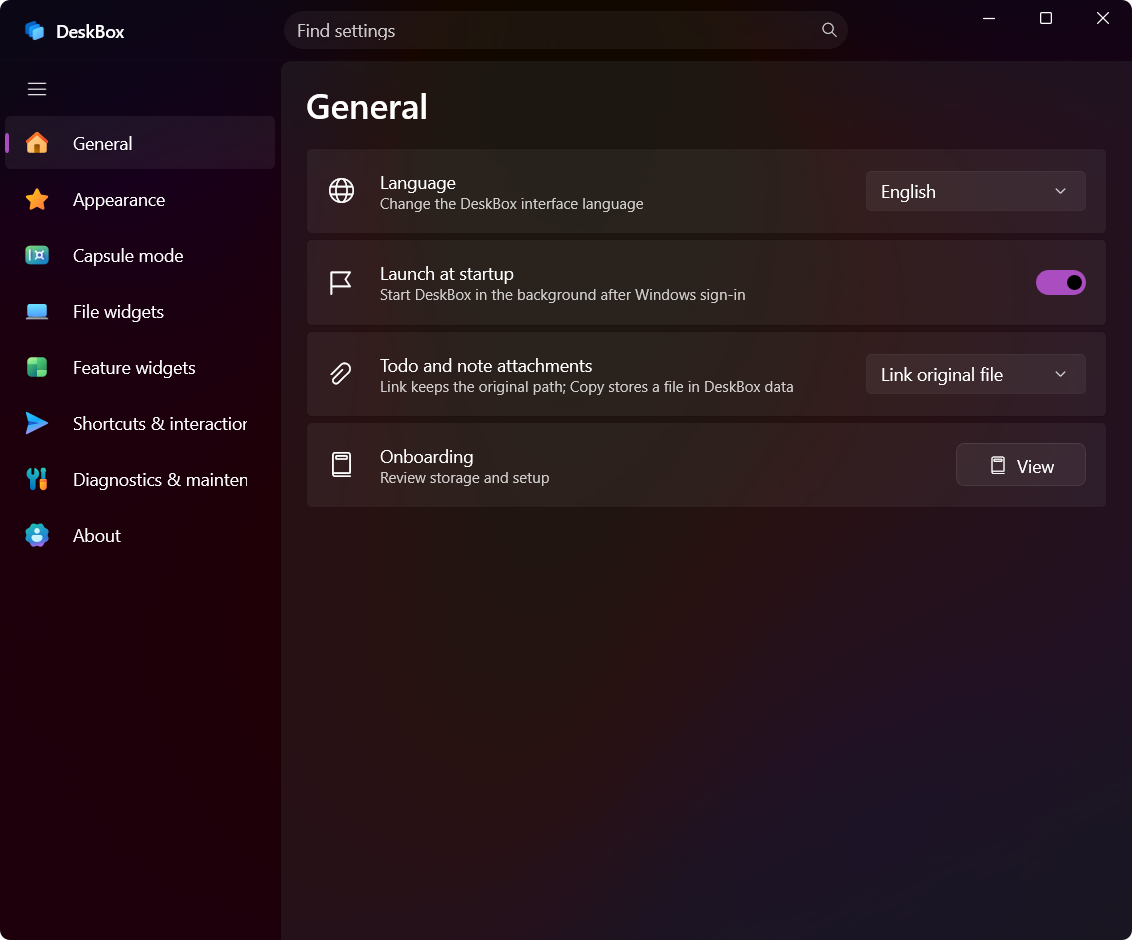
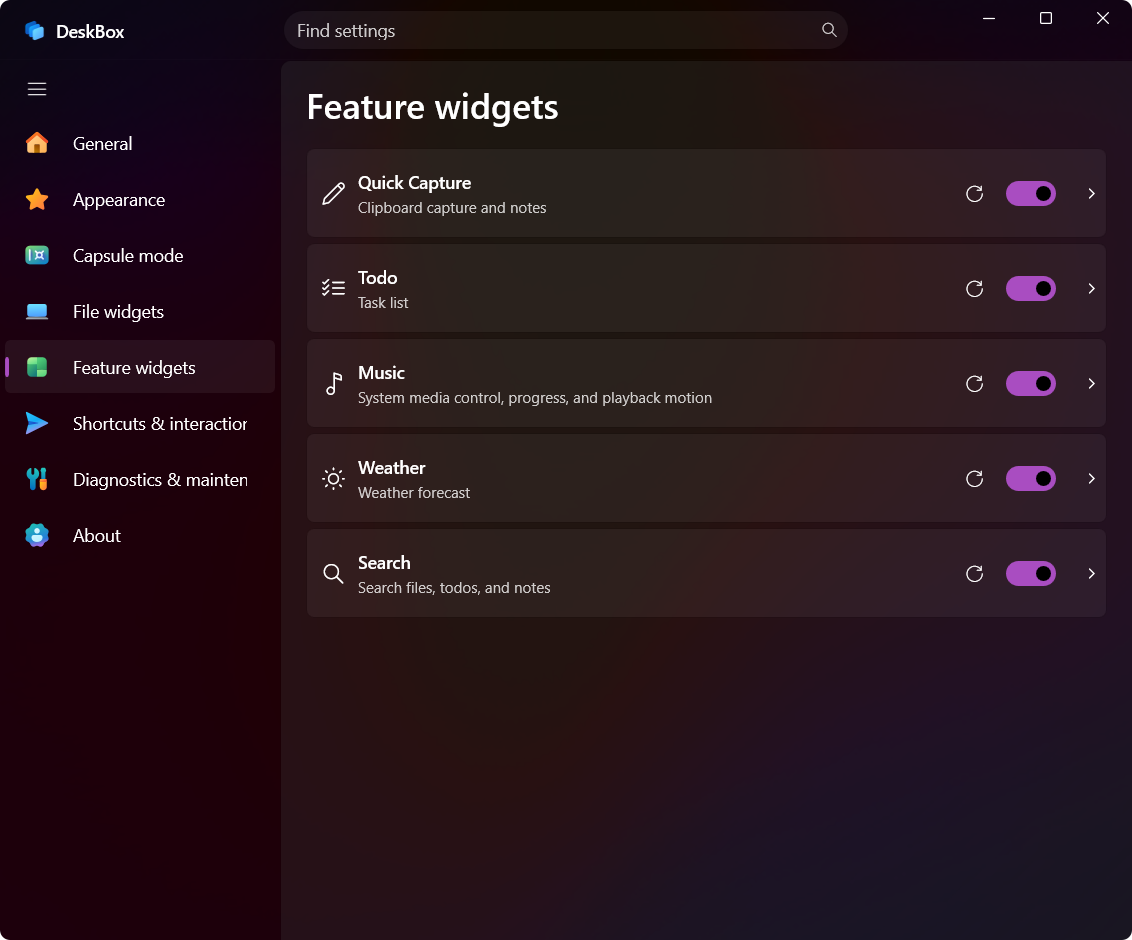
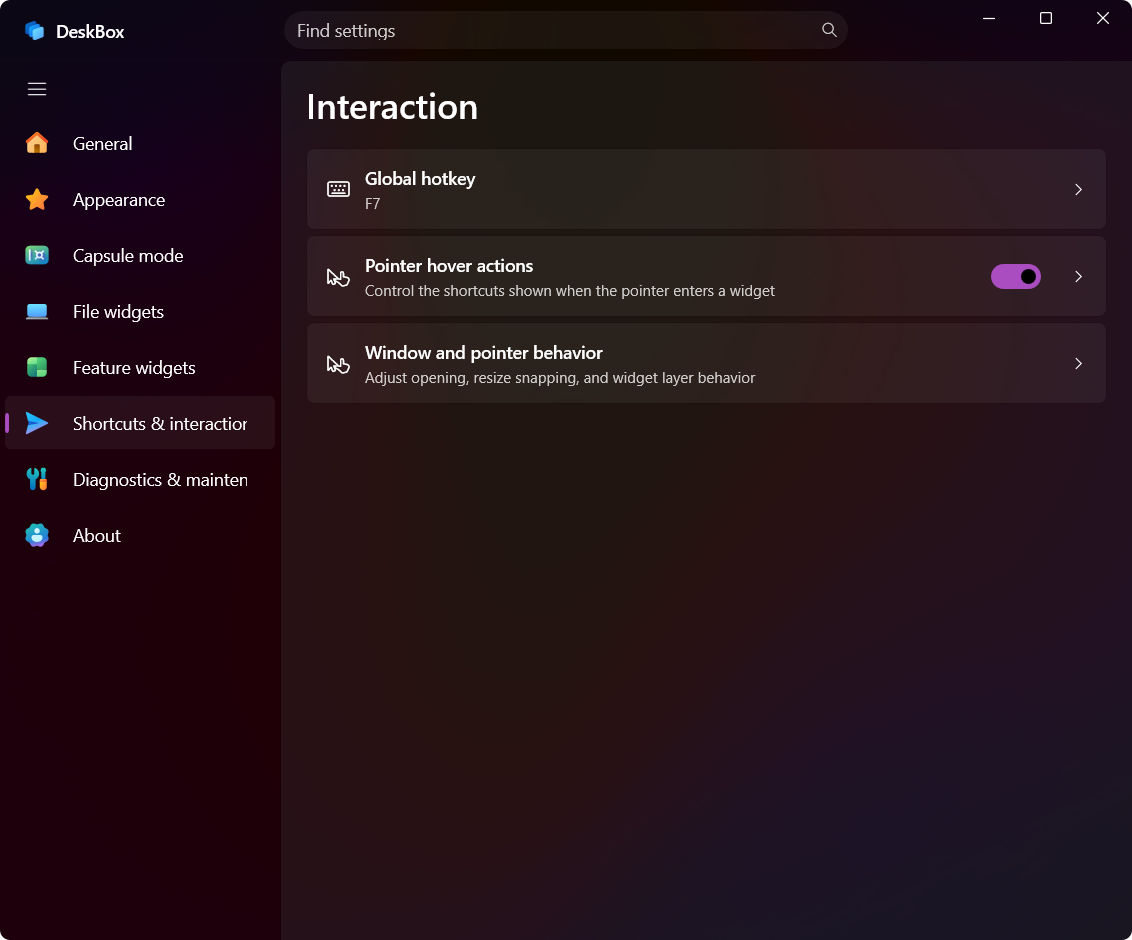
These screenshots are representative of the current DeskBox settings interface.
Settings
| General |
Appearance |
 |
 |
| Capsule mode |
File widgets |
 |
 |
| Feature widgets |
Shortcuts & interaction |
 |
 |
Local-first data and privacy
DeskBox does not require an account or cloud synchronization. Widget configuration, todos, quick notes, search history, layouts, and managed files are stored locally.
Some actions intentionally use the network:
- Weather requests use MSN Weather or Open-Meteo.
- Update checks contact the DeskBox update endpoint or GitHub Releases.
- DeskBox 1.4.8 and later Full installers carry the matching Windows App Runtime; older Direct installers download a m

 DeskBox 是一款免费开源的 Windows 桌面整理工具,提供与原生体验相近的 WinUI 3 小组件,这些小组件背后对应真实的文件夹。此外还有待办事项、快速笔记、搜索、天气和音乐控制等功能。