

2.1K ·GitHub
What is this?
 PersistentWindows is a Windows desktop utility that remembers where your windows were positioned and automatically restores that layout after events like waking from sleep, monitor connect/disconnect, resolution changes, or RDP reconnections.
PersistentWindows is a Windows desktop utility that remembers where your windows were positioned and automatically restores that layout after events like waking from sleep, monitor connect/disconnect, resolution changes, or RDP reconnections.Is this an app I run, or a background service?It's a standalone .exe that runs with no main window, sitting hidden in the System Tray; you interact with it via a right-click menu.
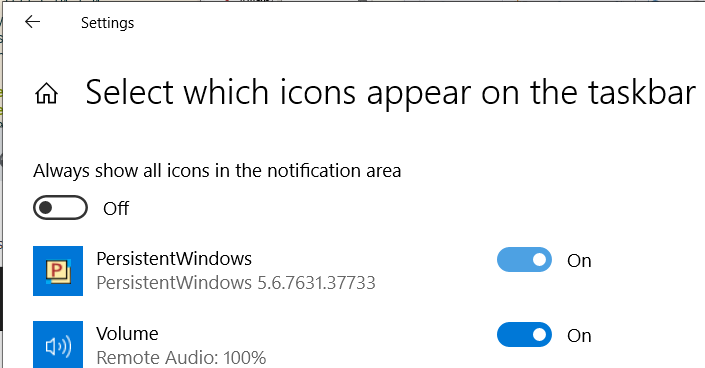
It's a standalone .exe that runs with no main window, sitting hidden in the System Tray; you interact with it via a right-click menu.How do I install and run it?Install via 'winget install PersistentWindows', or download PersistentWindows.zip from the Releases page and unzip it anywhere, then run PersistentWindows.exe.
Install via 'winget install PersistentWindows', or download PersistentWindows.zip from the Releases page and unzip it anywhere, then run PersistentWindows.exe.Do I need admin rights for it to work properly?For full functionality, like restoring elevated windows (Task Manager, Event Viewer), it needs to run with Administrator privileges.
For full functionality, like restoring elevated windows (Task Manager, Event Viewer), it needs to run with Administrator privileges.Any known quirks I should watch for?On fractionally scaled displays (125%, 150%, etc.) it may malfunction unless launched via the auto-start task, and you may need to override its high-DPI scaling property to 'Application'. It can also get stuck in a red-icon 'busy' state if an unresponsive window blocks a restore.
On fractionally scaled displays (125%, 150%, etc.) it may malfunction unless launched via the auto-start task, and you may need to override its high-DPI scaling property to 'Application'. It can also get stuck in a red-icon 'busy' state if an unresponsive window blocks a restore.Does it work on Windows 7 as well as 10/11?Yes, it targets Windows 7, 10, and 11, with startup setup instructions provided for all three.
Yes, it targets Windows 7, 10, and 11, with startup setup instructions provided for all three.What data does it collect, and where does it go?It records window position/size/Z-order, captions, process IDs, and keyboard/mouse events tied to its own UI actions; keystroke/mouse history is erased about 1 second after being received, and window history is kept in RAM or saved locally in a LiteDB file.
It records window position/size/Z-order, captions, process IDs, and keyboard/mouse events tied to its own UI actions; keystroke/mouse history is erased about 1 second after being received, and window history is kept in RAM or saved locally in a LiteDB file.Can I take manual snapshots of my window layout?Yes, you can manually capture a layout to RAM as a snapshot (up to 36 per display configuration) or save it to disk in LiteDB format so it survives a reboot.
Yes, you can manually capture a layout to RAM as a snapshot (up to 36 per display configuration) or save it to disk in LiteDB format so it survives a reboot.Does it restore the order windows were stacked in, not just position?Yes, window Z-order is preserved in manual snapshots, and can optionally be enabled for automatic restores too using the -fixzorder=1 option.
Yes, window Z-order is preserved in manual snapshots, and can optionally be enabled for automatic restores too using the -fixzorder=1 option.What is the 'webpage commander' feature?It's a vi-editor-style, one-letter keyboard shortcut system (triggered with Alt+W) for navigating web pages more efficiently in any major browser.
It's a vi-editor-style, one-letter keyboard shortcut system (triggered with Alt+W) for navigating web pages more efficiently in any major browser.How do I make it start automatically at login?Three options: run the included autostartpw.bat to register a Task Scheduler task, create one manually via a .bat/.vbs wrapper for admin rights, or drop a shortcut into the Startup folder (shell:startup).
Three options: run the included autostartpw.bat to register a Task Scheduler task, create one manually via a .bat/.vbs wrapper for admin rights, or drop a shortcut into the Startup folder (shell:startup).What are similar projects?DeskBox, SCSKiller, tubatools, TranslucentTB, FileConverter, VioletToolBox, Playnite, rawaccel
DeskBox, SCSKiller, tubatools, TranslucentTB, FileConverter, VioletToolBox, Playnite, rawaccelWhich topics is it in?window-management, tray, remote-desktop, c-sharp, windows-10, gpl, windows-11, menu-bar, c#, csharp, monitoring, utility
window-management, tray, remote-desktop, c-sharp, windows-10, gpl, windows-11, menu-bar, c#, csharp, monitoring, utility