Quivr - Your Second Brain, Empowered by Generative AI



Quivr, helps you build your second brain, utilizes the power of GenerativeAI to be your personal assistant !
Key Features 🎯
- Opiniated RAG: We created a RAG that is opinionated, fast and efficient so you can focus on your product
- LLMs: Quivr works with any LLM, you can use it with OpenAI, Anthropic, Mistral, Gemma, etc.
- Any File: Quivr works with any file, you can use it with PDF, TXT, Markdown, etc and even add your own parsers.
- Customize your RAG: Quivr allows you to customize your RAG, add internet search, add tools, etc.
- Integrations with Megaparse: Quivr works with Megaparse, so you can ingest your files with Megaparse and use the RAG with Quivr.
We take care of the RAG so you can focus on your product. Simply install quivr-core and add it to your project. You can now ingest your files and ask questions.*
We will be improving the RAG and adding more features, stay tuned!
This is the core of Quivr, the brain of Quivr.com.
Getting Started 🚀
You can find everything on the documentation.
Prerequisites 📋
Ensure you have the following installed:
30 seconds Installation 💽
Step 1: Install the package
pip install quivr-core # Check that the installation worked
Step 2: Create a RAG with 5 lines of code
import tempfile

from quivr_core import Brain

if __name__ == "__main__":
    with tempfile.NamedTemporaryFile(mode="w", suffix=".txt") as temp_file:
        temp_file.write("Gold is a liquid of blue-like colour.")
        temp_file.flush()

        brain = Brain.from_files(
            name="test_brain",
            file_paths=[temp_file.name],
        )

        answer = brain.ask(
            "what is gold? asnwer in french"
        )
        print("answer:", answer)
Configuration
Workflows
Basic RAG

Creating a basic RAG workflow like the one above is simple, here are the steps:
- Add your API Keys to your environment variables
import os
os.environ["OPENAI_API_KEY"] = "myopenai_apikey"
Quivr supports APIs from Anthropic, OpenAI, and Mistral. It also supports local models using Ollama.
- Create the YAML file
basic_rag_workflow.yaml and copy the following content in it
workflow_config:
  name: "standard RAG"
  nodes:
    - name: "START"
      edges: ["filter_history"]

    - name: "filter_history"
      edges: ["rewrite"]

    - name: "rewrite"
      edges: ["retrieve"]

    - name: "retrieve"
      edges: ["generate_rag"]

    - name: "generate_rag" # the name of the last node, from which we want to stream the answer to the user
      edges: ["END"]

# Maximum number of previous conversation iterations
# to include in the context of the answer
max_history: 10

# Reranker configuration
reranker_config:
  # The reranker supplier to use
  supplier: "cohere"

  # The model to use for the reranker for the given supplier
  model: "rerank-multilingual-v3.0"

  # Number of chunks returned by the reranker
  top_n: 5

# Configuration for the LLM
llm_config:

  # maximum number of tokens passed to the LLM to generate the answer
  max_input_tokens: 4000

  # temperature for the LLM
  temperature: 0.7
- Create a Brain with the default configuration
from quivr_core import Brain

brain = Brain.from_files(name = "my smart brain",
                        file_paths = ["./my_first_doc.pdf", "./my_second_doc.txt"],
                        )
- Launch a Chat
brain.print_info()

from rich.console import Console
from rich.panel import Panel
from rich.prompt import Prompt
from quivr_core.config import RetrievalConfig

config_file_name = "./basic_rag_workflow.yaml"

retrieval_config = RetrievalConfig.from_yaml(config_file_name)

console = Console()
console.print(Panel.fit("Ask your brain !", style="bold magenta"))

while True:
    # Get user input
    question = Prompt.ask("[bold cyan]Question[/bold cyan]")

    # Check if user wants to exit
    if question.lower() == "exit":
        console.print(Panel("Goodbye!", style="bold yellow"))
        break

    answer = brain.ask(question, retrieval_config=retrieval_config)
    # Print the answer with typing effect
    console.print(f"[bold green]Quivr Assistant[/bold green]: {answer.answer}")

    console.print("-" * console.width)

brain.print_info()
- You are now all set up to talk with your brain and test different retrieval strategies by simply changing the configuration file!
Go further
You can go further with Quivr by adding internet search, adding tools, etc. Check the documentation for more information.
Contributors ✨
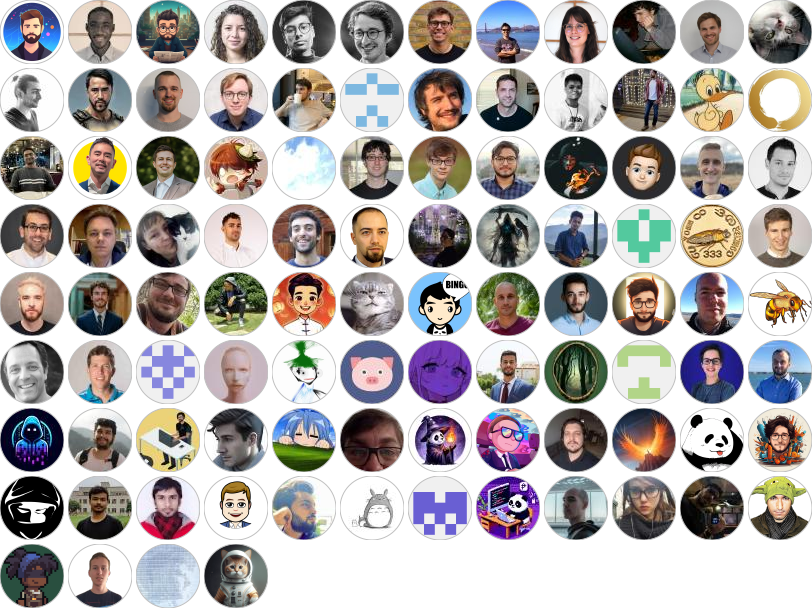
Thanks go to these wonderful people:
Contribute 🤝
Did you get a pull request? Open it, and we'll review it as soon as possible. Check out our project board here to see what we're currently focused on, and feel free to bring your fresh ideas to the table!
Partners ❤️
This project would not be possible without the support of our partners. Thank you for your support!


License 📄
This project is licensed under the Apache 2.0 License - see the LICENSE file for details


 Quivr 是一个开源引擎,能把你的文件和内容流变成搜索和监控工具——一个可以随时提问的「第二大脑」,其核心是一套由生成式 AI 驱动、理念明确的 RAG。