Spark-TTS 🔥
Overview
Spark-TTS is an advanced text-to-speech system that uses the power of large language models (LLM) for highly accurate and natural-sounding voice synthesis. It is designed to be efficient, flexible, and powerful for both research and production use.
Key Features
- Simplicity and Efficiency: Built entirely on Qwen2.5, Spark-TTS eliminates the need for additional generation models like flow matching. Instead of relying on separate models to generate acoustic features, it directly reconstructs audio from the code predicted by the LLM. This approach streamlines the process, improving efficiency and reducing complexity.
- High-Quality Voice Cloning: Supports zero-shot voice cloning, which means it can replicate a speaker's voice even without specific training data for that voice. This is ideal for cross-lingual and code-switching scenarios, allowing for seamless transitions between languages and voices without requiring separate training for each one.
- Bilingual Support: Supports both Chinese and English, and is capable of zero-shot voice cloning for cross-lingual and code-switching scenarios, enabling the model to synthesize speech in multiple languages with high naturalness and accuracy.
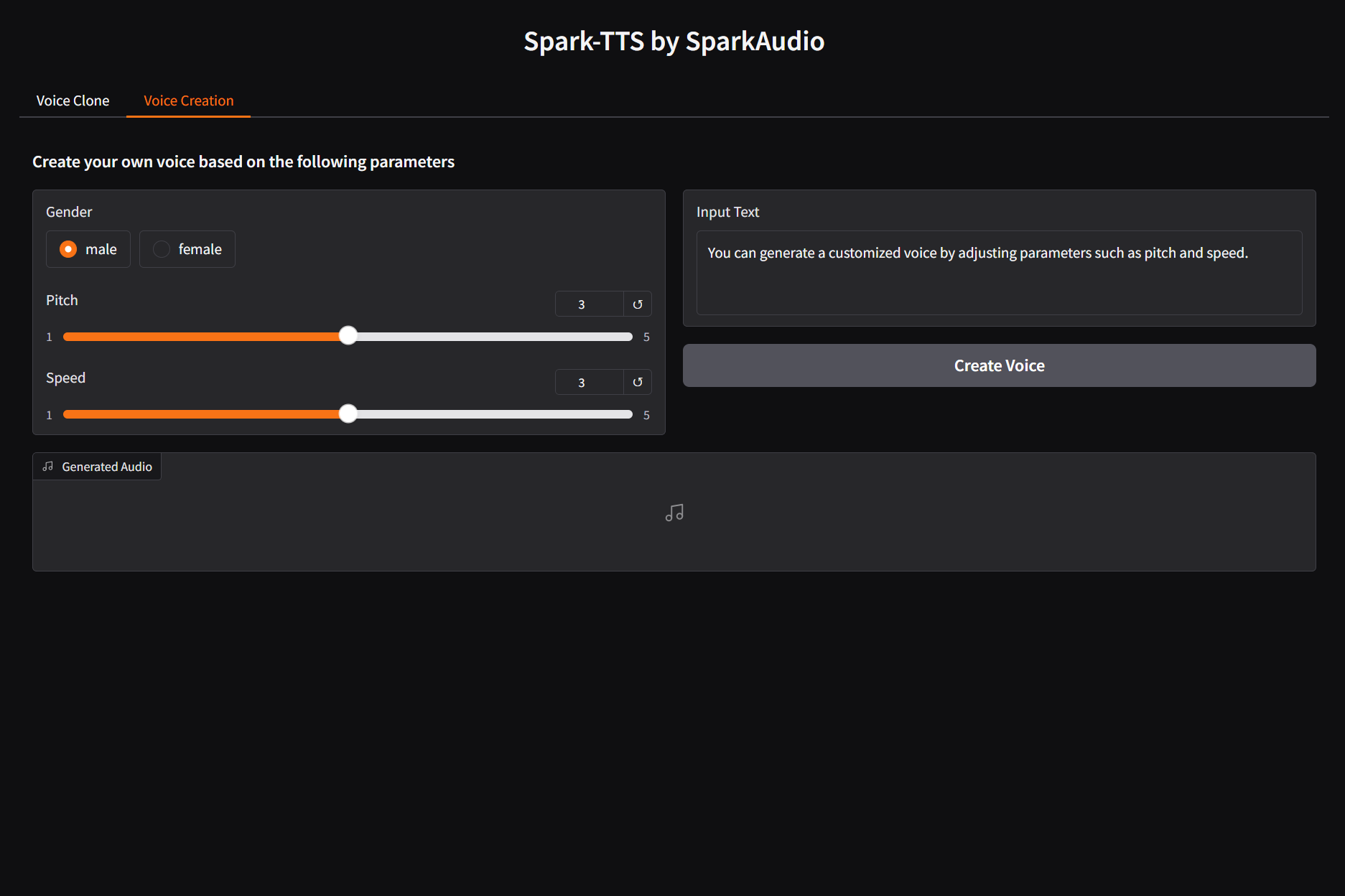
- Controllable Speech Generation: Supports creating virtual speakers by adjusting parameters such as gender, pitch, and speaking rate.
Inference Overview of Voice Cloning
 |
Inference Overview of Controlled Generation
 |
🚀 News
[2025-03-04] Our paper on this project has been published! You can read it here: Spark-TTS.
[2025-03-12] Nvidia Triton Inference Serving is now supported. See the Runtime section below for more details.
Install
Clone and Install
Here are instructions for installing on Linux. If you're on Windows, please refer to the Windows Installation Guide.
(Thanks to @AcTePuKc for the detailed Windows instructions!)
git clone https://github.com/SparkAudio/Spark-TTS.git
cd Spark-TTS
conda create -n sparktts -y python=3.12
conda activate sparktts
pip install -r requirements.txt
# If you are in mainland China, you can set the mirror as follows:
pip install -r requirements.txt -i https://mirrors.aliyun.com/pypi/simple/ --trusted-host=mirrors.aliyun.com
Model Download
Download via python:
from huggingface_hub import snapshot_download

snapshot_download("SparkAudio/Spark-TTS-0.5B", local_dir="pretrained_models/Spark-TTS-0.5B")
Download via git clone:
mkdir -p pretrained_models

# Make sure you have git-lfs installed (https://git-lfs.com)
git lfs install

git clone https://huggingface.co/SparkAudio/Spark-TTS-0.5B pretrained_models/Spark-TTS-0.5B
Basic Usage
You can simply run the demo with the following commands:
cd example
bash infer.sh
Alternatively, you can directly execute the following command in the command line to perform inference:
python -m cli.inference \
    --text "text to synthesis." \
    --device 0 \
    --save_dir "path/to/save/audio" \
    --model_dir pretrained_models/Spark-TTS-0.5B \
    --prompt_text "transcript of the prompt audio" \
    --prompt_speech_path "path/to/prompt_audio"
Web UI Usage
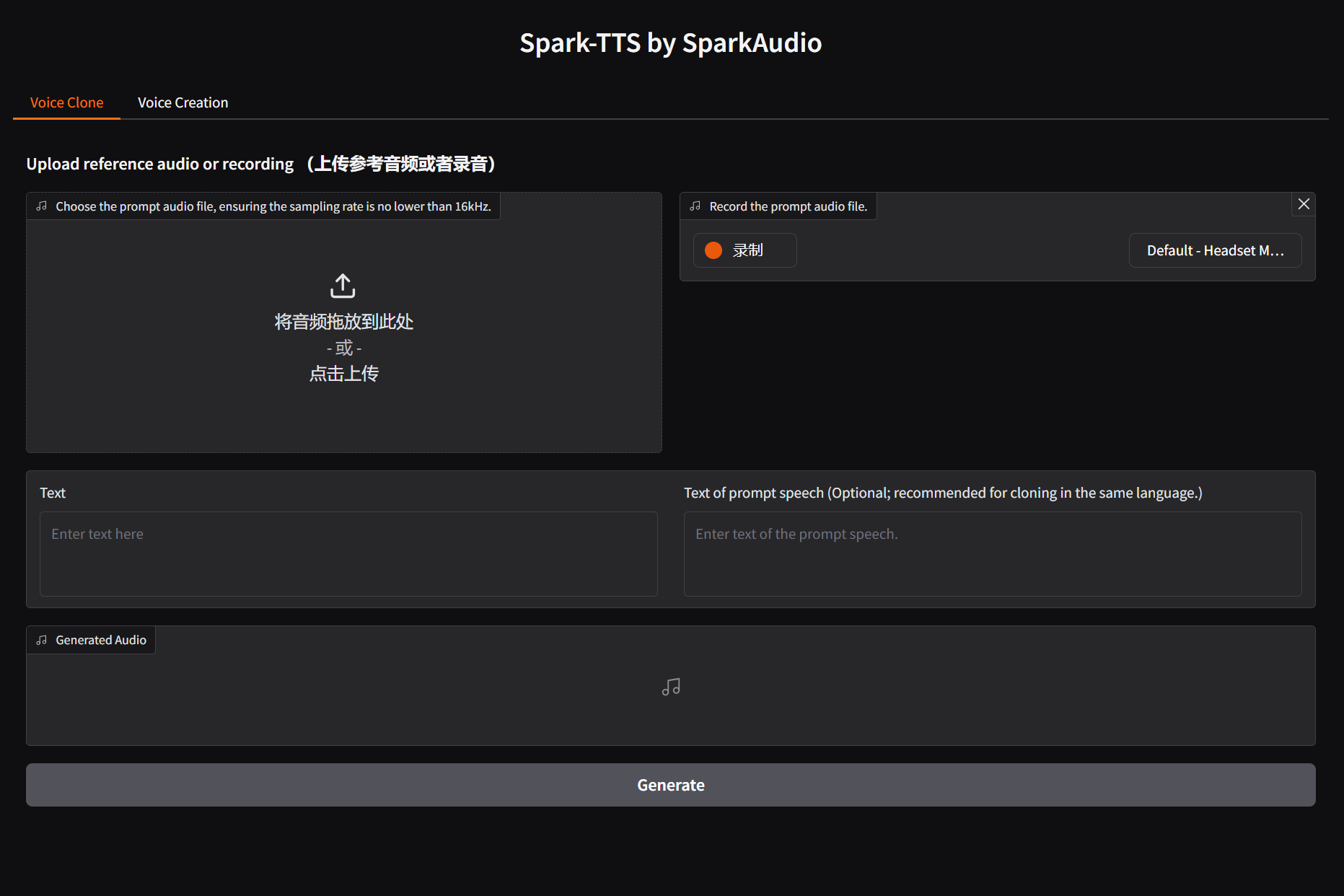
You can start the UI interface by running python webui.py --device 0, which allows you to perform Voice Cloning and Voice Creation. Voice Cloning supports uploading reference audio or directly recording the audio.
| Voice Cloning |
Voice Creation |
 |
 |
Optional Methods
For additional CLI and Web UI methods, including alternative implementations and extended functionalities, you can refer to:
Runtime
Nvidia Triton Inference Serving
We now provide a reference for deploying Spark-TTS with Nvidia Triton and TensorRT-LLM. The table below presents benchmark results on a single L20 GPU, using 26 different prompt_audio/target_text pairs (totalling 169 seconds of audio):
| Model |
Note |
Concurrency |
Avg Latency |
RTF |
| Spark-TTS-0.5B |
Code Commit |
1 |
876.24 ms |
0.1362 |
| Spark-TTS-0.5B |
Code Commit |
2 |
920.97 ms |
0.0737 |
| Spark-TTS-0.5B |
Code Commit |
4 |
1611.51 ms |
0.0704 |
Please see the detailed instructions in runtime/triton_trtllm/README.md for more information.
Demos
Here are some demos generated by Spark-TTS using zero-shot voice cloning. For more demos, visit our demo page.
To-Do List
- Release the Spark-TTS paper.
- Release the training code.
- Release the training dataset, VoxBox.
Citation
@misc{wang2025sparktts,
      title={Spark-TTS: An Efficient LLM-Based Text-to-Speech Model with Single-Stream Decoupled Speech Tokens},
      author={Xinsheng Wang and Mingqi Jiang and Ziyang Ma and Ziyu Zhang and Songxiang Liu and Linqin Li and Zheng Liang and Qixi Zheng and Rui Wang and Xiaoqin Feng and Weizhen Bian and Zhen Ye and Sitong Cheng and Ruibin Yuan and Zhixian Zhao and Xinfa Zhu and Jiahao Pan and Liumeng Xue and Pengcheng Zhu and Yunlin Chen and Zhifei Li and Xie Chen and Lei Xie and Yike Guo and Wei Xue},
      year={2025},
      eprint={2503.01710},
      archivePrefix={arXiv},
      primaryClass={cs.SD},
      url={https://arxiv.org/abs/2503.01710},
}
⚠️ Usage Disclaimer
This project provides a zero-shot voice cloning TTS model intended for academic research, educational purposes, and legitimate applications, such as personalized speech synthesis, assistive technologies, and linguistic research.
Please note:
Do not use this model for unauthorized voice cloning, impersonation, fraud, scams, deepfakes, or any illegal activities.
Ensure compliance with local laws and regulations when using this model and uphold ethical standards.
The developers assume no liability for any misuse of this model.
We advocate for the responsible development and use of AI and encourage the community to uphold safety and ethical principles in AI research and applications. If you have any concerns regarding ethics or misuse, please contact us.













 Spark-TTS 是一个文本转语音系统,它基于大语言模型(以 Qwen2.5 为基础),能生成非常自然、准确的语音,还支持零样本语音克隆。