Video DeltaNet: Hybrid Attention to Speed Up Video Models with Near-Lossless Quality
[Blog] [Code] [🤗 Weights] [ModelScope] [License]
We release VDN-Minimax-H3 (VDN-H3), a hybrid-attention model that
generates video faster than it plays, powered by
MiniMax H3. It offers these key
features:
- Fast inference: On 8 B200 GPUs, VDN-H3 generates a 14.4-second clip in
11.23 seconds using 8 denoising steps.
- Hybrid Architecture: We propose a hybrid-attention architecture: one frame-wise
linear attention branch that is highly efficient, and a softmax branch that maintains
the backbone's visual quality and consistency.
- Plug-and-Play: The checkpoint adds a separate linear attention branch and two
small LoRA adapters that can be merged into the backbone during inference without
touching the backbone weights.
- Fully open-source: We don't just open-source the weights. The optimized inference
stack and its corresponding training code are released together.
We present some samples of generated videos here:
News
Set up environment
Before you begin, please read the license before downloading or
running VDN-H3.
- Clone the VDN-H3 repository from GitHub.
git clone https://github.com/OpenVDN/vdn-minimax-h3.git
cd vdn-minimax-h3
- Create the environment. We recommend PyTorch 2.13 (
torch.__version__ =
2.13.0+cu129) and installing FlashAttention 4, since our code requires
FlexAttention's Flash backend.
conda create -n vdn python=3.12 -y
conda activate vdn
pip install uv

uv pip install torch==2.13.0 --index-url https://download.pytorch.org/whl/cu129
- Install the other packages shown in
pyproject.toml, flash-attn-4 included
(--prerelease=allow is needed for its pre-release nvidia-cutlass-dsl
dependency).
uv pip install --prerelease=allow -e .
- Install the patched Diffusers. The setup script handles everything:
bash scripts/setup_diffusers.sh
Quick Start — Generate your own video
Download the weights
Download everything (about 82 GB) into ckpts/ from
Hugging Face using
hf download OpenVDN/vdn-minimax-h3 --local-dir ckpts
or from ModelScope with
modelscope download --model OpenVDN/vdn-minimax-h3 --local_dir ckpts
The layout will look like
ckpts/
  h3-base/             the released MiniMax H3: transformer, video and audio VAEs, schedulers · 72 GB
  stage-b-step-2000/   VDN-H3-50-step: linear_branch/ + adapters/default/ LoRA · 4.3 GB
  stage-dmd-step-250/  VDN-H3-8-step: the above + adapters/turbo/ · 5.1 GB
Your first render
The simplest way to start is by running the model on a single GPU:
bash scripts/inference/8nfe_tuned_fp8.sh
Note that the first run needs to compile all of the kernels, which might take several
minutes. Later runs can reuse the cache.
Use your own prompt
We provide three examples and encode them using the
Qwen3-VL-32B VLM. For your own prompt, you should first encode it using the VLM, then
render it through the main diffusion model:
python src/inference/encode_prompt.py --prompt "..." --out prompts/mine.pt

python src/inference/infer.py \
  --config configs/inference/8nfe_tuned_fp8.yaml \
  checkpoint=ckpts/stage-dmd-step-250 \
  render.prompt_file=prompts/mine.pt \
  render.out=results/mine.mp4
We strongly recommend rewriting it first using
H3-Context-IR
or the official
prompt-writing skills
before encoding it. This can greatly improve the generated video quality.
Supporting FL2VA, I2VA, and L2VA
The same checkpoints also generate from keyframes. We provide an FL2VA example in
prompts/image/:
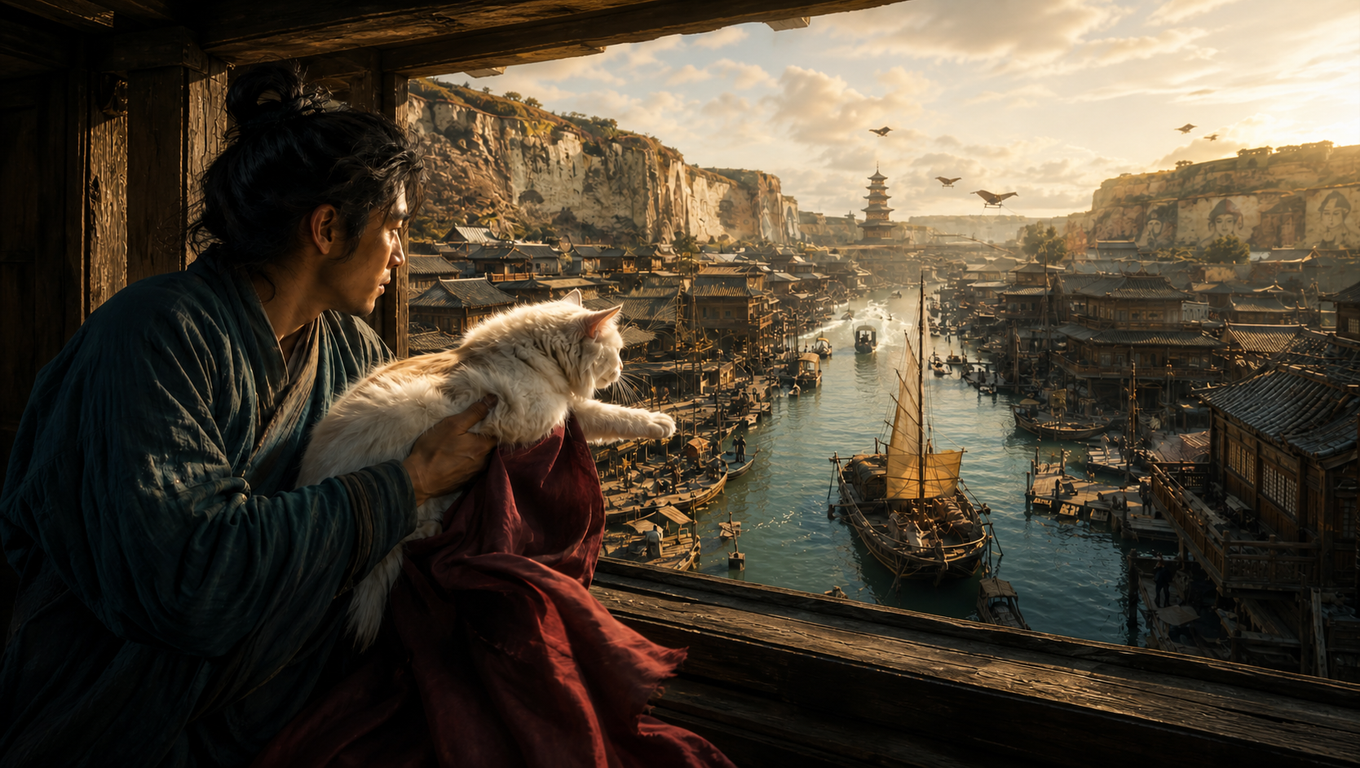 |
 |
prompts/image/first.png |
prompts/image/last.png |
Render it with:
python src/inference/infer.py \
  --config configs/inference/8nfe_tuned_fp8.yaml \
  checkpoint=ckpts/stage-dmd-step-250 \
  render.prompt_file=prompts/image/example_fl2va.pt \
  render.out=results/example_fl2va.mp4
and you should get something like this:
For your own keyframes, encode the prompt together with the images first:
python src/inference/encode_keyframes.py --prompt "..." \
  --first first.png --last last.png --out prompts/image/mine.pt
--first alone is I2VA, --last alone is L2VA, both is FL2VA. Each mode wants its own
instruction as the prompt's first line, given by MiniMax-H3's
prompt writing guide.
The multi-GPU entrypoint takes the same prompt file:
torchrun --standalone --nproc_per_node=8 src/inference/infer_ulysses.py \
  --config configs/inference/8nfe_tuned_fp8_ulysses_h200.yaml \
  checkpoint=ckpts/stage-dmd-step-250 \
  render.prompt_file=prompts/image/example_fl2va.pt \
  render.out=results/example_fl2va.mp4
Choosing an inference configuration
We support both single-GPU and multi-GPU inference for the released model. Single-GPU
scripts auto-detect the best kernels for your GPU. Multi-GPU scripts vary for
different hardware (H200, B200) to achieve the best performance.
bash scripts/inference/8nfe_tuned_fp8.sh                # one GPU
bash scripts/inference/8nfe_tuned_fp8_ulysses_h200.sh   # eight H200s, one node
bash scripts/inference/8nfe_tuned_fp8_ulysses_b200.sh   # eight B200s, one node
Load it with Diffusers
The released checkpoints are also Modular Diffusers components, so a render needs no
clone and no patched diffusers:
import torch
from diffusers import ComponentsManager, ModularPipeline

manager = ComponentsManager()
pipe = ModularPipeline.from_pretrained("OpenVDN/vdn-minimax-h3", workflow="t2va",
                                       components_manager=manager, collection="vdn")
pipe.load_components(trust_remote_code=True, torch_dtype=torch.bfloat16)
manager.enable_auto_cpu_offload(device="cuda")

out = pipe(prompt=prompt, num_frames=124, num_inference_steps=9,
           output=["videos", "audio", "sampling_rate"])
Use workflow="fl2va" to pass image and last_image keyframes instead. Here
num_inference_steps counts sigma grid points, so 9 of them is 8 model evaluations.
The offload is not optional on one GPU: the transformer and the Qwen3-VL text encoder
are 66 GB each.
The multi-step model is the same call with one component pointed elsewhere:
pipe.load_components(trust_remote_code=True, torch_dtype=torch.bfloat16,
                     subfolder={"transformer": "stage-b-step-2000/diffusers"})
The same thing as a runnable file, keyframes included:
python src/inference/infer_diffusers.py "a prompt" --out results/diffusers.mp4
python src/inference/infer_diffusers.py "a prompt" --steps 50 \
    --transformer stage-b-step-2000/diffusers
python src/inference/infer_diffusers.py "a prompt" \
    --first prompts/image/first.png --last prompts/image/last.png
This path is single-GPU bf16. The fp8 and Ulysses stack above is where the speeds in
Results come from.
Results
We report steady-state denoising speed on the 768p, 14.4-second video generation
workload for the released model using our inference pipeline on H200s and B200s:
H200:
| Configuration |
GPUs |
Seconds/NFE |
50 NFE (VDN-H3-50-step) |
8 NFE (VDN-H3-8-step) |
| dense MiniMax H3 |
1 |
32.7 |
27.3 min |
4.4 min |
| VDN-H3 FP8 |
1 |
11.2 |
9.4 min |
90.5 s |
| VDN-H3 FP8 Distributed |
8 |
2.29 |
1.9 min |
18.3 s |
B200:
| Configuration |
GPUs |
Seconds/NFE |
50 NFE (VDN-H3-50-step) |
8 NFE (VDN-H3-8-step) |
| dense MiniMax H3 (cuDNN) |
1 |
16.74 |
13.95 min |
2.23 min |
| VDN-H3 FP8 |
1 |
6.41 |
5.3 min |
51 s |
| VDN-H3 FP8 Distributed |
8 |
1.40 |
1.2 min |
11.23 s |
We exclude model loading, warm-up, VAE decoding, and MP4 encoding. For a live setup,
we recommend running the text prompt rewriter, VAE decoding, and MP4 conversion on
separate machines, so the eight GPUs only denoise.
Training Recipe
VDN-H3 is trained in three stages based on the frozen dense model, each starting from
the previous stage's final checkpoint. We additionally include a DMD training stage to
align with the community
few-step distillation LoRA.
The training scripts are located in src/training/ and scripts/training/, and all
training configurations can be found under configs/training/.
| Stage |
What it trains |
Steps |
| A1 |
the new linear-attention branch, aligned per layer to the dense model |
200 |
| A2 |
the same parameters, end-to-end |
500 |
| B |
a LoRA on the QKV and O projections plus the linear branch |
2000 |
| DMD |
the 8-step turbo LoRA, by DMD2 (no GAN) |
250 |
To reproduce the training process, run:
bash scripts/training/stage_a1.sh       data.index_file=/path/to/video_index.jsonl
bash scripts/training/stage_a2.sh       data.index_file=/path/to/video_index.jsonl
bash scripts/training/stage_b.sh        data.index_file=/path/to/video_index.jsonl
bash scripts/training/stage_dmd_vdn.sh  data.index_file=/path/to/video_index.jsonl
Data Preprocess
The trainers read pre-encoded video latents, audio latents, and text latents, following
the H3 standard pipeline. Captions should be written in the same format inference
expects.
The preprocessed data should be placed as follows, with a video_index.jsonl carrying
the metadata:
<root>/
├── video_index.jsonl       one JSON row per clip, carrying its "latent_path"
├── video/
│   ├── 00000.pt            (24, 102, 48, 84) bf16 — video VAE, normalized space
│   └── ...
├── audio/
│   ├── 00000.pt            (2, 32, 575) bf16 — audio VAE, stereo, 40 latents/s
│   └── ...
└── text/
    ├── 00000.pt            {"prompt_embeds": (L, 5120) bf16,
    │                        "text_token_tags": (L,) int64}
    └── ...
data.index_file names the jsonl. Only latent_path is read from a row; the audio and
text sidecars are found by path arithmetic — same file name, sibling directory — so
latent_path must end in video/<name>.pt. The reader is
src/training/dataset_h3_latents.py.
Stage-DMD
Stage-DMD is data-free, only requiring the text rows. Its turbo LoRA adapter is
initialized from
larryvrh/MiniMax-H3-Turbo-Lora,
which the config expects in ckpts/external/:
hf download larryvrh/MiniMax-H3-Turbo-Lora \
  minimax_h3_turbo_v4_step600_ema.safetensors --local-dir ckpts/external
Acknowledgement
VDN-H3 is built on MiniMax H3 and starts
from its released transformer weights. We also thank
Diffusers,
FlashAttention, and
Triton, on which the optimized inference path
is built. We thank Kernel Design Agents (KDA)
for kernel design support. We also thank
Flash Linear Attention (FLA) and
FlexAttention for
their open-source attention implementations.
BibTeX
@misc{xi2026videodeltanet,
  title  = {VideoDeltaNet on MiniMax H3},
  author = {Haocheng Xi and Yiming Xie and Hexu Zhao and Yiwen Zhang and Michael Liu and Thomas Creavin and Kurt Keutzer and Xiuyu Li and Zhaoyang Lv and Chenfeng Xu and Haiwen Feng},
  year   = {2026},
  url    = {https://openvdn.github.io/}
}
VDN-Minimax-H3 · Independent architecture study · 2026
License
This repository contains the VDN-H3 training and inference code, which is licensed
under the Apache License, Version 2.0. Copyright 2026 the VDN authors.
The model weights are not in this repository and are not covered by that license.
VDN-H3 is a derivative of MiniMax H3, and its weights are distributed separately at
huggingface.co/OpenVDN/vdn-minimax-h3
under the
MiniMax H3 Community License Agreement.

 VDN-Minimax-H3 — модель генерации видео с гибридным вниманием на базе MiniMax H3, которая рендерит видео быстрее, чем оно проигрывается; с одного чекпоинта поддерживает text-to-video-audio, image-to-video-audio, first/last-frame-to-video и другое.