


SadTalker README

The project's README from github.com/OpenTalker/SadTalker. As one markdown file: README.md.

    Open In Colab   Hugging Face Spaces   sd webui-colab  
Replicate Discord

Wenxuan Zhang *,1,2   Xiaodong Cun *,2  Xuan Wang 3  Yong Zhang 2  Xi Shen 2 
Yu Guo1   Ying Shan 2   Fei Wang 1  

1 Xi'an Jiaotong University   2 Tencent AI Lab   3 Ant Group  

CVPR 2023

sadtalker

TL;DR:       single portrait image 🙎‍♂️      +       audio 🎤       =       talking head video 🎞.


Highlights

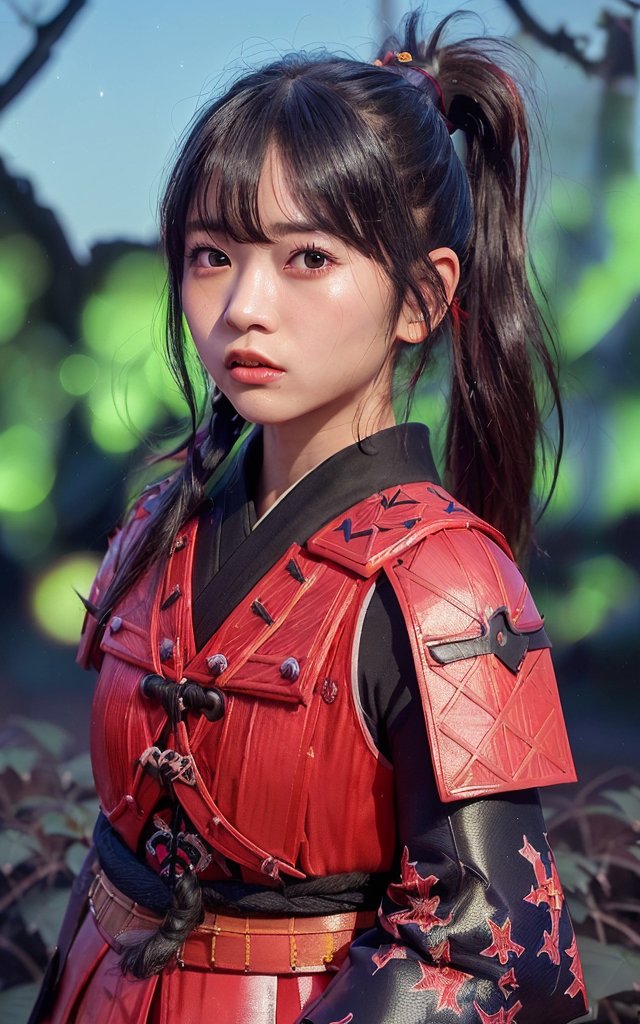
still+enhancer in v0.0.1 still + enhancer in v0.0.2 input image @bagbag1815

Changelog

The previous changelog can be found here.

To-Do

We're tracking new updates in issue #280.

Troubleshooting

If you have any problems, please read our FAQs before opening an issue.

1. Installation.

Community tutorials: 中文Windows教程 (Chinese Windows tutorial) | 日本語コース (Japanese tutorial).

Linux/Unix

  1. Install Anaconda, Python and git.

  2. Creating the env and install the requirements.

git clone https://github.com/OpenTalker/SadTalker.git

cd SadTalker 

conda create -n sadtalker python=3.8

conda activate sadtalker

pip install torch==1.12.1+cu113 torchvision==0.13.1+cu113 torchaudio==0.12.1 --extra-index-url https://download.pytorch.org/whl/cu113

conda install ffmpeg

pip install -r requirements.txt

### Coqui TTS is optional for gradio demo. 
### pip install TTS

Windows

A video tutorial in chinese is available here. You can also follow the following instructions:

  1. Install Python 3.8 and check "Add Python to PATH".
  2. Install git manually or using Scoop: scoop install git.
  3. Install ffmpeg, following this tutorial or using scoop: scoop install ffmpeg.
  4. Download the SadTalker repository by running git clone https://github.com/Winfredy/SadTalker.git.
  5. Download the checkpoints and gfpgan models in the downloads section.
  6. Run start.bat from Windows Explorer as normal, non-administrator, user, and a Gradio-powered WebUI demo will be started.

macOS

A tutorial on installing SadTalker on macOS can be found here.

Docker, WSL, etc

Please check out additional tutorials here.

2. Download Models

You can run the following script on Linux/macOS to automatically download all the models:

bash scripts/download_models.sh

We also provide an offline patch (gfpgan/), so no model will be downloaded when generating.

Pre-Trained Models

GFPGAN Offline Patch

Model Details

Model explains:

New version
Model Description
checkpoints/mapping_00229-model.pth.tar Pre-trained MappingNet in Sadtalker.
checkpoints/mapping_00109-model.pth.tar Pre-trained MappingNet in Sadtalker.
checkpoints/SadTalker_V0.0.2_256.safetensors packaged sadtalker checkpoints of old version, 256 face render).
checkpoints/SadTalker_V0.0.2_512.safetensors packaged sadtalker checkpoints of old version, 512 face render).
gfpgan/weights Face detection and enhanced models used in facexlib and gfpgan.
Old version
Model Description
checkpoints/auido2exp_00300-model.pth Pre-trained ExpNet in Sadtalker.
checkpoints/auido2pose_00140-model.pth Pre-trained PoseVAE in Sadtalker.
checkpoints/mapping_00229-model.pth.tar Pre-trained MappingNet in Sadtalker.
checkpoints/mapping_00109-model.pth.tar Pre-trained MappingNet in Sadtalker.
checkpoints/facevid2vid_00189-model.pth.tar Pre-trained face-vid2vid model from the reappearance of face-vid2vid.
checkpoints/epoch_20.pth Pre-trained 3DMM extractor in Deep3DFaceReconstruction.
checkpoints/wav2lip.pth Highly accurate lip-sync model in Wav2lip.
checkpoints/shape_predictor_68_face_landmarks.dat Face landmark model used in dilb.
checkpoints/BFM 3DMM library file.
checkpoints/hub Face detection models used in face alignment.
gfpgan/weights Face detection and enhanced models used in facexlib and gfpgan.

The final folder will be shown as:

image

3. Quick Start

Please read our document on best practices and configuration tips

WebUI Demos

Online Demo: HuggingFace | SDWebUI-Colab | Colab

Local WebUI extension: Please refer to WebUI docs.

Local gradio demo (recommanded): A Gradio instance similar to our Hugging Face demo can be run locally:

## you need manually install TTS(https://github.com/coqui-ai/TTS) via `pip install tts` in advanced.
python app_sadtalker.py

You can also start it more easily:

CLI usage

Animating a portrait image from default config:
python inference.py --driven_audio <audio.wav> \
                    --source_image <video.mp4 or picture.png> \
                    --enhancer gfpgan 

The results will be saved in results/$SOME_TIMESTAMP/*.mp4.

Full body/image Generation:

Using --still to generate a natural full body video. You can add enhancer to improve the quality of the generated video.

python inference.py --driven_audio <audio.wav> \
                    --source_image <video.mp4 or picture.png> \
                    --result_dir <a file to store results> \
                    --still \
                    --preprocess full \
                    --enhancer gfpgan 

More examples and configuration and tips can be founded in the >>> best practice documents <<<.

Citation

If you find our work useful in your research, please consider citing:

@article{zhang2022sadtalker,
  title={SadTalker: Learning Realistic 3D Motion Coefficients for Stylized Audio-Driven Single Image Talking Face Animation},
  author={Zhang, Wenxuan and Cun, Xiaodong and Wang, Xuan and Zhang, Yong and Shen, Xi and Guo, Yu and Shan, Ying and Wang, Fei},
  journal={arXiv preprint arXiv:2211.12194},
  year={2022}
}

Acknowledgements

Facerender code borrows heavily from zhanglonghao's reproduction of face-vid2vid and PIRender. We thank the authors for sharing their wonderful code. In training process, we also used the model from Deep3DFaceReconstruction and Wav2lip. We thank for their wonderful work.

We also use the following 3rd-party libraries:

Extensions:

Disclaimer

This is not an official product of Tencent.

1. Please carefully read and comply with the open-source license applicable to this code before using it. 
2. Please carefully read and comply with the intellectual property declaration applicable to this code before using it.
3. This open-source code runs completely offline and does not collect any personal information or other data. If you use this code to provide services to end-users and collect related data, please take necessary compliance measures according to applicable laws and regulations (such as publishing privacy policies, adopting necessary data security strategies, etc.). If the collected data involves personal information, user consent must be obtained (if applicable). Any legal liabilities arising from this are unrelated to Tencent.
4. Without Tencent's written permission, you are not authorized to use the names or logos legally owned by Tencent, such as "Tencent." Otherwise, you may be liable for legal responsibilities.
5. This open-source code does not have the ability to directly provide services to end-users. If you need to use this code for further model training or demos, as part of your product to provide services to end-users, or for similar use, please comply with applicable laws and regulations for your product or service. Any legal liabilities arising from this are unrelated to Tencent.
6. It is prohibited to use this open-source code for activities that harm the legitimate rights and interests of others (including but not limited to fraud, deception, infringement of others' portrait rights, reputation rights, etc.), or other behaviors that violate applicable laws and regulations or go against social ethics and good customs (including providing incorrect or false information, spreading pornographic, terrorist, and violent information, etc.). Otherwise, you may be liable for legal responsibilities.

LOGO: color and font suggestion: ChatGPT, logo font: Montserrat Alternates .

All the copyrights of the demo images and audio are from community users or the generation from stable diffusion. Feel free to contact us if you would like use to remove them.

SadTalker (OpenTalker/SadTalker)

Searching Database…

14.1K ·GitHub
Что это такое?SadTalker создаёт реалистичное видео с говорящей головой по одной фотографии портрета и аудиозаписи. Для этого используется метод из CVPR 2023, который обучается 3D-коэффициентам движения для анимации лица по аудио.
Это исследовательский проект с инструментом командной строки или готовое приложение?Это открытая исследовательская реализация: запускается она через скрипт Python в командной строке или через локальный веб-интерфейс Gradio. Готового установщика или библиотеки, которую можно импортировать в другие приложения, нет.
Как запустить SadTalker?Склонируйте репозиторий, создайте окружение conda и установите зависимости, скачайте предобученные чекпоинты и модели gfpgan, затем запустите демо Gradio через webui.sh / webui.bat или напрямую запустите скрипт инференса CLI.
Нужны ли мне ffmpeg и определённая версия Python перед установкой?Да. В Windows нужны Python 3.8, git и ffmpeg (устанавливается через Scoop). Для управления окружением на Linux и macOS используется Anaconda.
Скачиваются ли модели автоматически, когда я запускаю программу?Нет. Предобученные чекпоинты и веса GFPGAN нужно скачать вручную с Google Drive, GitHub Releases или Baidu перед запуском. Предусмотрен офлайн-патч, поэтому при генерации ничего не загружается из сети.
Всё ещё есть ограничение на некоммерческое использование?Нет. Проект перешёл на лицензию Apache 2.0 и прямо снял прежнее ограничение на некоммерческое использование.
Что представляет собой интеграция с Discord?SadTalker официально интегрирован в Discord-бота, где можно бесплатно создавать видео с говорящей головой: достаточно отправить изображение и аудиофайл или даже сгенерировать видео по текстовому запросу.
Можно ли использовать SadTalker внутри Stable Diffusion WebUI?Да, есть официальное расширение для stable-diffusion-webui. Так SadTalker можно запускать прямо внутри WebUI Automatic1111 вместе с другими инструментами Stable Diffusion.
Оно анимирует только голову или всё тело?И то, и другое. Помимо режима по умолчанию с обрезкой до головы, можно использовать режим полного кадра с флагом --still. Он создаёт естественное анимированное видео всего тела, а не только портрета.
Можно ли улучшить качество сгенерированного видео?Да, можно включить улучшатель лиц, например GFPGAN, с помощью флага. Он повышает резкость и улучшает визуальное качество видео с говорящей головой.
Creator
OpenTalker
Size
92.2 MB
Stars
14.1K
Age
3y
Commits · 90 Days