What is this?
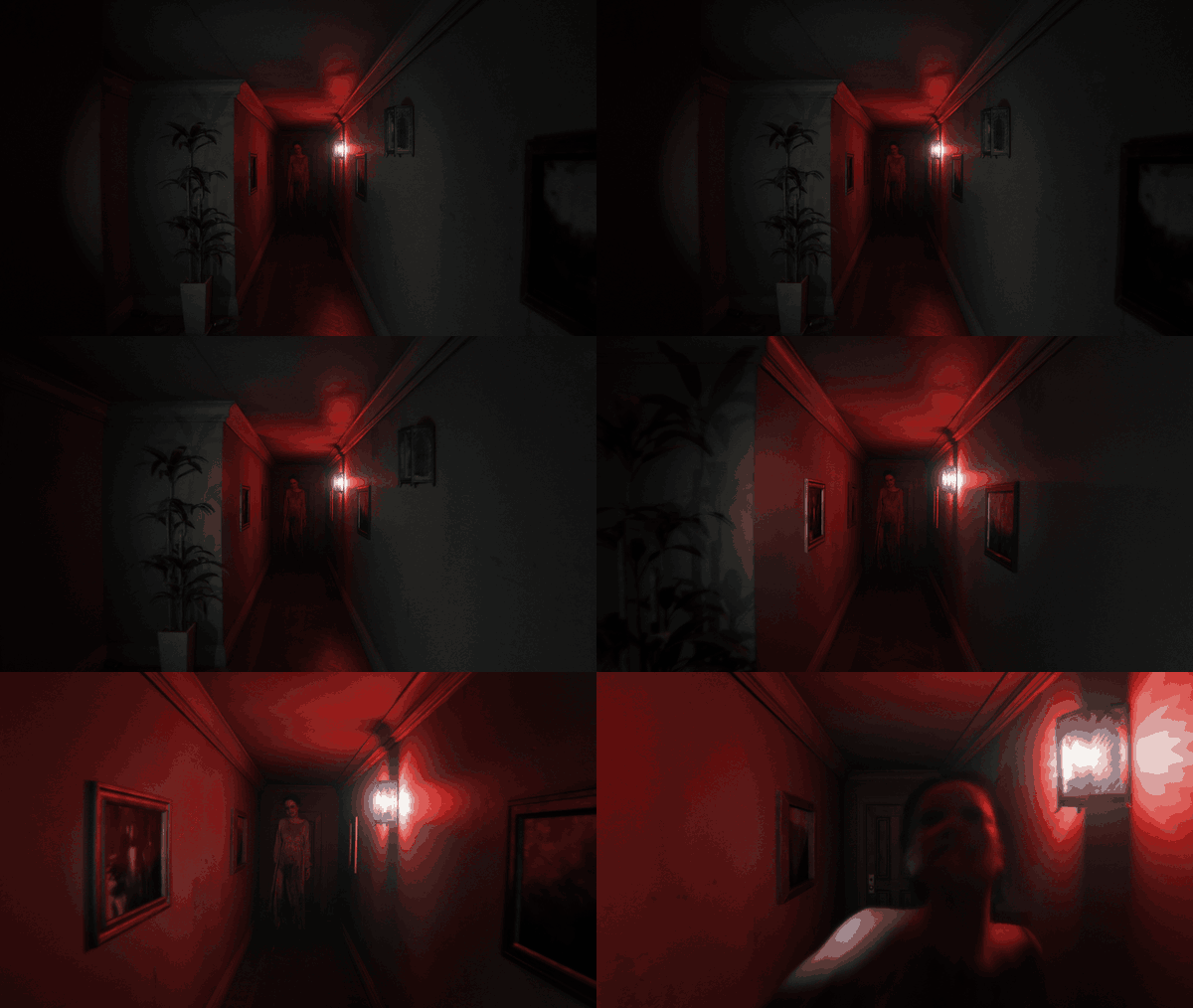
 A native PC port of P.T., the 2014 PS4 teaser by Kojima Productions. It is not an emulator: the game logic was rebuilt in C++ and the renderer is written in Vulkan, while every asset (levels, models, textures, sounds, scripts, cutscenes) is read at runtime from your own copy of the PS4 game.
A native PC port of P.T., the 2014 PS4 teaser by Kojima Productions. It is not an emulator: the game logic was rebuilt in C++ and the renderer is written in Vulkan, while every asset (levels, models, textures, sounds, scripts, cutscenes) is read at runtime from your own copy of the PS4 game.How do I install and run it?Download the installer from the Releases page (P.T.PC.Port.Setup.exe on Windows, a setup binary on Linux), point it at your dump folder or fake PKG and a destination folder; it copies the three needed game archives next to the port. A portable zip is also available if you'd rather place the game files yourself.
Download the installer from the Releases page (P.T.PC.Port.Setup.exe on Windows, a setup binary on Linux), point it at your dump folder or fake PKG and a destination folder; it copies the three needed game archives next to the port. A portable zip is also available if you'd rather place the game files yourself.What do I actually need to play it?Your own copy of P.T. (built and tested with the US release CUSA01127, as a dump folder or fake PKG), Windows 10/11 x64 or Linux x86-64 with glibc 2.38+, and a GPU/driver supporting Vulkan 1.3. A microphone is used for one voice-recognition segment, but you can bind a key instead if you have none.
Your own copy of P.T. (built and tested with the US release CUSA01127, as a dump folder or fake PKG), Windows 10/11 x64 or Linux x86-64 with glibc 2.38+, and a GPU/driver supporting Vulkan 1.3. A microphone is used for one voice-recognition segment, but you can bind a key instead if you have none.Can I use a store-bought digital copy of P.T.?No. A store PKG is encrypted for the console that owns it and nothing in this project decrypts it; you need a dump or fake PKG instead. Only the US release (CUSA01127) has been personally verified by the author, though the EU and JP releases install with a caveat.
No. A store PKG is encrypted for the console that owns it and nothing in this project decrypts it; you need a dump or fake PKG instead. Only the US release (CUSA01127) has been personally verified by the author, though the EU and JP releases install with a caveat.Does it run on Steam Deck?Yes, it runs on SteamOS as-is. You install it from desktop mode and add the binary as a non-Steam game.
Yes, it runs on SteamOS as-is. You install it from desktop mode and add the binary as a non-Steam game.Do I need a specific graphics card for the upscalers?DLSS needs a GeForce RTX card and DLSS Frame Generation needs RTX 40-series or newer; FSR and XeSS run on any recent GPU, with FSR 3 frame generation available from Radeon RX 5000 up. Ray-traced shadows, AO and reflections additionally need a GPU with Vulkan ray queries.
DLSS needs a GeForce RTX card and DLSS Frame Generation needs RTX 40-series or newer; FSR and XeSS run on any recent GPU, with FSR 3 frame generation available from Radeon RX 5000 up. Ray-traced shadows, AO and reflections additionally need a GPU with Vulkan ray queries.Can I mod the game?Yes. A mods folder next to the executable can replace game files, textures and sounds, and run Lua scripts that react to game events, documented in docs/modding.md and docs/luaapi.md.
Yes. A mods folder next to the executable can replace game files, textures and sounds, and run Lua scripts that react to game events, documented in docs/modding.md and docs/luaapi.md.Does it support VR?There's experimental VR support through OpenXR, but the author notes it has only been tested against a simulated runtime since they don't own a headset.
There's experimental VR support through OpenXR, but the author notes it has only been tested against a simulated runtime since they don't own a headset.What extra features does the port add beyond the original PS4 experience?Photo mode, a free camera, a loop browser to jump to any house loop once finished, a museum of unlocked content, Game+, a speedrun timer with LiveSplit integration, experimental third-person view, upscalers (DLSS/FSR/XeSS) and frame generation, plus several added subtitle languages.
Photo mode, a free camera, a loop browser to jump to any house loop once finished, a museum of unlocked content, Game+, a speedrun timer with LiveSplit integration, experimental third-person view, upscalers (DLSS/FSR/XeSS) and frame generation, plus several added subtitle languages.Why did the author build this?They wanted P.T. to keep existing somewhere other than on the consoles that still happen to have it installed, since Konami pulled it from the PS Store.
They wanted P.T. to keep existing somewhere other than on the consoles that still happen to have it installed, since Konami pulled it from the PS Store.What are similar projects?Waifu2x-Extension-GUI, KytyPS5, Yakumo, OptiScaler-DLSSNR-PreSR-Multipass, OptiScaler, MAKO, TheSimpsonsGameRecomp, ShadowOfTheColossus-PC
Waifu2x-Extension-GUI, KytyPS5, Yakumo, OptiScaler-DLSSNR-PreSR-Multipass, OptiScaler, MAKO, TheSimpsonsGameRecomp, ShadowOfTheColossus-PCWhich topics is it in?esrgan, vr, ncnn, steamdeck, sdl3, steam-deck, virtual-reality, dlss, intel, lgpl, super-resolution, linux-app
esrgan, vr, ncnn, steamdeck, sdl3, steam-deck, virtual-reality, dlss, intel, lgpl, super-resolution, linux-app