




 Marrying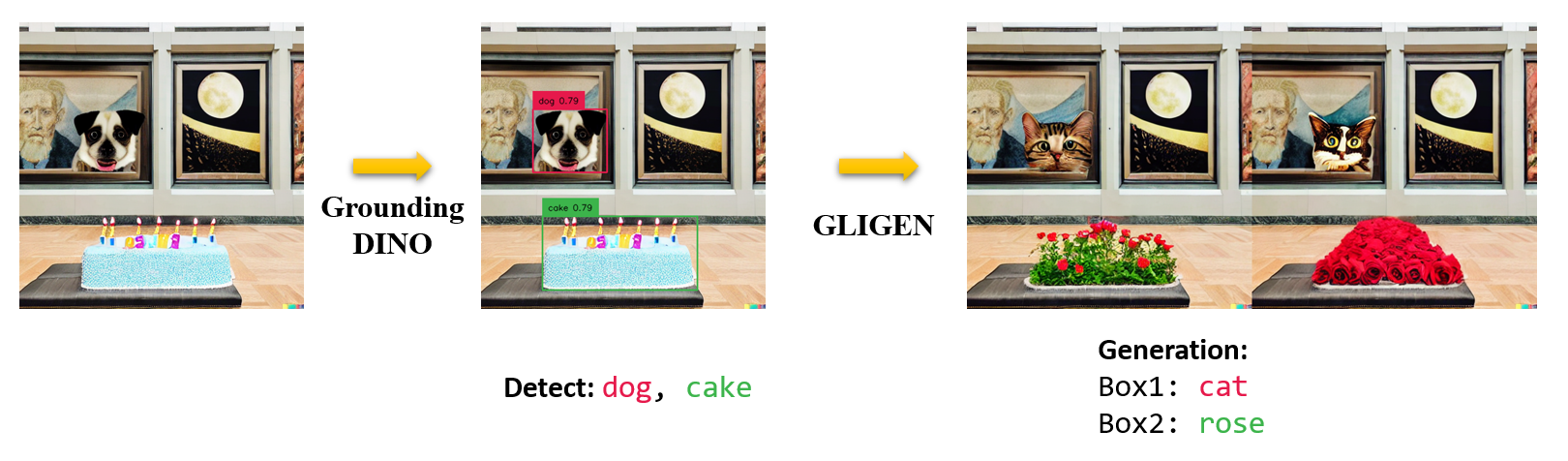
10.7K ·GitHub
Что это?
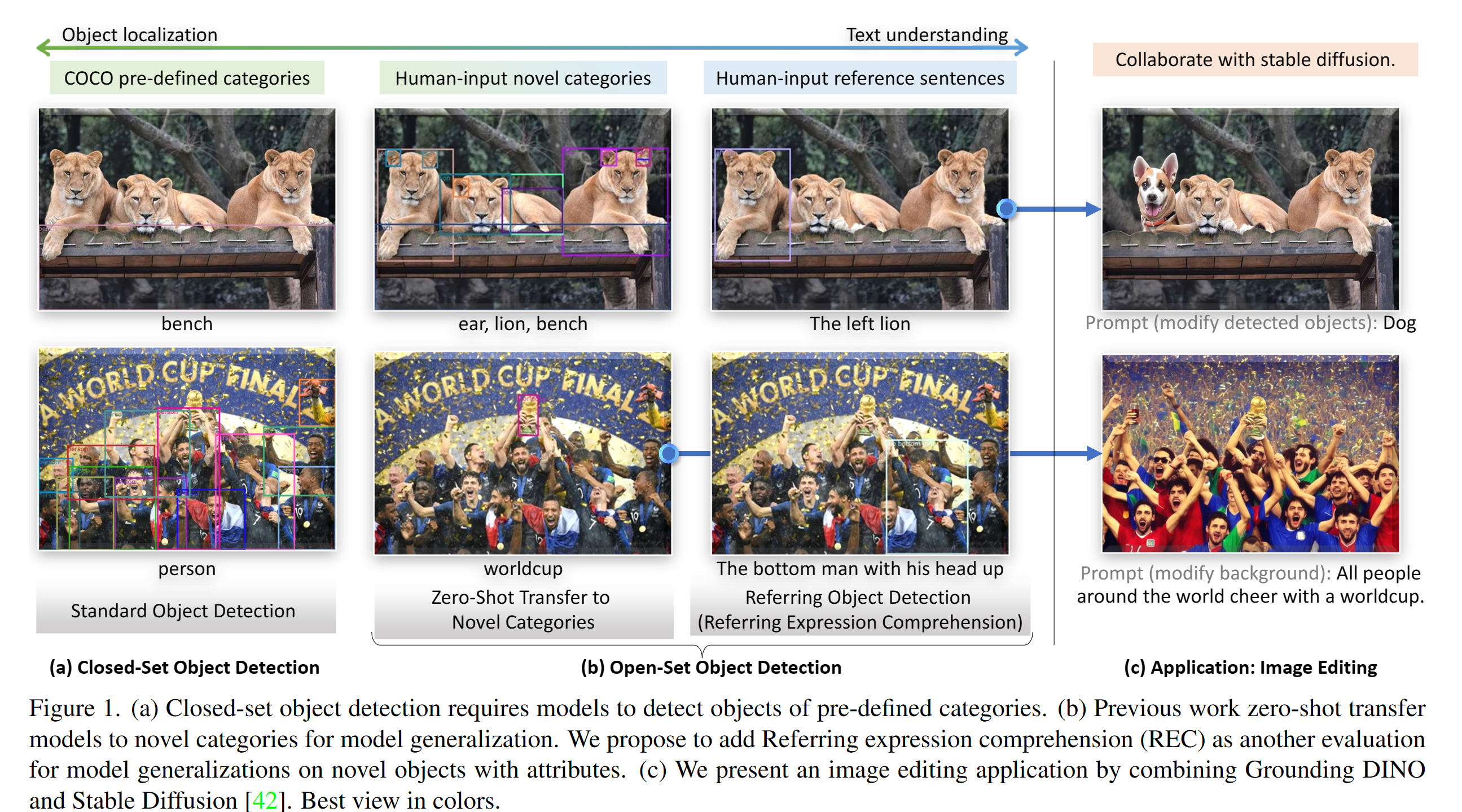
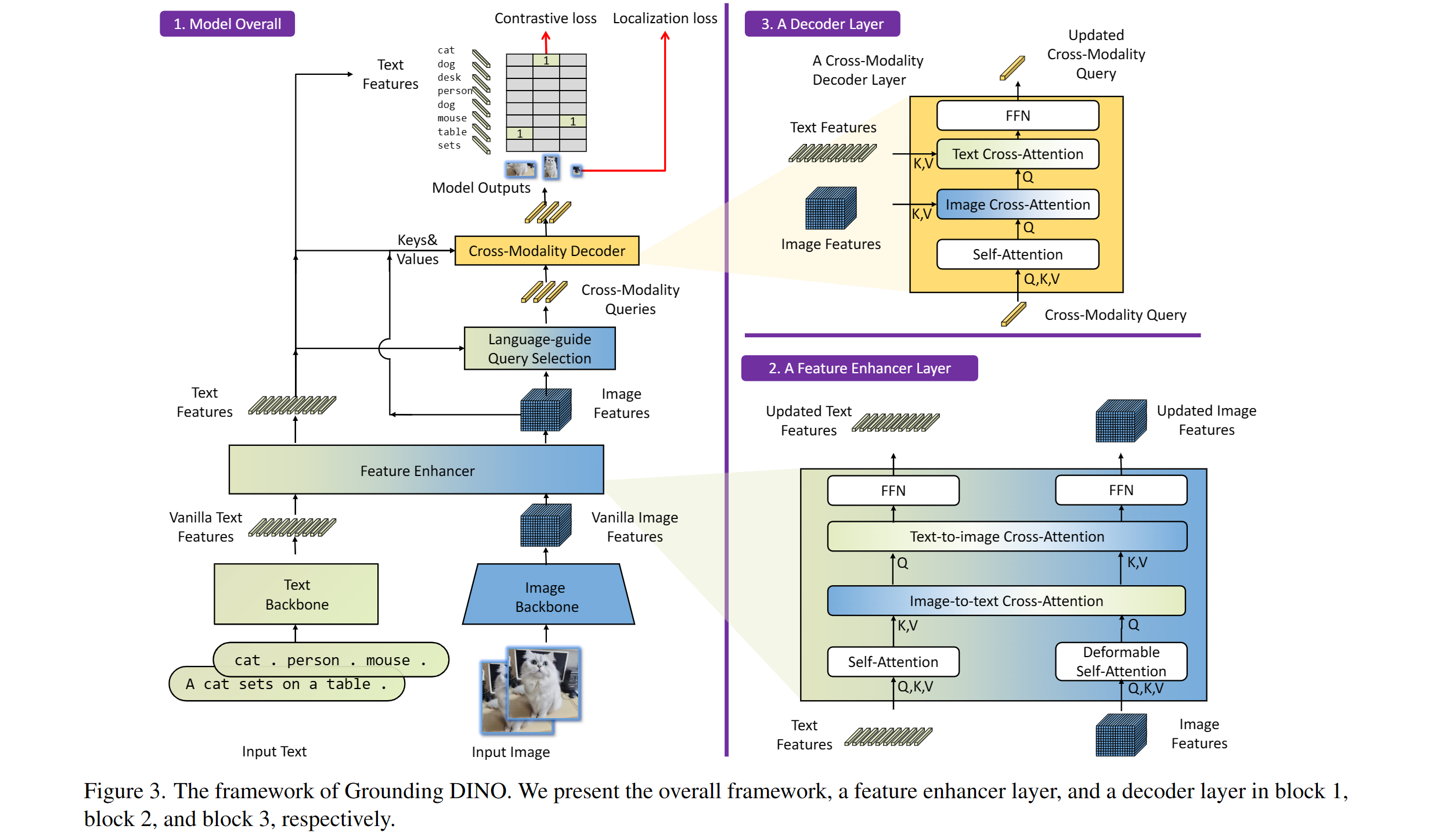
 Модель детекции объектов в открытом наборе классов от IDEA-Research (ECCV 2024): подаёте картинку и текстовый запрос — она находит объекты, которые вы описали словами. В этом репозитории официальная реализация на PyTorch с предобученными моделями.
Модель детекции объектов в открытом наборе классов от IDEA-Research (ECCV 2024): подаёте картинку и текстовый запрос — она находит объекты, которые вы описали словами. В этом репозитории официальная реализация на PyTorch с предобученными моделями.Это приложение, которое я запускаю, или код, на котором я строю своё?Исследовательская кодовая база: устанавливается как Python-пакет и вызывается из вашего кода, плюс чекпоинты моделей, которые нужно скачать. Для быстрой пробы есть демо с веб-интерфейсом на Gradio, демо в Colab и интеграция с Hugging Face.
Исследовательская кодовая база: устанавливается как Python-пакет и вызывается из вашего кода, плюс чекпоинты моделей, которые нужно скачать. Для быстрой пробы есть демо с веб-интерфейсом на Gradio, демо в Colab и интеграция с Hugging Face.Как его запустить?Склонируйте репозиторий, перейдите в папку GroundingDINO, установите зависимости через pip (сначала задайте CUDA_HOME, если у вас есть CUDA), затем скачайте предобученные веса модели и запустите демо-скрипт на своей картинке.
Склонируйте репозиторий, перейдите в папку GroundingDINO, установите зависимости через pip (сначала задайте CUDA_HOME, если у вас есть CUDA), затем скачайте предобученные веса модели и запустите демо-скрипт на своей картинке.Есть ли подводные камни при установке?В README предупреждают, что шаги установки нужно выполнять строго по инструкции, иначе программа может сломаться; предлагаемое решение — заново склонировать репозиторий и повторить все шаги. Кроме того, выпущен только код для инференса — код для обучения пока в списке TODO.
В README предупреждают, что шаги установки нужно выполнять строго по инструкции, иначе программа может сломаться; предлагаемое решение — заново склонировать репозиторий и повторить все шаги. Кроме того, выпущен только код для инференса — код для обучения пока в списке TODO.Это в основном для исследователей или можно использовать в реальном проекте?И то и другое: модель вышла из исследовательской лаборатории, но она интегрирована в Hugging Face, а в туториалах Roboflow показано, как с её помощью авторазмечать и оценивать датасеты для обучения других детекторов, например YOLOv8.
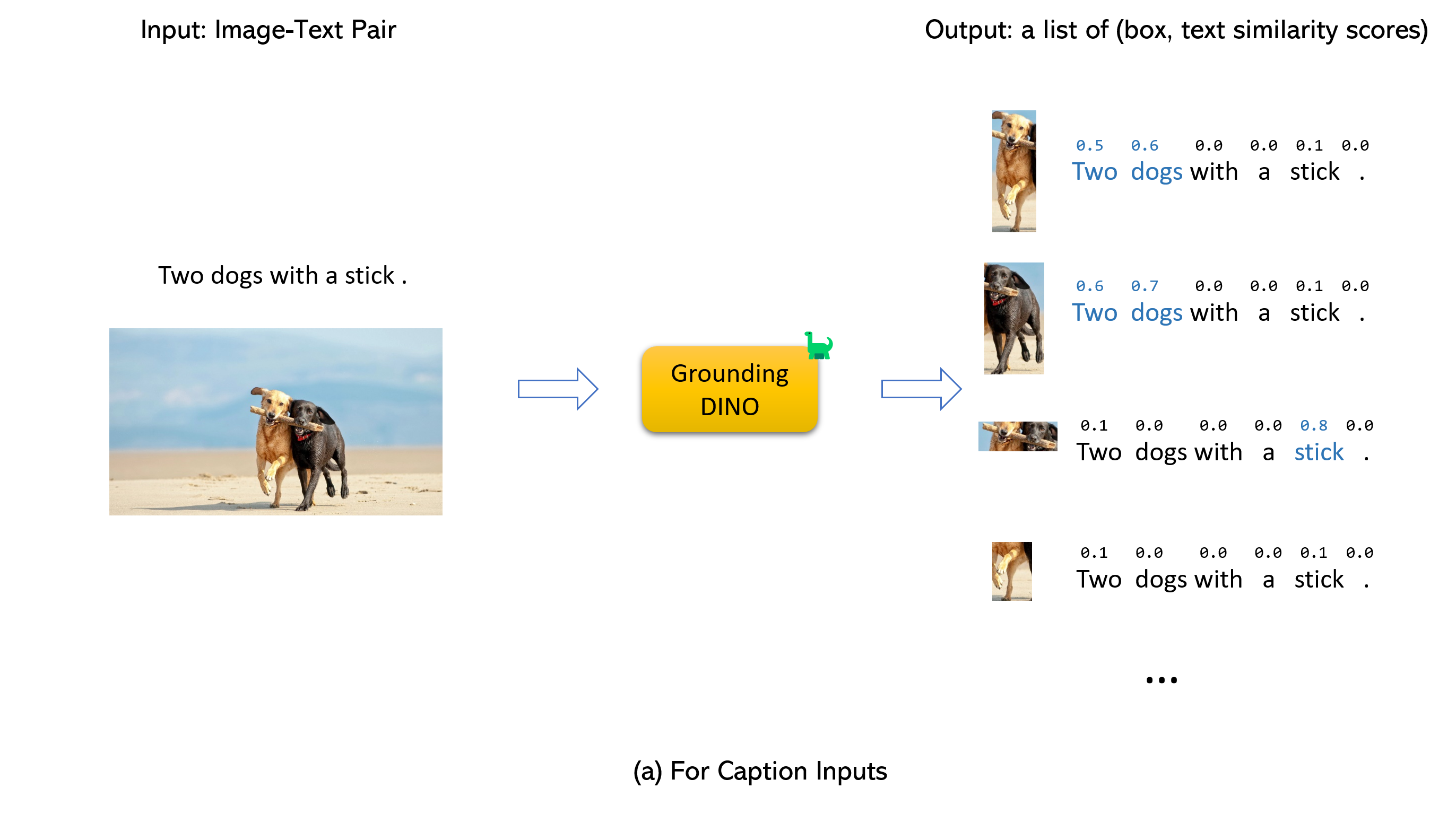
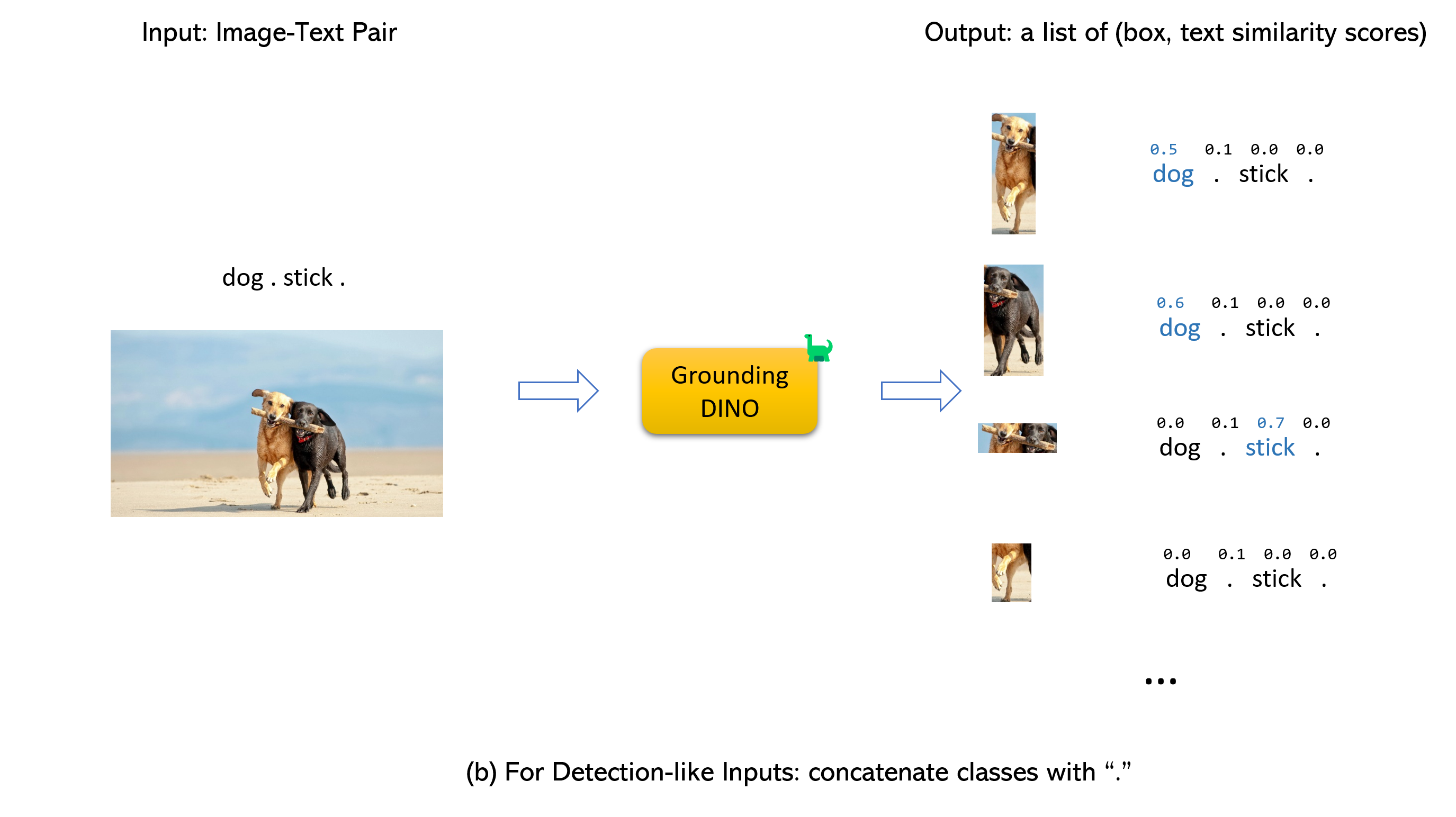
И то и другое: модель вышла из исследовательской лаборатории, но она интегрирована в Hugging Face, а в туториалах Roboflow показано, как с её помощью авторазмечать и оценивать датасеты для обучения других детекторов, например YOLOv8.Что я подаю на вход и что получаю на выходе?Пару (картинка, текст). По умолчанию возвращается до 900 рамок, каждая оценивается на соответствие словам из вашего запроса; рамки с оценкой выше box_threshold остаются, а слова с оценкой выше text_threshold становятся предсказанными метками. Названия категорий разделяйте точками.
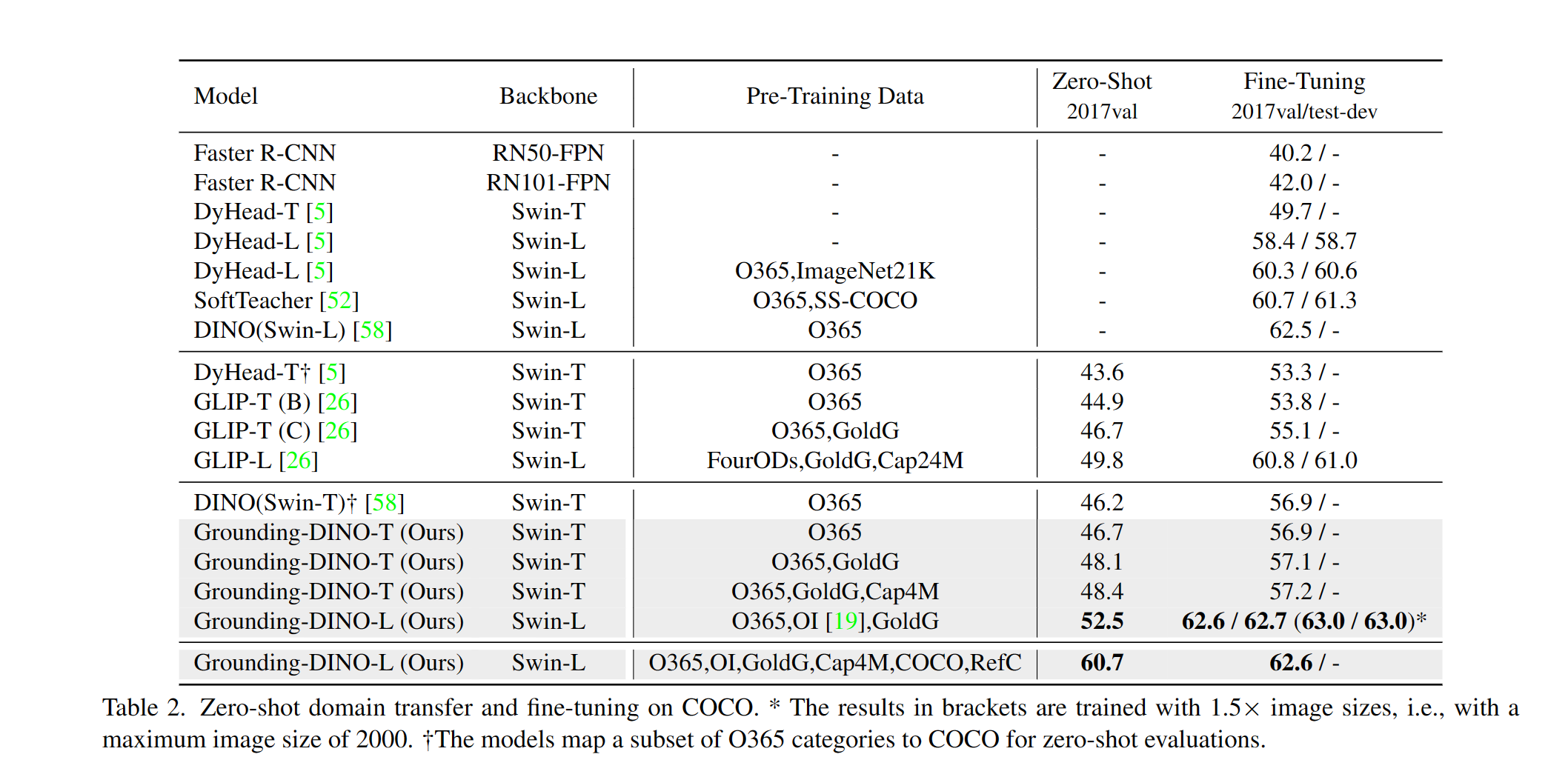
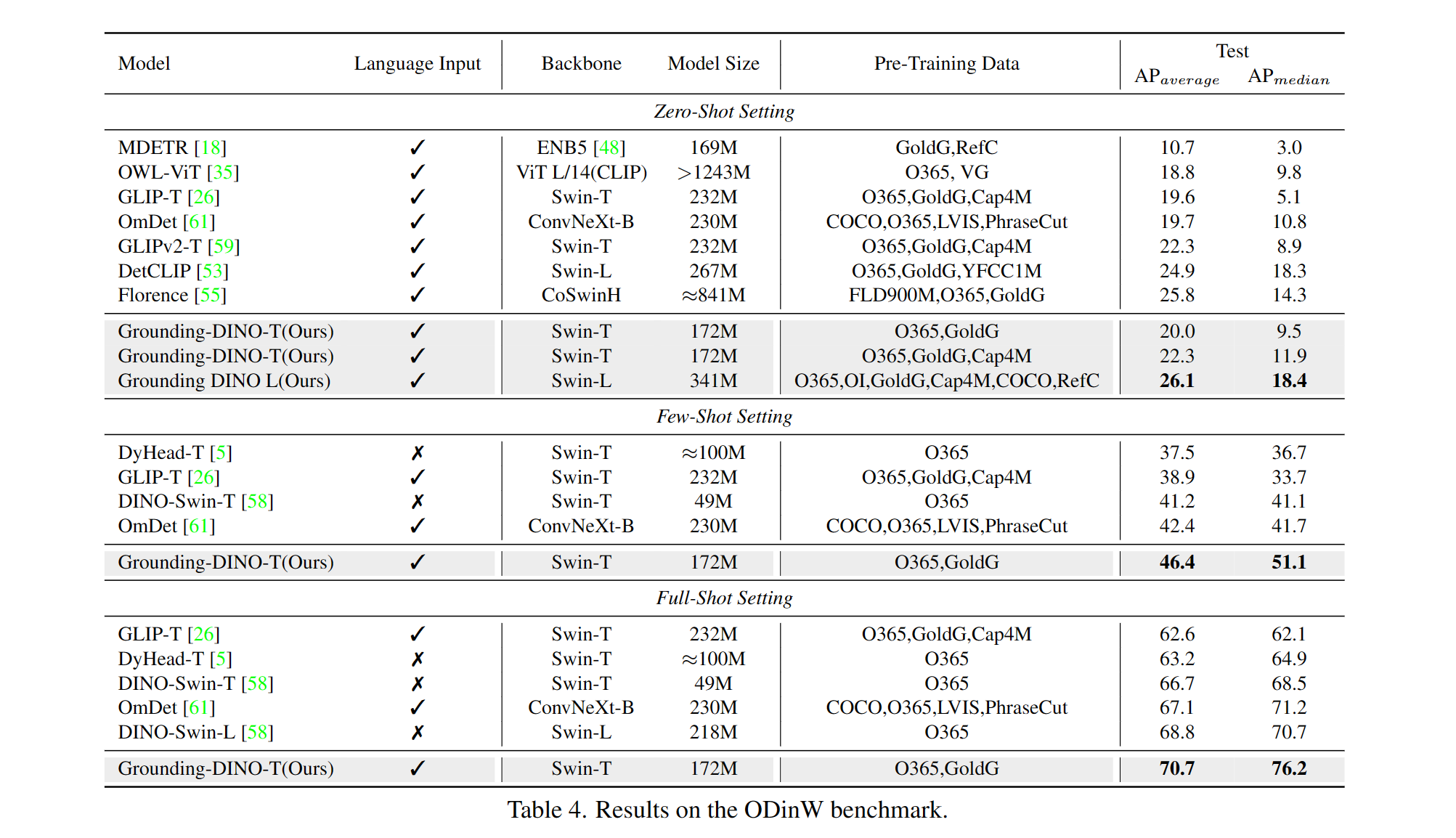
Пару (картинка, текст). По умолчанию возвращается до 900 рамок, каждая оценивается на соответствие словам из вашего запроса; рамки с оценкой выше box_threshold остаются, а слова с оценкой выше text_threshold становятся предсказанными метками. Названия категорий разделяйте точками.Насколько хорошие результаты он даёт?В README выделяют 52.5 AP zero-shot на COCO без использования данных COCO для обучения и 63.0 AP после дообучения. Выпущенные чекпоинты: GroundingDINO-T — 48.4 zero-shot / 57.2 после дообучения, GroundingDINO-B достигает 56.7 AP.
В README выделяют 52.5 AP zero-shot на COCO без использования данных COCO для обучения и 63.0 AP после дообучения. Выпущенные чекпоинты: GroundingDINO-T — 48.4 zero-shot / 57.2 после дообучения, GroundingDINO-B достигает 56.7 AP.Какие предобученные чекпоинты можно скачать?Два: GroundingDINO-T с бэкбоном Swin-T (обучен на O365, GoldG и Cap4M) и более тяжёлый GroundingDINO-B со Swin-B, обученный на большем объёме данных, включая COCO, OpenImage и ODinW-35. Оба идут с конфигурационными файлами.
Два: GroundingDINO-T с бэкбоном Swin-T (обучен на O365, GoldG и Cap4M) и более тяжёлый GroundingDINO-B со Swin-B, обученный на большем объёме данных, включая COCO, OpenImage и ODinW-35. Оба идут с конфигурационными файлами.Он работает вместе с Segment Anything?Да — Grounded-SAM объединяет его с Segment Anything для сегментации по текстовому запросу, а Grounded SAM 2 добавляет отслеживание любого объекта в открытом мире. В демо его также совмещают со Stable Diffusion и GLIGEN для редактирования изображений.
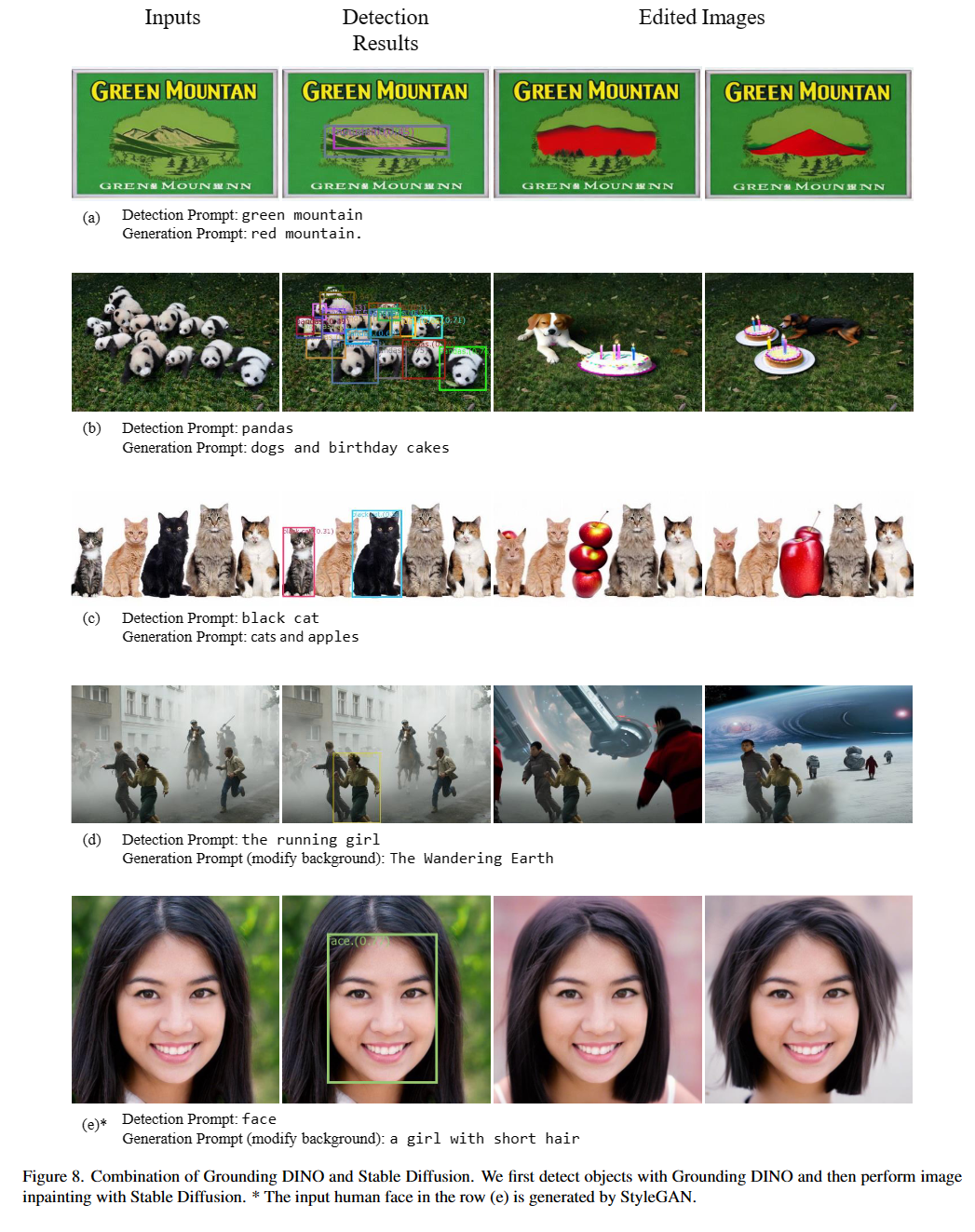
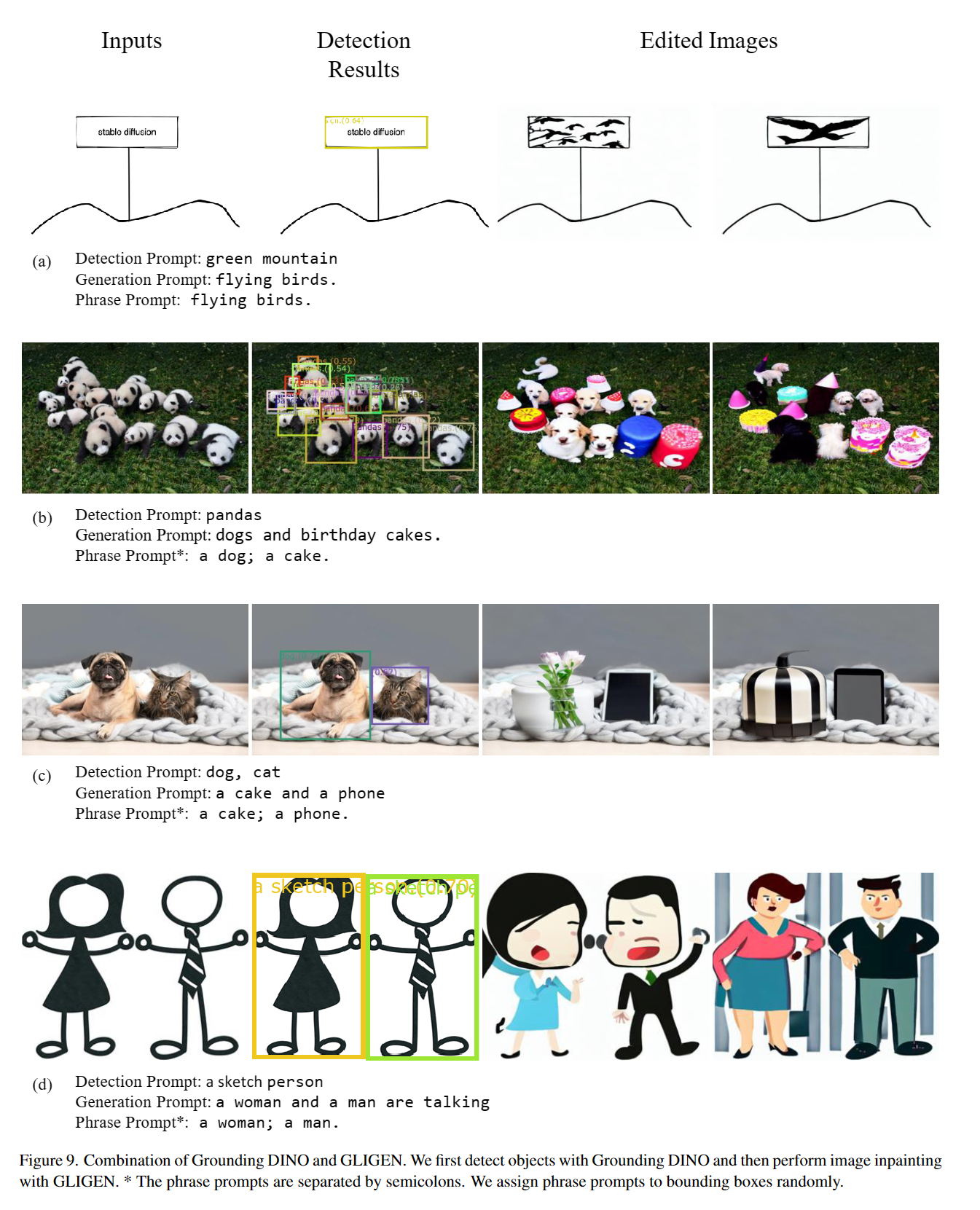
Да — Grounded-SAM объединяет его с Segment Anything для сегментации по текстовому запросу, а Grounded SAM 2 добавляет отслеживание любого объекта в открытом мире. В демо его также совмещают со Stable Diffusion и GLIGEN для редактирования изображений.What are similar projects?mmdetection, pointdit, yolov10, damo-radar, GFPGAN, vggt, sam2, Swin-Transformer
mmdetection, pointdit, yolov10, damo-radar, GFPGAN, vggt, sam2, Swin-TransformerWhich topics is it in?swin-transformer, vision-language, gradio, object-detection, pretrained-models, fine-tuning, transformer, huggingface, computer-vision, cuda, pytorch, cloud
swin-transformer, vision-language, gradio, object-detection, pretrained-models, fine-tuning, transformer, huggingface, computer-vision, cuda, pytorch, cloud