




 Marrying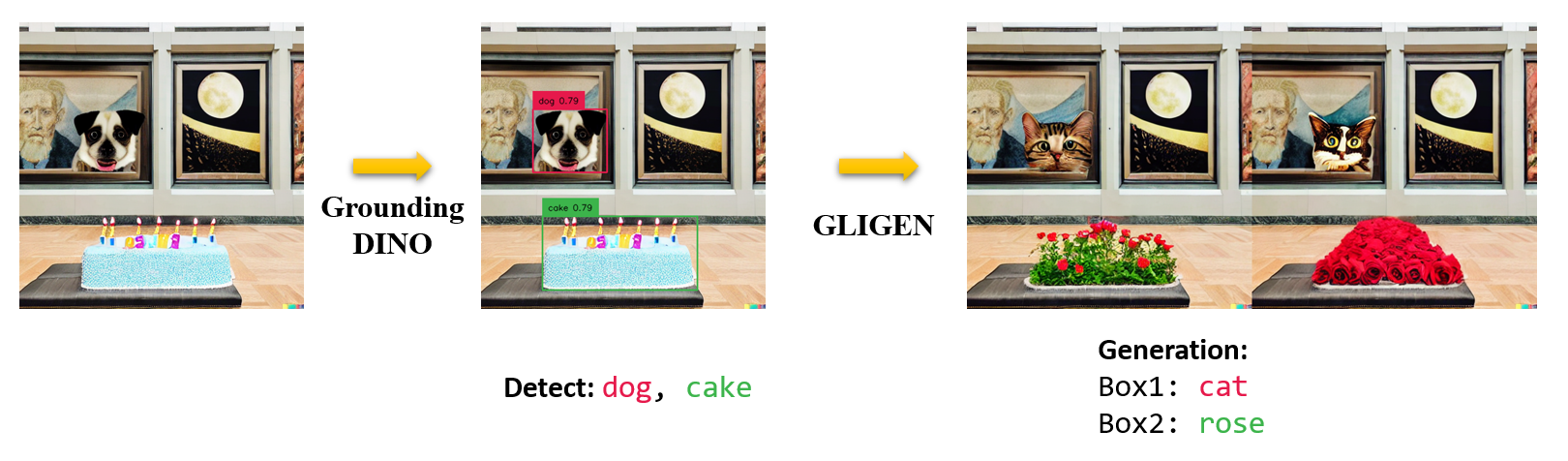
10.7K ·GitHub
What is this?
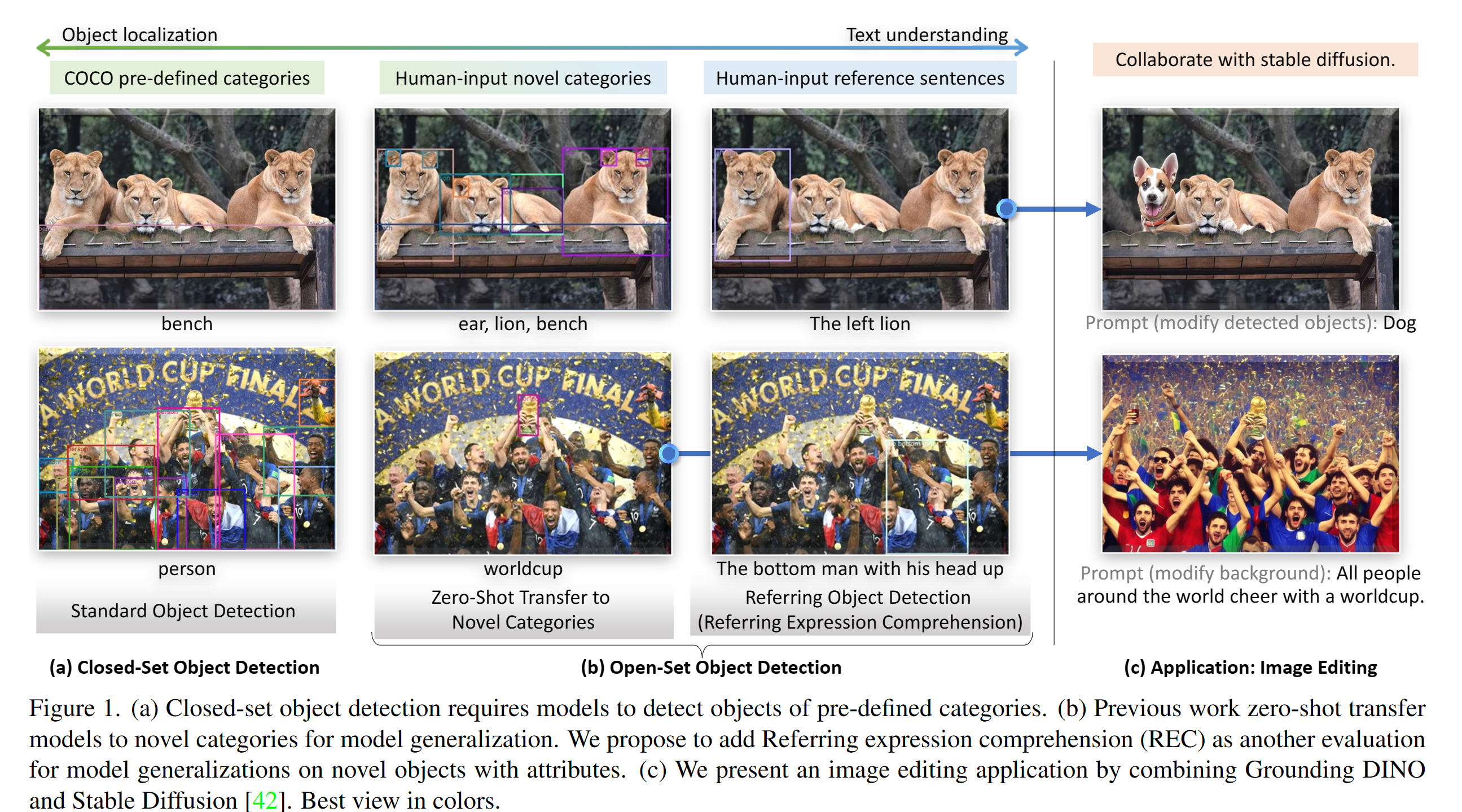
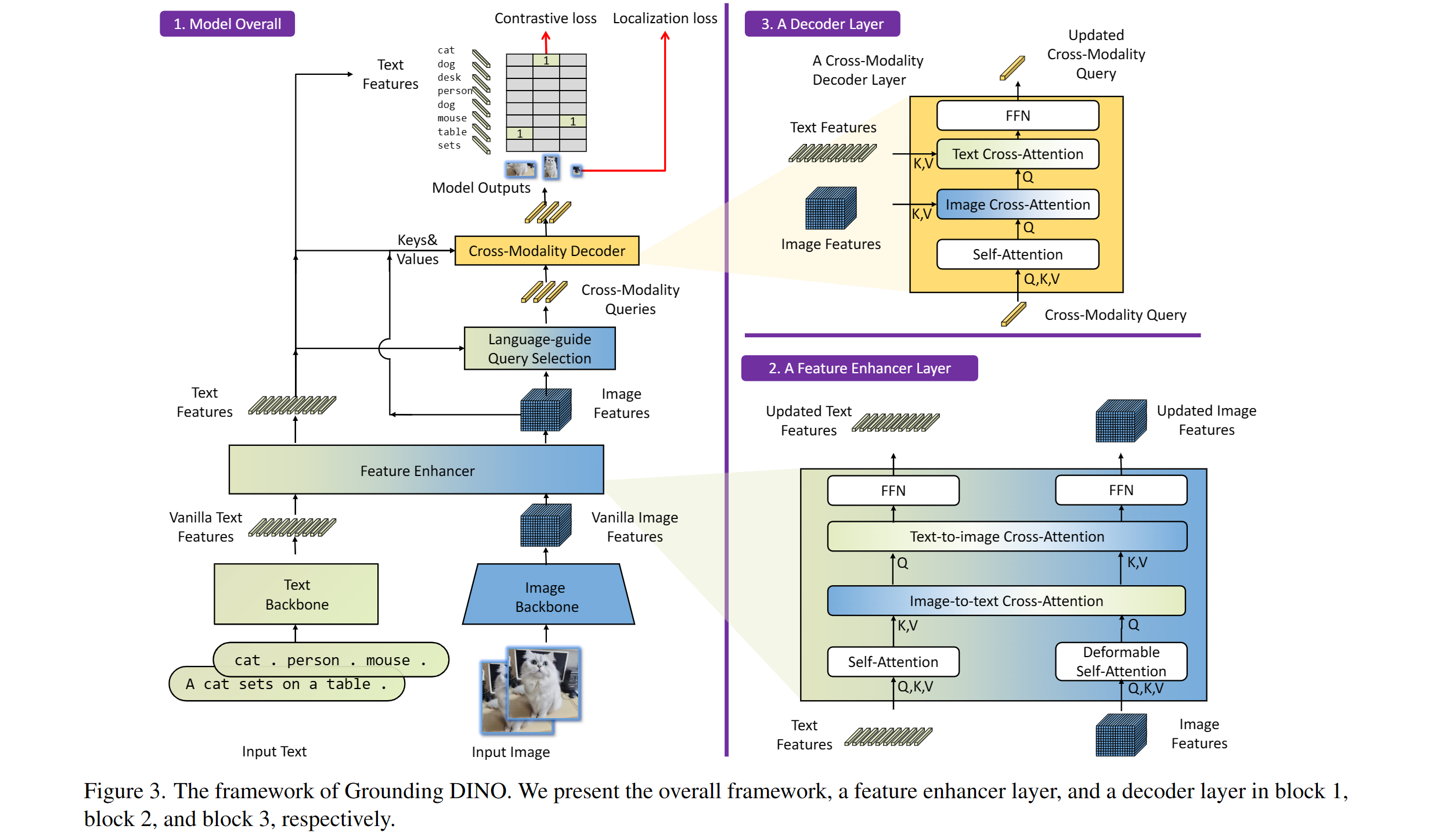
 An open-set object detection model from IDEA-Research (ECCV 2024): give it an image plus a text prompt and it finds the objects your words describe. This repo is the official PyTorch implementation with pretrained models.
An open-set object detection model from IDEA-Research (ECCV 2024): give it an image plus a text prompt and it finds the objects your words describe. This repo is the official PyTorch implementation with pretrained models.Is this an app I run, or code I build on?A research codebase you install as a Python package and call from your own code, plus model checkpoints to download. For quick tries there is a Gradio Web UI demo, a Colab demo and a Hugging Face integration.
A research codebase you install as a Python package and call from your own code, plus model checkpoints to download. For quick tries there is a Gradio Web UI demo, a Colab demo and a Hugging Face integration.How do I get it running?Clone the repo, cd into GroundingDINO, install the dependencies with pip (set CUDA_HOME first if you have CUDA), then download pretrained model weights and run the demo script on your image.
Clone the repo, cd into GroundingDINO, install the dependencies with pip (set CUDA_HOME first if you have CUDA), then download pretrained model weights and run the demo script on your image.Anything tricky about installing it?The README warns to follow the install steps strictly or the program may break; the suggested fix is to re-clone the repo and redo all steps. Also only inference is released — training code is still on the TODO list.
The README warns to follow the install steps strictly or the program may break; the suggested fix is to re-clone the repo and redo all steps. Also only inference is released — training code is still on the TODO list.Is this mainly for researchers, or can I use it in a real project?Both: it comes from a research lab, but it is integrated into Hugging Face and Roboflow tutorials show using it to auto-annotate and evaluate datasets for training other detectors like YOLOv8.
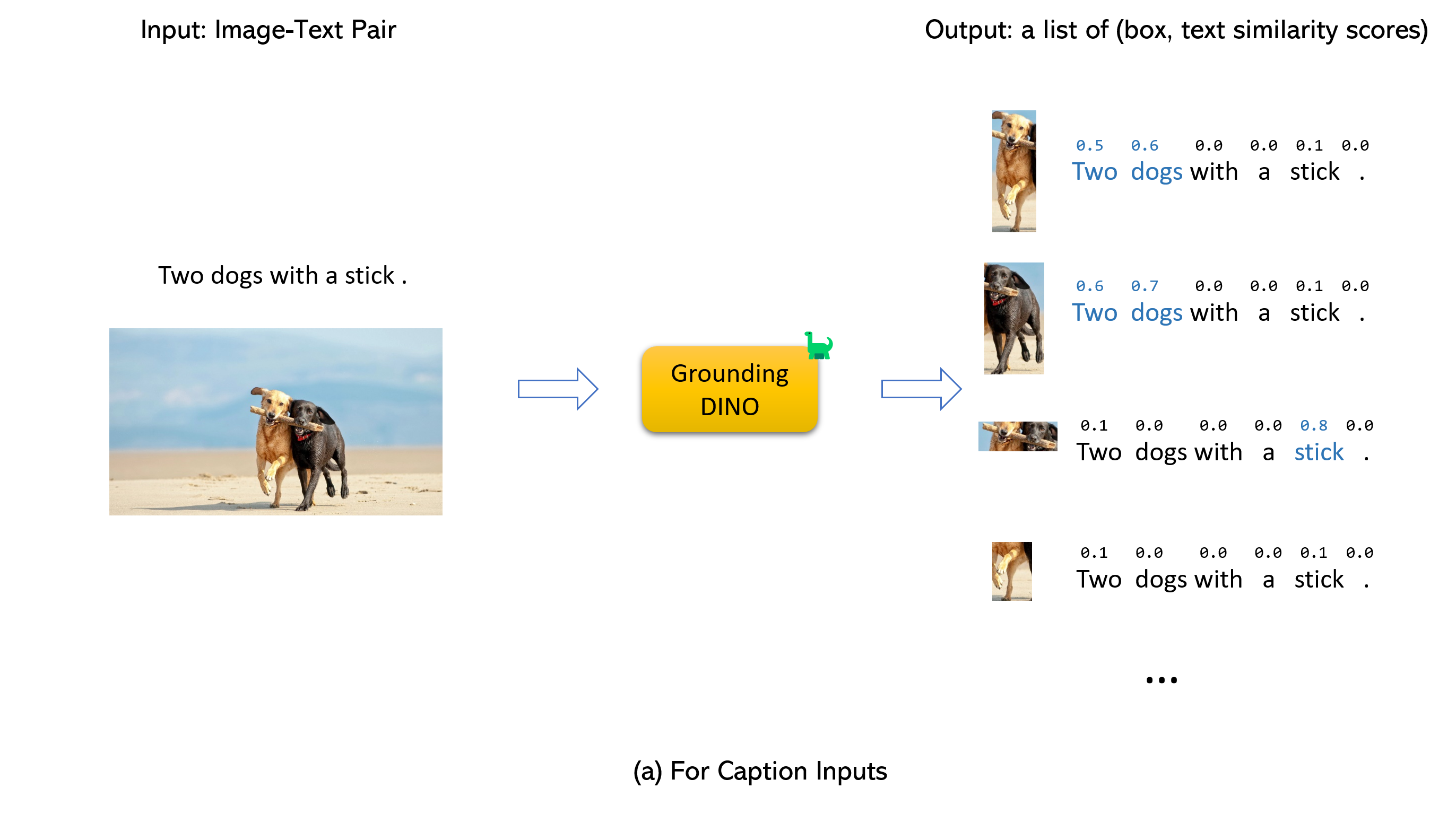
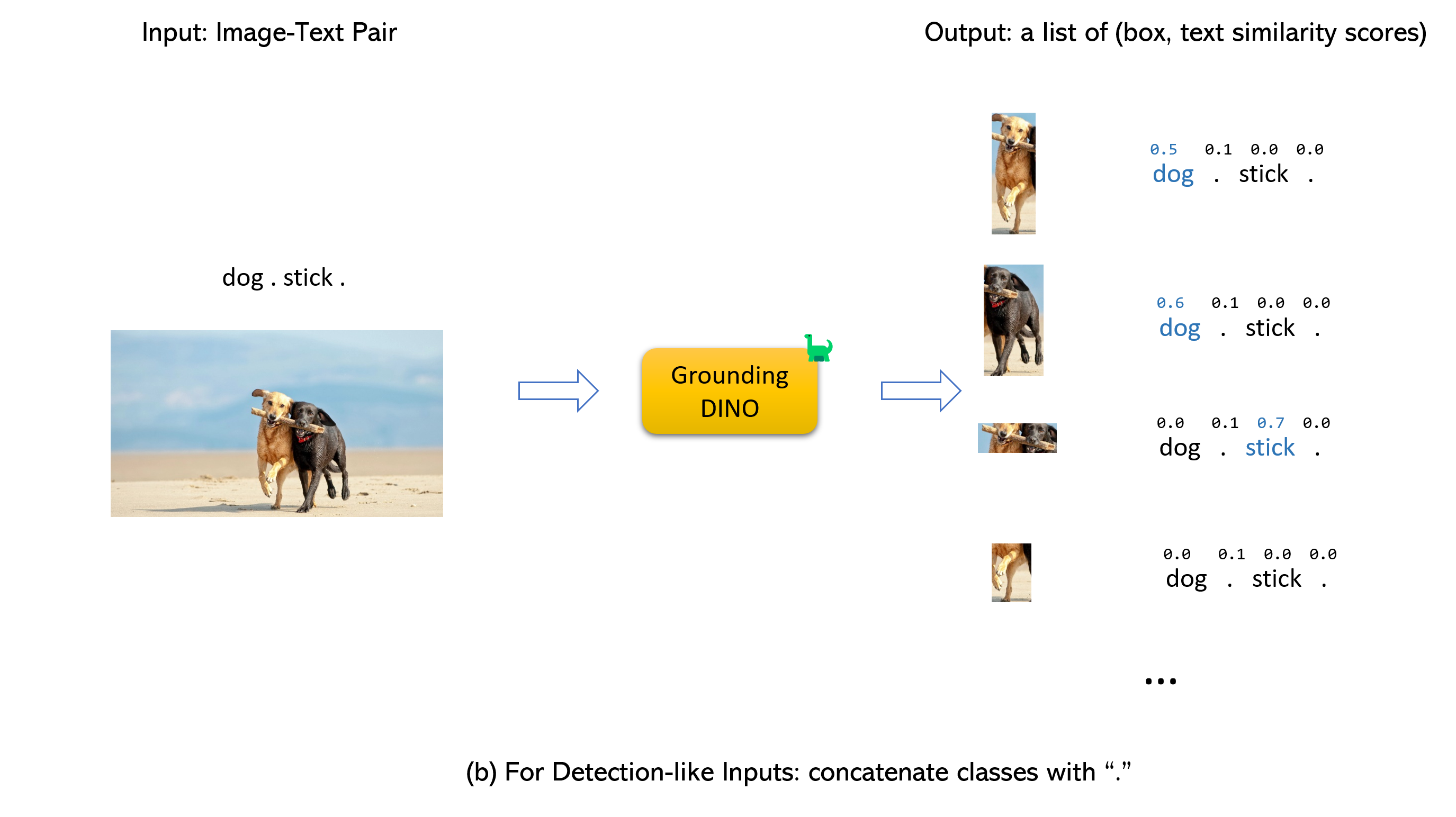
Both: it comes from a research lab, but it is integrated into Hugging Face and Roboflow tutorials show using it to auto-annotate and evaluate datasets for training other detectors like YOLOv8.What do I feed in and what comes out?An (image, text) pair. It returns up to 900 boxes by default, each scored against the words in your prompt; boxes above box_threshold are kept, and words above text_threshold become the predicted labels. Separate category names with dots.
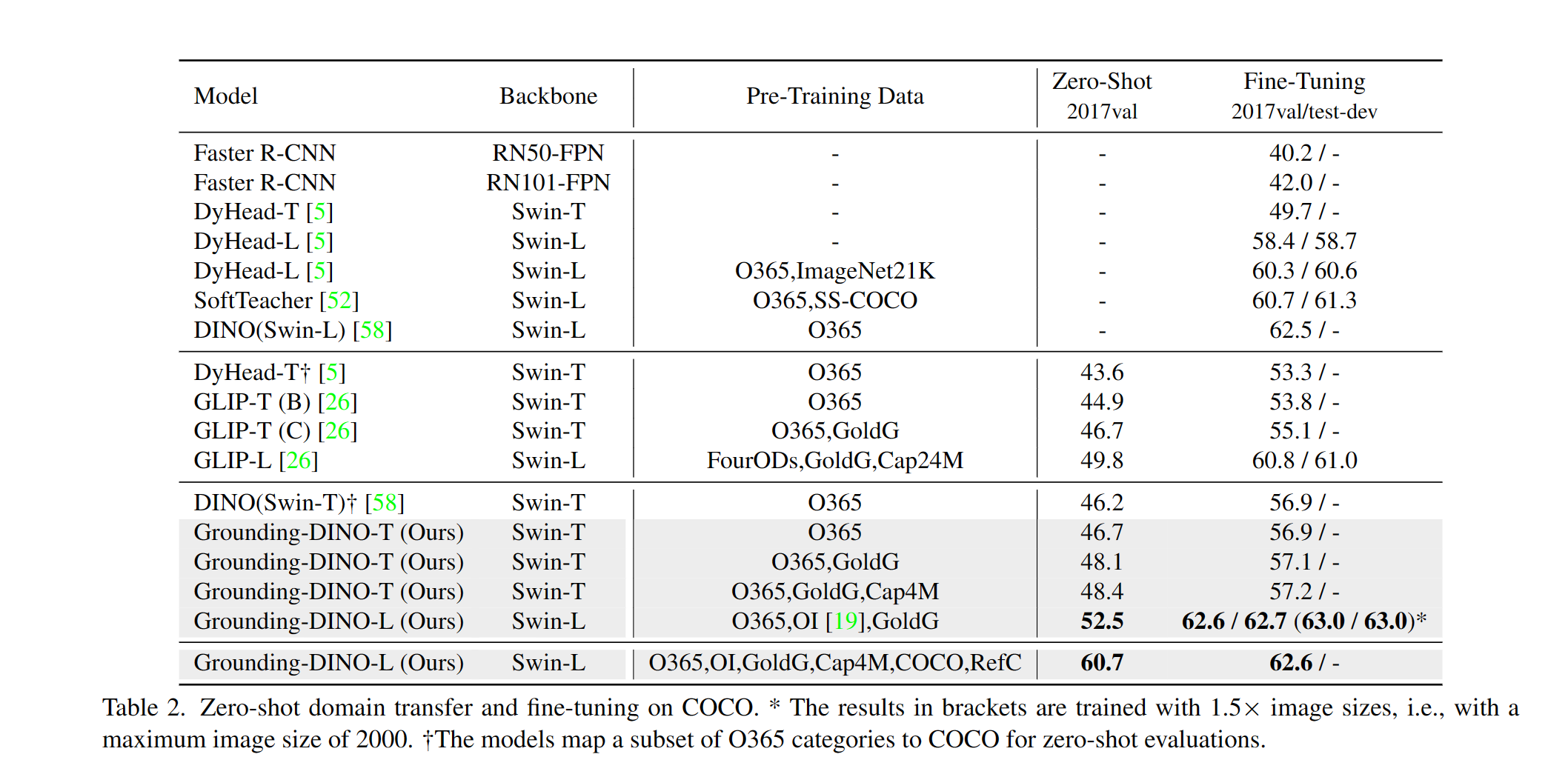
An (image, text) pair. It returns up to 900 boxes by default, each scored against the words in your prompt; boxes above box_threshold are kept, and words above text_threshold become the predicted labels. Separate category names with dots.How strong are the results?The README highlights 52.5 AP zero-shot on COCO with no COCO training data, and 63.0 AP fine-tuned. Released checkpoints: GroundingDINO-T scores 48.4 zero-shot / 57.2 fine-tuned, GroundingDINO-B reaches 56.7 AP.
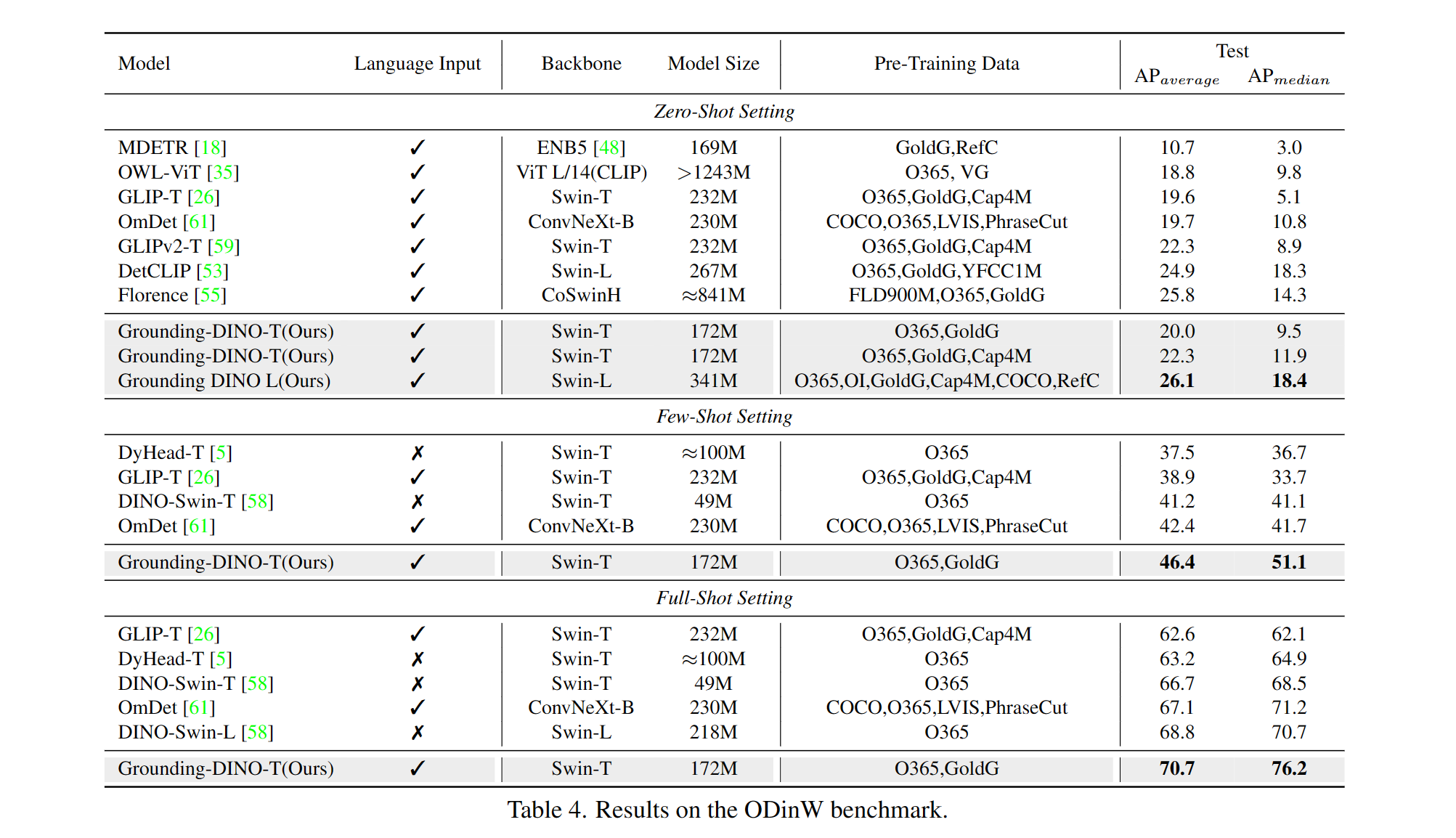
The README highlights 52.5 AP zero-shot on COCO with no COCO training data, and 63.0 AP fine-tuned. Released checkpoints: GroundingDINO-T scores 48.4 zero-shot / 57.2 fine-tuned, GroundingDINO-B reaches 56.7 AP.Which pretrained checkpoints can I download?Two: GroundingDINO-T with a Swin-T backbone (trained on O365, GoldG and Cap4M) and the heavier GroundingDINO-B with Swin-B, trained on more data including COCO, OpenImage and ODinW-35. Both ship with config files.
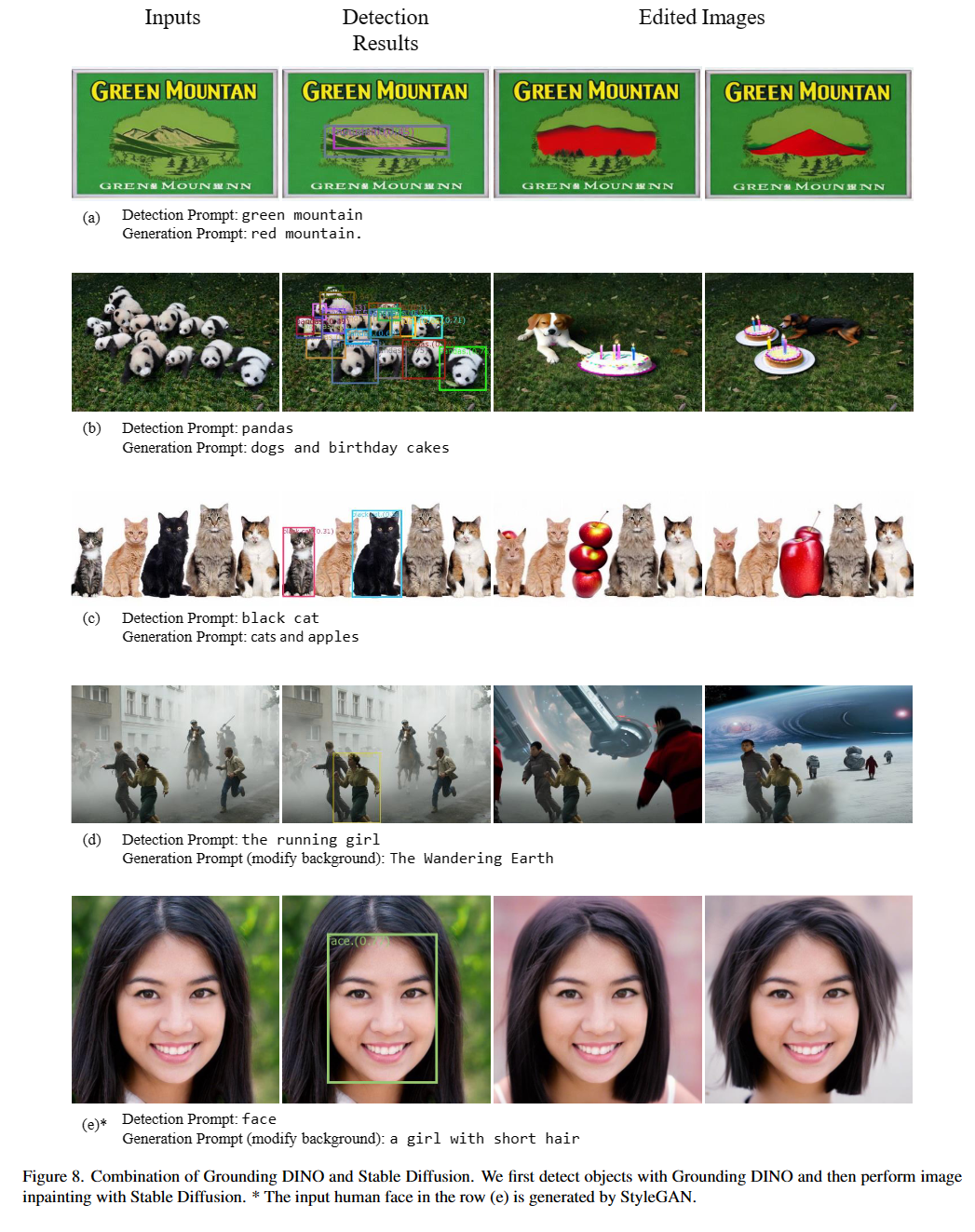
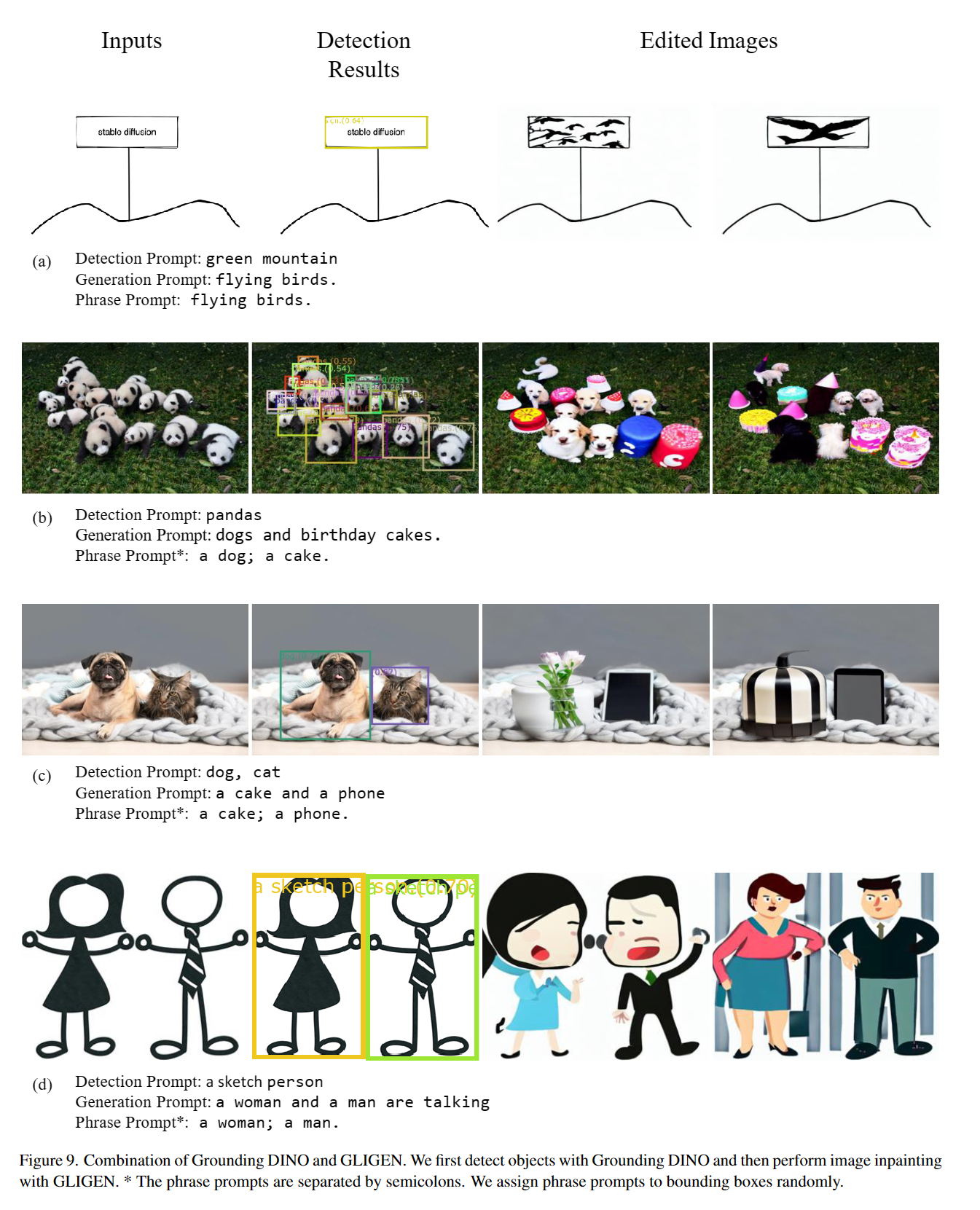
Two: GroundingDINO-T with a Swin-T backbone (trained on O365, GoldG and Cap4M) and the heavier GroundingDINO-B with Swin-B, trained on more data including COCO, OpenImage and ODinW-35. Both ship with config files.Does it pair with Segment Anything?Yes — Grounded-SAM marries it with Segment Anything for text-prompted segmentation, and Grounded SAM 2 adds tracking of any object in open-world scenarios. Demos also combine it with Stable Diffusion and GLIGEN for image editing.
Yes — Grounded-SAM marries it with Segment Anything for text-prompted segmentation, and Grounded SAM 2 adds tracking of any object in open-world scenarios. Demos also combine it with Stable Diffusion and GLIGEN for image editing.What are similar projects?mmdetection, pointdit, yolov10, damo-radar, GFPGAN, vggt, sam2, Swin-Transformer
mmdetection, pointdit, yolov10, damo-radar, GFPGAN, vggt, sam2, Swin-TransformerWhich topics is it in?swin-transformer, vision-language, gradio, object-detection, pretrained-models, fine-tuning, transformer, huggingface, computer-vision, cuda, pytorch, cloud
swin-transformer, vision-language, gradio, object-detection, pretrained-models, fine-tuning, transformer, huggingface, computer-vision, cuda, pytorch, cloud