What is this?
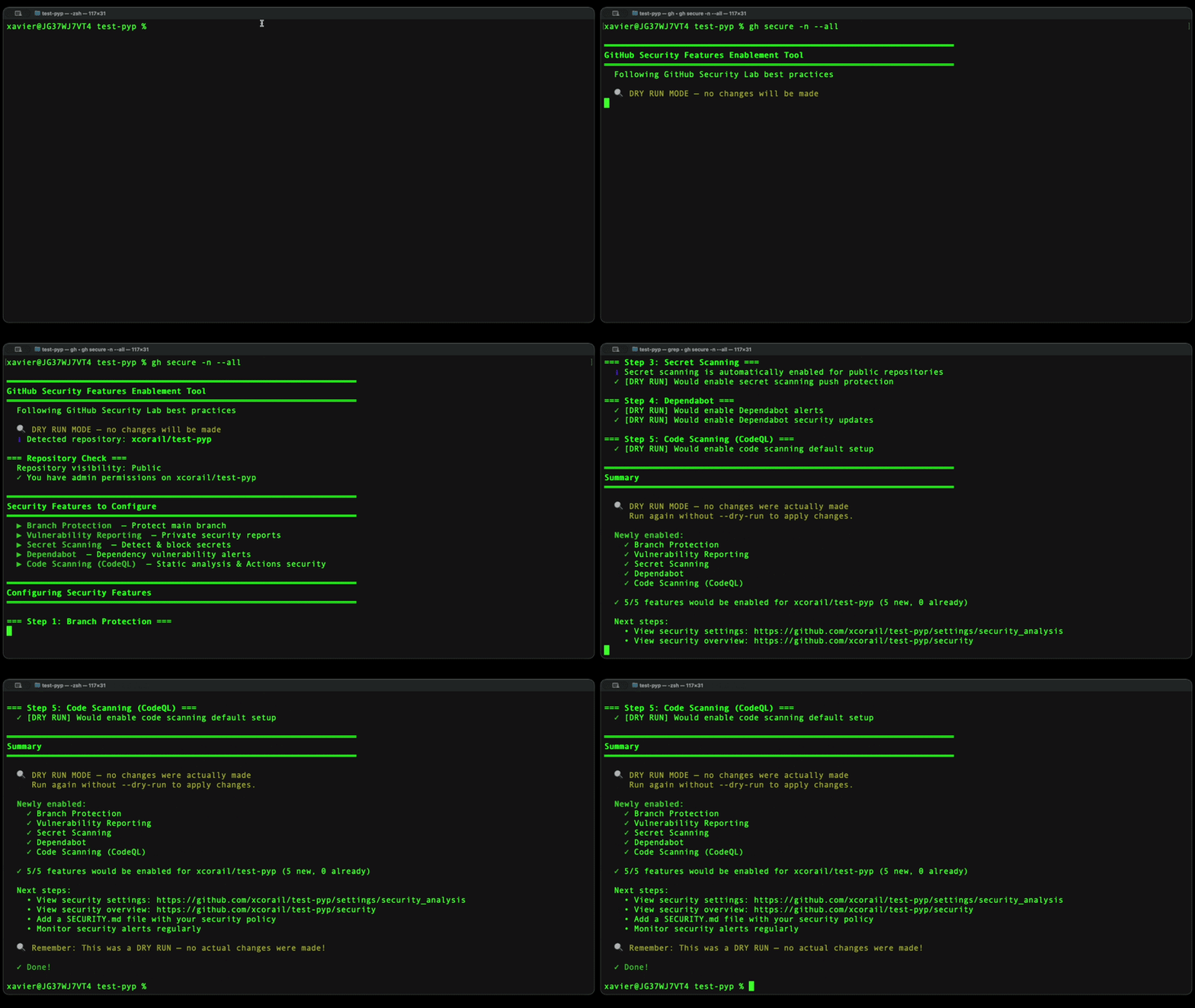
 gh-secure is a GitHub CLI extension that turns on five recommended security features on a repository — branch protection, private vulnerability reporting, secret scanning, Dependabot, and code scanning — in about 2 minutes.
gh-secure is a GitHub CLI extension that turns on five recommended security features on a repository — branch protection, private vulnerability reporting, secret scanning, Dependabot, and code scanning — in about 2 minutes.Is this a standalone app or a plugin for something else?It is a gh extension, so it runs as a subcommand of the GitHub CLI (gh) rather than as its own standalone program.
It is a gh extension, so it runs as a subcommand of the GitHub CLI (gh) rather than as its own standalone program.How do I install and run it?Install the GitHub CLI, authenticate with gh auth login, then install and run the extension from your terminal (interactive mode or a non-interactive '-y' mode) in the repo you want to secure.
Install the GitHub CLI, authenticate with gh auth login, then install and run the extension from your terminal (interactive mode or a non-interactive '-y' mode) in the repo you want to secure.What do I need before running it?You need the GitHub CLI (gh) installed and authenticated, plus admin or maintainer permissions on the target repository; for org repos you may also need the admin:org OAuth scope.
You need the GitHub CLI (gh) installed and authenticated, plus admin or maintainer permissions on the target repository; for org repos you may also need the admin:org OAuth scope.What can go wrong when enabling these features?You can hit 403 Forbidden errors if you lack admin/maintain permissions (orgs may need the admin:org scope), code scanning can fail if the repo's languages aren't supported, and some orgs have policies that block branch protection from being enabled.
You can hit 403 Forbidden errors if you lack admin/maintain permissions (orgs may need the admin:org scope), code scanning can fail if the repo's languages aren't supported, and some orgs have policies that block branch protection from being enabled.Does it run on any OS?It is a shell-based gh extension, so it works wherever the GitHub CLI runs — Windows, macOS, and Linux.
It is a shell-based gh extension, so it works wherever the GitHub CLI runs — Windows, macOS, and Linux.Does it touch my source code or send data anywhere?No — it only changes repository settings (branch rules, scanning toggles, Dependabot) via the GitHub API using your existing gh session token; it does not modify your source code.
No — it only changes repository settings (branch rules, scanning toggles, Dependabot) via the GitHub API using your existing gh session token; it does not modify your source code.Can I enable only specific features instead of all five?Yes, you can pass specific feature names or shorthands (e.g. bp, vr, ss, dep, cs) to enable just those; if none are specified, all five are enabled.
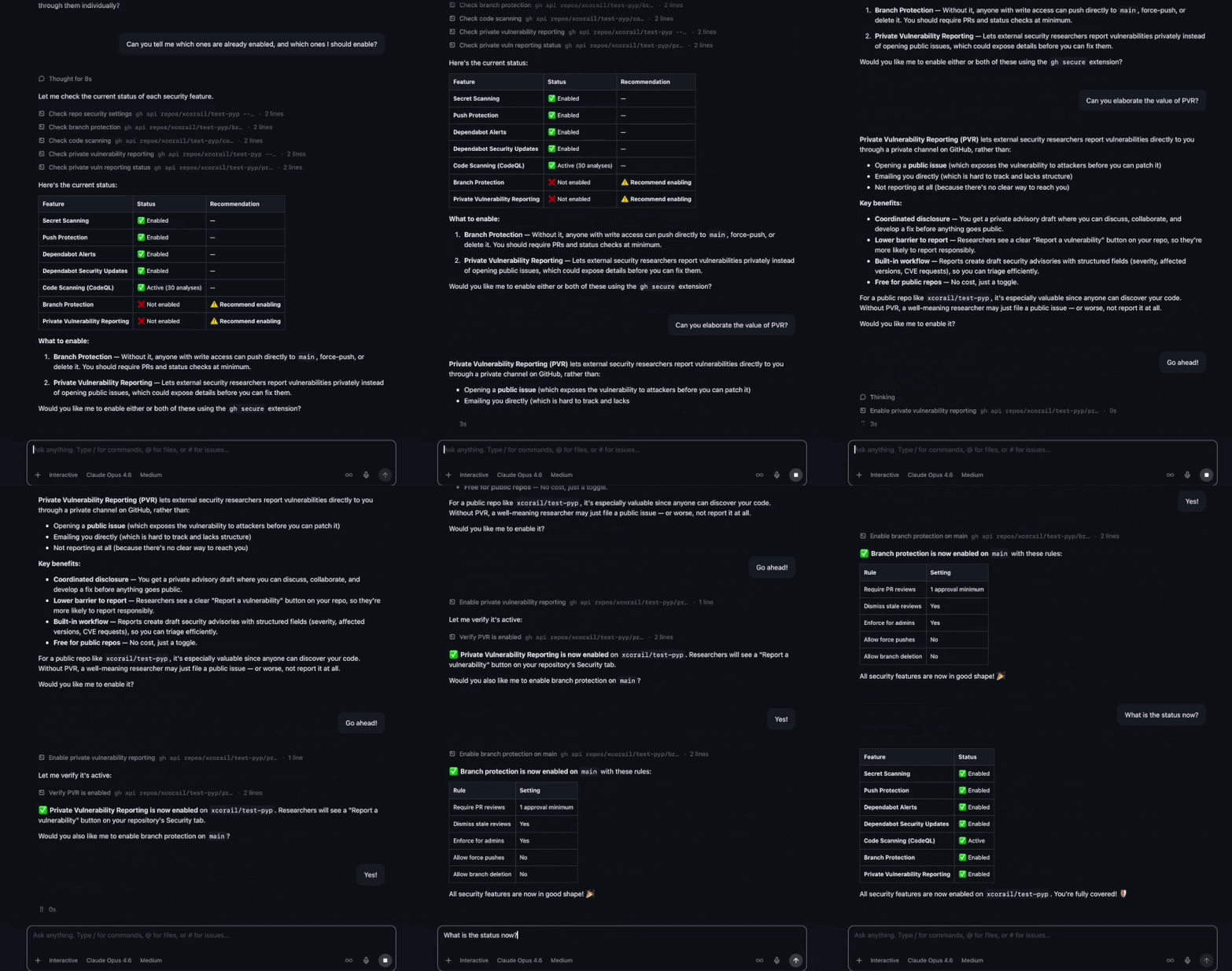
Yes, you can pass specific feature names or shorthands (e.g. bp, vr, ss, dep, cs) to enable just those; if none are specified, all five are enabled.Can I use it with AI assistants instead of the terminal?Yes — the README says it can be used from the GitHub Copilot CLI, the GitHub Copilot App, or any other AI assistant that has access to the tool.
Yes — the README says it can be used from the GitHub Copilot CLI, the GitHub Copilot App, or any other AI assistant that has access to the tool.Can I preview changes before applying them?Yes, the -n/--dry-run flag simulates the changes without actually applying them, and all changes can be reverted later from repository settings.
Yes, the -n/--dry-run flag simulates the changes without actually applying them, and all changes can be reverted later from repository settings.Will enabling branch protection break my existing rulesets?The tool checks for active rulesets first and warns you before enabling legacy branch protection, to avoid overlapping or conflicting rules.
The tool checks for active rulesets first and warns you before enabling legacy branch protection, to avoid overlapping or conflicting rules.What are similar projects?cynative, bashka, codex-security, Anthropic-Cybersecurity-Skills, gh-dash, 0, Myrqen, just
cynative, bashka, codex-security, Anthropic-Cybersecurity-Skills, gh-dash, 0, Myrqen, justWhich topics is it in?security-automation, application-security, devsecops, infosec, github, cli-tool, shell, security-tools, command-line, devops, command-line-tool, security
security-automation, application-security, devsecops, infosec, github, cli-tool, shell, security-tools, command-line, devops, command-line-tool, security