
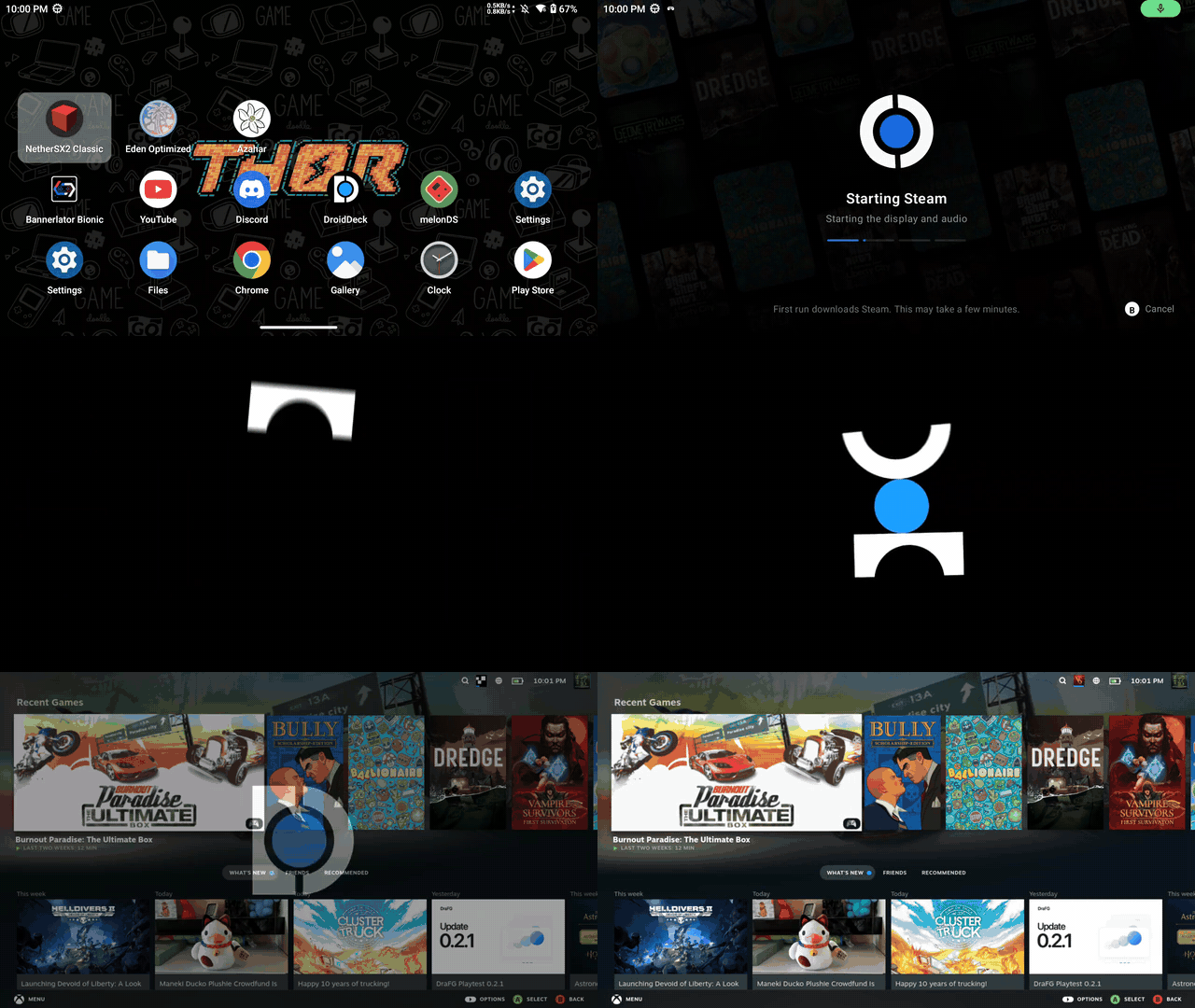
这是什么?
 DroidDeck 把 SteamOS 大屏幕模式体验带到 Android 上,让你在搭载 Adreno GPU 的 Android 掌机上,通过 Valve 的 ARM64 Proton 运行 Valve 的 Steam 客户端和 Windows 游戏。
DroidDeck 把 SteamOS 大屏幕模式体验带到 Android 上,让你在搭载 Adreno GPU 的 Android 掌机上,通过 Valve 的 ARM64 Proton 运行 Valve 的 Steam 客户端和 Windows 游戏。这是模拟器、Linux 运行时,还是 Steam 客户端移植版?它是一个 Android 应用,内置 Linux 运行时和 Proton,让 Steam 和 Windows 游戏通过基于 Wine 的兼容层运行,还附带一个可选的、带模拟器的桌面环境。
它是一个 Android 应用,内置 Linux 运行时和 Proton,让 Steam 和 Windows 游戏通过基于 Wine 的兼容层运行,还附带一个可选的、带模拟器的桌面环境。怎么把它跑起来?从 Releases 安装 APK,安装 Linux 运行时,然后按 Play 并登录;Steam 会在首次启动时下载,你还可以选装 Desktop & apps 来获得桌面环境和模拟器。
从 Releases 安装 APK,安装 Linux 运行时,然后按 Play 并登录;Steam 会在首次启动时下载,你还可以选装 Desktop & apps 来获得桌面环境和模拟器。需要什么硬件和 Android 版本?你需要 Android 9 或更新版本,且 GPU 为受支持的 Adreno(730 或更新,或 8xx);无需 root,建议预留约 3 GB 空间给运行时,桌面环境和模拟器还要再占 1.1 GB。
你需要 Android 9 或更新版本,且 GPU 为受支持的 Adreno(730 或更新,或 8xx);无需 root,建议预留约 3 GB 空间给运行时,桌面环境和模拟器还要再占 1.1 GB。它在任何 Android 手机上都能好好运行吗?不能——只有特定的 Adreno GPU 受支持(Mali、Xclipse、PowerVR 和 Adreno 710 明确不支持),硬件验证有限,兼容性和性能因设备而异,桌面合成会退回到软件渲染,Firefox 的沙箱在 proot 下也会被削弱。
不能——只有特定的 Adreno GPU 受支持(Mali、Xclipse、PowerVR 和 Adreno 710 明确不支持),硬件验证有限,兼容性和性能因设备而异,桌面合成会退回到软件渲染,Firefox 的沙箱在 proot 下也会被削弱。这是给谁用的,支持什么平台?它面向使用受支持 Adreno 掌机、想要类 SteamOS、Steam Deck 式体验的 Android 玩家;它只能在 Android 上运行,不支持 iOS 或桌面系统。
它面向使用受支持 Adreno 掌机、想要类 SteamOS、Steam Deck 式体验的 Android 玩家;它只能在 Android 上运行,不支持 iOS 或桌面系统。它需要特定类型的 GPU 吗?需要,它要求 Adreno GPU(730+ 或 8xx);不支持 Mali、Xclipse 和 PowerVR 芯片。
需要,它要求 Adreno GPU(730+ 或 8xx);不支持 Mali、Xclipse 和 PowerVR 芯片。使用 DroidDeck 需要给手机 root 吗?不需要,DroidDeck 明确不要求 Android 设备具有 root 权限。
不需要,DroidDeck 明确不要求 Android 设备具有 root 权限。在 Android 12+ 上 Steam 崩溃且没有日志怎么办?关闭 Android 开发者选项中的“限制子进程”(Restrict child processes)选项,该选项可能导致 Steam 无法正常启动或记录日志。
关闭 Android 开发者选项中的“限制子进程”(Restrict child processes)选项,该选项可能导致 Steam 无法正常启动或记录日志。DroidDeck 和 Valve 有官方关系吗?没有,该项目使用了 Valve 的 Steam 和 Proton,但明确声明与 Valve 公司没有任何隶属关系。
没有,该项目使用了 Valve 的 Steam 和 Proton,但明确声明与 Valve 公司没有任何隶属关系。What are similar projects?darling-lol, winlator, ServerBox, LostOdysseyRecomp, Husk, Proton, GameNative, Tyranor-Next
darling-lol, winlator, ServerBox, LostOdysseyRecomp, Husk, Proton, GameNative, Tyranor-NextWhich topics is it in?proton, steam-deck, wine, sandboxing, apk, emulation, virtualization, android-app, kotlin, game, hardware, gaming
proton, steam-deck, wine, sandboxing, apk, emulation, virtualization, android-app, kotlin, game, hardware, gaming