
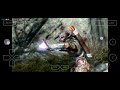
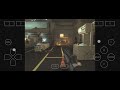
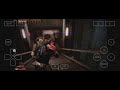
What is this?
 Winlator is a free, open-source Android app that runs Windows (x86_64) applications and games directly on your phone or tablet, using Wine and Box86/Box64.
Winlator is a free, open-source Android app that runs Windows (x86_64) applications and games directly on your phone or tablet, using Wine and Box86/Box64.Is this something I install on my phone, or does it need a PC too?It is a regular Android app installed from an APK — Windows software runs on the device itself, so no PC is needed once the app is set up.
It is a regular Android app installed from an APK — Windows software runs on the device itself, so no PC is needed once the app is set up.How do I get it on my phone?Download Winlator11.1.apk from GitHub Releases and install it, then launch the app and wait for the first-run installation process to finish.
Download Winlator11.1.apk from GitHub Releases and install it, then launch the app and wait for the first-run installation process to finish.Do I need to pay for it or install anything else to run Windows apps?No — Wine, Box86/Box64 and the graphics stack (Mesa with Turnip/Zink/VirGL, DXVK, VKD3D) ship inside the app, and it is free with no accounts or subscriptions.
No — Wine, Box86/Box64 and the graphics stack (Mesa with Turnip/Zink/VirGL, DXVK, VKD3D) ship inside the app, and it is free with no accounts or subscriptions.Will everything just work, or do games need tweaking?Expect some tweaking: the README suggests switching the Box64 preset to Performance for speed, installing Wine Mono for .NET Framework apps, and adding MESAEXTENSIONMAXYEAR=2003 for some older games.
Expect some tweaking: the README suggests switching the Box64 preset to Performance for speed, installing Wine Mono for .NET Framework apps, and adding MESAEXTENSIONMAXYEAR=2003 for some older games.Is it just for games, or any Windows software?It runs Windows x86_64 applications in general, not only games — though most of the README's tuning tips are written around getting games to run well.
It runs Windows x86_64 applications in general, not only games — though most of the README's tuning tips are written around getting games to run well.Can I configure each game separately?Yes — run games through shortcuts on the Winlator home screen, where each one can have its own settings, including a Force Fullscreen option for low-resolution titles.
Yes — run games through shortcuts on the Winlator home screen, where each one can have its own settings, including a Force Fullscreen option for low-resolution titles.Some Unity games glitch — is there a fix?Try setting the Box64 preset to Stability in Container Settings, or add the -force-gfx-direct exec argument in that game's shortcut settings.
Try setting the Box64 preset to Stability in Container Settings, or add the -force-gfx-direct exec argument in that game's shortcut settings.What about crackling sound in games?Increase the average latency in the ALSA/PulseAudio configuration; for older games like Unreal Gold the README says raising it to 90ms resolves audio issues.
Increase the average latency in the ALSA/PulseAudio configuration; for older games like Unreal Gold the README says raising it to 90ms resolves audio issues.What are similar projects?DroidDeck, Madeira, Proton, RingOut, NotProton, dxvk, Fable-2-Recomp, dolphin
DroidDeck, Madeira, Proton, RingOut, NotProton, dxvk, Fable-2-Recomp, dolphinWhich topics is it in?wine, compatibility-layer, x86-64, arm, apk, emulator, android-app, graphics, gaming, c, performance, android
wine, compatibility-layer, x86-64, arm, apk, emulator, android-app, graphics, gaming, c, performance, android