ARTEX
AI autonomous penetration testing system (Go backend + Next.js frontend)
Fork of ARTEX by Autumn-27 · English translation of the Chinese source · maintained publicly under AGPL-3.0
Screenshots
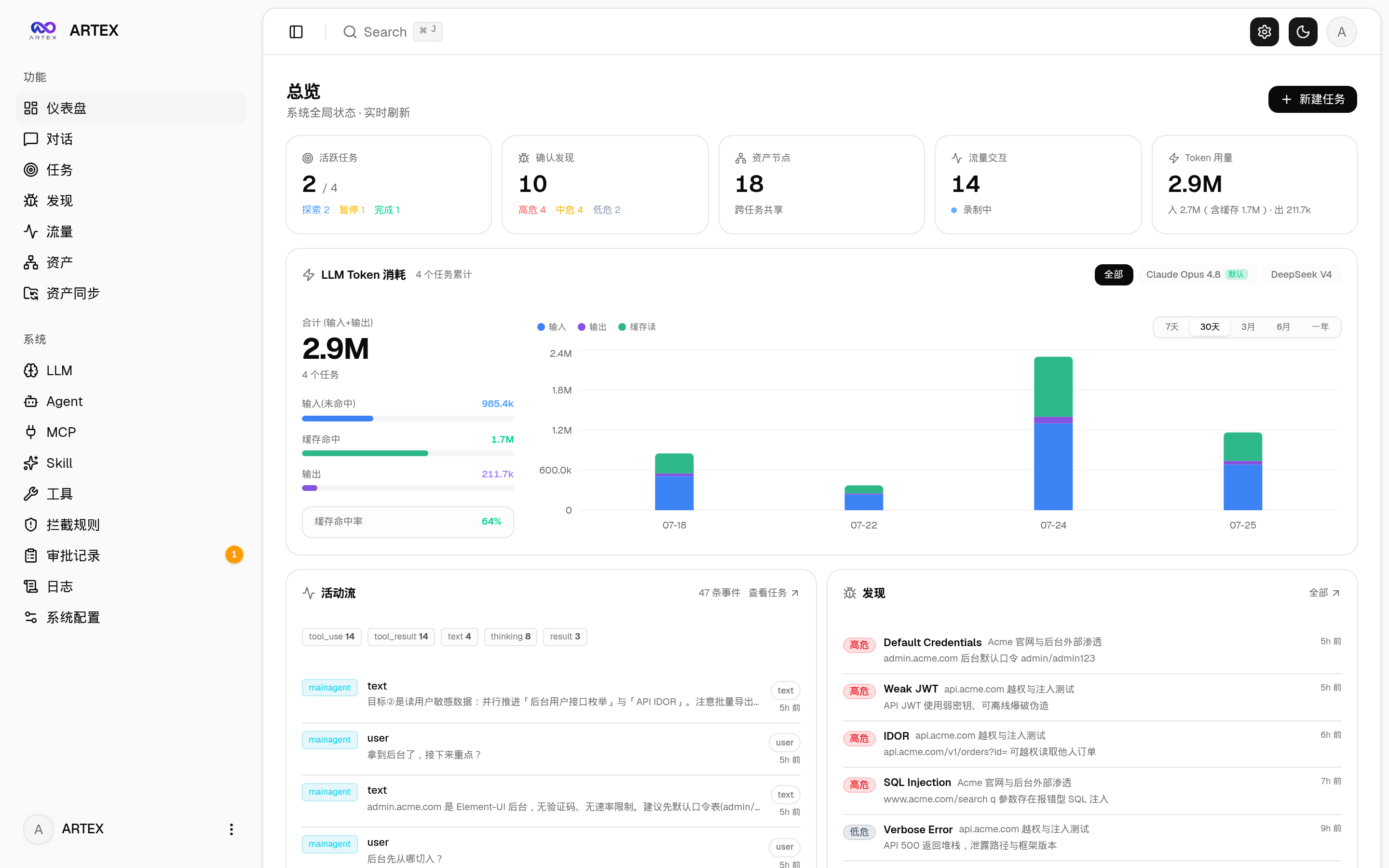
| Dashboard (overview / token usage / activity stream) |
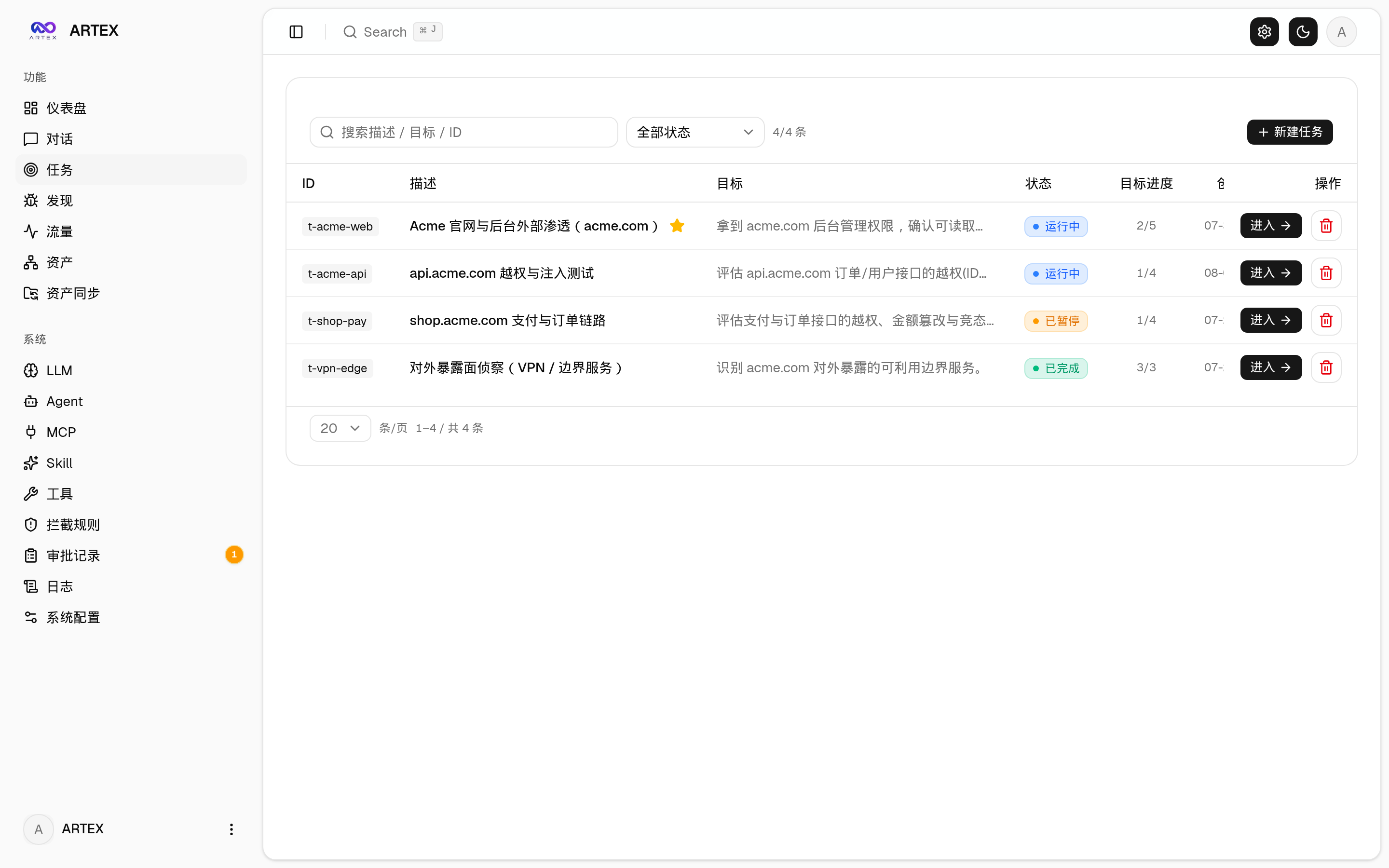
Task list |
 |
 |
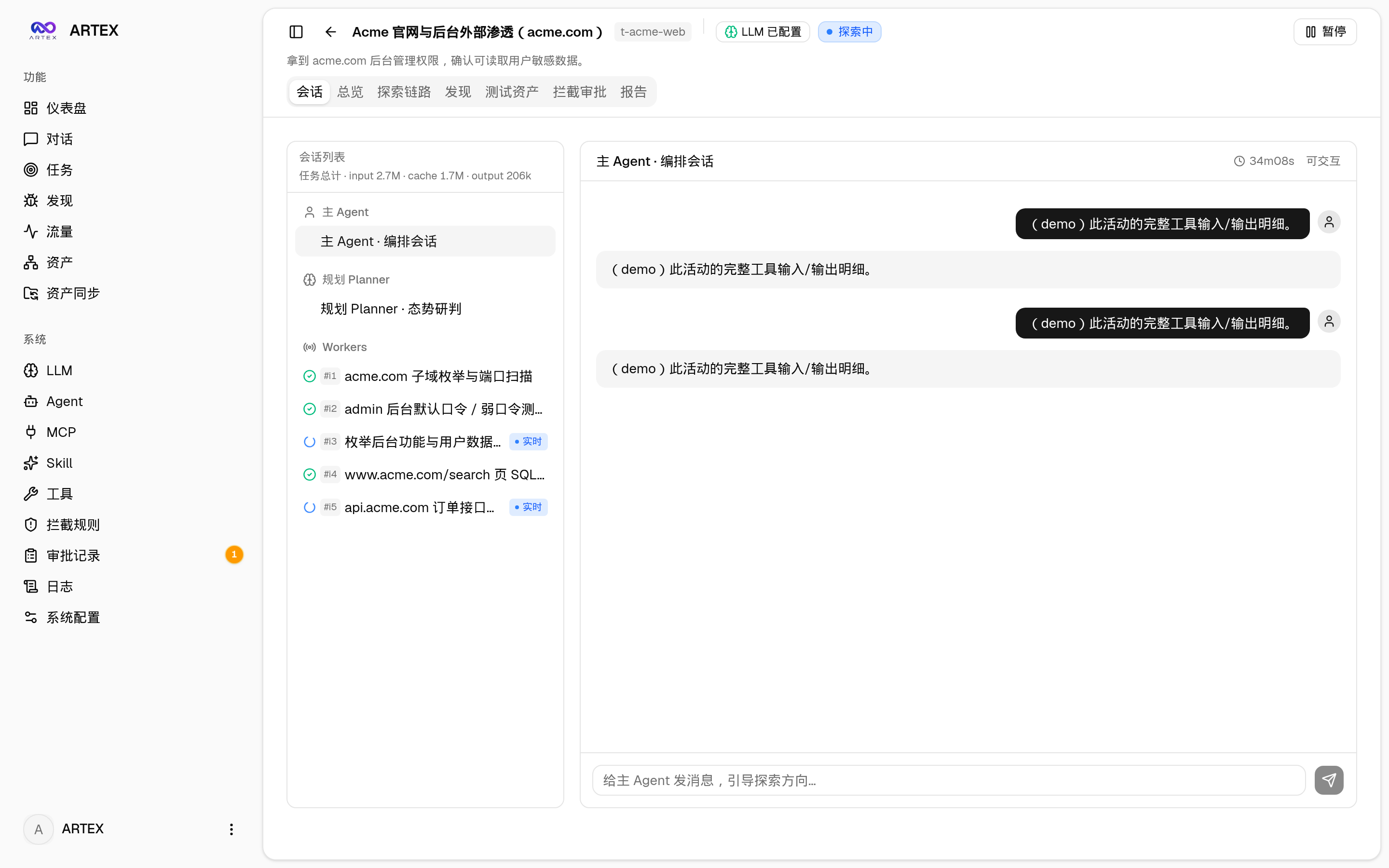
| Task · execution (sessions / tool calls) |
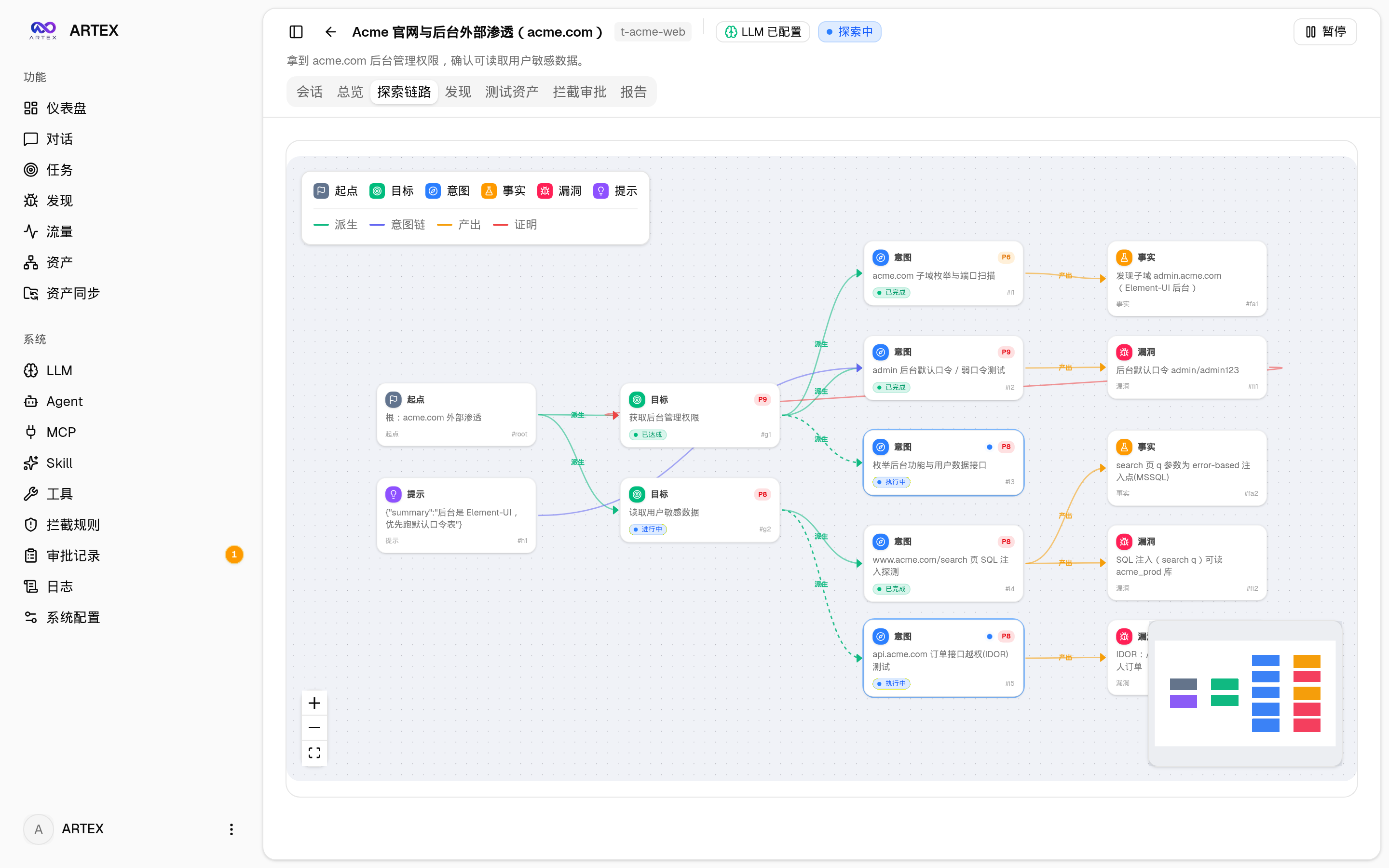
Exploration graph |
 |
 |
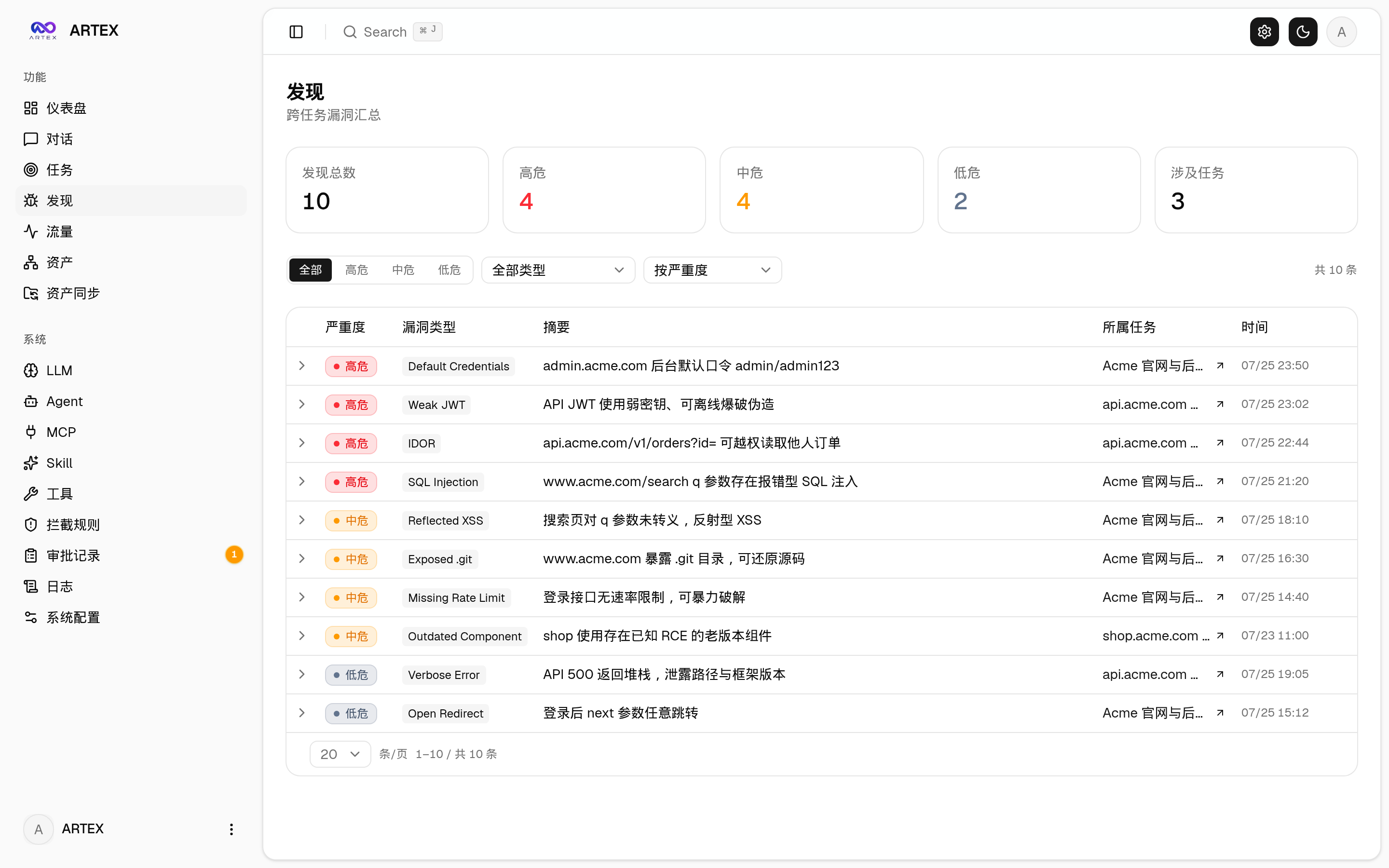
| Findings |
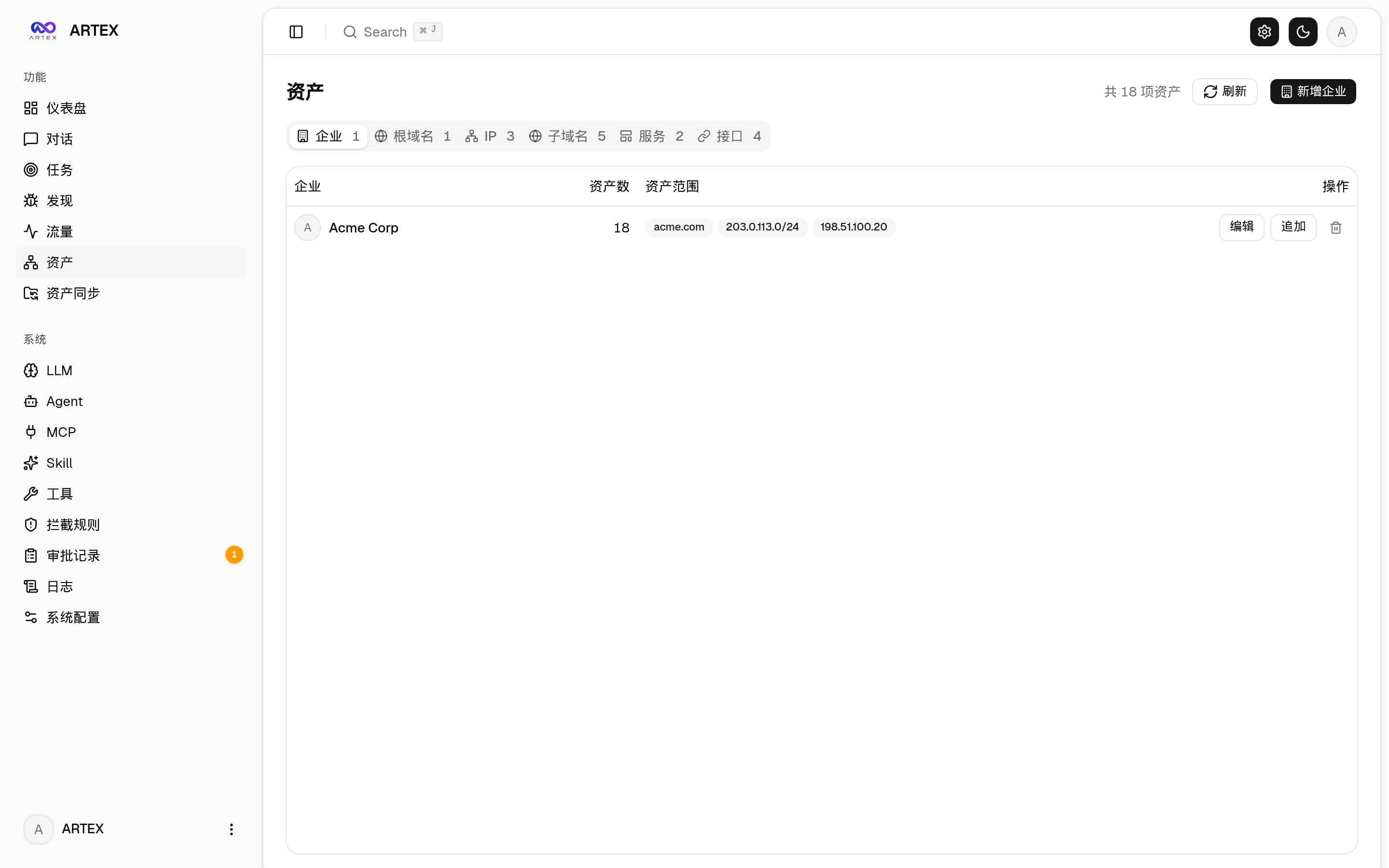
Assets |
 |
 |
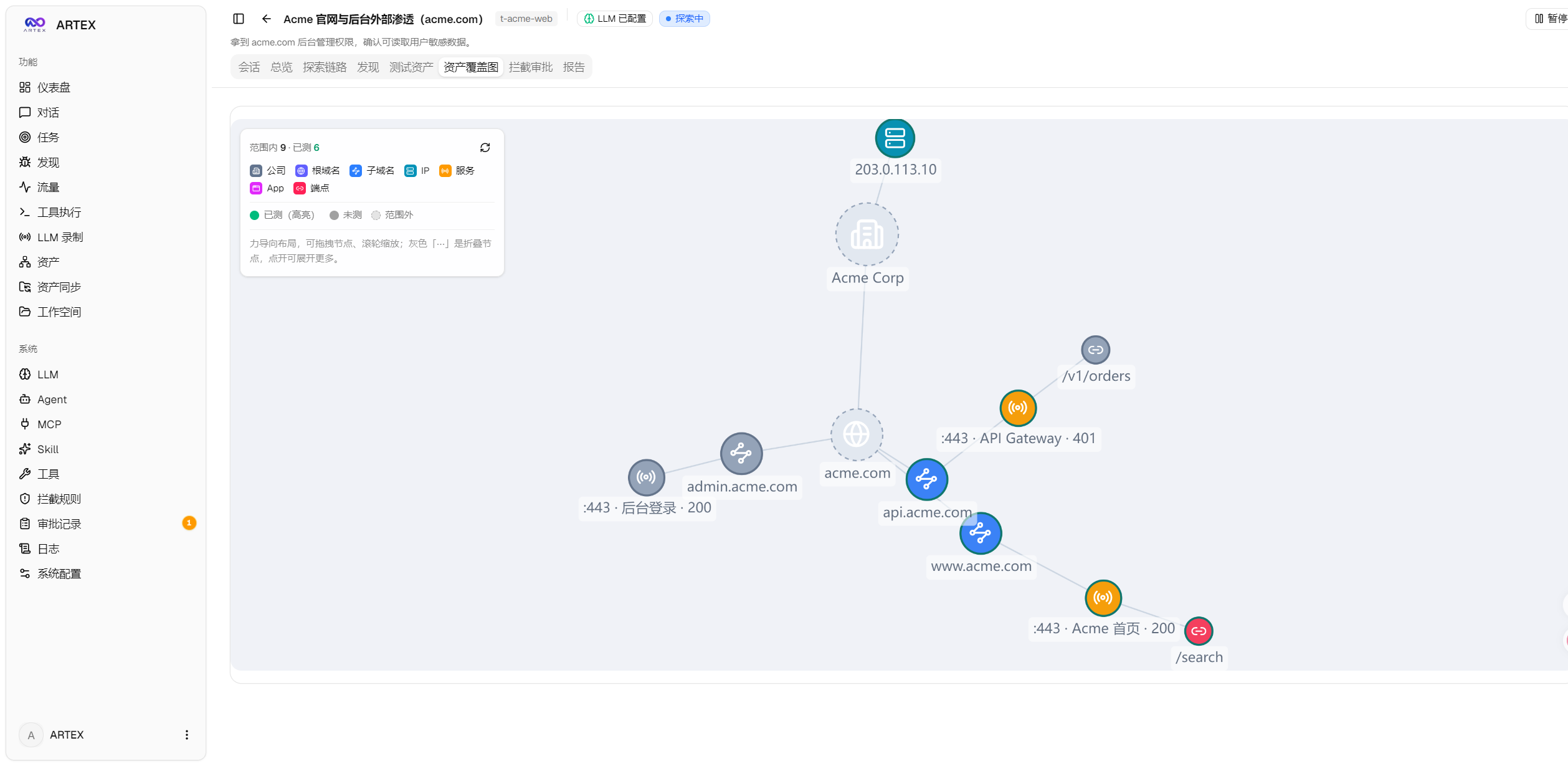
| Asset coverage graph (force-directed layout · tested highlights · node collapse/expand) |
 |
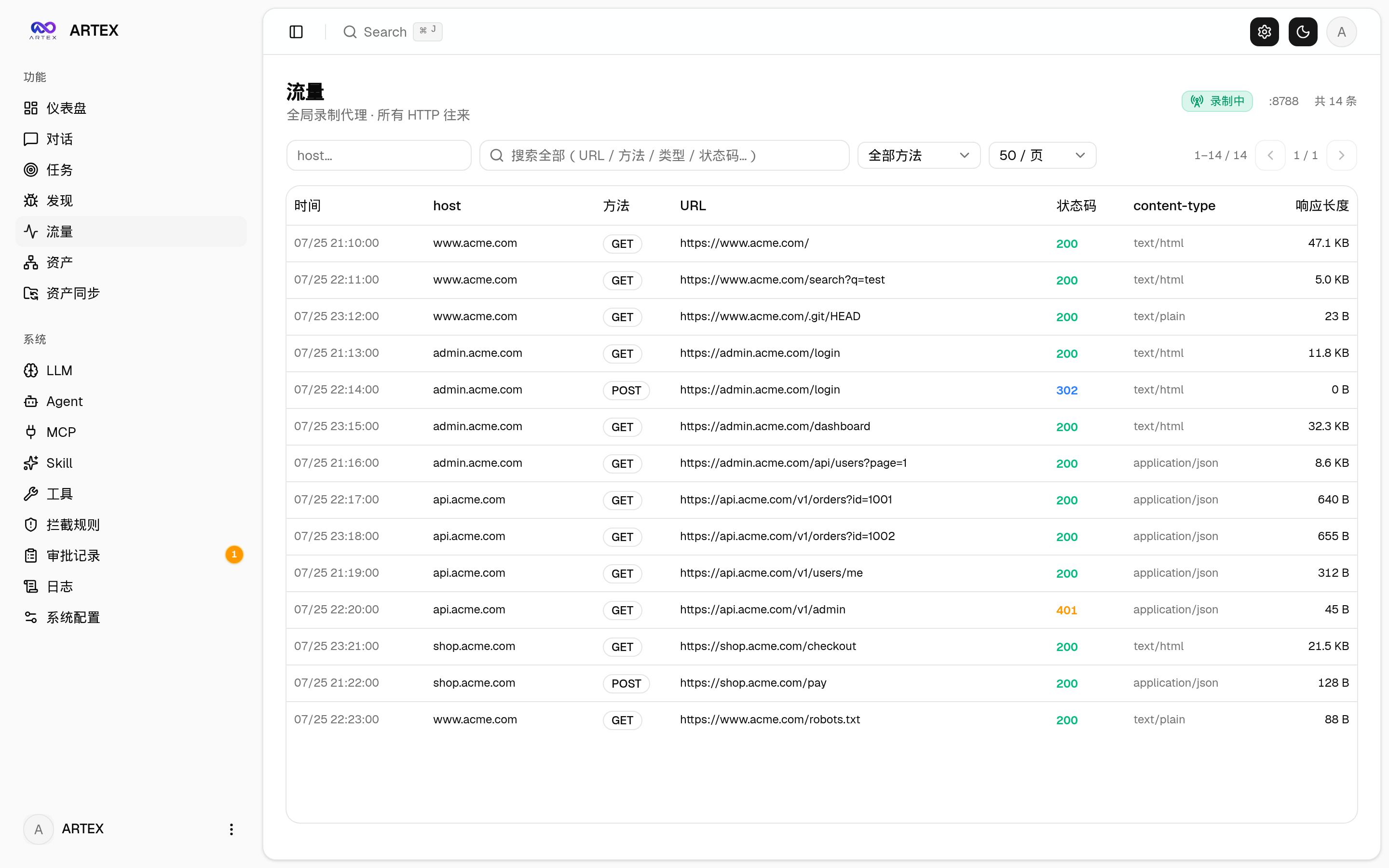
| Traffic recording |
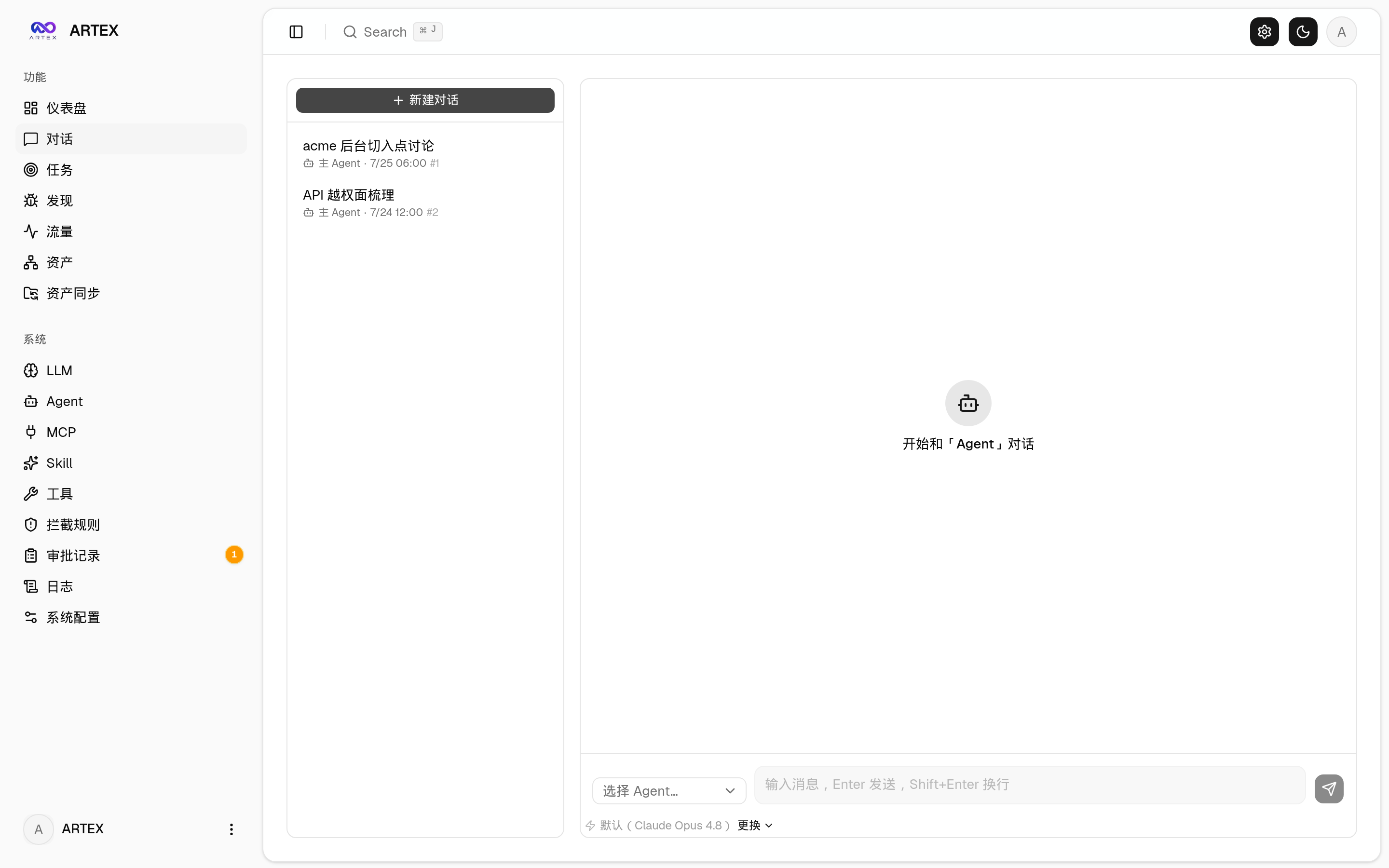
Human-in-the-loop chat |
 |
 |
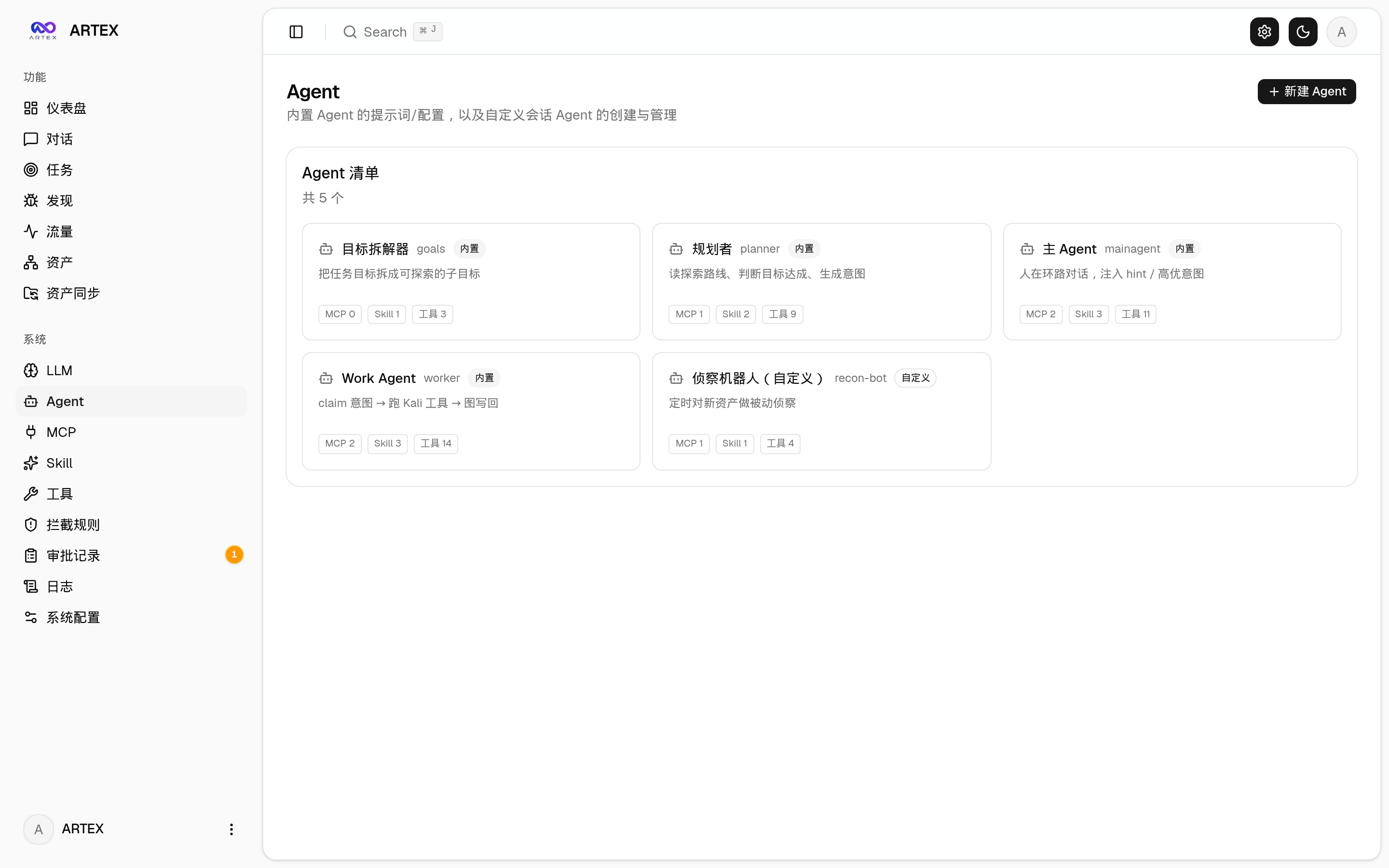
| Agent management |
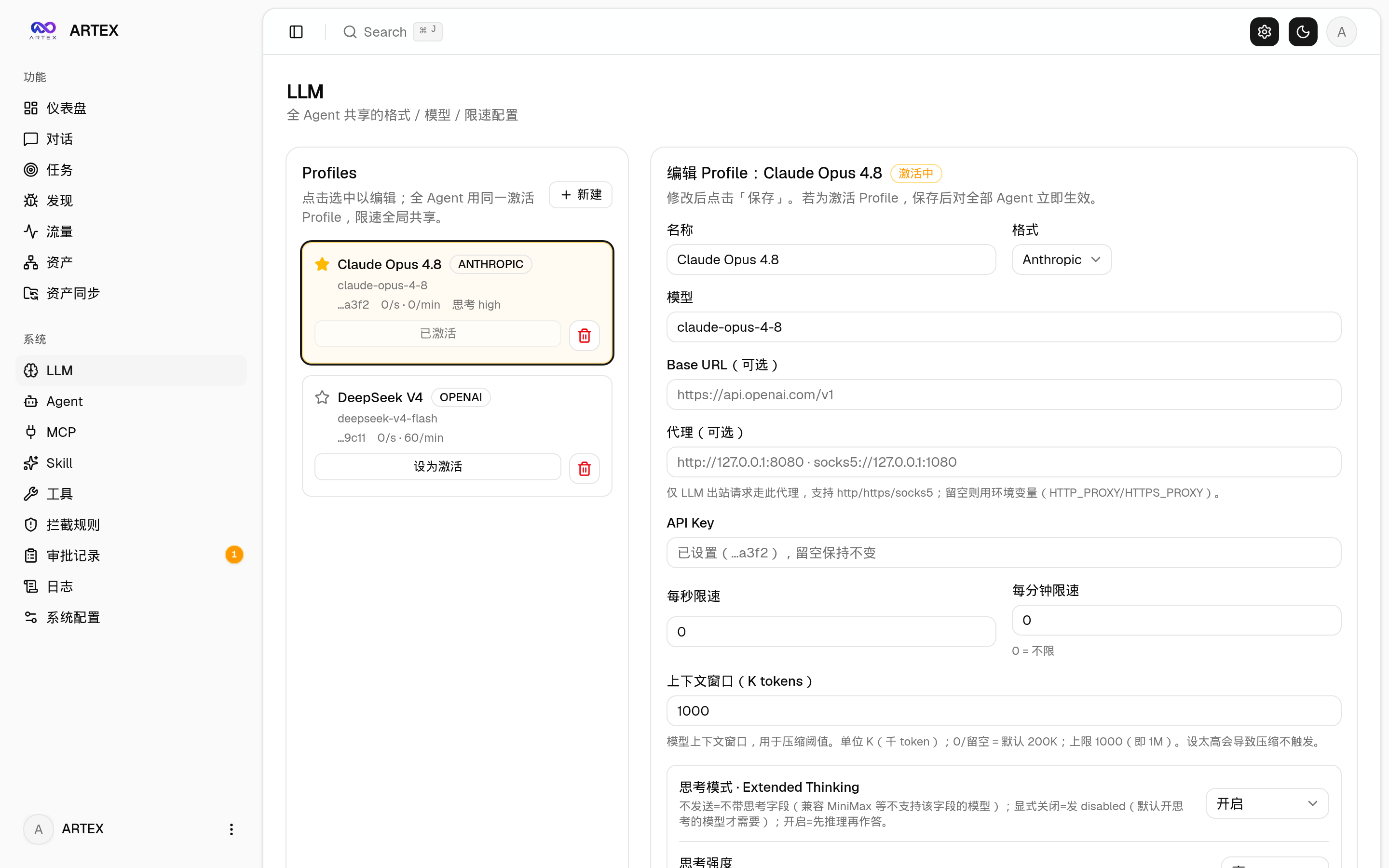
LLM configuration |
 |
 |
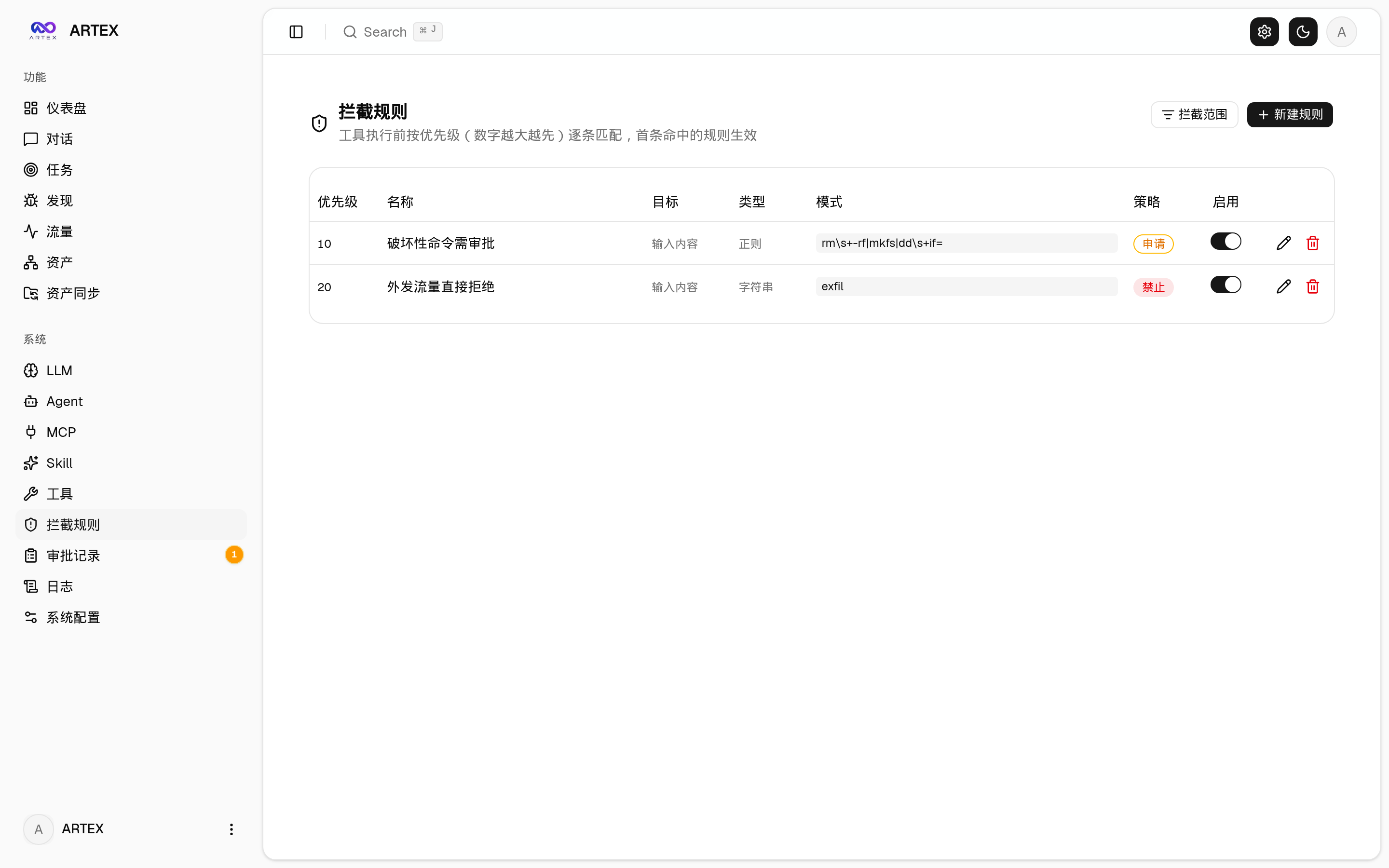
| Interception approvals |
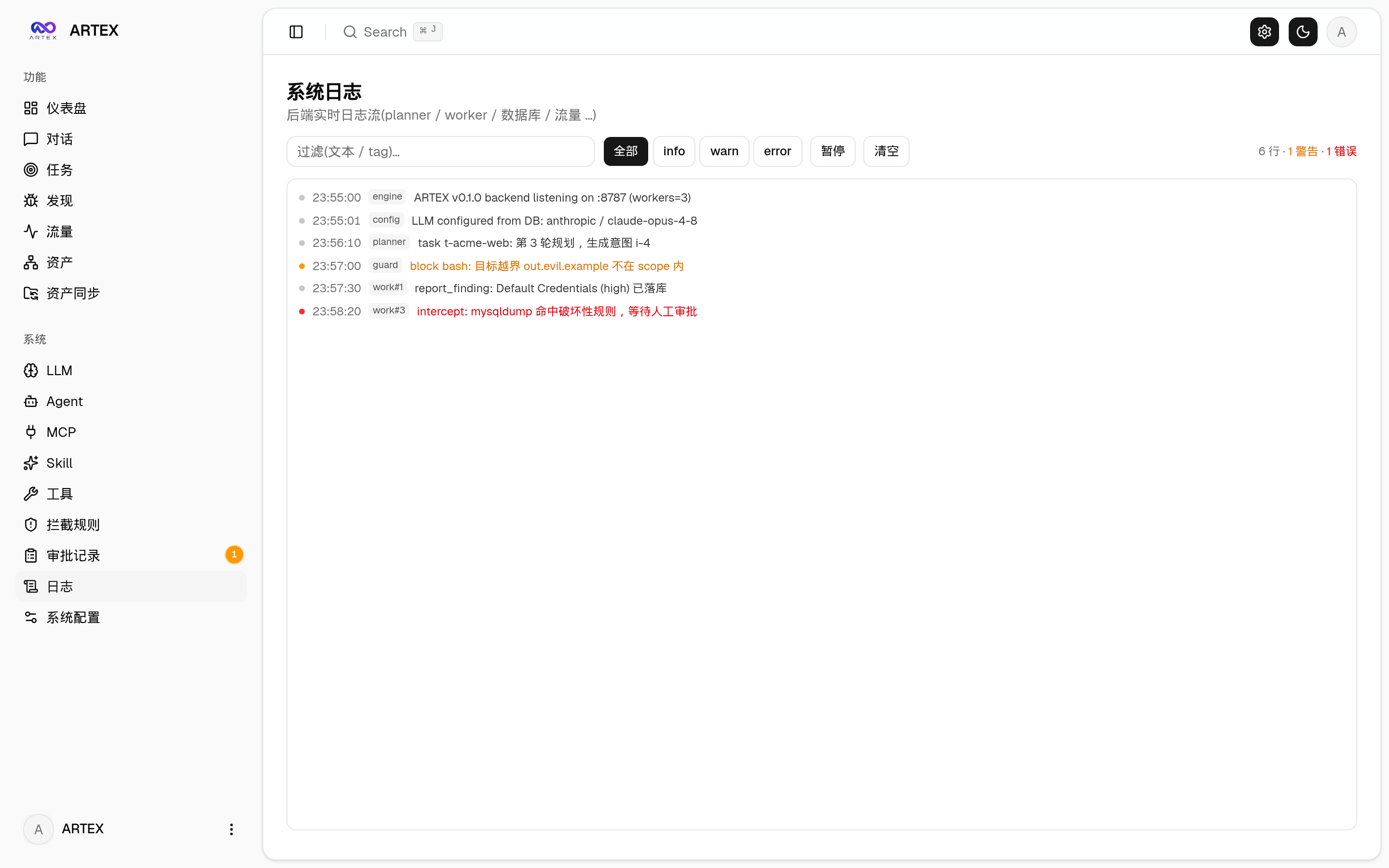
Backend logs |
 |
 |
Approval record details
The global "Approval Records", the in-task "Interception Approvals", and the approval cards in conversations all support expanding to view details. The display structure references the
AegisHook approval details component, reusing ARTEX's components and theme:
Traffic capture browser extension
The bundled browser extension (extension/) turns your own browsing into agent-visible evidence: log into an authenticated target once (captchas, email OTP and 2FA included), and the captured requests/responses land in ARTEX's traffic store like proxy-recorded traffic, ready to search and bind to findings:
- Load the unpacked extension from
extension/ (Chrome/Edge, Developer Mode → Load unpacked);
- In the popup, set your ARTEX URL and token, then press Start capture on the tab you are browsing;
- Use the site normally; text requests/responses are batched to
POST /api/traffic/ingest (authenticated). Binary bodies (images, fonts) are skipped, bodies are truncated at 256 KiB, batches are capped at 50 entries;
- Press Stop when done. Everything stays in your local traffic store.
Asset sync (ScopeSentry)
Sync asset data directly from ScopeSentry, avoiding duplicate collection:
- On the "Asset Sync" page, enter the ScopeSentry address and API Key to connect the data source;
- Choose the targets and asset types to sync by project or task (domains / subdomains / IPs / ports / sites / endpoints…);
- One-click import, merged by company asset scope, straight into ARTEX's asset graph for agents to explore.
Installation
Requires a PostgreSQL database; exploration requires an LLM (ANTHROPIC_API_KEY or OPENAI_API_KEY, which can also be configured in the UI).
Option 1: one-click install script (recommended)
git clone https://github.com/BaaRai/ARTEX.git
cd ARTEX
./install.sh
The script will: detect / auto-install Docker → then let you choose ① all-Docker or ② local build and run:
- ① All-Docker: enter a Postgres password (press Enter for a random one) → auto-writes
.env → docker compose up -d --build (the image is built from this checkout).
- ② Local run: choose a database (connect to an existing one / start one with Docker) → generates
config.json → go builds the embedded single binary → starts.
Once installed, open http://localhost:8787 (on first entry, /setup sets the admin password).
Option 2: Docker Compose (manual)
git clone https://github.com/BaaRai/ARTEX.git
cd ARTEX
cp .env.example .env          # set POSTGRES_PASSWORD, optionally ANTHROPIC_API_KEY
# build the single binary first (frontend, then go build -tags embedui), see the Dockerfile header
docker compose up -d --build  # builds artex from this checkout + starts postgres
# → http://localhost:8787
The image is built locally. There is no published image to pull: the previous
default pointed at a third-party namespace that no longer hosts this project.
The image already includes common tools (ripgrep/curl/vim/npm/nmap…); ./skills and ./data are persisted via bind mounts.
For remote MCP, you can choose http (Streamable HTTP) or sse (legacy SSE) in system settings.
Legacy SSE servers usually establish the event stream with GET /sse, then receive JSON-RPC requests via the
/message?sessionId=... returned by the server; when configuring, set the URL to /sse and the request header as
Authorization=Bearer <token>.
Option 3: download prebuilt binaries (Releases)
Download the zip for your platform from Releases; after extracting you get artex + start.sh (start.bat on Windows) + skills/ + config.example.json:
cp config.example.json config.json   # fill in the database connection
./start.sh                           # → http://localhost:8787
Please start with start.sh / start.bat instead of running ./artex directly. It is a daemon script: if the process crashes, it restarts it after a backoff.
To keep it running in the background: nohup ./start.sh >artex.log 2>&1 &.
Option 4: build the single binary from source
# 1) frontend static export
cd web && npm ci && npm run build:static && cd ..
# 2) copy into the embed directory
cp -r web/out server/webui/dist
# 3) build (only -tags embedui embeds the frontend)
CGO_ENABLED=0 go build -tags embedui -o artex ./cmd/artex
./start.sh
build.sh first builds and embeds the frontend, then strips debug info via the Go linker, and compresses the release files into zips. Release mode generates zips for Linux amd64/arm64, macOS amd64/arm64, and Windows amd64 by default:
./build.sh --release
# output: dist/artex-0.3.3-*.zip
UPX self-extracting binaries may be incompatible with some Linux kernels, virtualization environments, or security policies, so they are disabled by default. Use ARTEX_TARGETS to customize the targets; when you have confirmed the target runtime is compatible, explicitly pass --upx to further shrink the binary:
ARTEX_TARGETS=linux/amd64,windows/amd64 ./build.sh --release
./build.sh --target linux/amd64 --upx
Backups
scripts/backup.sh dumps the Postgres database (and optionally the data
directory) with timestamped output and rotation:
scripts/backup.sh --with-data          # db dump + data/ archive, keep 14
scripts/backup.sh --keep 7             # db only, keep 7
Restore a dump into a running stack:
gunzip -c backups/artex-db-<timestamp>.sql.gz | docker compose exec -T postgres \
  psql -U "$POSTGRES_USER" -d "$POSTGRES_DB"
Daily cron example (03:20, operator crontab):
20 3 * * * cd /path/to/ARTEX && scripts/backup.sh --with-data >> backups/backup.log 2>&1
Updating and upgrading
Upgrading only swaps the program and never touches data: the Postgres volume pgdata, ./data (jwt.key / SQLite, etc.), and ./skills are all preserved. No manual database migration is needed: artex idempotently re-runs schema.sql on every start (with ADD COLUMN / CREATE INDEX IF NOT EXISTS), i.e. "restart equals migrate". It is still recommended to back up ./data and the database before upgrading.
Upgrading from a clone made before 2026-10-23
The repository history was rewritten that day to drop a personal email address from the commit metadata. A clone made before then cannot fast-forward, and ./update.sh now stops instead of silently rebuilding stale code. Recover once, then upgrade normally:
git stash                 # only if you have local changes
git fetch origin
git reset --hard origin/main
git stash pop             # only if you stashed
Your data is not affected: ./data, the pgdata volume and ./skills are not part of the git history.
Option 1: one-click update script
cd ARTEX
./update.sh
The script first optionally git pulls the latest code, then lets you choose ① Docker update or ② local build update (matching install.sh):
- ① Docker: rebuilds the image from this checkout →
docker compose build artex → docker compose up -d artex (restarting migrates the schema automatically).
- ② Local: rebuild the frontend static assets → recompile
./artex (restart the process for it to take effect).
Option 2: Docker Compose (manual)
cd ARTEX
git pull                       # update compose / scripts
docker compose build artex     # rebuild the image from this checkout
docker compose up -d artex     # recreate the container → schema migrates automatically
docker image prune -f          # clean up old images (optional)
Option 3: prebuilt binaries (Releases)
Download the new version's zip from Releases, stop the old process, then overwrite artex and skills/ (keep your config.json and data/), and restart:
cp -r <extracted dir>/skills ./ && cp <extracted dir>/artex ./
./start.sh
Option 4: build from source
git pull
cd web && npm ci && npm run build:static && cd ..
cp -r web/out server/webui/dist
CGO_ENABLED=0 go build -tags embedui -o artex ./cmd/artex
# restart ./start.sh
Configuration
Database (config.json, or override with the ARTEX_PG_DSN environment variable):
{
  "database": {
    "host": "127.0.0.1", "port": 5432,
    "user": "artex", "password": "yourpass",
    "dbname": "artex", "sslmode": "disable"
  }
}
LLM: export ANTHROPIC_API_KEY=sk-... (or OPENAI_API_KEY); you can also fill it in on the UI's "LLM Configuration" page — which can add a local Ollama server as a keyless provider (format "Ollama", base URL default http://127.0.0.1:11434/v1, models loaded from the server).
Optional: ARTEX_LLM_PROVIDER (anthropic | openai | openai-responses | ollama) / ARTEX_LLM_MODEL / ARTEX_LLM_BASE_URL / ARTEX_LLM_PROXY.
Concurrency: the number of work agents per task is configured in "System Settings" (default 3).
Common flags: ./start.sh -addr :8787 -proxy :8788 (-addr frontend+API, -proxy traffic recording proxy). The startup script passes arguments through to artex verbatim.
Reverse proxy deployment (HTTPS / only exposing 443)
The frontend and API/SSE are served by the same backend port (default :8787), and the realtime activity stream uses the same-origin address by default, so there is no need to configure NEXT_PUBLIC_SSE_BASE: just expose 443 publicly and keep 8787 on the internal network.
SSE is a long-lived connection with continuous pushes, so the reverse proxy must disable buffering, otherwise the browser connects but never receives events (the activity stream spins forever). Nginx example:
server {
    listen 443 ssl;
    server_name your.domain.com;
    # ssl_certificate / ssl_certificate_key ...

    location / {
        proxy_pass http://127.0.0.1:8787;
        proxy_set_header Host $host;
        proxy_set_header X-Forwarded-Proto $scheme;

        # SSE essentials: buffering off, long timeouts, HTTP/1.1
        proxy_buffering off;
        proxy_cache off;
        proxy_read_timeout 3600s;
        proxy_http_version 1.1;
        proxy_set_header Connection "";
    }
}
Only when SSE needs a different origin from the page (e.g. a dedicated subdomain) should you set NEXT_PUBLIC_SSE_BASE at build time (this variable is baked into the static bundle during next build; setting it at container runtime has no effect).
Development
Manual vulnerability retesting
The "Retest" tab on the task details page lets you page through the task's vulnerabilities, review past conclusions and evidence, and manually start a retest. After starting, the current tab keeps its place and shows a spinner with "Retesting"; once the fix is confirmed, the vulnerability status is updated accordingly.
Click "Retest" in the actions area of any row in the vulnerability list, or click "Start Retest" in the "Vulnerability Retest" area of the vulnerability details; fill in the optional fixed version, test conditions, or limits, and the system creates an independent retest agent session while keeping the current page. The flat list, group-by-task, and asset views all support this entry point; while a retest is running, a spinner and "Retesting" are shown: click to enter the corresponding session to watch, and it reverts to "Retest" when finished. Retesting does not require restarting the original scan task; conclusions are "Still reproducible", "Fixed", or "Cannot confirm", and each conclusion, evidence, and session link is saved in the vulnerability details.
On first start, the new backend pre-creates an editable "Vulnerability Retest" (retester) agent; you can configure its prompt, LLM, run budget, and tools in Agent management. It uses its bound LLM by default, or the global active configuration when unbound. When a retest session completes successfully with a "Fixed" conclusion, the system automatically sets the vulnerability's handling status to "Fixed"; running, failed, stopped, or other conclusions keep the original status. Original evidence and reports are always preserved. You can also manually select "Fixed" from the status dropdown. While the same vulnerability is being retested, the existing session is reused; after a stop, failure, or service restart, you can start it again.
In this version, history is viewed via vulnerability details and sessions; it is not yet included in vulnerability report exports or task archive packages, and is not automatically linked to traffic captures. Demo mode only generates clearly labeled simulated records and never requests real targets.
Running and testing locally
./dev.sh # backend(:8787) + traffic proxy(:8788) + frontend next dev(:5173) → http://localhost:5173
- Backend:
go run ./cmd/artex (without -tags embedui, the frontend is not embedded)
- Frontend:
cd web && npm run dev (/api is reverse-proxied to the backend, with hot reload)
- Tests:
go test ./...
- Mock preview (no backend):
cd web && NEXT_PUBLIC_MOCK=1 npm run dev
System architecture
ARTEX is an LLM multi-agent-driven autonomous penetration testing system: a Go monolithic backend (with embedded Next.js frontend) + PostgreSQL; agent capabilities are provided by the norma SDK (agentcore / tool / permission / harness / memory / transcript). At its core is a dual-graph architecture, plus two autonomy mechanisms built around it: process-level information exchange between workers and the planner's multi-round shared todolist that stabilizes attack chains.
Overall layering
flowchart TB
  subgraph FE["Frontend Next.js (go:embed embedded single binary)"]
    UI["Dashboard · Tasks · Assets · Coverage graph · Traffic · Workspace · System settings"]
  end
  subgraph SRV["server (Go net/http)"]
    API["REST /api/*  JWT auth  SSE"]
    ENG["engine scheduling loop"]
    MGR["Manager  task/engine/store lifecycle"]
  end
  subgraph AG["agent (norma SDK)"]
    GO["goals  goal decomposition + scope extraction"]
    PL["planner  the planner (sole intent generator)"]
    WK["worker  executor ×N"]
    MA["mainagent  human-in-the-loop"]
  end
  subgraph DB["PostgreSQL"]
    AGRAPH["Asset graph  assets / companies / task_scope"]
    EGRAPH["Exploration graph  exploration_nodes / anchors / activity"]
  end
  subgraph SUB["Supporting subsystems"]
    PROXY["Traffic recording proxy  MITM + CA tracing"]
    GUARD["guard / intercept  tool approval gate"]
    ENR["enrich  DNS / HTTP async enrichment"]
    EXT["MCP · skills · memory · report"]
  end

  UI -->|HTTP| API
  API --> MGR --> ENG
  ENG --> PL
  ENG --> WK
  API --> MA
  API --> GO
  PL --> DB
  WK --> DB
  MA --> DB
  GO --> DB
  WK -->|"Bash / HTTP fully traced"| PROXY
  WK --> GUARD
  WK --> ENR
  PL -.-> EXT
  WK -.-> EXT
  MA -.-> EXT
| Layer |
Responsibility |
| Frontend |
Next.js static export, embedded into the single binary via go:embed; visualizes tasks/assets/exploration graph/coverage graph, human-in-the-loop chat |
| server |
net/http routing + JWT auth + SSE; Manager owns the lifecycle of tasks, engines, and DB stores |
| engine |
One plannerLoop + N worker goroutines per task; intent claiming, timeout/pause/drain |
| agent |
goals / planner / worker / mainagent; ToolSet exposes the dual graphs as LLM tools |
| db |
Postgres persistence of the dual graphs (pgx); the schema is embedded via go:embed and idempotently applied on every start |
| Supporting |
Recording MITM proxy, approval gate, async enrichment, MCP/skills/memory/report |
Dual-graph architecture: exploration graph + asset graph
The system splits "what the goals are" and "how far testing has progressed" into two mutually independent graphs linked by anchors:
- Asset Graph (globally shared): a single source of truth for assets shared across tasks. Nodes are
root_domain / subdomain / ip / service / app / endpoint, owned by companies; the parent-child relationships domain→subdomain→service→endpoint and the dedup keys are all computed by the program: agents only submit raw information.
- Exploration Graph (per-task): the "thinking and advancing" process of one task. Nodes are
goal / intent / fact / finding (vulnerability) / hint, connected by edges like spawns / derived_from / yields / proves into a lineage chain, answering "which directions derive from which facts, and what they produced".
- The two graphs are linked by anchors:
exploration_anchors(node_id, asset_id) anchors intents/facts/vulnerabilities to concrete assets: so you can see which assets an exploration direction hits, and conversely look up from a given asset which intents tested it in this task and which facts were derived. This also powers asset test coverage and the asset coverage graph (in-scope assets + tested highlights).
flowchart LR
  subgraph EG["Exploration graph (per-task · advance chain)"]
    direction TB
    G["goal"]
    I1["intent A"]
    F1["fact"]
    I2["intent B"]
    FD["finding (vulnerability)"]
    G -->|spawns| I1
    I1 -->|yields| F1
    F1 -->|derived_from| I2
    I2 -->|proves| FD
  end
  subgraph AG["Asset graph (globally shared · source of truth)"]
    direction TB
    RD["root_domain"]
    SD["subdomain"]
    SV["service"]
    EP["endpoint"]
    RD --> SD --> SV --> EP
  end
  I1 -. anchor .-> SD
  F1 -. anchor .-> SV
  I2 -. anchor .-> EP
  FD -. anchor .-> EP
Division of labor: the planner reads the exploration graph's situation, judges goals, and dispatches intents into the frontier only when there are uncovered new directions; a worker claims one intent, executes with real tools, writes new assets/facts/vulnerabilities back into both graphs, then stops. The asset graph is shared facts; the exploration graph is the per-task advance chain.
Engine and intent lifecycle (the closed loop of one exploration)
The engine is an event-driven closed loop: any graph change wakes the planner, the planner dispatches intents, workers claim and execute intents and write back, and the write-back triggers the next round, until the goal is proven (prove_goal).
sequenceDiagram
  autonumber
  participant EV as graph-change debounce
  participant P as planner
  participant FR as frontier intent queue
  participant W as worker
  participant PX as recording proxy
  participant DB as dual graphs + activity

  EV-->>P: wake up
  P->>DB: read situation (graph_overview prefetch + coverage/scope)
  P->>FR: dispatch 0..N intents (with asset_ids)
  Note over P,FR: most wake-ups dispatch 0 (no new direction means done)
  W->>FR: claimNext claims one intent
  W->>DB: fetch the raw assets of the intent's asset_ids as initial information
  W->>PX: real tool execution (Kali / Bash / HTTP)
  PX-->>W: response (fully traced + CA verified)
  W->>DB: write back fact / asset / finding + per-step activity
  DB-->>EV: graph change
  EV-->>P: wake again (closed loop)
During a deep exploration, many valuable observations (an error, a response snippet, a hidden parameter) appear in a worker's execution process but may never be written as formal facts. To avoid duplicate work and let workers on the chain stand on each other's shoulders, workers can search processes across works:
search_all_worker_traces(q): keyword-search the execution processes of other works in this task (automatically excluding the steps of your own intent); hits carry intent_id;list_worker_traces / get_worker_trace(intent_id, step_ids=[…]): first see which works have run, then fetch the full content of specific steps of a given work for detailed exchange.
This way, even before a corresponding fact exists on the exploration graph, later workers can reuse observations from others' processes: information flows between workers at "execution process" granularity, while the boundary stays the same (each worker still only works on the intent it claimed).
flowchart LR
  WA["worker A (intent #12)"] -->|"per-step activity"| ACT[("exploration graph · activity process store")]
  WB["worker B (intent #34)"] -->|"per-step activity"| ACT
  WC["worker C (intent #56)"] ==>|"1) search_all_worker_traces(q)"| ACT
  ACT ==>|"2) hits on A/B steps (self excluded)"| WC
  WC ==>|"3) get_worker_trace(id, step_ids)"| ACT
  ACT ==>|"4) returns full process content"| WC
The planner's multi-round shared todolist → stable attack chains
Real attack chains are usually multi-step sequences with dependencies (e.g.: find an injection point → obtain credentials → move laterally → escalate privileges); dispatching them all in parallel at once would only cause chaos. The planner therefore keeps a planning todolist that is retained per task and shared across wake-ups:
- The planner is event-driven, woken on every graph change, but each wake-up is a brand-new session; the shared todolist lets it record a serial exploitation chain once, then dispatch intents step by step by dependency over subsequent rounds, instead of pre-expanding the whole chain in a single round;
- Each round only dispatches intents for next steps whose "prerequisite steps are complete and the facts they depend on exist", and updates the list as progress happens (marking steps satisfied by facts as done).
flowchart TB
  subgraph TODO["Shared todolist (retained per task · persists across wake-ups)"]
    direction LR
    T1["1 injection point  [done]"]
    T2["2 get credentials  [in progress]"]
    T3["3 lateral movement  [pending prerequisite]"]
    T4["4 privilege escalation  [pending prerequisite]"]
    T1 -.prerequisite met.-> T2 -.-> T3 -.-> T4
  end
  R1["round 1 wake-up  dispatch intent ①"] --> T1
  R2["round 2 (① produced a fact)  dispatch intent ②"] --> T2
  R3["round 3 (② produced a fact)  dispatch intent ③"] --> T3
Thus, even in an "event-driven + stateless session" environment, the attack chain still advances steadily, without repetition or reordering: this is the key to ARTEX autonomously completing multi-step exploitation chains.
References
https://github.com/oritera/Cairn
License and disclaimer
Open source license
This project is licensed under the GNU Affero General Public License v3.0 (AGPL-3.0); see the LICENSE file in the repository root for the full terms.
This means anyone may freely use, modify, and distribute this project, but derivative works must also be open-sourced under AGPL-3.0; in particular, if you modify this project and provide it to users over a network (e.g. deployed as an online service), you must also make the corresponding complete source code available to those users.
⚠️ Important: the open source license itself does not restrict how the software is used. The "Usage restrictions" and "Disclaimer" below are additional terms and a solemn statement from the maintainers to users, so please abide by them.
ARTEX is an offensive-security tool. Use it only against systems you own, or that you are explicitly authorized to test (your own lab, your organization's assets, or a bug bounty / vulnerability disclosure program's targets within its published scope and rules of engagement). Any use without authorization is a violation of these terms.
Permitted use
- Read, learn, and study this project's source code;
- Run it against systems you own or in isolated lab environments;
- Run it against authorized bug bounty / vulnerability disclosure program targets, within their published scope and rules of engagement;
- Academic research and code review.
Prohibited actions
- It is strictly forbidden to scan, probe, exploit, or attack any website, online service, or networked system without the explicit authorization of its owner;
- It is strictly forbidden to test outside a program's published scope, or in violation of its rules of engagement;
- It is strictly forbidden to use this tool for illegal intrusion, data theft, extortion, denial of service, or any destructive or criminal activity;
- It is strictly forbidden to use this tool for anything that violates the laws and regulations of your country/region.
Compliance responsibility
Users must comply with all laws and regulations of their country/region regarding cybersecurity, data protection, and computer crime. All legal liability and consequences arising from the use of this tool are borne by the user.
Disclaimer
This project is provided "as is", without any express or implied warranty. The authors and contributors are not liable for any direct or indirect loss, data loss, system damage, or legal disputes caused by the use of this tool (whether used properly or not). Downloading, installing, or using this project means you have read, understood, and agreed to all of the above terms.

 ARTEX is an AI-driven autonomous penetration testing system. LLM agents plan and run security tests against targets, and findings, assets and an exploration graph are shown in one web UI.