

Что это такое?
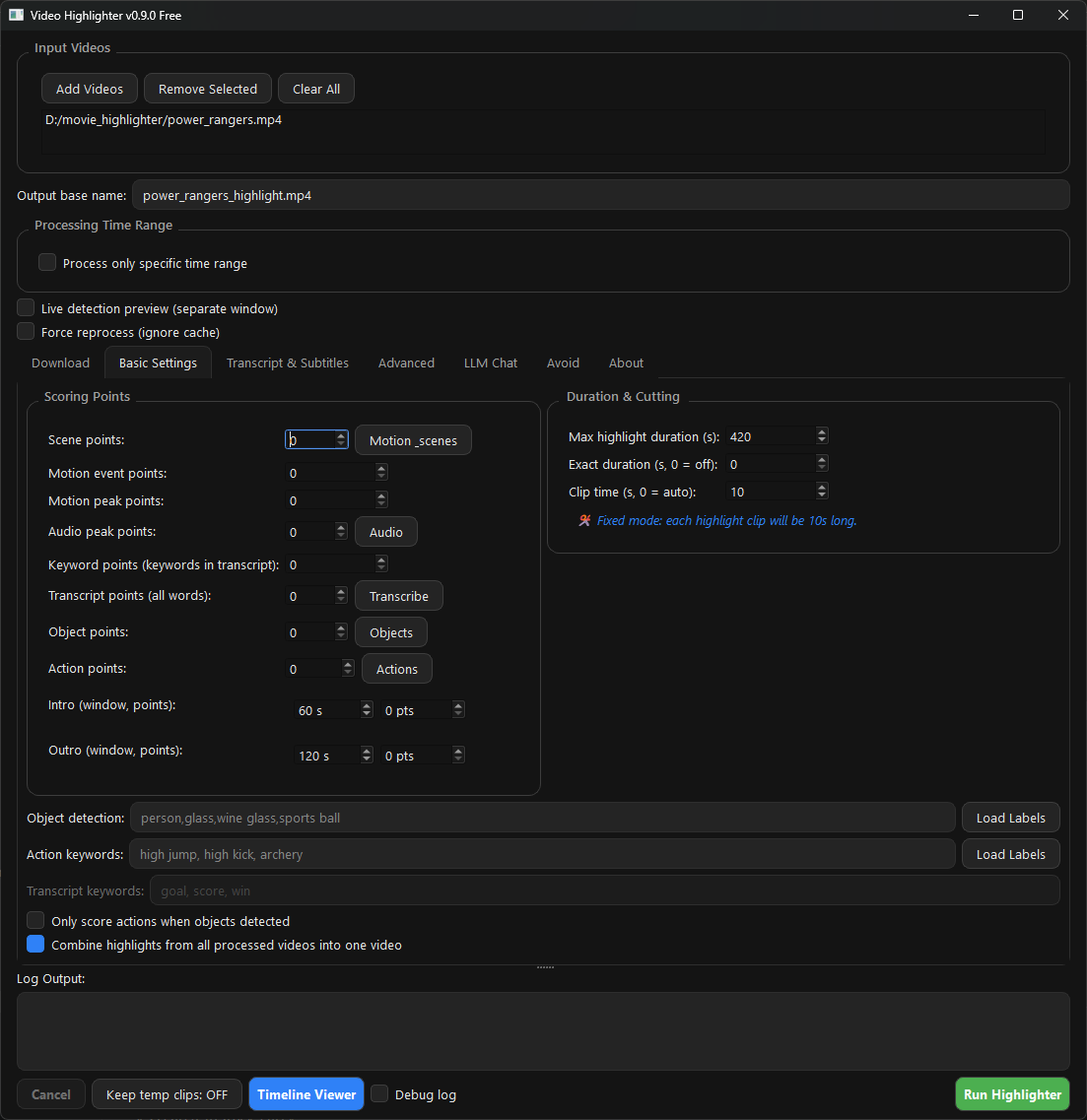
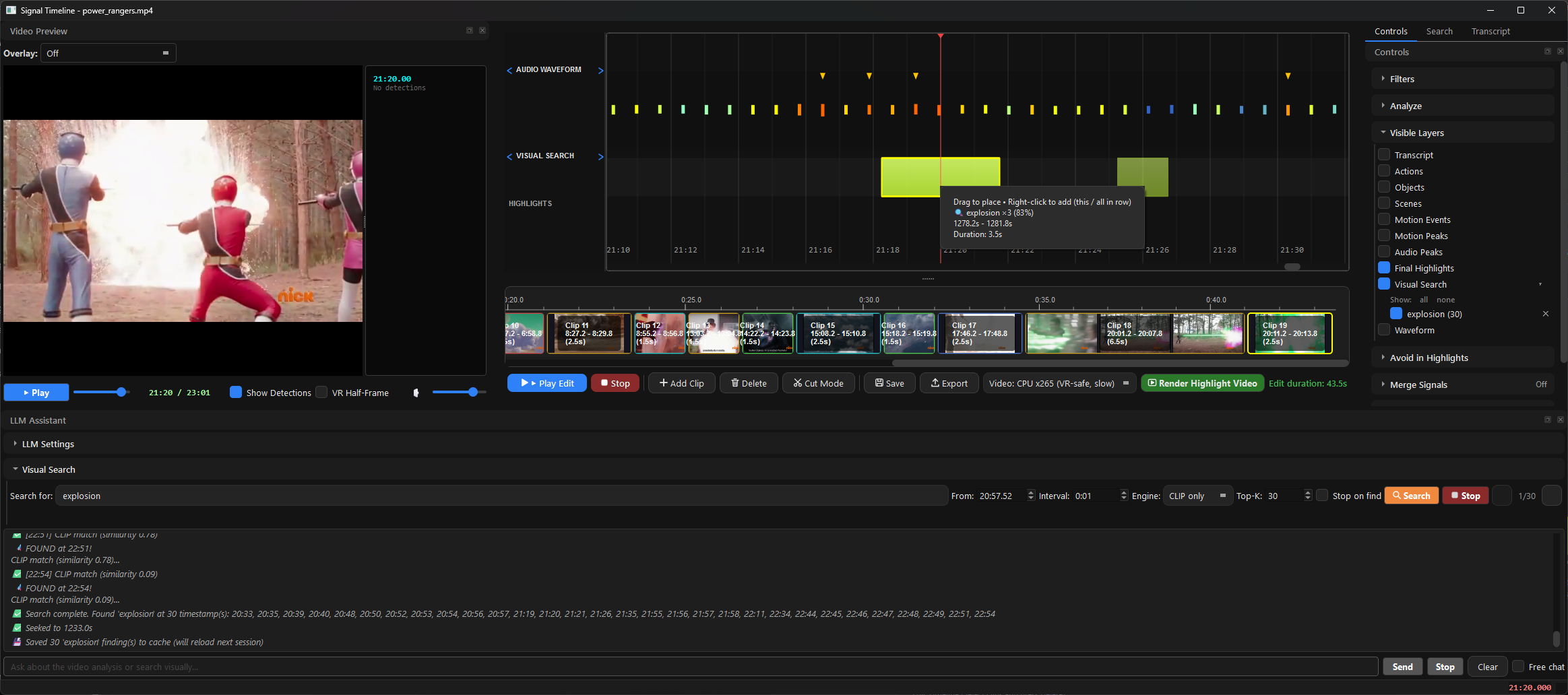
 Бесплатное настольное приложение с открытым кодом, которое находит и объясняет яркие моменты в вашем видео, а затем экспортирует нарезку лучших моментов и отдельные клипы — офлайн-альтернатива Twelve Labs, Runway и Descript.
Бесплатное настольное приложение с открытым кодом, которое находит и объясняет яркие моменты в вашем видео, а затем экспортирует нарезку лучших моментов и отдельные клипы — офлайн-альтернатива Twelve Labs, Runway и Descript.Это настольное приложение или облачный сервис?Локальное настольное приложение для Windows, macOS и Linux: вы загружаете в него исходное видео, а распознавание, оценка и экспорт выполняются на вашем же компьютере.
Локальное настольное приложение для Windows, macOS и Linux: вы загружаете в него исходное видео, а распознавание, оценка и экспорт выполняются на вашем же компьютере.Как установить его на Windows, macOS или Linux?Из Releases: запустите 00-VideoHighlighter-Windows-Setup.exe на Windows (для одного пользователя, без прав администратора) или перетащите .dmg в Applications на macOS; из исходников: pip install -r requirements.txt && python main.py. FFmpeg входит в комплект.
Из Releases: запустите 00-VideoHighlighter-Windows-Setup.exe на Windows (для одного пользователя, без прав администратора) или перетащите .dmg в Applications на macOS; из исходников: pip install -r requirements.txt && python main.py. FFmpeg входит в комплект.Установщик Windows вызывает предупреждение SmartScreen — это нормально?Да — сборка пока не имеет цифровой подписи, поэтому нажмите «Подробнее» → «Выполнить в любом случае». На macOS также нужно один раз снять флаг карантина командой xattr -dr com.apple.quarantine /Applications/VideoHighlighter.app.
Да — сборка пока не имеет цифровой подписи, поэтому нажмите «Подробнее» → «Выполнить в любом случае». На macOS также нужно один раз снять флаг карантина командой xattr -dr com.apple.quarantine /Applications/VideoHighlighter.app.Моё видео куда-то загружается, когда оно его анализирует?Нет — анализ, распознавание и локальная транскрипция через Whisper работают полностью офлайн, а базовому конвейеру не нужен API-ключ. Можно даже держать LLM через Ollama на другом компьютере в вашей локальной сети.
Нет — анализ, распознавание и локальная транскрипция через Whisper работают полностью офлайн, а базовому конвейеру не нужен API-ключ. Можно даже держать LLM через Ollama на другом компьютере в вашей локальной сети.Что означает лицензия AGPL-3.0, если я изменю программу или размещу её у себя?Ей можно свободно пользоваться, изменять и распространять её, но изменённые версии — в том числе те, что предоставляются через сеть, — должны открывать полный исходный код под той же лицензией. Отдельно предлагается и коммерческая лицензия.
Ей можно свободно пользоваться, изменять и распространять её, но изменённые версии — в том числе те, что предоставляются через сеть, — должны открывать полный исходный код под той же лицензией. Отдельно предлагается и коммерческая лицензия.Нужна ли видеокарта NVIDIA, или подойдут AMD и Intel?Подойдёт любая из трёх — работает на Windows, macOS и Linux с видеокартами Intel, AMD и NVIDIA, есть руководства по ускорению для каждого производителя, а также бэкенды CUDA и OpenVINO.
Подойдёт любая из трёх — работает на Windows, macOS и Linux с видеокартами Intel, AMD и NVIDIA, есть руководства по ускорению для каждого производителя, а также бэкенды CUDA и OpenVINO.Есть ли что-то, что доступно только в платной версии Pro?Нет. Бесплатная версия уже включает офлайн-анализ, распознавание лиц в реальном времени, воспроизведение VR side-by-side, поиск через CLIP, движок монтажа, обучение моделей и сообщество с общими моделями. Pro — отдельная платная редакция, добавляющая только работу в реальном времени: живые подсказки поверх видео при воспроизведении, обучение категории обведением рамки, поиск «похожего на это», детекцию с открытым словарём и счёта/табло — а объяснимый отчёт в обеих версиях одинаковый.
Нет. Бесплатная версия уже включает офлайн-анализ, распознавание лиц в реальном времени, воспроизведение VR side-by-side, поиск через CLIP, движок монтажа, обучение моделей и сообщество с общими моделями. Pro — отдельная платная редакция, добавляющая только работу в реальном времени: живые подсказки поверх видео при воспроизведении, обучение категории обведением рамки, поиск «похожего на это», детекцию с открытым словарём и счёта/табло — а объяснимый отчёт в обеих версиях одинаковый.Почему автор это создал?Всё началось как личный инструмент для генерации субтитров к видео для семилетнего сына автора, а потом выросло в генератор лучших моментов из фильмов, спорта и личных записей. Цель осталась той же: быстрый и понятный анализ видео и автоматические субтитры без загрузки записей, которые вы предпочли бы держать у себя.
Всё началось как личный инструмент для генерации субтитров к видео для семилетнего сына автора, а потом выросло в генератор лучших моментов из фильмов, спорта и личных записей. Цель осталась той же: быстрый и понятный анализ видео и автоматические субтитры без загрузки записей, которые вы предпочли бы держать у себя.Какие модели работают под капотом?Детекторы сцен, движения, звука, объектов и действий, визуальный поиск на основе CLIP и локальная транскрипция через Whisper; визуальная LLM работает через Ollama (LLaVA, а CUDA и OpenVINO указаны в темах репозитория). Файл docs/DETECTION-GUIDE.md описывает, в чём силён каждый детектор и где он ошибается.
Детекторы сцен, движения, звука, объектов и действий, визуальный поиск на основе CLIP и локальная транскрипция через Whisper; визуальная LLM работает через Ollama (LLaVA, а CUDA и OpenVINO указаны в темах репозитория). Файл docs/DETECTION-GUIDE.md описывает, в чём силён каждый детектор и где он ошибается.What are similar projects?autoclip, pyvideotrans, meetily, SCM, lipflow, phorminx, VidBee, autoshorts
autoclip, pyvideotrans, meetily, SCM, lipflow, phorminx, VidBee, autoshortsWhich topics is it in?openvino, video-understanding, yolo, transcription, vision-language-model, mac, subtitles, video-editing, local-ai, whisper, object-detection, speech-recognition
openvino, video-understanding, yolo, transcription, vision-language-model, mac, subtitles, video-editing, local-ai, whisper, object-detection, speech-recognition