











Что это такое?
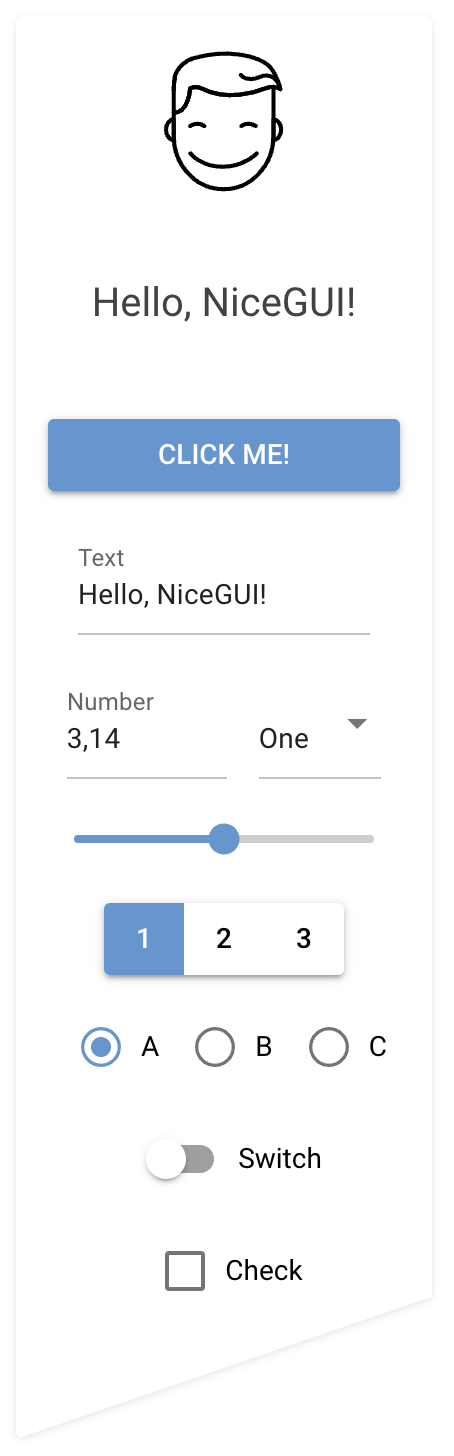
 NiceGUI — простой в использовании фреймворк на Python, который открывается в веб-браузере. С его помощью можно создавать кнопки, диалоговые окна, 3D-сцены, графики, дашборды и многое другое, не написав фронтенд-код самостоятельно.
NiceGUI — простой в использовании фреймворк на Python, который открывается в веб-браузере. С его помощью можно создавать кнопки, диалоговые окна, 3D-сцены, графики, дашборды и многое другое, не написав фронтенд-код самостоятельно.Нужно ли знать HTML или JavaScript, чтобы пользоваться этим?Нет. NiceGUI работает по принципу «сначала бэкенд»: вся логика интерфейса находится в вашем Python-коде, а веб-часть фреймворк берёт на себя. Внутри работает бэкенд на Python/FastAPI с фронтендом на Vue/Quasar, а синхронизация идёт через socket.io.
Нет. NiceGUI работает по принципу «сначала бэкенд»: вся логика интерфейса находится в вашем Python-коде, а веб-часть фреймворк берёт на себя. Внутри работает бэкенд на Python/FastAPI с фронтендом на Vue/Quasar, а синхронизация идёт через socket.io.Как всё запустить?Установите пакет из PyPI, напишите интерфейс в файле вроде main.py и запустите его командой ui.run(). Браузер откроется автоматически, а страница будет перезагружаться при каждом изменении кода.
Установите пакет из PyPI, напишите интерфейс в файле вроде main.py и запустите его командой ui.run(). Браузер откроется автоматически, а страница будет перезагружаться при каждом изменении кода.Что нужно установить помимо самого Python?Ничего, кроме самого Python. NiceGUI распространяется как пакет PyPI, Docker-образ и через conda-forge, так что можно выбрать тот вариант, который подходит вашему рабочему процессу.
Ничего, кроме самого Python. NiceGUI распространяется как пакет PyPI, Docker-образ и через conda-forge, так что можно выбрать тот вариант, который подходит вашему рабочему процессу.Масштабируется ли он на несколько процессов при большой нагрузке?NiceGUI намеренно работает на одном воркере uvicorn и опирается на полноценную поддержку async, а не на синхронизацию нескольких процессов. Это осознанное архитектурное решение, а не ошибка, но его стоит учитывать при развёртываниях с очень большим числом одновременных соединений.
NiceGUI намеренно работает на одном воркере uvicorn и опирается на полноценную поддержку async, а не на синхронизацию нескольких процессов. Это осознанное архитектурное решение, а не ошибка, но его стоит учитывать при развёртываниях с очень большим числом одновременных соединений.Можно ли превратить приложение в настольное, а не в сайт?Да. Тот же код может работать как веб-сервер, к которому обращаются через браузер, или в нативном режиме, когда открывается обычное окно настольного приложения.
Да. Тот же код может работать как веб-сервер, к которому обращаются через браузер, или в нативном режиме, когда открывается обычное окно настольного приложения.Какие элементы интерфейса есть из коробки?Стандартные элементы вроде подписей, кнопок, чекбоксов, ползунков и загрузки файлов, а также продвинутые — для построения графиков, отрисовки 3D-сцен, виртуальных джойстиков, аннотирования изображений, таблиц, сворачиваемых деревьев и встраивания видео и аудио.
Стандартные элементы вроде подписей, кнопок, чекбоксов, ползунков и загрузки файлов, а также продвинутые — для построения графиков, отрисовки 3D-сцен, виртуальных джойстиков, аннотирования изображений, таблиц, сворачиваемых деревьев и встраивания видео и аудио.Можно ли использовать его в блокнотах Jupyter?Да, NiceGUI работает прямо в Jupyter Notebook и поддерживает интерактивный режим Python.
Да, NiceGUI работает прямо в Jupyter Notebook и поддерживает интерактивный режим Python.Обновляется ли интерфейс автоматически при изменении данных?Да, есть простая привязка данных и обновляемые функции (refreshable), благодаря которым интерфейс обновляется с меньшим количеством шаблонного кода.
Да, есть простая привязка данных и обновляемые функции (refreshable), благодаря которым интерфейс обновляется с меньшим количеством шаблонного кода.Для чего он подходит помимо обычных веб-приложений?Он ориентирован на микро-веб-приложения, дашборды, робототехнические проекты и решения для умного дома, а также удобен на этапе разработки, например для настройки алгоритмов машинного обучения или подстройки контроллеров моторов.
Он ориентирован на микро-веб-приложения, дашборды, робототехнические проекты и решения для умного дома, а также удобен на этапе разработки, например для настройки алгоритмов машинного обучения или подстройки контроллеров моторов.What are similar projects?iced, dockge, TradingAgents-CN, reflex, fyne, mygo, profile-summary-for-github, omni-tools
iced, dockge, TradingAgents-CN, reflex, fyne, mygo, profile-summary-for-github, omni-toolsWhich topics is it in?interface, interaction, webapp, gui-framework, website, scripting, toolkit, jupyter-notebook, robotics, async, fastapi, websocket
interface, interaction, webapp, gui-framework, website, scripting, toolkit, jupyter-notebook, robotics, async, fastapi, websocket