







What is this?
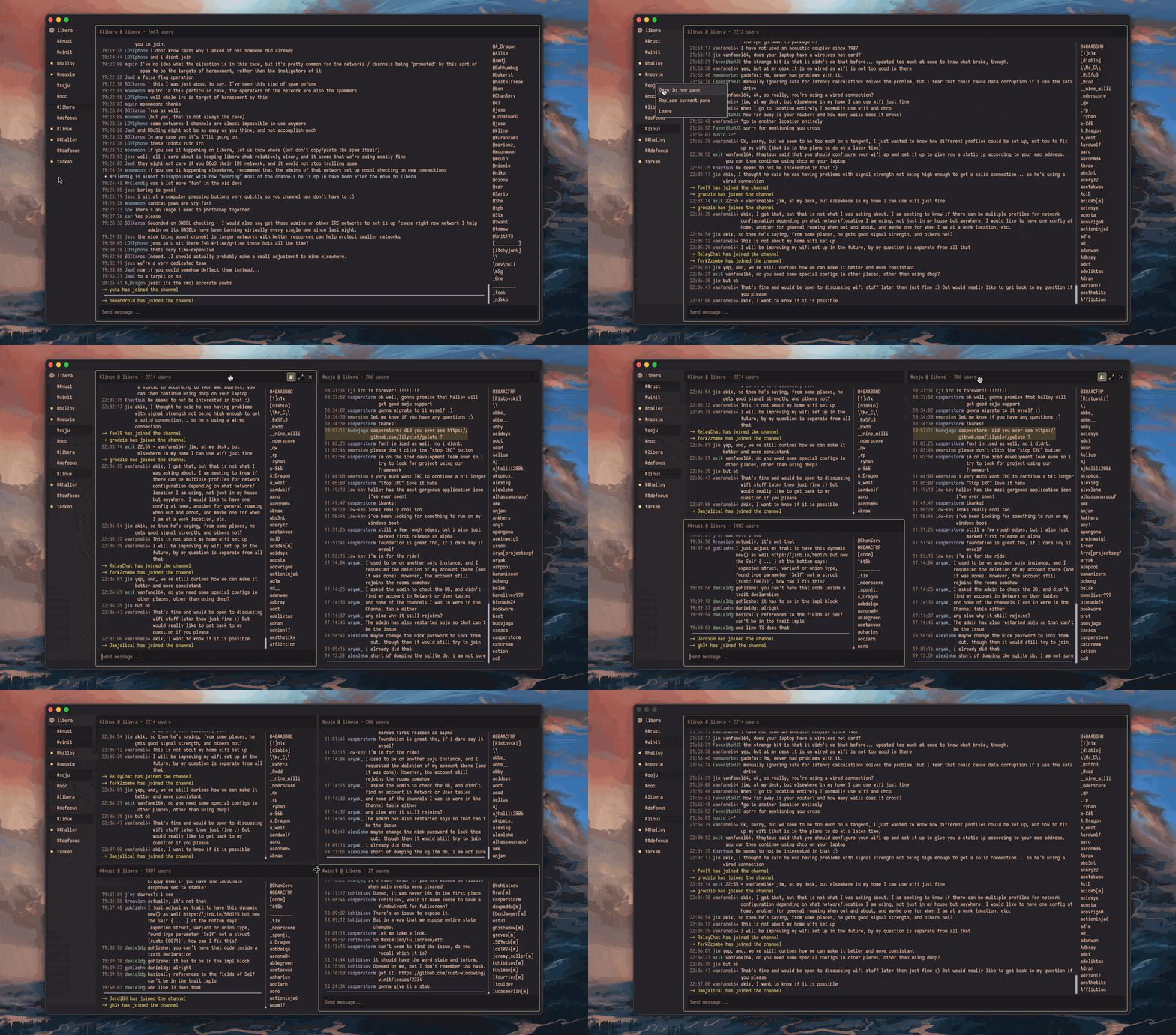
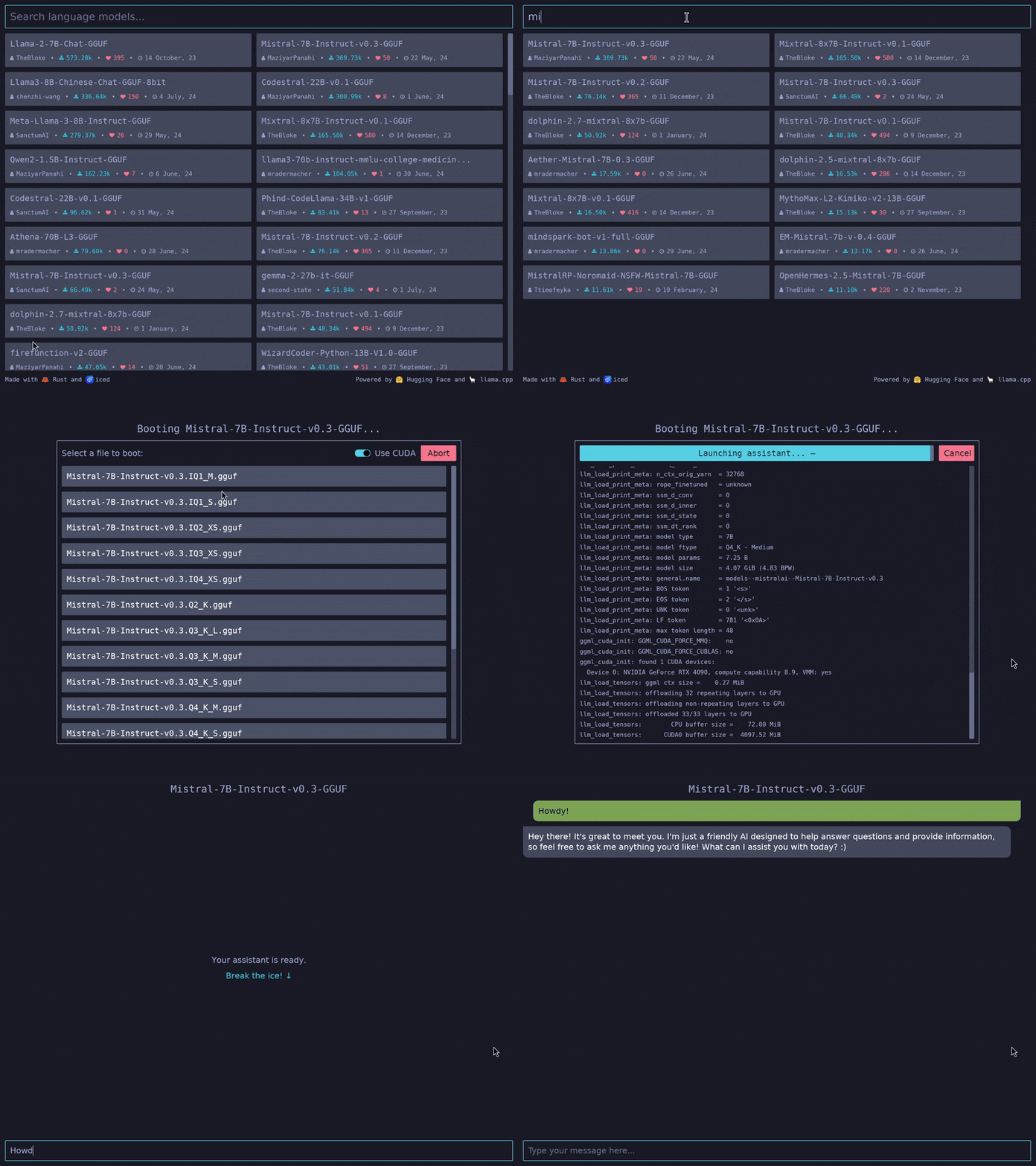
 Iced is a cross-platform GUI library for Rust, focused on simplicity and type-safety and inspired by the Elm architecture.
Iced is a cross-platform GUI library for Rust, focused on simplicity and type-safety and inspired by the Elm architecture.How does the Elm-inspired model work when writing an app?It is a Rust library built around The Elm Architecture: you split your app into State, Messages, view logic and update logic, and Iced handles layout, events and rendering.
It is a Rust library built around The Elm Architecture: you split your app into State, Messages, view logic and update logic, and Iced handles layout, events and rendering.How do I get started building an app with it?Add iced as a dependency of your Rust project and write the four pieces from the README counter example; the book, docs and examples folder take you further.
Add iced as a dependency of your Rust project and write the four pieces from the README counter example; the book, docs and examples folder take you further.Is it stable enough for production use?The README states plainly that Iced is currently experimental software; it links a roadmap and the issue tracker so you can judge maturity yourself.
The README states plainly that Iced is currently experimental software; it links a roadmap and the issue tracker so you can judge maturity yourself.Where can an app built with it run?Windows, macOS, Linux and the Web. The ecosystem is modular: a renderer-agnostic native runtime, a winit windowing shell, and two built-in renderers.
Windows, macOS, Linux and the Web. The ecosystem is modular: a renderer-agnostic native runtime, a winit windowing shell, and two built-in renderers.What widgets do I get out of the box?Built-in widgets include text inputs, scrollables and more, with a responsive layout. You can also create your own custom widgets.
Built-in widgets include text inputs, scrollables and more, with a responsive layout. You can also create your own custom widgets.Why did the author build this?It began as an attempt to bring the simplicity of Elm and The Elm Architecture into Coffee, the author's 2D game library; the core landed in May 2019 and grew into a batteries-included GUI library.
It began as an attempt to bring the simplicity of Elm and The Elm Architecture into Coffee, the author's 2D game library; the core landed in May 2019 and grew into a batteries-included GUI library.Does it support async work like network requests?Yes — Iced offers first-class support for async actions, so you can use futures directly instead of managing threads yourself.
Yes — Iced offers first-class support for async actions, so you can use futures directly instead of managing threads yourself.Is there any tooling for debugging UIs?Yes, there is debug tooling with performance metrics and time traveling, handy for inspecting how messages flow through your app.
Yes, there is debug tooling with performance metrics and time traveling, handy for inspecting how messages flow through your app.Which topics is it in?interface, user-interface, gui-framework, reactive-programming, widgets, widget, toolkit, metal, ui-library, vulkan, async, graphics
interface, user-interface, gui-framework, reactive-programming, widgets, widget, toolkit, metal, ui-library, vulkan, async, graphics