
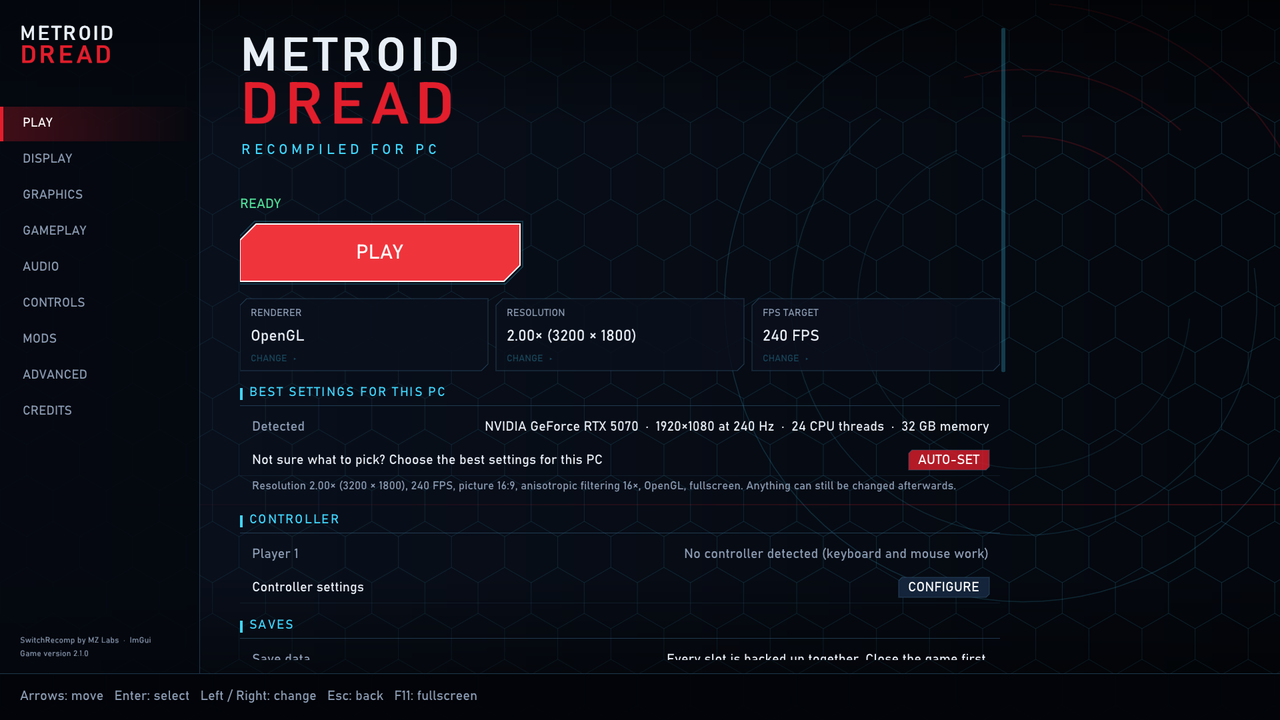
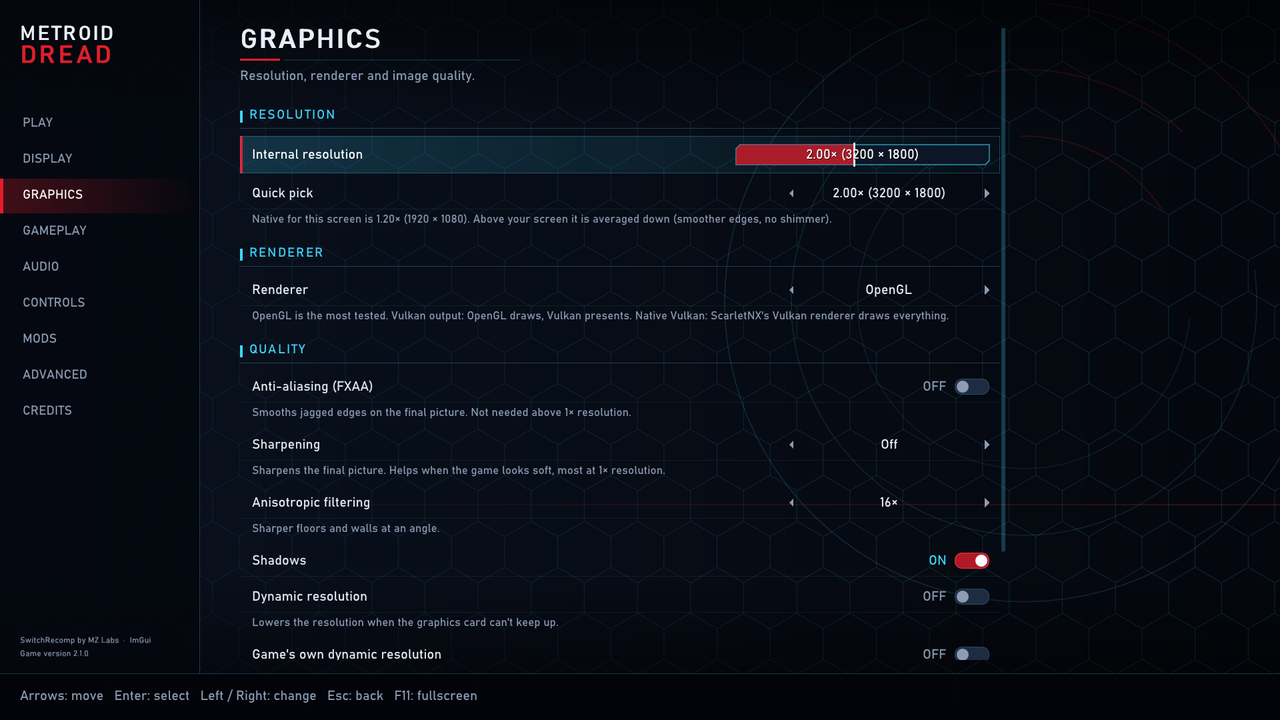
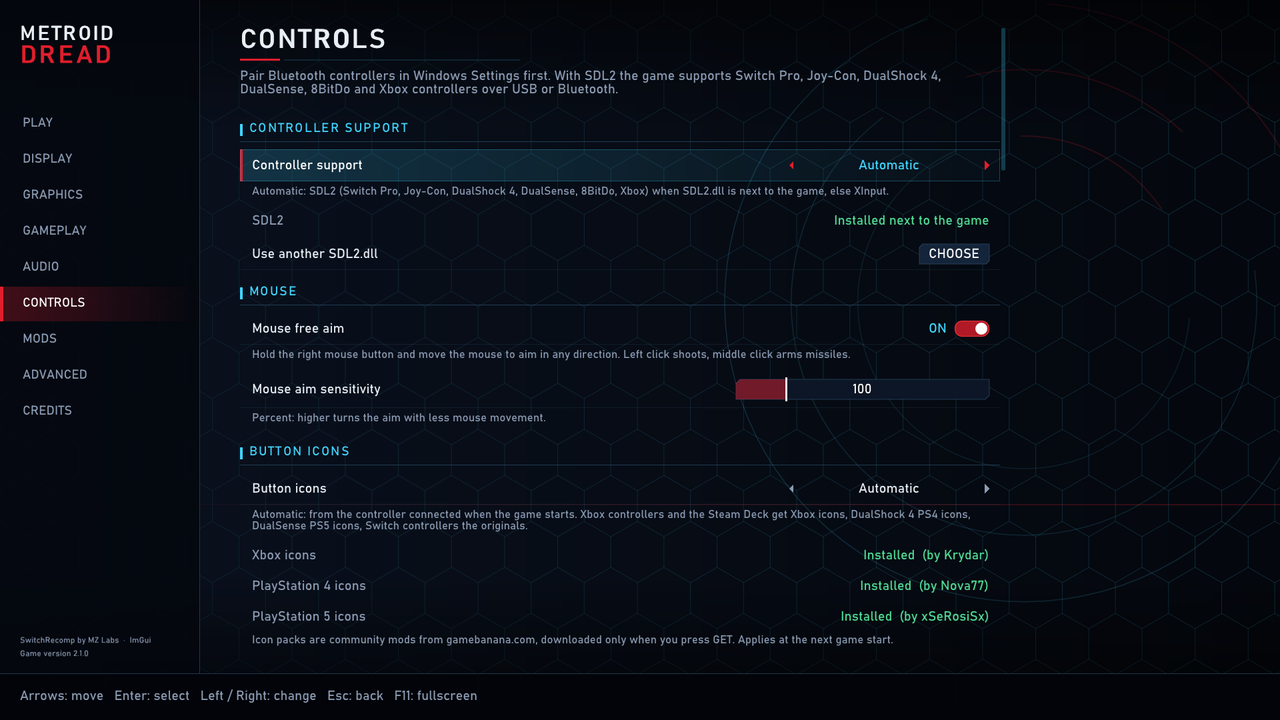
Что это?
 Это PC-порт Metroid Dread, созданный методом статической рекомпиляции: один Windows EXE собирает и запускает нативную сборку вашей собственной снятой в дамп копии игры для Switch, включая мастер настройки, экран «Играть» с настройками и внутриигровое меню.
Это эмулятор или что-то другое?Это не эмулятор. Это «SwitchRecomp» — транслятор ARM64 в C от MZ Labs, поставляемый вместе с интерфейсом, заточенным под Metroid Dread. Он с помощью встроенного GCC компилирует код вашей игры из дампа в нативный исполняемый файл.
Это не эмулятор. Это «SwitchRecomp» — транслятор ARM64 в C от MZ Labs, поставляемый вместе с интерфейсом, заточенным под Metroid Dread. Он с помощью встроенного GCC компилирует код вашей игры из дампа в нативный исполняемый файл.Как мне всё запустить?Скачайте архив релиза (не этот репозиторий с исходниками) и запустите Windows EXE. При первом запуске он попросит указать путь к файлам игры и автоматически скомпилирует её. На Linux вместо этого запустите linux/run.sh или самодостаточный AppImage.
Скачайте архив релиза (не этот репозиторий с исходниками) и запустите Windows EXE. При первом запуске он попросит указать путь к файлам игры и автоматически скомпилирует её. На Linux вместо этого запустите linux/run.sh или самодостаточный AppImage.Мне нужно что-то ещё для работы?Нужно самому владеть легальной копией Metroid Dread 2.1.0 и снять с неё дамп: ExeFS (код игры) и RomFS (данные игры с уже включённым обновлением 2.1.0). EXE содержит собственные GCC и Python, поэтому отдельно устанавливать компилятор не нужно.
Нужно самому владеть легальной копией Metroid Dread 2.1.0 и снять с неё дамп: ExeFS (код игры) и RomFS (данные игры с уже включённым обновлением 2.1.0). EXE содержит собственные GCC и Python, поэтому отдельно устанавливать компилятор не нужно.Чего ждать на старте?Проект ещё до версии 1.0 и прямо заявлен как ранний предварительный релиз: сбои, проблемы с установкой и проблемы на непроверенном оборудовании ожидаемы. На Linux пока недоступны нативный рендерер Vulkan, свободное прицеливание мышью и запись по F7.
Проект ещё до версии 1.0 и прямо заявлен как ранний предварительный релиз: сбои, проблемы с установкой и проблемы на непроверенном оборудовании ожидаемы. На Linux пока недоступны нативный рендерер Vulkan, свободное прицеливание мышью и запись по F7.На каких платформах это работает?Для Windows есть самодостаточный EXE. Для Linux (X11 или Wayland) есть скрипты сборки и самодостаточный AppImage, который также работает на Steam Deck через «Add to Steam».
Для Windows есть самодостаточный EXE. Для Linux (X11 или Wayland) есть скрипты сборки и самодостаточный AppImage, который также работает на Steam Deck через «Add to Steam».Что такое SwitchRecomp?SwitchRecomp — это базовый транслятор ARM64 в C (от MZ Labs, лицензия Apache-2.0), который этот проект оборачивает мастером настройки, экраном «Играть» и внутриигровым меню, заточенными под Metroid Dread.
SwitchRecomp — это базовый транслятор ARM64 в C (от MZ Labs, лицензия Apache-2.0), который этот проект оборачивает мастером настройки, экраном «Играть» и внутриигровым меню, заточенными под Metroid Dread.Есть ли в репозитории файлы игр Nintendo?Нет. В нём есть только небольшие файлы с патчами (dreadv210patches.json) и манифест файлов RomFS с именами, размерами и хешами, который используется для проверки вашего дампа. Игрового кода, данных RomFS, ключей или сгенерированного C-кода здесь нет.
Нет. В нём есть только небольшие файлы с патчами (dreadv210patches.json) и манифест файлов RomFS с именами, размерами и хешами, который используется для проверки вашего дампа. Игрового кода, данных RomFS, ключей или сгенерированного C-кода здесь нет.Можно ли использовать с этим NVIDIA DLSS/DLAA?Код интеграции DLAA (dlss.c) есть в репозитории, но собственных файлов NVIDIA там нет, поэтому релизы поставляются без них. Добавить их самостоятельно можно по инструкции DLSS.md, однако сборка с DLSS предназначена только для личного использования и никогда не должна распространяться.
Код интеграции DLAA (dlss.c) есть в репозитории, но собственных файлов NVIDIA там нет, поэтому релизы поставляются без них. Добавить их самостоятельно можно по инструкции DLSS.md, однако сборка с DLSS предназначена только для личного использования и никогда не должна распространяться.Использовался ли ИИ при создании проекта?Да. Claude (Anthropic) указан как «ИИ-парный программист», который написал большую часть исправлений среды выполнения, работ по производительности, интерфейса, настройки и сборки для Linux. Каждое изменение было проверено на реальном железе перед выпуском.
Да. Claude (Anthropic) указан как «ИИ-парный программист», который написал большую часть исправлений среды выполнения, работ по производительности, интерфейса, настройки и сборки для Linux. Каждое изменение было проверено на реальном железе перед выпуском.Какие есть похожие проекты?pt-pc, LostOdysseyRecomp, nolfsrc, SpartanPort, Yakumo, MarathonRecomp, TheSimpsonsGameRecomp, ShadowRecomp
pt-pc, LostOdysseyRecomp, nolfsrc, SpartanPort, Yakumo, MarathonRecomp, TheSimpsonsGameRecomp, ShadowRecompВ каких он темах?decompilation, dlss, steam-deck, x11, appimage, wayland, retrogaming, vulkan, game, bsd, gaming, reverse-engineering
decompilation, dlss, steam-deck, x11, appimage, wayland, retrogaming, vulkan, game, bsd, gaming, reverse-engineering- Автор
- yozander2009-stack
- Размер
- 10.5 MB
- Звёзды
- 441
- Обновлён
- КоммитNov 15Релизv0.5.9Nov 12
- Возраст
- 2 мес
- Коммиты · 90 дней