




975 ·GitHub
What is this?
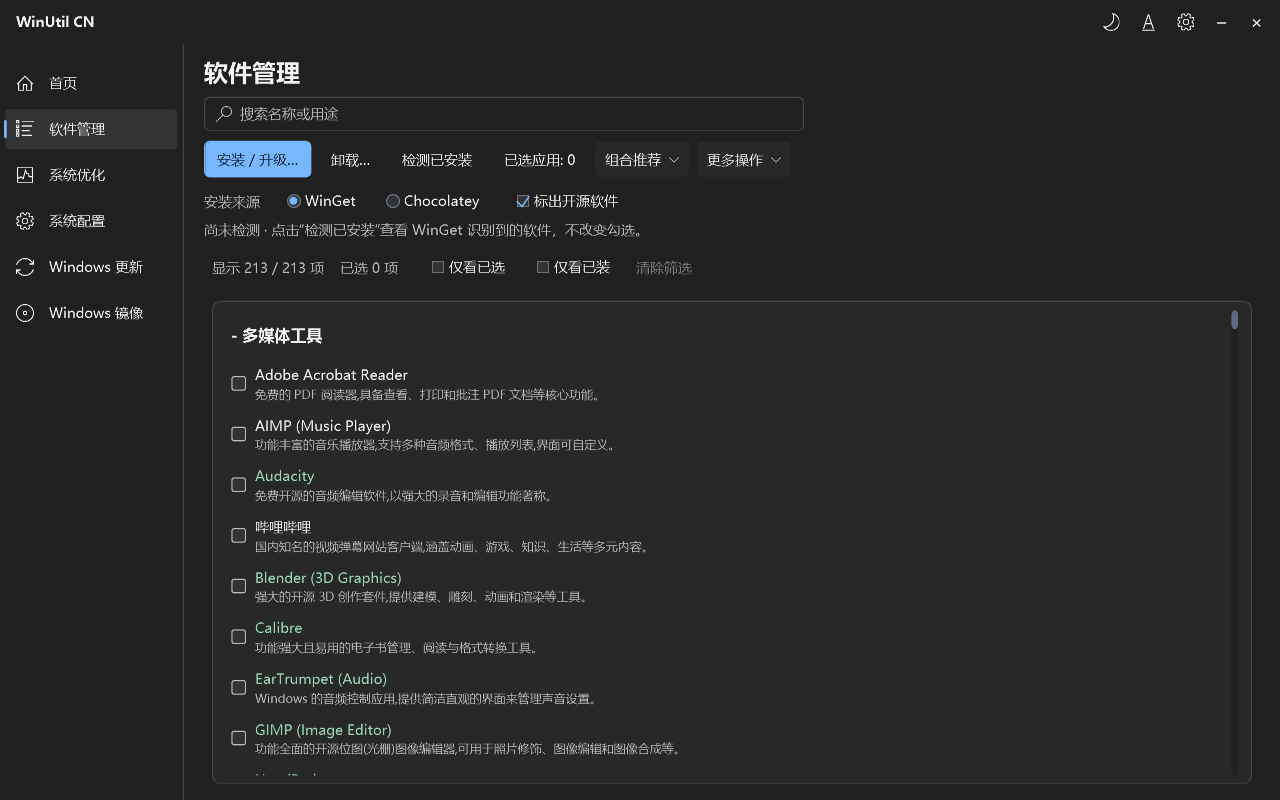
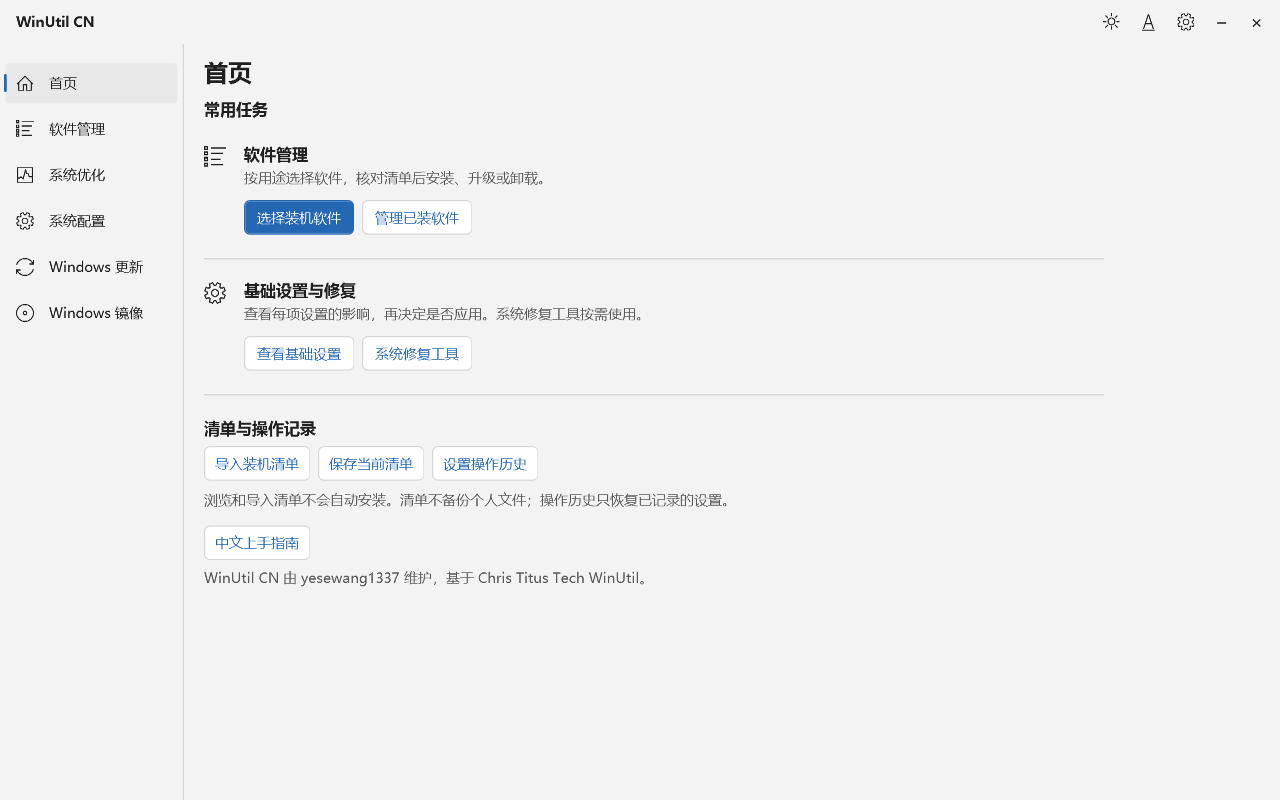
 A Chinese-localized Windows 11 utility for managing software (install/upgrade/uninstall via WinGet or Chocolatey) and maintaining the system (tweaks, Windows Update control, Windows 10/11 ISO creation). It's a fork of Chris Titus Tech's Windows Utility, translated and maintained by Holha1337.
A Chinese-localized Windows 11 utility for managing software (install/upgrade/uninstall via WinGet or Chocolatey) and maintaining the system (tweaks, Windows Update control, Windows 10/11 ISO creation). It's a fork of Chris Titus Tech's Windows Utility, translated and maintained by Holha1337.Is this a desktop GUI app or a command-line script?Primarily a WPF desktop GUI app distributed as an EXE, but it can also be launched from an admin PowerShell console using the included winutil-cn.ps1 script if you prefer the command line.
Primarily a WPF desktop GUI app distributed as an EXE, but it can also be launched from an admin PowerShell console using the included winutil-cn.ps1 script if you prefer the command line.How do I get it running?Download WinUtil-CN.exe from the releases page (or winutil-cn.ps1 plus SHA256SUMS.txt), double-click it and grant admin rights when prompted, then pick what you want to do from the home page and review the checklist before executing.
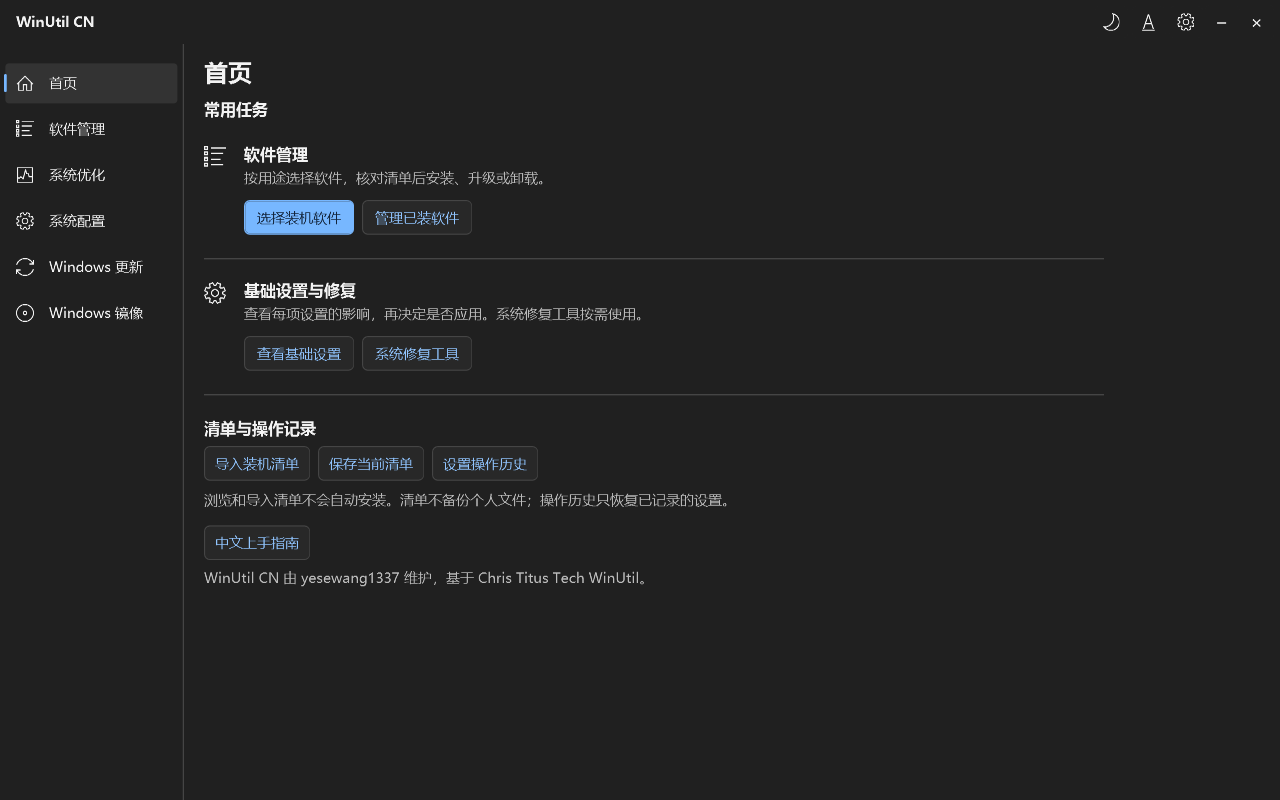
Download WinUtil-CN.exe from the releases page (or winutil-cn.ps1 plus SHA256SUMS.txt), double-click it and grant admin rights when prompted, then pick what you want to do from the home page and review the checklist before executing.Do I need to install PowerShell 7 or anything else first?No — the EXE bundles the script and runs on the system's built-in PowerShell 5.1, so PowerShell 7 isn't required. You do need an internet connection since downloading/installing software and updates still relies on package managers.
No — the EXE bundles the script and runs on the system's built-in PowerShell 5.1, so PowerShell 7 isn't required. You do need an internet connection since downloading/installing software and updates still relies on package managers.Does restoring settings actually undo everything the tool changed?No — the settings history only restores recorded registry values and service startup configurations. It doesn't cover removed apps, cleaned files, or other script-based changes, and it's not a substitute for a personal file backup.
No — the settings history only restores recorded registry values and service startup configurations. It doesn't cover removed apps, cleaned files, or other script-based changes, and it's not a substitute for a personal file backup.Can I make a Windows 10 install USB while running Windows 11?Yes — the Windows Image page reads an official Windows 10/11 x64 ISO, lets you modify it, then exports it or writes it to a USB drive. The tool itself still needs to run on a Windows 11 host, and writing to USB erases the target disk.
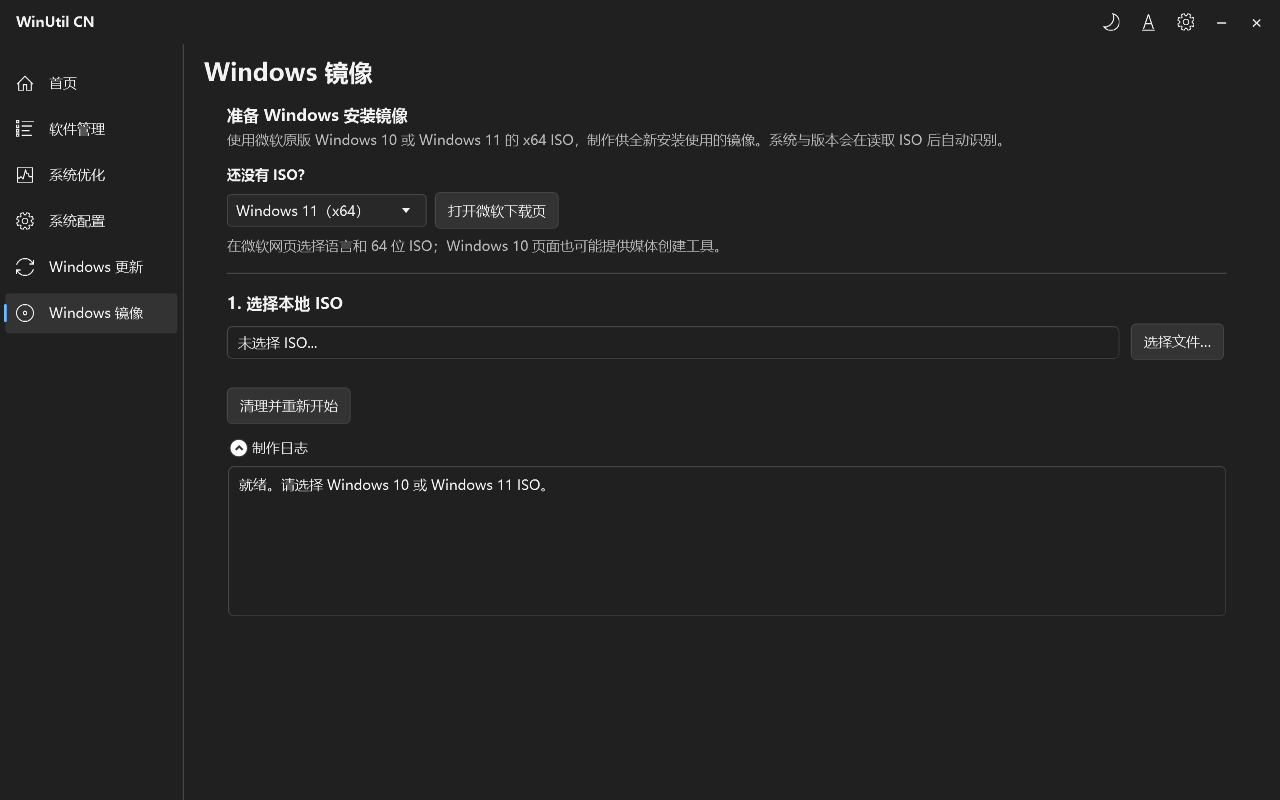
Yes — the Windows Image page reads an official Windows 10/11 x64 ISO, lets you modify it, then exports it or writes it to a USB drive. The tool itself still needs to run on a Windows 11 host, and writing to USB erases the target disk.What is the MCP server for?It lets MCP-compatible AI clients query software catalogs, bundles, system settings and DNS, and (only if explicitly enabled) apply supported changes — always previewing first and confirming with a one-time plan before anything runs.
It lets MCP-compatible AI clients query software catalogs, bundles, system settings and DNS, and (only if explicitly enabled) apply supported changes — always previewing first and confirming with a one-time plan before anything runs.Should I use WinGet or Chocolatey for installs?WinGet is the default and recommended package manager. If you want Chocolatey instead, you need to install it yourself first, since the tool no longer auto-downloads and runs Chocolatey's bootstrap script.
WinGet is the default and recommended package manager. If you want Chocolatey instead, you need to install it yourself first, since the tool no longer auto-downloads and runs Chocolatey's bootstrap script.What's the difference between the three update policy options?The Windows Update page lets you switch between restoring default update behavior, delaying updates, or disabling them, adjusting how far the tool's update policy reaches.
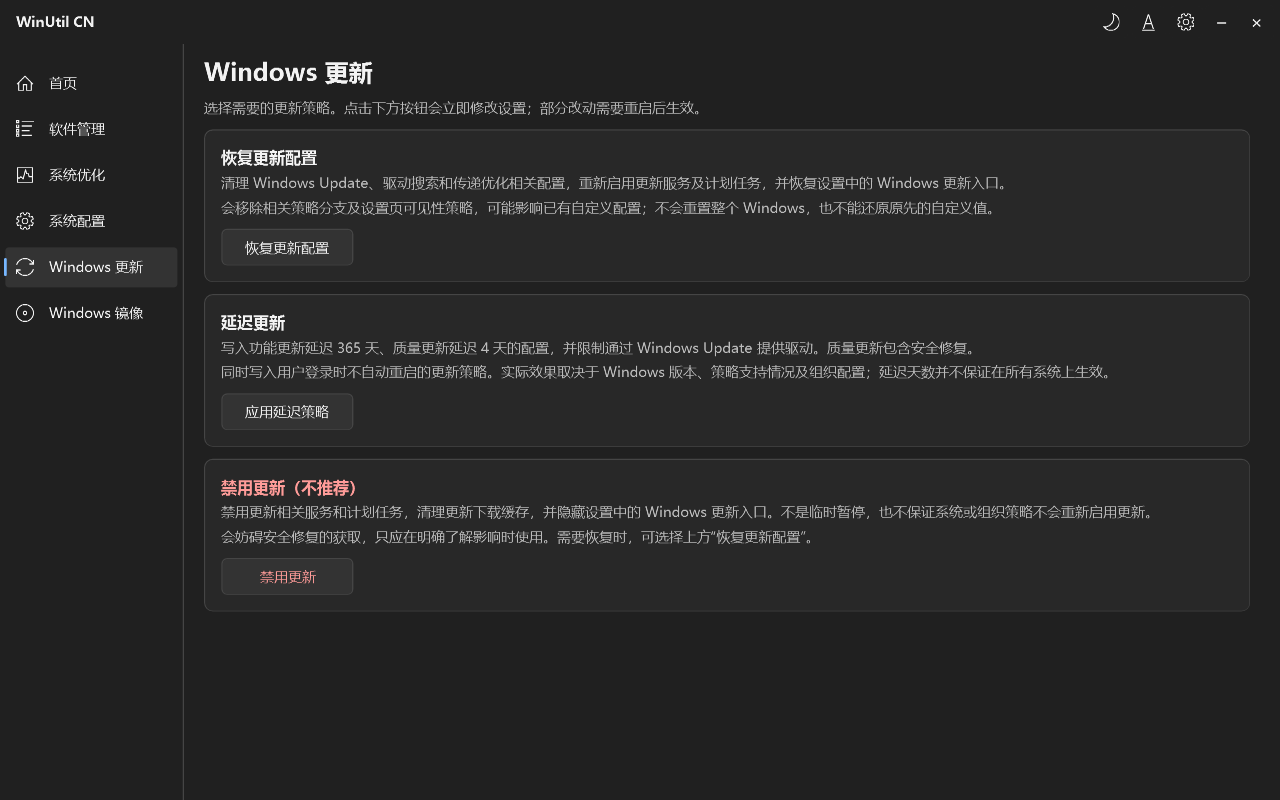
The Windows Update page lets you switch between restoring default update behavior, delaying updates, or disabling them, adjusting how far the tool's update policy reaches.What if antivirus flags the EXE?Check the security-alert guide, verify the file against the published SHA256 hash, and review the alert details — the project warns that being open-source or passing one scan doesn't guarantee there's no issue, and advises against disabling protection to force a run.
Check the security-alert guide, verify the file against the published SHA256 hash, and review the alert details — the project warns that being open-source or passing one scan doesn't guarantee there's no issue, and advises against disabling protection to force a run.What are similar projects?Winhance, tiny11builder, wsl-dashboard, mactype, Scoop, Windows10Debloater, optimizerDuck, ContextMenuManager
Winhance, tiny11builder, wsl-dashboard, mactype, Scoop, Windows10Debloater, optimizerDuck, ContextMenuManagerWhich topics is it in?iso, debloat, winget, registry-tweaks, wpf, usb, windows-10, windows-11, powershell, localization, package-manager, windows-app
iso, debloat, winget, registry-tweaks, wpf, usb, windows-10, windows-11, powershell, localization, package-manager, windows-app