CMAK (Cluster Manager for Apache Kafka, previously known as Kafka Manager)
CMAK (previously known as Kafka Manager) is a tool for managing Apache Kafka clusters.
See below for details about the name change.
CMAK supports the following:
- Manage multiple clusters
- Easy inspection of cluster state (topics, consumers, offsets, brokers, replica distribution, partition distribution)
- Run preferred replica election
- Generate partition assignments with option to select brokers to use
- Run reassignment of partition (based on generated assignments)
- Create a topic with optional topic configs (0.8.1.1 has different configs than 0.8.2+)
- Delete topic (only supported on 0.8.2+ and remember set delete.topic.enable=true in broker config)
- Topic list now indicates topics marked for deletion (only supported on 0.8.2+)
- Batch generate partition assignments for multiple topics with option to select brokers to use
- Batch run reassignment of partition for multiple topics
- Add partitions to existing topic
- Update config for existing topic
- Optionally enable JMX polling for broker level and topic level metrics.
- Optionally filter out consumers that do not have ids/ owners/ & offsets/ directories in zookeeper.
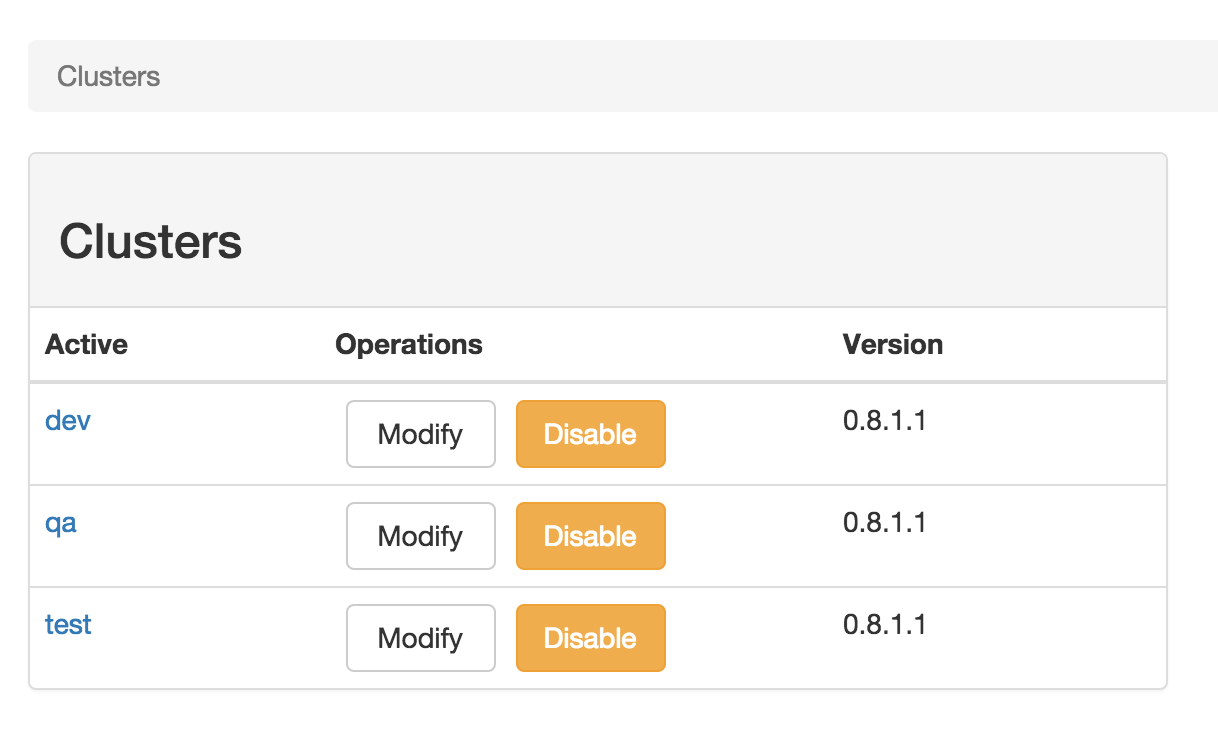
Cluster Management
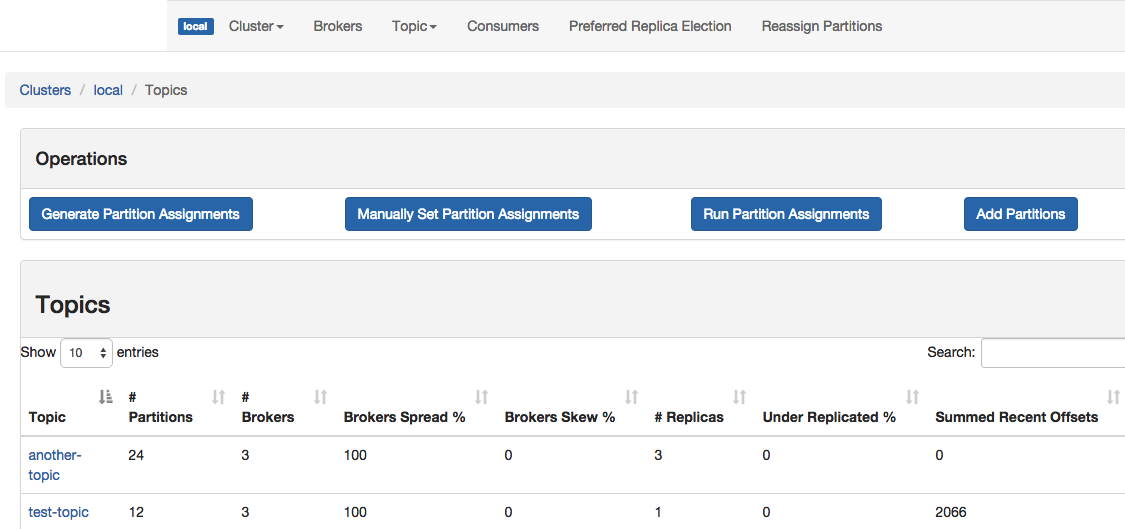
Topic List
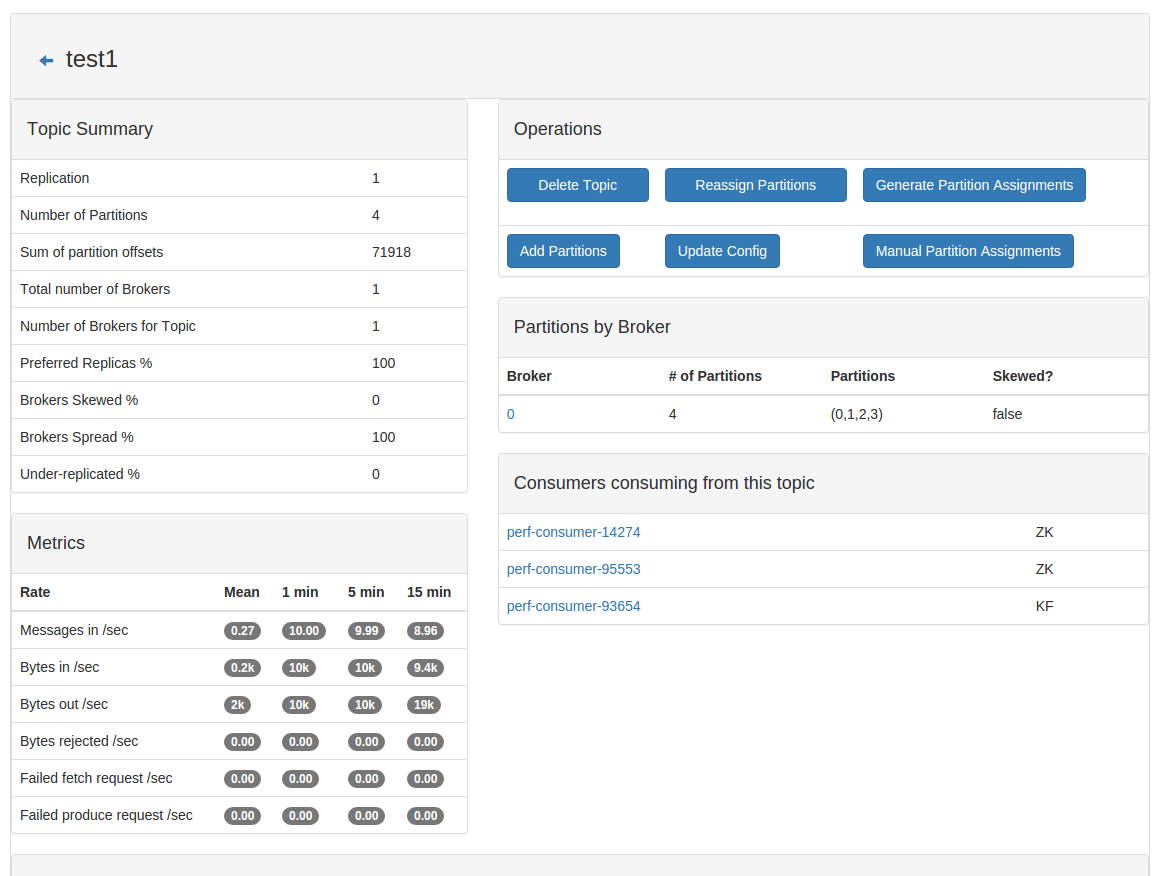
Topic View
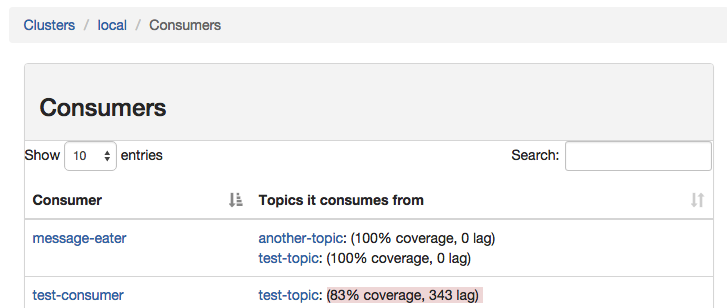
Consumer List View
Consumed Topic View
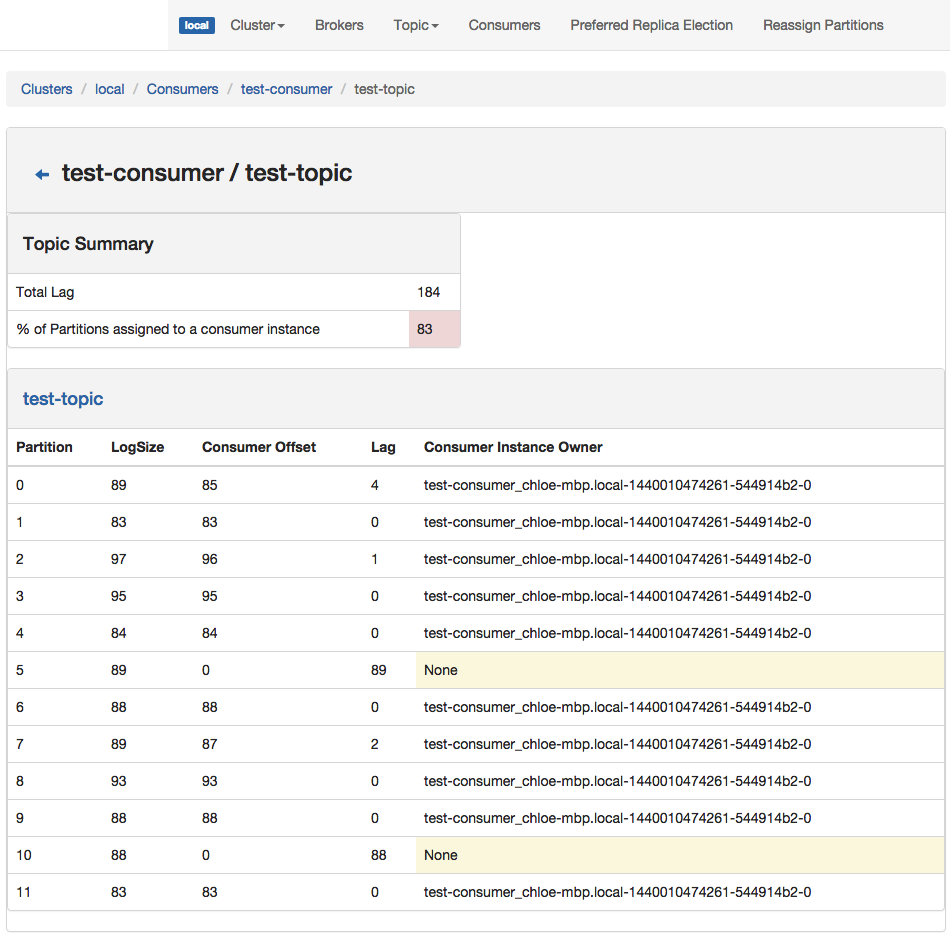
Broker List
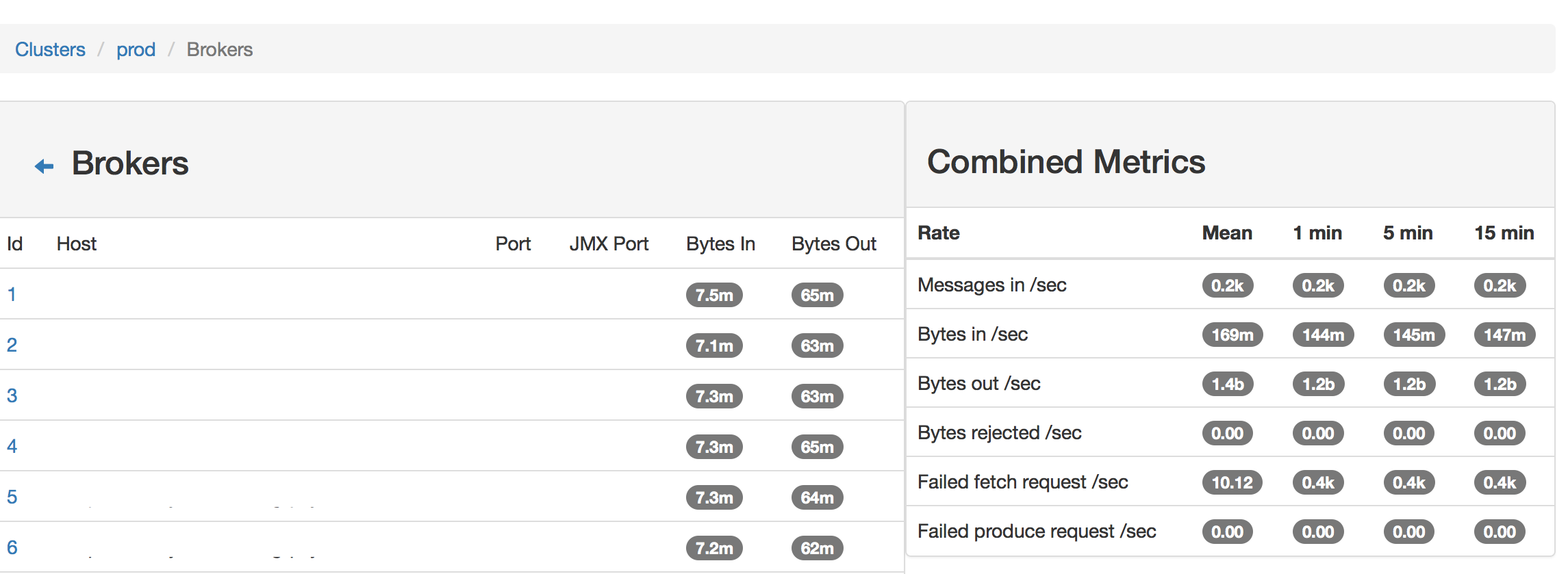
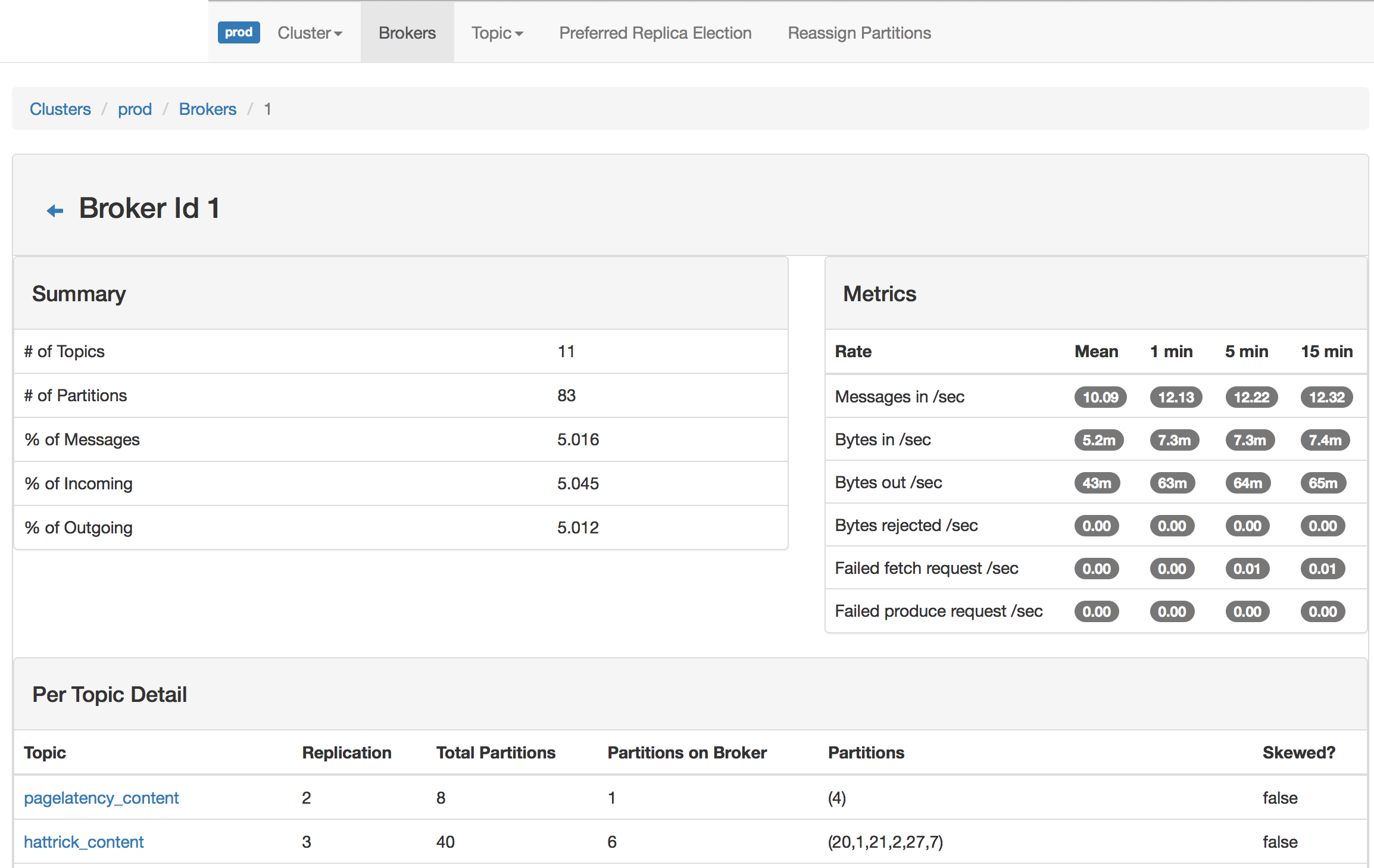
Broker View
Requirements
- Kafka 0.8.. or 0.9.. or 0.10.. or 0.11..
- Java 11+
Configuration
The minimum configuration is the zookeeper hosts which are to be used for CMAK (pka kafka manager) state.
This can be found in the application.conf file in conf directory. The same file will be packaged
in the distribution zip file; you may modify settings after unzipping the file on the desired server.
cmak.zkhosts="my.zookeeper.host.com:2181"
You can specify multiple zookeeper hosts by comma delimiting them, like so:
cmak.zkhosts="my.zookeeper.host.com:2181,other.zookeeper.host.com:2181"
Alternatively, use the environment variable ZK_HOSTS if you don't want to hardcode any values.
ZK_HOSTS="my.zookeeper.host.com:2181"
You can optionally enable/disable the following functionality by modifying the default list in application.conf :
application.features=["KMClusterManagerFeature","KMTopicManagerFeature","KMPreferredReplicaElectionFeature","KMReassignPartitionsFeature"]
- KMClusterManagerFeature - allows adding, updating, deleting cluster from CMAK (pka Kafka Manager)
- KMTopicManagerFeature - allows adding, updating, deleting topic from a Kafka cluster
- KMPreferredReplicaElectionFeature - allows running of preferred replica election for a Kafka cluster
- KMReassignPartitionsFeature - allows generating partition assignments and reassigning partitions
Consider setting these parameters for larger clusters with jmx enabled :
- cmak.broker-view-thread-pool-size=< 3 * number_of_brokers>
- cmak.broker-view-max-queue-size=< 3 * total # of partitions across all topics>
- cmak.broker-view-update-seconds=< cmak.broker-view-max-queue-size / (10 * number_of_brokers) >
Here is an example for a kafka cluster with 10 brokers, 100 topics, with each topic having 10 partitions giving 1000 total partitions with JMX enabled :
- cmak.broker-view-thread-pool-size=30
- cmak.broker-view-max-queue-size=3000
- cmak.broker-view-update-seconds=30
The follow control consumer offset cache's thread pool and queue :
- cmak.offset-cache-thread-pool-size=< default is # of processors>
- cmak.offset-cache-max-queue-size=< default is 1000>
- cmak.kafka-admin-client-thread-pool-size=< default is # of processors>
- cmak.kafka-admin-client-max-queue-size=< default is 1000>
You should increase the above for large # of consumers with consumer polling enabled. Though it mainly affects ZK based consumer polling.
Kafka managed consumer offset is now consumed by KafkaManagedOffsetCache from the "__consumer_offsets" topic. Note, this has not been tested with large number of offsets being tracked. There is a single thread per cluster consuming this topic so it may not be able to keep up on large # of offsets being pushed to the topic.
Authenticating a User with LDAP
Warning, you need to have SSL configured with CMAK (pka Kafka Manager) to ensure your credentials aren't passed unencrypted.
Authenticating a User with LDAP is possible by passing the user credentials with the Authorization header.
LDAP authentication is done on first visit, if successful, a cookie is set.
On next request, the cookie value is compared with credentials from Authorization header.
LDAP support is through the basic authentication filter.
- Configure basic authentication
- basicAuthentication.enabled=true
- basicAuthentication.realm=< basic authentication realm>
- Encryption parameters (optional, otherwise randomly generated on startup) :
- basicAuthentication.salt="some-hex-string-representing-byte-array"
- basicAuthentication.iv="some-hex-string-representing-byte-array"
- basicAuthentication.secret="my-secret-string"
- Configure LDAP / LDAP + StartTLS / LDAPS authentication
Note: LDAP is unencrypted and insecure. LDAPS is a commonly implemented
extension that implements an encryption layer in a manner similar to how
HTTPS adds encryption to an HTTP. LDAPS has not been documented, and the
specification is not formally defined anywhere. LDAP + StartTLS is the
currently recommended way to start an encrypted channel, and it upgrades
an existing LDAP connection to achieve this encryption.
- basicAuthentication.ldap.enabled=< Boolean flag to enable/disable ldap authentication >
- basicAuthentication.ldap.server=< fqdn of LDAP server >
- basicAuthentication.ldap.port=< port of LDAP server (typically 389 for LDAP and LDAP + StartTLS and typically 636 for LDAPS) >
- basicAuthentication.ldap.username=< LDAP search username >
- basicAuthentication.ldap.password=< LDAP search password >
- basicAuthentication.ldap.search-base-dn=< LDAP search base >
- basicAuthentication.ldap.search-filter=< LDAP search filter >
- basicAuthentication.ldap.connection-pool-size=< maximum number of connection to LDAP server >
- basicAuthentication.ldap.ssl=< Boolean flag to enable/disable LDAPS (usually incompatible with StartTLS) >
- basicAuthentication.ldap.starttls=< Boolean flat to enable StartTLS (usually incompatible with SSL) >
- (Optional) Limit access to a specific LDAP Group
- basicAuthentication.ldap.group-filter=< LDAP group filter >
- basicAuthentication.ldap.ssl-trust-all=< Boolean flag to allow non-expired invalid certificates >
Example (Online LDAP Test Server):
- basicAuthentication.ldap.enabled=true
- basicAuthentication.ldap.server="ldap.forumsys.com"
- basicAuthentication.ldap.port=389
- basicAuthentication.ldap.username="cn=read-only-admin,dc=example,dc=com"
- basicAuthentication.ldap.password="password"
- basicAuthentication.ldap.search-base-dn="dc=example,dc=com"
- basicAuthentication.ldap.search-filter="(uid=$capturedLogin$)"
- basicAuthentication.ldap.group-filter="cn=allowed-group,ou=groups,dc=example,dc=com"
- basicAuthentication.ldap.connection-pool-size=10
- basicAuthentication.ldap.ssl=false
- basicAuthentication.ldap.ssl-trust-all=false
- basicAuthetication.ldap.starttls=false
Deployment
The command below will create a zip file which can be used to deploy the application.
./sbt clean dist
Please refer to play framework documentation on production deployment/configuration.
If java is not in your path, or you need to build against a specific java version,
please use the following (the example assumes zulu java11):
$ PATH=/usr/lib/jvm/zulu-11-amd64/bin:$PATH \
  JAVA_HOME=/usr/lib/jvm/zulu-11-amd64 \
  /path/to/sbt -java-home /usr/lib/jvm/zulu-11-amd64 clean dist
This ensures that the 'java' and 'javac' binaries in your path are first looked up in the
correct location. Next, for all downstream tools that only listen to JAVA_HOME, it points
them to the java11 location. Lastly, it tells sbt to use the java11 location as
well.
Starting the service
After extracting the produced zipfile, and changing the working directory to it, you can
run the service like this:
$ bin/cmak
By default, it will choose port 9000. This is overridable, as is the location of the
configuration file. For example:
$ bin/cmak -Dconfig.file=/path/to/application.conf -Dhttp.port=8080
Again, if java is not in your path, or you need to run against a different version of java,
add the -java-home option as follows:
$ bin/cmak -java-home /usr/lib/jvm/zulu-11-amd64
Starting the service with Security
To add JAAS configuration for SASL, add the config file location at start:
$ bin/cmak -Djava.security.auth.login.config=/path/to/my-jaas.conf
NOTE: Make sure the user running CMAK (pka kafka manager) has read permissions on the jaas config file
Packaging
If you'd like to create a Debian or RPM package instead, you can run one of:
sbt debian:packageBin

sbt rpm:packageBin
Credits
Most of the utils code has been adapted to work with Apache Curator from Apache Kafka.
Name and Management
CMAK was renamed from its previous name due to this issue. CMAK is designed to be used with Apache Kafka and is offered to support the needs of the Kafka community. This project is currently managed by employees at Verizon Media and the community who supports this project.
License
Licensed under the terms of the Apache License 2.0. See accompanying LICENSE file for terms.
Consumer/Producer Lag
Producer offset is polled. Consumer offset is read from the offset topic for Kafka based consumers. This means the reported lag may be negative since we are consuming offset from the offset topic faster then polling the producer offset. This is normal and not a problem.
Migration from Kafka Manager to CMAK
- Copy config files from old version to new version (application.conf, consumer.properties)
- Change start script to use bin/cmak instead of bin/kafka-manager

 CMAK(Cluster Manager for Apache Kafka,以前叫 Kafka Manager)是一个自托管的网页工具,用来管理 Apache Kafka 集群,可以在一个界面里管理多个集群。