Notice: Bark is Suno's open-source text-to-speech+ model. If you are looking for our text-to-music models, please visit us on our web page and join our community on Discord.
🐶 Bark


🔗 Examples • Suno Studio Waitlist • Updates • How to Use • Installation • FAQ
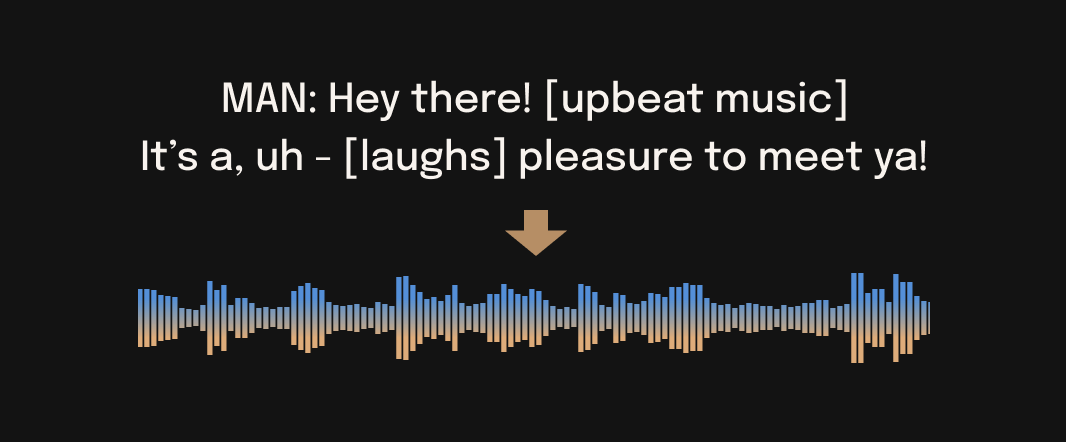
Bark is a transformer-based text-to-audio model created by Suno. Bark can generate highly realistic, multilingual speech as well as other audio - including music, background noise and simple sound effects. The model can also produce nonverbal communications like laughing, sighing and crying. To support the research community, we are providing access to pretrained model checkpoints, which are ready for inference and available for commercial use.
⚠ Disclaimer
Bark was developed for research purposes. It is not a conventional text-to-speech model but instead a fully generative text-to-audio model, which can deviate in unexpected ways from provided prompts. Suno does not take responsibility for any output generated. Use at your own risk, and please act responsibly.
📖 Quick Index
🎧 Demos



🚀 Updates
2023.05.01
©️ Bark is now licensed under the MIT License, meaning it's now available for commercial use!
⚡ 2x speed-up on GPU. 10x speed-up on CPU. We also added an option for a smaller version of Bark, which offers additional speed-up with the trade-off of slightly lower quality.
📕 Long-form generation, voice consistency enhancements and other examples are now documented in a new notebooks section.
👥 We created a voice prompt library. We hope this resource helps you find useful prompts for your use cases! You can also join us on Discord, where the community actively shares useful prompts in the #audio-prompts channel.
💬 Growing community support and access to new features here:

💾 You can now use Bark with GPUs that have low VRAM (<4GB).
2023.04.20
🐍 Usage in Python
🪑 Basics
from bark import SAMPLE_RATE, generate_audio, preload_models
from scipy.io.wavfile import write as write_wav
from IPython.display import Audio

# download and load all models
preload_models()

# generate audio from text
text_prompt = """
     Hello, my name is Suno. And, uh — and I like pizza. [laughs]
     But I also have other interests such as playing tic tac toe.
"""
audio_array = generate_audio(text_prompt)

# save audio to disk
write_wav("bark_generation.wav", SAMPLE_RATE, audio_array)

# play text in notebook
Audio(audio_array, rate=SAMPLE_RATE)
pizza1.webm
🌎 Foreign Language
Bark supports various languages out-of-the-box and automatically determines language from input text. When prompted with code-switched text, Bark will attempt to employ the native accent for the respective languages. English quality is best for the time being, and we expect other languages to further improve with scaling.
text_prompt = """
    추석은 내가 가장 좋아하는 명절이다. 나는 며칠 동안 휴식을 취하고 친구 및 가족과 시간을 보낼 수 있습니다.
"""
audio_array = generate_audio(text_prompt)
suno_korean.webm
Note: since Bark recognizes languages automatically from input text, it is possible to use, for example, a german history prompt with english text. This usually leads to english audio with a german accent.
text_prompt = """
    Der Dreißigjährige Krieg (1618-1648) war ein verheerender Konflikt, der Europa stark geprägt hat.
    This is a beginning of the history. If you want to hear more, please continue.
"""
audio_array = generate_audio(text_prompt)
suno_german_accent.webm
🎶 Music
Bark can generate all types of audio, and, in principle, doesn't see a difference between speech and music. Sometimes Bark chooses to generate text as music, but you can help it out by adding music notes around your lyrics.
text_prompt = """
    ♪ In the jungle, the mighty jungle, the lion barks tonight ♪
"""
audio_array = generate_audio(text_prompt)
lion.webm
🎤 Voice Presets
Bark supports 100+ speaker presets across supported languages. You can browse the library of supported voice presets HERE, or in the code. The community also often shares presets in Discord.
Bark tries to match the tone, pitch, emotion and prosody of a given preset, but does not currently support custom voice cloning. The model also attempts to preserve music, ambient noise, etc.
text_prompt = """
    I have a silky smooth voice, and today I will tell you about
    the exercise regimen of the common sloth.
"""
audio_array = generate_audio(text_prompt, history_prompt="v2/en_speaker_1")
sloth.webm
📃 Generating Longer Audio
By default, generate_audio works well with around 13 seconds of spoken text. For an example of how to do long-form generation, see 👉 Notebook 👈
Click to toggle example long-form generations (from the example notebook)
dialog.webm
longform_advanced.webm
longform_basic.webm
Command line
python -m bark --text "Hello, my name is Suno." --output_filename "example.wav"
💻 Installation
‼️ CAUTION ‼️ Do NOT use pip install bark. It installs a different package, which is not managed by Suno.
pip install git+https://github.com/suno-ai/bark.git
or
git clone https://github.com/suno-ai/bark
cd bark && pip install .
Bark is available in the 🤗 Transformers library from version 4.31.0 onwards, requiring minimal dependencies
and additional packages. Steps to get started:
- First install the 🤗 Transformers library from main:
pip install git+https://github.com/huggingface/transformers.git
- Run the following Python code to generate speech samples:
from transformers import AutoProcessor, BarkModel

processor = AutoProcessor.from_pretrained("suno/bark")
model = BarkModel.from_pretrained("suno/bark")

voice_preset = "v2/en_speaker_6"

inputs = processor("Hello, my dog is cute", voice_preset=voice_preset)

audio_array = model.generate(**inputs)
audio_array = audio_array.cpu().numpy().squeeze()
- Listen to the audio samples either in an ipynb notebook:
from IPython.display import Audio

sample_rate = model.generation_config.sample_rate
Audio(audio_array, rate=sample_rate)
Or save them as a .wav file using a third-party library, e.g. scipy:
import scipy

sample_rate = model.generation_config.sample_rate
scipy.io.wavfile.write("bark_out.wav", rate=sample_rate, data=audio_array)
For more details on using the Bark model for inference using the 🤗 Transformers library, refer to the
Bark docs or the hands-on
Google Colab.
🛠️ Hardware and Inference Speed
Bark has been tested and works on both CPU and GPU (pytorch 2.0+, CUDA 11.7 and CUDA 12.0).
On enterprise GPUs and PyTorch nightly, Bark can generate audio in roughly real-time. On older GPUs, default colab, or CPU, inference time might be significantly slower. For older GPUs or CPU you might want to consider using smaller models. Details can be found in out tutorial sections here.
The full version of Bark requires around 12GB of VRAM to hold everything on GPU at the same time.
To use a smaller version of the models, which should fit into 8GB VRAM, set the environment flag SUNO_USE_SMALL_MODELS=True.
If you don't have hardware available or if you want to play with bigger versions of our models, you can also sign up for early access to our model playground here.
⚙️ Details
Bark is fully generative text-to-audio model devolved for research and demo purposes. It follows a GPT style architecture similar to AudioLM and Vall-E and a quantized Audio representation from EnCodec. It is not a conventional TTS model, but instead a fully generative text-to-audio model capable of deviating in unexpected ways from any given script. Different to previous approaches, the input text prompt is converted directly to audio without the intermediate use of phonemes. It can therefore generalize to arbitrary instructions beyond speech such as music lyrics, sound effects or other non-speech sounds.
Below is a list of some known non-speech sounds, but we are finding more every day. Please let us know if you find patterns that work particularly well on Discord!
[laughter][laughs][sighs][music][gasps][clears throat]— or ... for hesitations♪ for song lyrics- CAPITALIZATION for emphasis of a word
[MAN] and [WOMAN] to bias Bark toward male and female speakers, respectively
Supported Languages
| Language |
Status |
| English (en) |
✅ |
| German (de) |
✅ |
| Spanish (es) |
✅ |
| French (fr) |
✅ |
| Hindi (hi) |
✅ |
| Italian (it) |
✅ |
| Japanese (ja) |
✅ |
| Korean (ko) |
✅ |
| Polish (pl) |
✅ |
| Portuguese (pt) |
✅ |
| Russian (ru) |
✅ |
| Turkish (tr) |
✅ |
| Chinese, simplified (zh) |
✅ |
Requests for future language support here or in the #forums channel on Discord.
🙏 Appreciation
- nanoGPT for a dead-simple and blazing fast implementation of GPT-style models
- EnCodec for a state-of-the-art implementation of a fantastic audio codec
- AudioLM for related training and inference code
- Vall-E, AudioLM and many other ground-breaking papers that enabled the development of Bark
© License
Bark is licensed under the MIT License.
🎧 Suno Studio (Early Access)
We’re developing a playground for our models, including Bark.
If you are interested, you can sign up for early access here.
❓ FAQ
How do I specify where models are downloaded and cached?
- Bark uses Hugging Face to download and store models. You can see find more info here.
Bark's generations sometimes differ from my prompts. What's happening?
- Bark is a GPT-style model. As such, it may take some creative liberties in its generations, resulting in higher-variance model outputs than traditional text-to-speech approaches.
What voices are supported by Bark?
- Bark supports 100+ speaker presets across supported languages. You can browse the library of speaker presets here. The community also shares presets in Discord. Bark also supports generating unique random voices that fit the input text. Bark does not currently support custom voice cloning.
Why is the output limited to ~13-14 seconds?
- Bark is a GPT-style model, and its architecture/context window is optimized to output generations with roughly this length.
How much VRAM do I need?
- The full version of Bark requires around 12Gb of memory to hold everything on GPU at the same time. However, even smaller cards down to ~2Gb work with some additional settings. Simply add the following code snippet before your generation:
import os
os.environ["SUNO_OFFLOAD_CPU"] = "True"
os.environ["SUNO_USE_SMALL_MODELS"] = "True"
My generated audio sounds like a 1980s phone call. What's happening?
- Bark generates audio from scratch. It is not meant to create only high-fidelity, studio-quality speech. Rather, outputs could be anything from perfect speech to multiple people arguing at a baseball game recorded with bad microphones.

 Bark is a transformer-based text-to-audio model from Suno that generates realistic, multilingual speech plus music, background noise, and sound effects from text prompts.