



What is this?
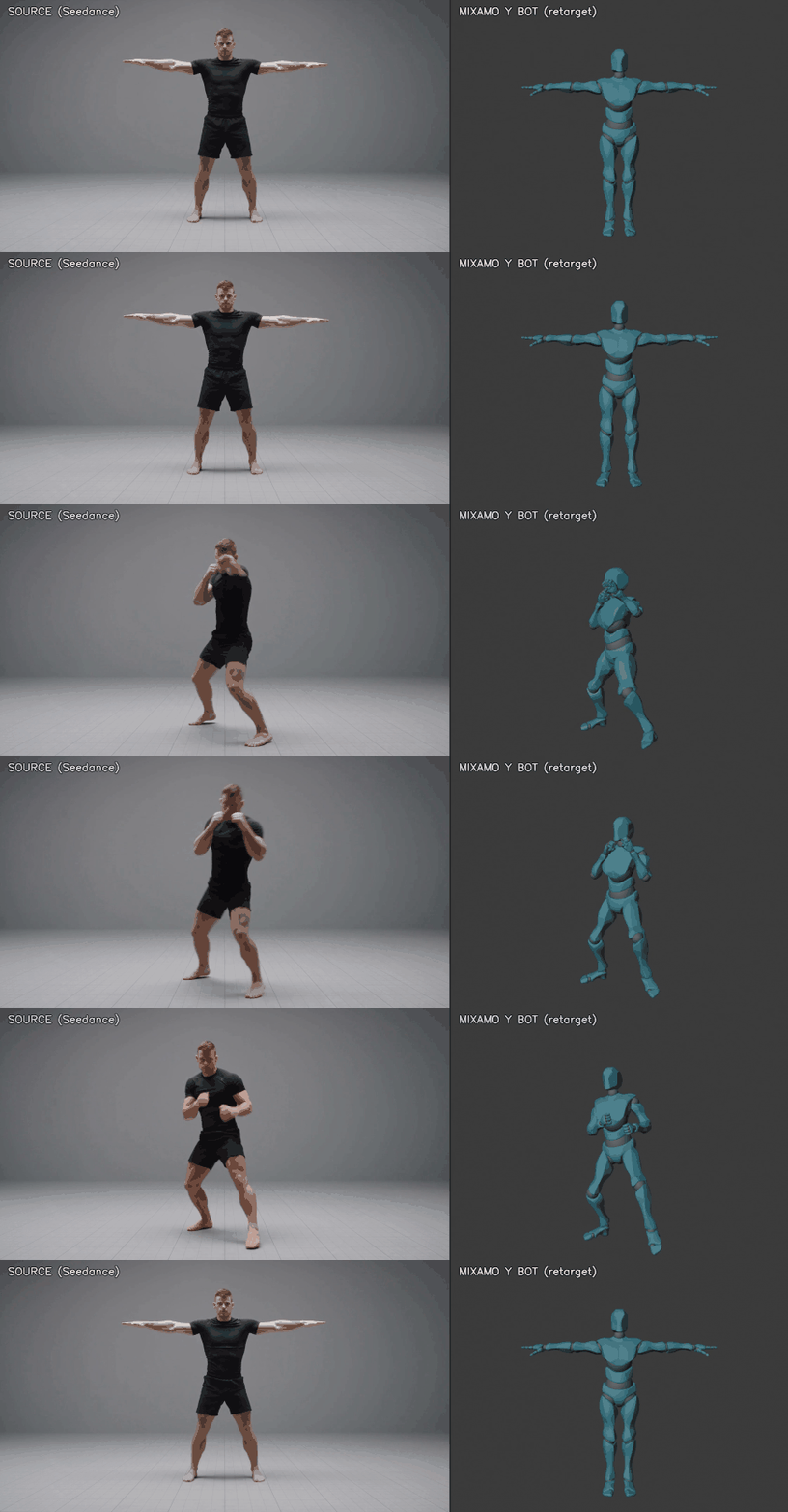
 Mixamo LLM Mocap turns any locked-camera video - filmed or AI-generated - into a clean FK animation on any Mixamo character, using a GVHMR pose estimator, a spec-driven retarget step, and a Blender MCP apply stage. It's built so an AI agent can run the entire pipeline end to end.
Mixamo LLM Mocap turns any locked-camera video - filmed or AI-generated - into a clean FK animation on any Mixamo character, using a GVHMR pose estimator, a spec-driven retarget step, and a Blender MCP apply stage. It's built so an AI agent can run the entire pipeline end to end.Is this a Blender add-on, or a set of command-line scripts?It's a chain of Python command-line scripts for pose estimation, retargeting and QA, with a socket connection into Blender via the official MCP add-on for the final apply step - there's nothing to install as a click-and-use Blender plugin.
It's a chain of Python command-line scripts for pose estimation, retargeting and QA, with a socket connection into Blender via the official MCP add-on for the final apply step - there's nothing to install as a click-and-use Blender plugin.How do I run a full plate through the pipeline?Install the dependencies per docs/INSTALL.md, run setuprig.py to build a rig scene from your own Mixamo character download, then run the pipeline stages with Blender open on that scene; comparereference.py checks the retarget against the source video and the final command produces preview.mp4 and a side-by-side showcase.mp4.
Install the dependencies per docs/INSTALL.md, run setuprig.py to build a rig scene from your own Mixamo character download, then run the pipeline stages with Blender open on that scene; comparereference.py checks the retarget against the source video and the final command produces preview.mp4 and a side-by-side showcase.mp4.What do I need to install besides this repo?Blender 5.1+ with the official MCP add-on, the GVHMR pose estimator (cloned separately and installed per docs/INSTALL.md), its roughly 5GB of checkpoints, and the SMPL-X body model obtained through a free research registration.
Blender 5.1+ with the official MCP add-on, the GVHMR pose estimator (cloned separately and installed per docs/INSTALL.md), its roughly 5GB of checkpoints, and the SMPL-X body model obtained through a free research registration.Any catches before I start?Mixamo characters aren't bundled - Adobe's terms forbid redistributing them, so you have to download your own FBX from mixamo.com, and GVHMR plus its checkpoints have to be fetched and set up separately.
Mixamo characters aren't bundled - Adobe's terms forbid redistributing them, so you have to download your own FBX from mixamo.com, and GVHMR plus its checkpoints have to be fetched and set up separately.Does the install work on Windows, or only Linux/macOS?Windows is explicitly supported - docs/INSTALL.md includes a working Windows recipe for GVHMR with a dedicated requirements file and a prebuilt pytorch3d wheel.
Windows is explicitly supported - docs/INSTALL.md includes a working Windows recipe for GVHMR with a dedicated requirements file and a prebuilt pytorch3d wheel.Do I need a beefy GPU for the pose estimation?Yes - the GVHMR estimator needs roughly 8GB of VRAM; the project was developed and tested on an RTX 4080.
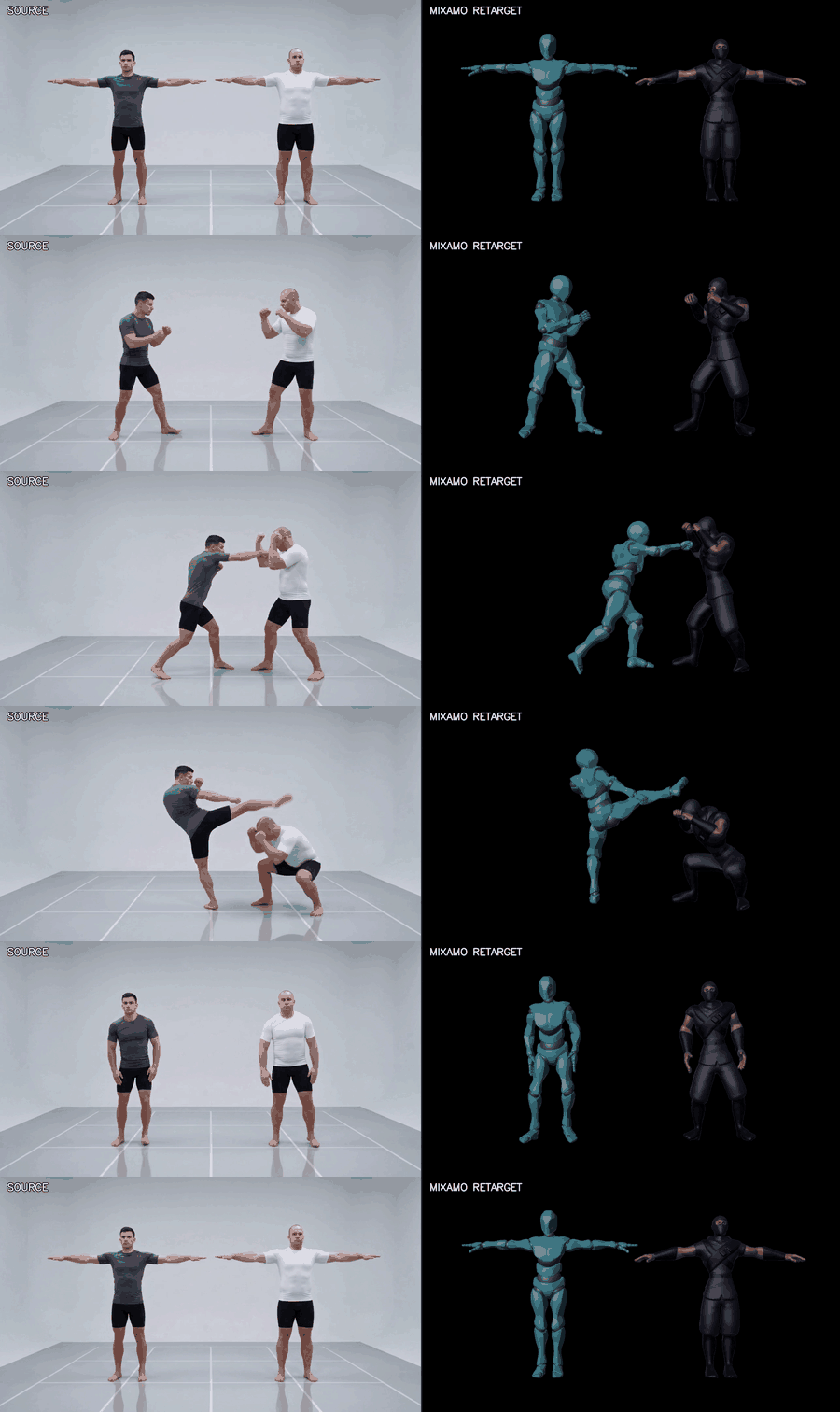
Yes - the GVHMR estimator needs roughly 8GB of VRAM; the project was developed and tested on an RTX 4080.Does it only work with one performer per video?No - with two performers in frame, setupduo.py and comparepair.py split the tracks by screen side, retarget each onto a separate Mixamo character, and verify strike reach, separation and limb collisions frame by frame against the footage.
No - with two performers in frame, setupduo.py and comparepair.py split the tracks by screen side, retarget each onto a separate Mixamo character, and verify strike reach, separation and limb collisions frame by frame against the footage.What defines a new motion for the pipeline?A small JSON 'actionspec' that declares which foot supports each phase (including airborne beats), when fists close, and where the clip locks back to rest - no animation code is needed.
A small JSON 'actionspec' that declares which foot supports each phase (including airborne beats), when fists close, and where the clip locks back to rest - no animation code is needed.How does it catch bad retargets before they ship?A numeric QA gate flags exploded bones, hip pops, foot skate and broken rest poses, and comparereference.py measures things like hand height and limb distance against the source video, reporting exactly which frame windows diverge.
A numeric QA gate flags exploded bones, hip pops, foot skate and broken rest poses, and comparereference.py measures things like hand height and limb distance against the source video, reporting exactly which frame windows diverge.Does it work on any Mixamo character, or only specific ones?Any Mixamo character - setuprig.py builds and measures a scene from your own Mixamo FBX download (rest pose, bone lengths, hip and ground heights), and every later stage reads that measured profile.
Any Mixamo character - setuprig.py builds and measures a scene from your own Mixamo FBX download (rest pose, bone lengths, hip and ground heights), and every later stage reads that measured profile.What are similar projects?Motion2MixamoRig, freemocap, image-to-3dlab, openpose, framefields, InsertAny3D, kimodo, storyboard-ai
Motion2MixamoRig, freemocap, image-to-3dlab, openpose, framefields, InsertAny3D, kimodo, storyboard-aiWhich topics is it in?motion-capture, pose-estimation, blender, video-processing, game-development, 3d, animation, nvidia, computer-vision, cuda, ai-agent, gpu
motion-capture, pose-estimation, blender, video-processing, game-development, 3d, animation, nvidia, computer-vision, cuda, ai-agent, gpu