Motion2MixamoRig README

The project's README from github.com/MaxLiu22/Motion2MixamoRig. As one markdown file: README.md.

Motion2MixamoRig

Motion2MixamoRig

中文 · English · 한국어 · 日本語 · Deutsch · Русский · العربية · Tiếng Việt · Filipino · ไทย · Français · Español · Türkçe · नेपाली

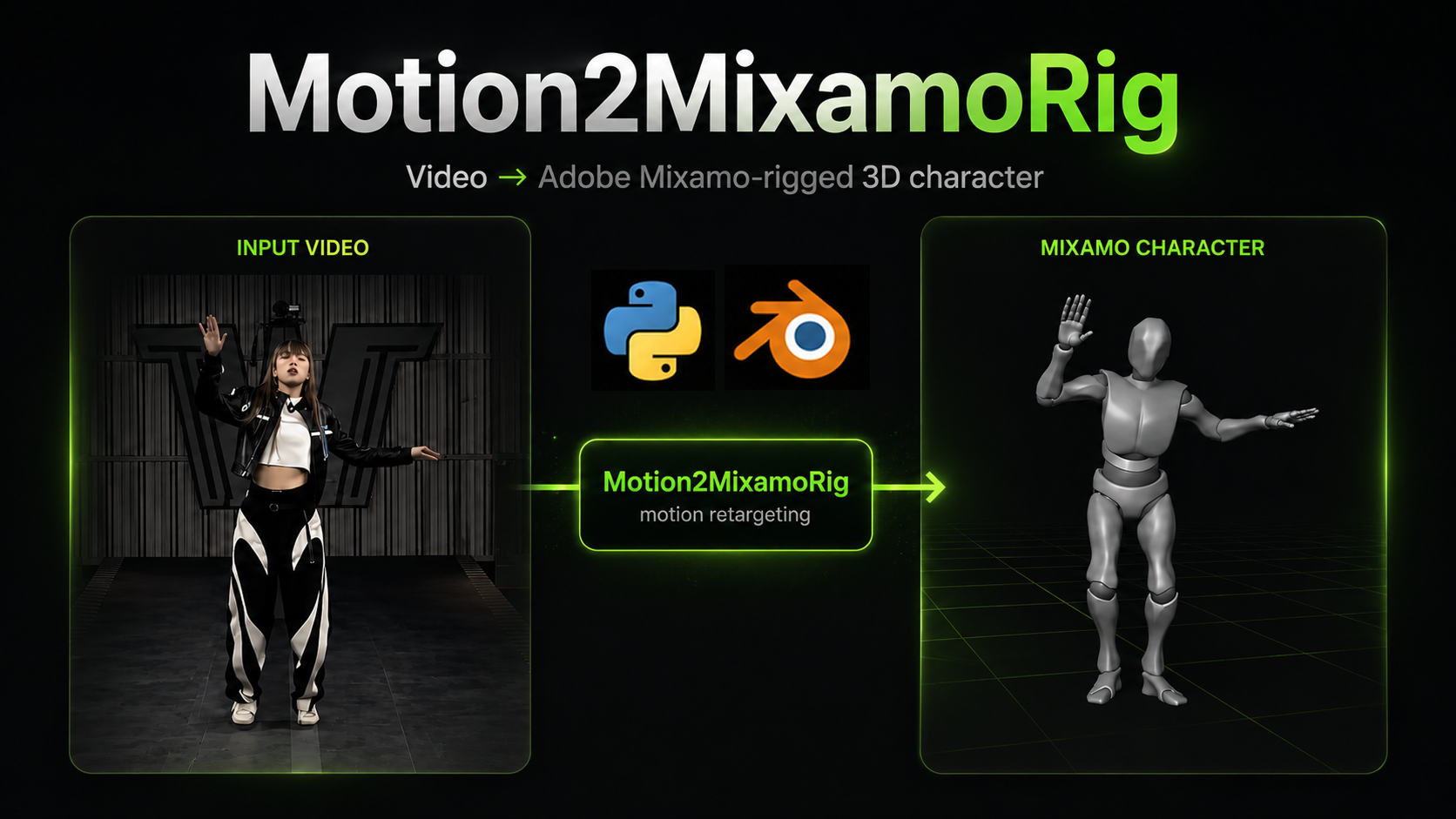
Transfer the motion of a person in a video — or the pose in a still photo — onto an Adobe Mixamo-rigged 3D character.

For game developers: give it a single-person action video (or a still) and a Mixamo character; it writes preview videos plus a skinned character file (.glb) you can drop into Blender or Unity.

Motion2MixamoRig is currently experimental. Version 0.1.0 is the command-line pipeline. This repository also includes a Blender 4.2+ Extension that runs that same pipeline in an external Python environment. How to install and use the add-on: blender_extension/README.md.

Agents should start with AGENTS.md.

https://github.com/user-attachments/assets/37c67642-f36c-4815-bcf3-028ed9546a2f

Open demo.mp4 in this repository.

Another demo:

https://github.com/user-attachments/assets/073f20c8-7283-4209-98e8-f247228bfd56

Prerequisites

Python 3.10+. After cloning, create a virtualenv and install dependencies; the m2mr command is then available:

git clone https://github.com/MaxLiu22/Motion2MixamoRig.git
cd Motion2MixamoRig
python -m venv .venv && source .venv/bin/activate

# Install dependencies and this project. chumpy (a legacy package on the
# dependency chain) imports pip in its setup script, which fails with
# "No module named 'pip'" under pip's default isolated build. Install it
# first with isolation turned off, then install this project.
pip install --upgrade pip setuptools wheel \
  && pip install "numpy>=1.26" \
  && pip install --no-build-isolation "chumpy==0.70" \
  && pip install -e .

Inference weights (GVHMR and so on) are not downloaded here. The first m2mr run pulls them into weights/ (~5 GB, once only).

ffmpeg is recommended (macOS: brew install ffmpeg, Ubuntu: apt install ffmpeg). The pipeline runs without it, but the output videos will be silent and will not play in a browser.

Before you run: put these in assets/

This repository does not ship these files; you have to fetch them. The SMPL-X filename must match the table exactly; FBX, video, and image names can be anything. A run needs SMPL-X, a Mixamo character, and either a video or a still.

What Where Where to get it
SMPL-X body model assets/body_models/smplx/SMPLX_NEUTRAL.npz Register at SMPL-X and download it
Mixamo character FBX assets/mixamo/Y_Bot.fbx With an Adobe account, download Y Bot (or any other Mixamo-rigged character) from Mixamo
Action video assets/video/<your_clip>.mp4 A clip with exactly one clearly visible person, head to toe in frame the whole time (you may keep several files; each run uses the most recently added)
Pose still (optional) assets/image/<your_photo>.jpg A photo with exactly one clearly visible person, head to toe in frame. Use with --image

Note: Mixamo's download is named Y Bot.fbx (space), one character off from Y_Bot.fbx (underscore) in the table. Rename it to the underscore form and it becomes the default rig (m2mr run without --rig). Leaving the space is fine too — if Y_Bot.fbx is missing, the first .fbx in assets/mixamo/ is used.

assets/video/ can hold several videos. Without --video or --image, the run uses the file most recently added to assets/video/; if that folder is empty it falls back to the latest still in assets/image/. Each clip or photo must show only one person, head to toe in frame — nothing cropped at the edges. m2mr doctor / m2mr run stop before extraction if two people are in view.

Quick Start

Results land in outputs/<run-time>_<source>/. Video runs write videos/; still runs write images/.

1. Check assets and the environment

Anything missing is printed with where to download it and where to put it.

m2mr doctor

2. First run: get something on screen

With no flags, this uses the latest file in assets/video/ and assets/mixamo/Y_Bot.fbx.

m2mr run

This is the slow step. The first run downloads ~5 GB of inference weights (once only), then extracts human motion from the video. On CPU, a ~30 second clip takes about 8–15 minutes to extract; later runs of similar length, with weights already there, take about 3–5 minutes. Retargeting and rendering are usually a minute or two. Reusing a skeleton with --skeleton in the next section skips extraction entirely and finishes in tens of seconds.

3. Same motion, different character

Download another character from Mixamo into assets/mixamo/. Do not rerun with only --rig — that repeats the slow extraction. Pass --skeleton to reuse the skeleton from a previous run; minutes become tens of seconds:

m2mr run --skeleton outputs/<previous-run-dir>/skeleton_motion.npz --rig assets/mixamo/Vampire.fbx

4. A different video

--video picks the clip. It combines freely with --rig.

m2mr run --video assets/video/dance.mp4 --rig assets/mixamo/Vampire.fbx

5. A still photo (static pose)

--image recovers a static 3D pose from a photo of one person, then retargets it onto the Mixamo character the same way a video run does. Previews are four stills in images/ (same views as the video run), plus a left/right orbit clip before_after_360_compare.mp4. Do not pass --video at the same time.

m2mr run --image assets/image/pose.jpg
m2mr run --image assets/image/pose.jpg --rig assets/mixamo/Vampire.fbx

--image with no path uses the file most recently added to assets/image/.

Outputs

Each m2mr run creates a directory named by the time the command started. The four files at the root are the same for video and still; only the preview folder changes.

outputs/20260829_193205_dance/          # or …_pose/ for a still
├── run.json                            # start time, inputs, full command
├── skeleton_motion.npz                 # 3D human skeleton (reuse with --skeleton)
├── mixamo_rotations.npz                # per-bone Mixamo rotations
├── mixamo_character.glb                # skinned character, import into Blender / Unity
└── videos/   or   images/              # previews — which one depends on the input

Video input writes videos/ (same aspect ratio as the clip):

videos/
├── human_skeleton.mp4                  # recovered 3D human skeleton
├── mixamo_skeleton.mp4                 # Mixamo rig skeleton
├── mixamo_character.mp4                # skinned Mixamo character
└── compare.mp4                         # 2×2: original (TL) / Mixamo skeleton (TR)
                                        #      human skeleton (BL) / character (BR)

Still input writes images/ instead (same four views, plus a turntable):

images/
├── human_skeleton.png                  # recovered 3D human skeleton
├── mixamo_skeleton.png                 # Mixamo rig skeleton
├── mixamo_character.png                # skinned Mixamo character
├── compare.png                         # 2×2: original (TL) / Mixamo skeleton (TR)
│                                       #      human skeleton (BL) / character (BR)
└── before_after_360_compare.mp4        # left: original photo
                                        # right: 10° orbit of the rig (one full turn)

Open mixamo_character.glb in Blender: File → Import → glTF 2.0 (.glb/.gltf). If the camera is framed on empty space, select the character mesh and use View → Frame Selected. The cluster of spheres on the head and hands is bone display, not the mesh: in the Outliner, hide Icosphere and the armature; leave the skinned mesh visible. Set scene FPS and the timeline end frame from run.json (fps, n_frames) so playback matches the source. Compare a video run against videos/mixamo_character.mp4, a still run against images/mixamo_character.png or the orbit clip.

License

This repository's code is Apache-2.0. The assets you download have their own terms and must not be redistributed with this repo:

Contact

If you run into a problem, need help finishing a local setup, or would like to talk about working together, email: [email protected]

Motion2MixamoRig (MaxLiu22/Motion2MixamoRig)

Searching Database…

What is this?Motion2MixamoRig takes a video (or a still photo) of one person and transfers that motion/pose onto an Adobe Mixamo-rigged 3D character, producing preview videos and a skinned .glb file you can drop into Blender or Unity.
Is this a CLI tool, or does it have a GUI?It is primarily a command-line pipeline (the m2mr command), with an additional Blender 4.2+ Extension that runs the same pipeline from inside Blender.
How do I get it running?Clone the repo, create a virtualenv and install dependencies so the m2mr command becomes available, then put required assets in assets/ and run m2mr doctor followed by m2mr run.
What do I need before I can run a job?Python 3.10+, a SMPL-X body model file (requires registering on the SMPL-X site), a Mixamo character FBX (requires an Adobe account), and a video or photo of one person head-to-toe in frame; ffmpeg is recommended so outputs have sound and play in browsers.
Any pitfalls when setting this up?The first run downloads about 5GB of inference weights and can take 8-15 minutes on CPU; clips must show exactly one person head to toe with nothing cropped, and the project itself is marked experimental.
Who is this aimed at?It's built for game developers who want to quickly turn a video or photo into motion for a Mixamo-rigged character.
Can I reuse an extracted skeleton with a different character?Yes, pass --skeleton to reuse a previously extracted skeleton and skip the slow motion-extraction step entirely, cutting runtime from minutes to tens of seconds; combine it with --rig to apply a new Mixamo character.
What file do I open in Blender when a run finishes?Open mixamocharacter.glb via File → Import → glTF 2.0 (.glb/.gltf); use run.json's fps and nframes to set scene FPS and timeline length so playback matches the source.
How do I name my Mixamo character file so it's picked up automatically?Rename the downloaded 'Y Bot.fbx' to 'YBot.fbx' (underscore) to make it the default rig; if that exact name is missing, the pipeline just uses the first .fbx found in assets/mixamo/.
Does it work with still photos instead of video?Yes, pass --image to recover a static 3D pose from a photo of one person and retarget it the same way, producing four preview stills plus an orbit comparison clip instead of a preview video.
Creator
MaxLiu22
Size
35.7 MB
Stars
1.2K
Updated
CommitOct 16
Age
1mo
Commits · 90 Days
