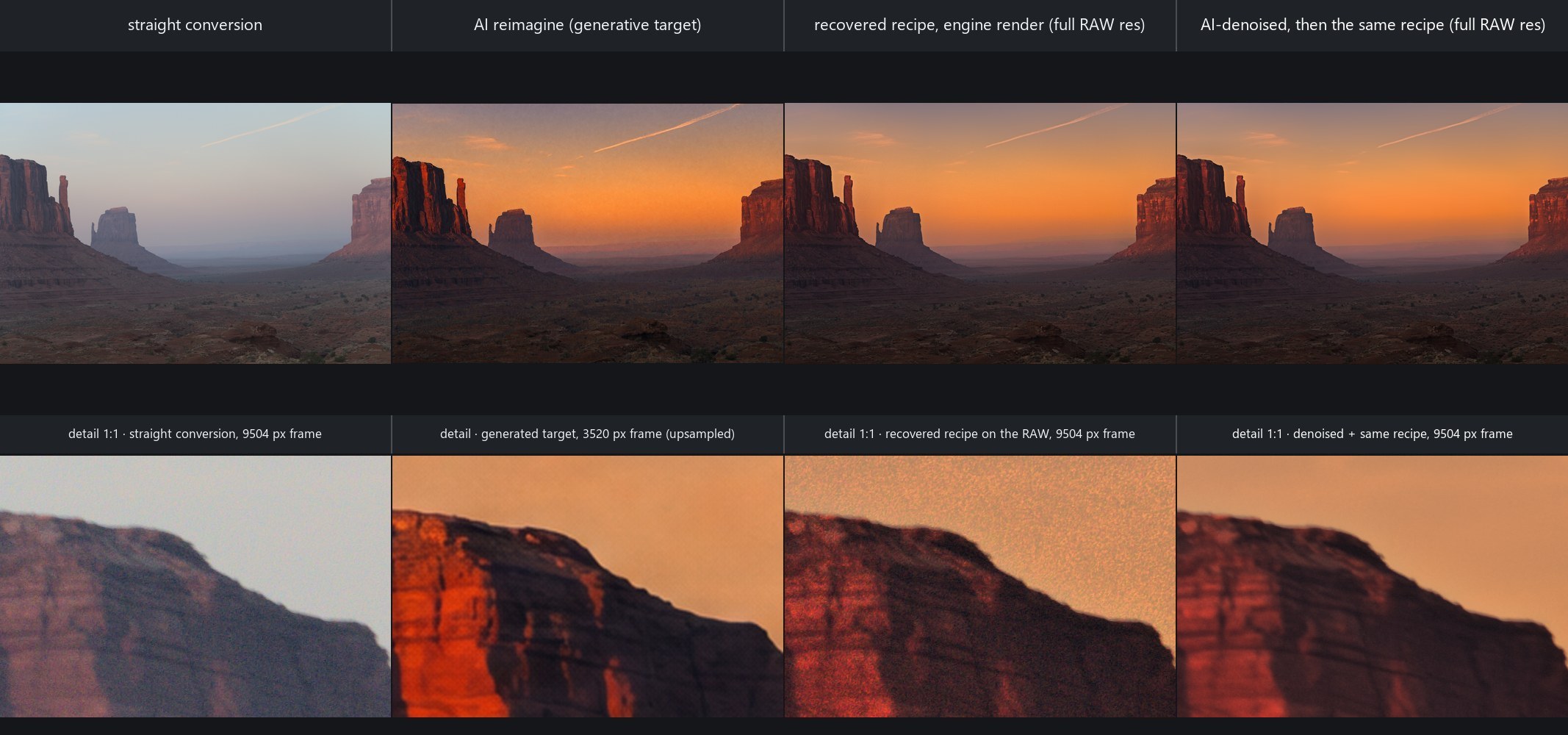
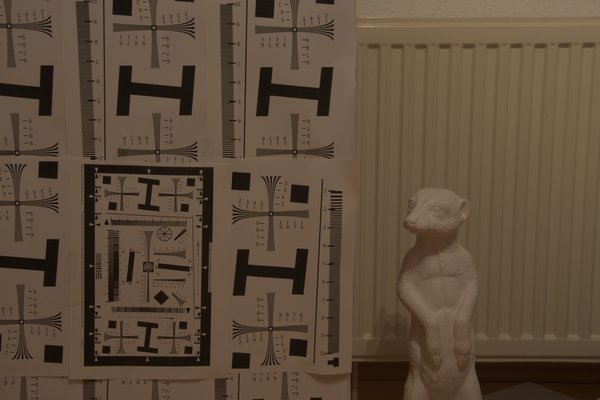
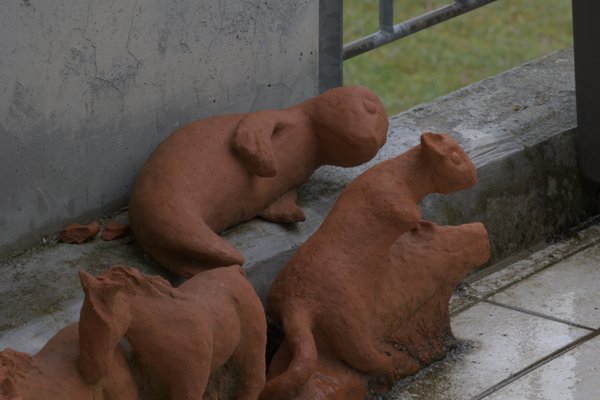
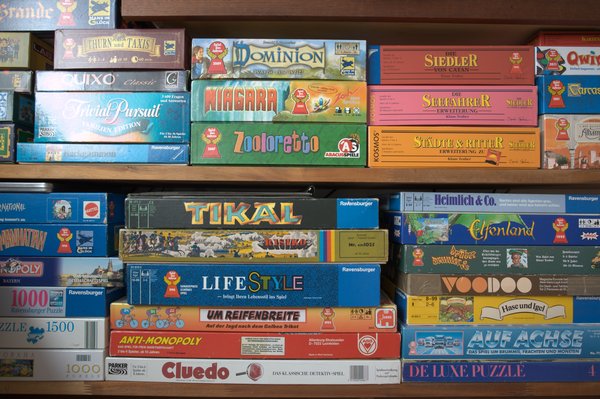
Straight conversion → generated target → recovered recipe on the 61 MP RAW → same recipe after AI denoise. Bottom row: 1:1 crops.
[!TIP]
The generated picture is a target, never the delivery. An image model paints the look you describe;
AutoShade fits an editable develop recipe to it and renders that recipe on the full-resolution RAW.
The recipe carries the look, the sensor carries the detail — and in the recipe path, the AI never touches a pixel.
Highlights
🎯 Reverse-fit any look reimagine generates the picture from your frame; match recovers a recipe from it — or from any finished rendition of the same shot. Look error 0.161 → 0.023.
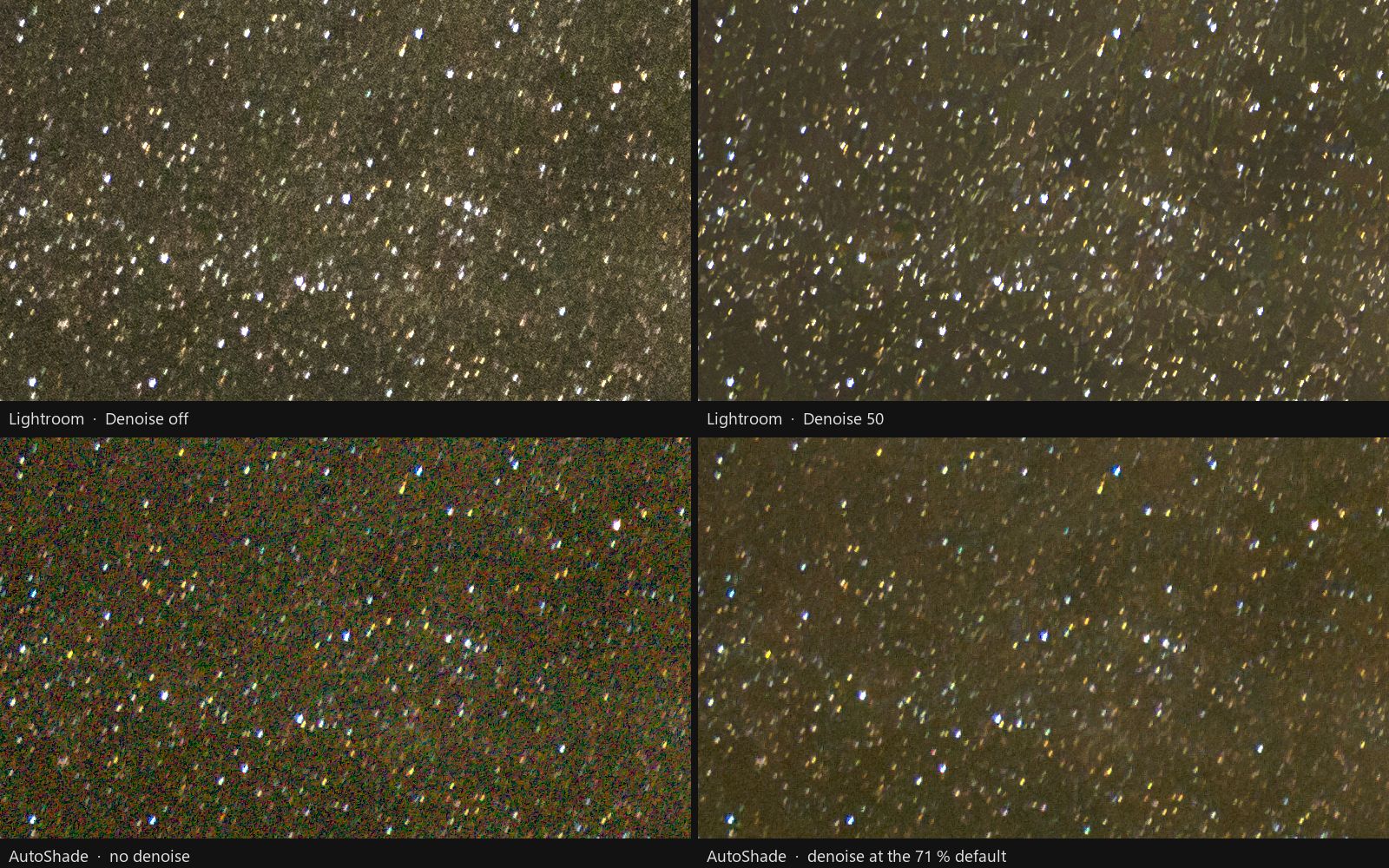
🌌 A RAW denoiser trained here Cleans the sensor mosaic before demosaic. Keeps 98.70 % of 17,817 faint stars against Lightroom Denoise's 98.80 %.
📐 Lightroom parity, measured Texture 45 / 45 anchors within ±0.02, radial masks 41 / 41 within 1 px. Every residual is published.
🔁 Round-trips through Lightroom Sidecar XMP is merged byte for byte; the full develop survives a Lightroom rewrite and reopens exactly.
🖼️ Your library is the style guide Point it at finished photos you love; each develop sees the 3 closest as a reference. Embeddings run locally.
🧩 Local AI masks, no API key Subject, sky and point-prompted objects (BiRefNet, OneFormer, SAM 2.1), plus HDR, focus and noise stacking.
Showcase
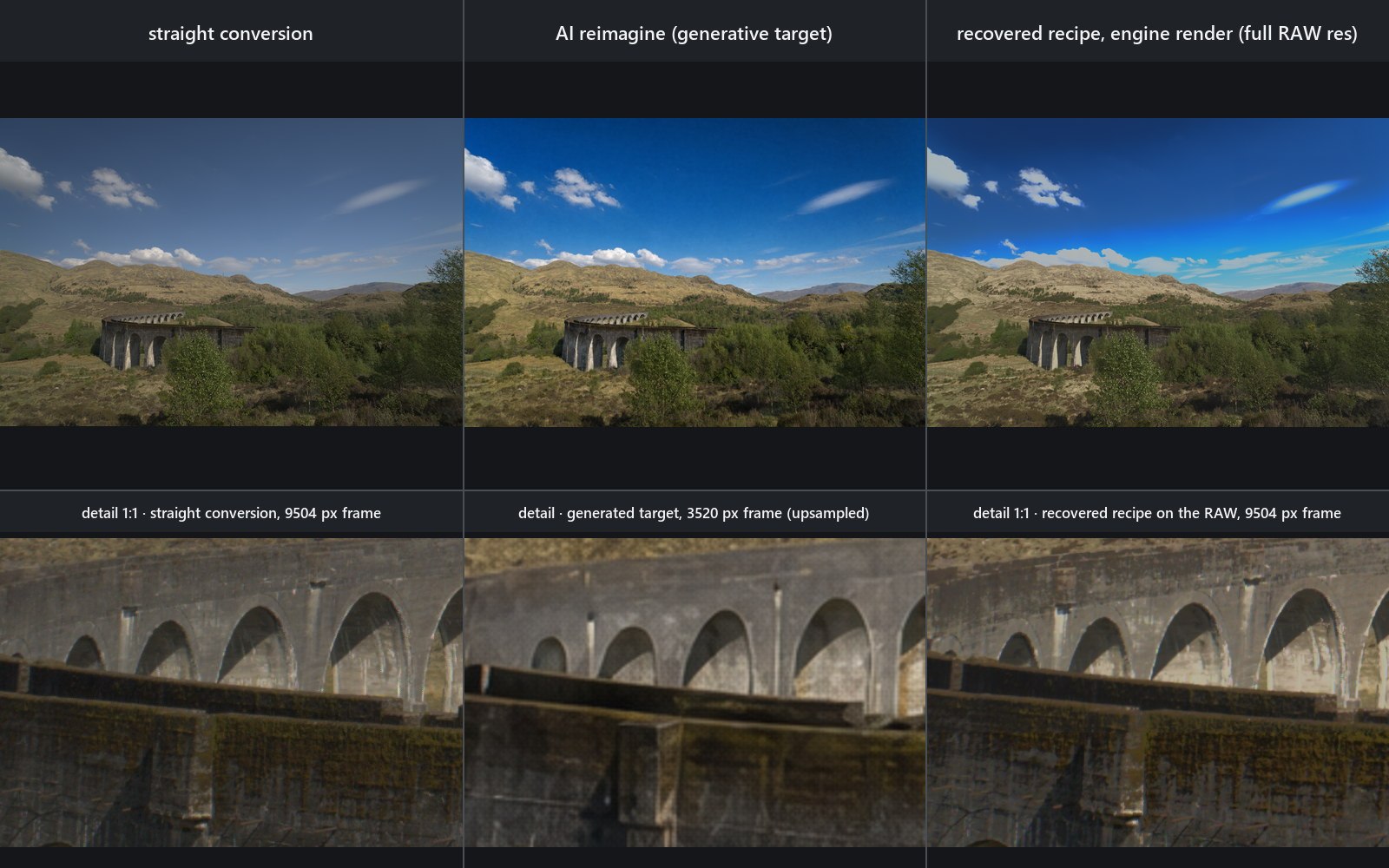
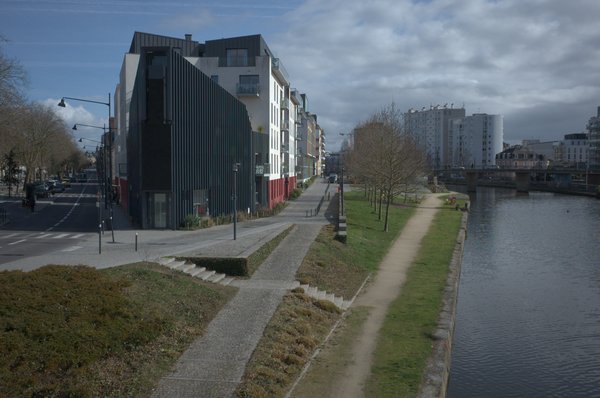
Reverse-fit. Prompt: “a clearer afternoon, a little more contrast, a slightly deeper blue sky.” The recipe renders the look on the 9504 × 6336 RAW; the generated frame carries neither the detail nor the resolution.
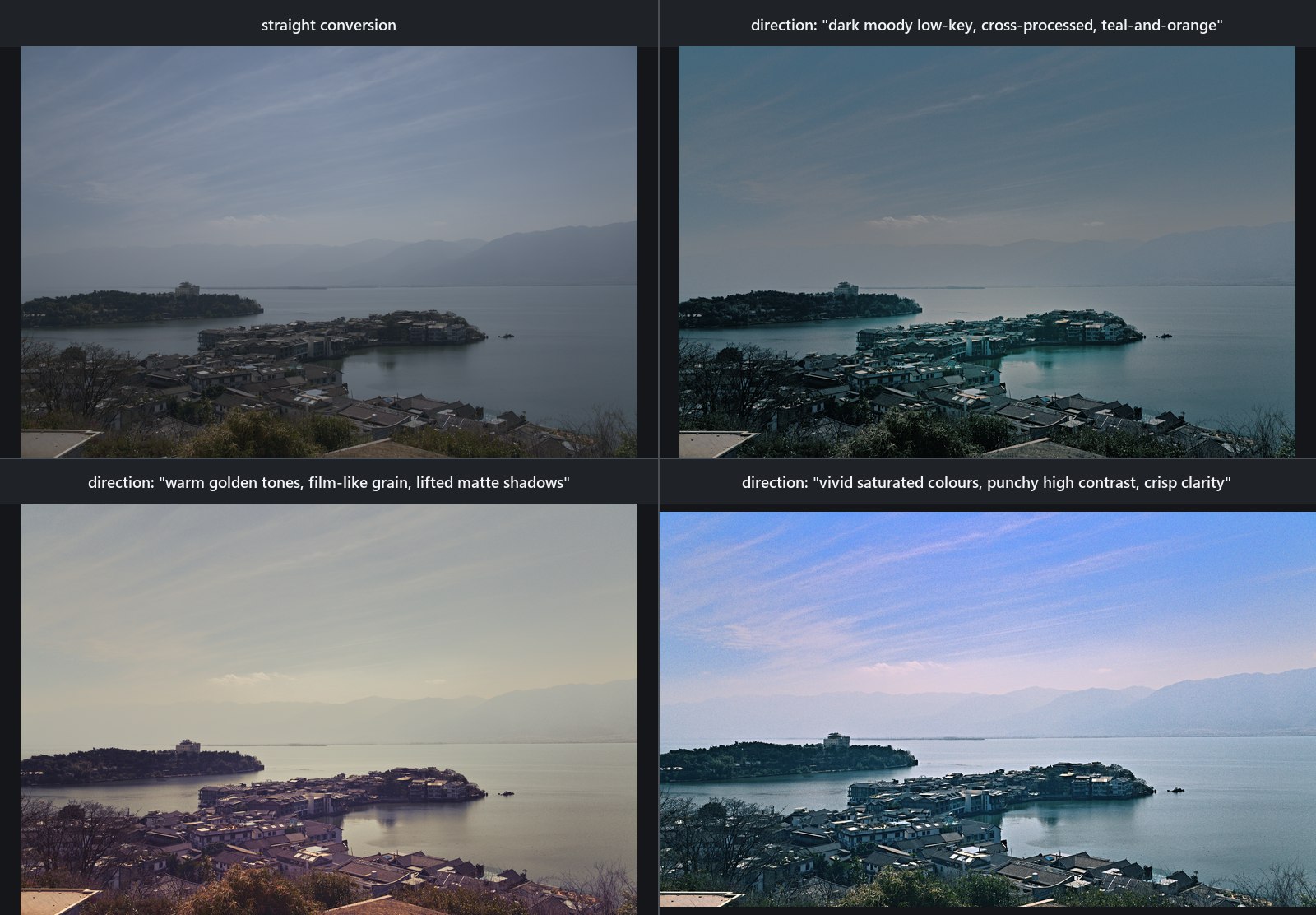
One RAW, four looks. Straight conversion, then moody, golden and vivid — only the direction text changes.
ISO 2500 star field, 1:1. Top: Lightroom, Denoise off / 50. Bottom: AutoShade, off / its own denoiser at 71 %. Clean colour, natural grain, faint stars intact.
Six techniques you will not find in another RAW developer. Each is written up in full — equations, figures, refused training runs — in AutoShade in depth.
A per-photo base curve read from the embedded preview, like with like
How it works
One engine, three front ends — desktop app, CLI and loopback web UI share one Rust library and one per-user develop store.
Local first — six Python sidecars (masks, two denoisers, correspondence, descriptions, embeddings) run on your machine; pixels leave it only for an AI operation you ask for.
Non-destructive — your photo library stays read-only; generated pixels always land on their own labelled card.
AutoShade-Setup-1.9.0.exe — per-user, no admin. Or the portable autoshade-1.9.0-windows-x64.zip
macOS
AutoShade-1.9.0-macos-universal.zip (Apple silicon + Intel), or -macos-cli.zip
Linux
AutoShade-1.9.0-linux-x64.zip — command line only
All on the v1.9.0 release page. Python 3 is needed only for the local AI sidecars; model weights download on first use.
[!NOTE]
macOS: the app is ad-hoc signed, not notarised — on first launch use System Settings → Privacy & Security → Open Anyway (once per machine).
Desktop app — open a photo (Ctrl+O), move a slider, export with Ctrl+Shift+E. The original is never touched.
CLI
# manual develop
autoshade apply photo.ARW recipe.json -o developed.tif

# AI develop, end to end
autoshade auto photo.ARW --guidance "natural color; protect highlights" -o developed.tif

# describe a look, then recover it as an editable recipe on the RAW
autoshade reimagine photo.ARW --prompt "a clearer afternoon, deeper blue sky"
autoshade match photo.ARW out/photo.reimagine.png --render
Upgrades, silent installs and every command: User manual.
Release assets and checksums
Built by GitHub Actions from the tag; checksums.txt carries every SHA-256. The RAW denoiser weights are uploaded by hand to the release the sidecar pins —
releases/download/v1.6.0/autoshade-raw-denoise-v2.pth,
mirrored byte-exact on Hugging Face — and refused unless size and SHA-256 match the pin in python/denoise_raw.py.
Decoded by rawler 0.7.2, which carries 725 camera models. No embedded
preview: 12 of the 24 formats store none. They are orf, srw, nrw, mef,
mos, kdc, dcr, dcs, erf, iiq, crw, and ari; AutoShade renders its own neutral version instead.
Baked rasters — 8 extensions:jpgjpegpngtiftiffbmpwebpgif, with ICC conversion.
RAW decode, 24 formats, 725 bodies · deterministic f32 develop engine · hand-rolled XMP layer (no XML crate) for byte-exact Lightroom merges.
The current battery is 1643 library (1628 pass + 15 #[ignore]d forensic probes) / 25 CLI / 243 GUI / 2+2 contract tests.
Per-subsystem notes: In depth → Implementation · equations and provenance: TECH_STACK.md.
Status and limitations
Release gates at v1.9.0 cover the CLI, desktop GUI, sidecar contracts, format fixtures and the deterministic renderer.
Not in scope: bit-exact Adobe rendering (parity is measured, not identical), an exact X-Trans demosaic, a notarised macOS build, a Linux desktop app.
Honest markers: AI masks are local re-creations, not Adobe's pixels; linear masks are not pixel-closed (radial closes 41/41 to ≤ 1 px); the macOS app is CI-verified but has no reported interactive users yet.
Model weights download separately and remain their authors' property; every pinned model also has a byte-exact mirror on Hugging Face (Azng0/autoshade-mirror-*), checksum-verified either way — table in python/_mirror.py.
Model
Purpose
License
SCUNet
AI denoise (baked sources)
Apache-2.0
DRUNet-colour (DPIR), fine-tuned here as autoshade-raw-denoise-v2.pth
AI denoise (RAW mosaic)
MIT; fine-tuning pairs from RawNIND, CC BY-SA 4.0
BiRefNet
Subject segmentation
MIT
U²-Net
Subject fallback
Apache-2.0
OneFormer ADE20K
Sky segmentation
MIT
SAM 2.1
Point-prompted object masks
Apache-2.0
MoGe-2 ViT-L (code in python/_moge/)
AI lens blur depth map
MIT (DINOv2 backbone code Apache-2.0)
SigLIP 2
Style embeddings
Apache-2.0
Qwen3-VL-2B-Instruct
Local look descriptions
Apache-2.0
Stable Diffusion 2.1
DIFT correspondence field
CreativeML Open RAIL++-M
Fonts: subset Noto faces (SIL OFL) and a Lucide icon face (ISC) — texts in assets/fonts/.
RAW samples: the nine format-grid files are from raw.pixls.us under CC0 1.0, SHA-256-verified.
Thanks to the rawler, image, qcms, rayon, clap, serde, ureq, egui/eframe, tiny_http and local-model communities.
Made for photographers who want to know what the AI changed — in numbers.
autoshade (skymanbp/autoshade)
Choose a tag and it will appear here. With no tags selected, all catalog projects are shown.
Searching Database…
Choose a tag and it will appear here. With no tags selected, all catalog projects are shown.
这是什么东西?AutoShade 是一款 AI 辅助的 RAW 照片修图工具:你描述想要的效果,GPT 风格的视觉分析步骤会提出一套调整方案,然后由确定性的 Rust 引擎把这套方案渲染到全分辨率的 RAW 文件上——生成与 Lightroom 兼容的 XMP sidecar 文件,而不是用 AI 生成像素。
AI 是真的生成我最终的照片,还是只是辅助修图?AI 只负责生成一张参考目标图或读取你的提示词,绝不会碰最终输出的像素。AutoShade 会根据这张目标图拟合出一份可编辑的修图方案,并渲染到你原始的 RAW 文件上,因此细节都来自传感器数据。






 AutoShade 是一款 AI 辅助的 RAW 照片修图工具:你描述想要的效果,GPT 风格的视觉分析步骤会提出一套调整方案,然后由确定性的 Rust 引擎把这套方案渲染到全分辨率的 RAW 文件上——生成与 Lightroom 兼容的 XMP sidecar 文件,而不是用 AI 生成像素。