




What is this?
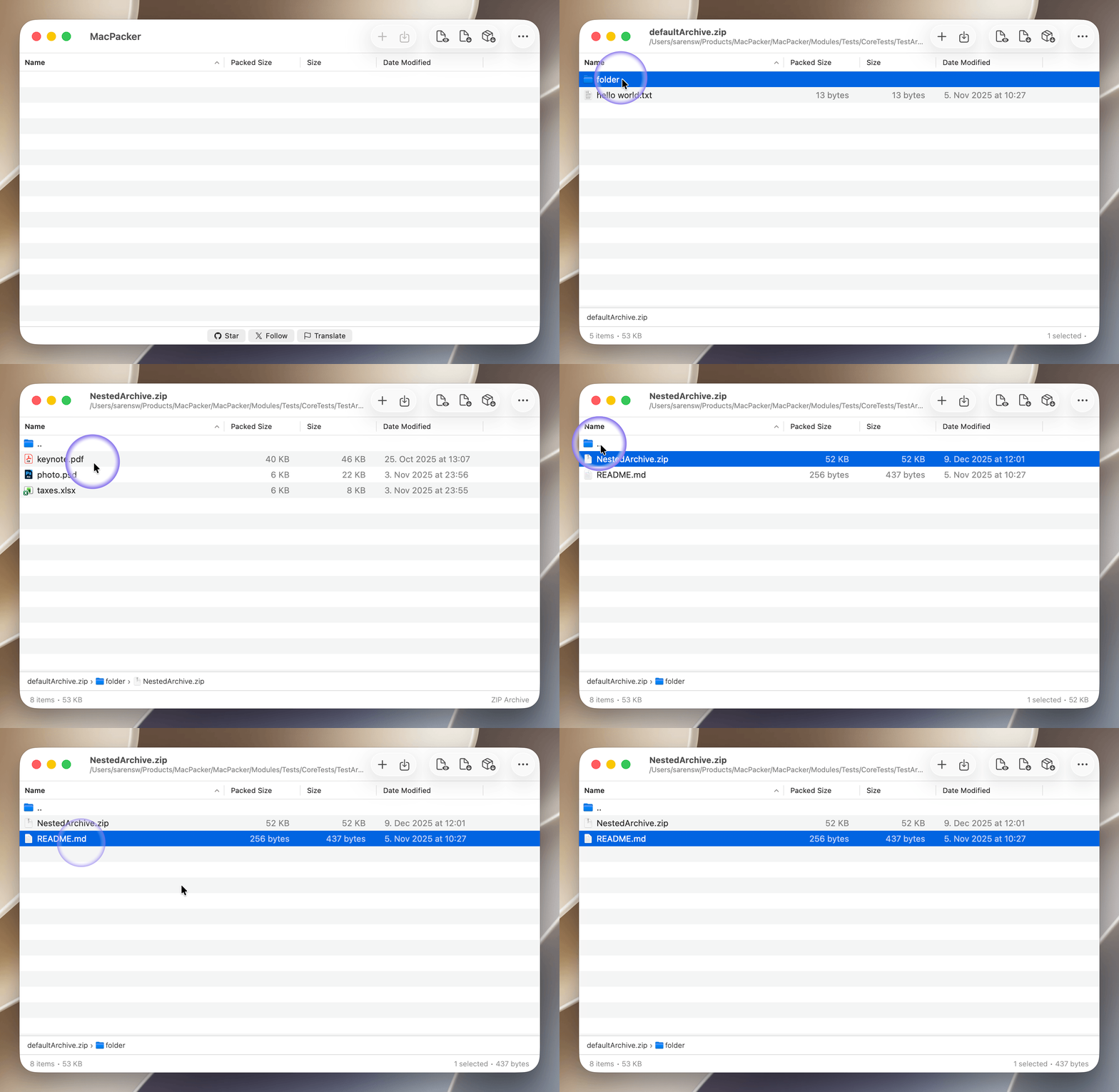
 MacPacker is a free, open source archive manager for macOS that lets you browse archives like folders, preview files without extracting, and drag out only the files you need. It's meant as a native 7-Zip replacement for the Mac.
MacPacker is a free, open source archive manager for macOS that lets you browse archives like folders, preview files without extracting, and drag out only the files you need. It's meant as a native 7-Zip replacement for the Mac.Is this a Finder plugin or a standalone app?It's a standalone native macOS app (built with SwiftUI/AppKit) that also adds Finder right-click actions and Quick Look previews for archives.
It's a standalone native macOS app (built with SwiftUI/AppKit) that also adds Finder right-click actions and Quick Look previews for archives.What macOS version do I need?You need macOS 14.6 or later (macOS 13 support ended after v0.14.1); building from source additionally requires Xcode 16+.
You need macOS 14.6 or later (macOS 13 support ended after v0.14.1); building from source additionally requires Xcode 16+.Can I delete or create archives with it yet?Not yet — you can edit and re-save ZIP archives today, but deleting files/folders inside archives and creating new archives are still on the roadmap as upcoming features.
Not yet — you can edit and re-save ZIP archives today, but deleting files/folders inside archives and creating new archives are still on the roadmap as upcoming features.How many archive formats does it support?Over 40 formats across archives (7z, rar, zip, deb, msi, etc.), disk images (dmg, iso, vhd, qcow2, etc.), compression (bz2, gz, xz, lz4, z) and tarballs.
Over 40 formats across archives (7z, rar, zip, deb, msi, etc.), disk images (dmg, iso, vhd, qcow2, etc.), compression (bz2, gz, xz, lz4, z) and tarballs.Can I open password-protected archives?Yes, MacPacker supports opening encrypted and password-protected archives.
Yes, MacPacker supports opening encrypted and password-protected archives.Does it handle archives nested inside other archives?Yes, it can drill into nested archives seamlessly without creating intermediate extracted copies.
Yes, it can drill into nested archives seamlessly without creating intermediate extracted copies.How does it detect archive formats?It uses smart detection based on each file's magic number rather than relying solely on the file extension, so renamed or mislabeled archives still open correctly.
It uses smart detection based on each file's magic number rather than relying solely on the file extension, so renamed or mislabeled archives still open correctly.What are similar projects?OpenYoink, FinderSearch, forel, BrewUI, finder-menu, tendedero, Ice, tinycast
OpenYoink, FinderSearch, forel, BrewUI, finder-menu, tendedero, Ice, tinycastWhich topics is it in?zip, appstore, appkit, file-management, archive, sandboxing, file-manager, compression, keyboard, localization, swiftui, native
zip, appstore, appkit, file-management, archive, sandboxing, file-manager, compression, keyboard, localization, swiftui, native