





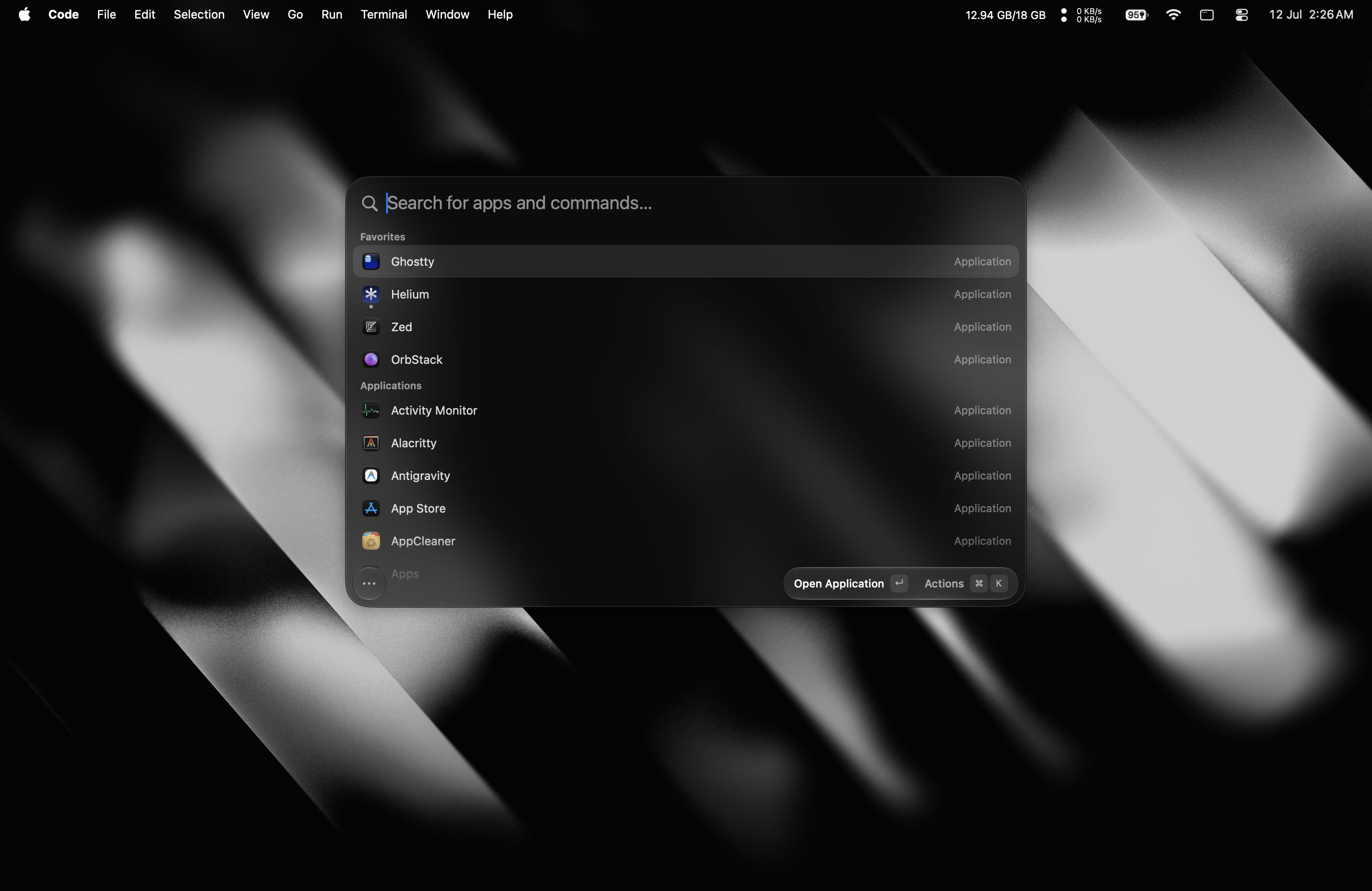

What is this?
 Tinycast is a tiny, fully native macOS launcher: one global hotkey summons a palette for launching apps, clipboard history, snippets, window tiling and more — all under 100 MB of RAM.
Tinycast is a tiny, fully native macOS launcher: one global hotkey summons a palette for launching apps, clipboard history, snippets, window tiling and more — all under 100 MB of RAM.Is this an app I install on my Mac, or a library for developers?A regular macOS app — built with SwiftUI and AppKit, zero third-party dependencies, no Electron. It even renders Raycast extensions as native SwiftUI.
A regular macOS app — built with SwiftUI and AppKit, zero third-party dependencies, no Electron. It even renders Raycast extensions as native SwiftUI.Will it run on my Mac?Only recent macOS: Apple silicon on macOS 26 or newer, Intel on macOS 26 via the tinycast-universal cask. Homebrew checks your chip and refuses the wrong one.
Only recent macOS: Apple silicon on macOS 26 or newer, Intel on macOS 26 via the tinycast-universal cask. Homebrew checks your chip and refuses the wrong one.Does it need special system permissions?Just one: Accessibility, and only when Tinycast pastes or expands text into another app — snippet keyword expansion is the only feature that needs it. You are prompted the first time you use such a feature.
Just one: Accessibility, and only when Tinycast pastes or expands text into another app — snippet keyword expansion is the only feature that needs it. You are prompted the first time you use such a feature.Does it collect any of my data?No telemetry, and snippet keystrokes are matched locally — never stored, never sent anywhere. AI features ship off out of the box and use your own key.
No telemetry, and snippet keystrokes are matched locally — never stored, never sent anywhere. AI features ship off out of the box and use your own key.What is inside besides app launching?Clipboard history for text and images, Markdown snippets with dynamic placeholders, 34 Rectangle-style window actions (halves, quarters, thirds, Spaces), an inline calculator with unit, live currency and crypto conversions, quicklinks, Apple Shortcuts, plain-Markdown notes, an emoji picker, system actions, and one-key or automatic meeting joining from your calendar.
Clipboard history for text and images, Markdown snippets with dynamic placeholders, 34 Rectangle-style window actions (halves, quarters, thirds, Spaces), an inline calculator with unit, live currency and crypto conversions, quicklinks, Apple Shortcuts, plain-Markdown notes, an emoji picker, system actions, and one-key or automatic meeting joining from your calendar.What can the AI features do?You can chat from the palette using your own API key or an installed AI account, and Quick Actions fix grammar, rewrite, translate or summarize the selected text in any app. Every AI feature ships off by default.
You can chat from the palette using your own API key or an installed AI account, and Quick Actions fix grammar, rewrite, translate or summarize the selected text in any app. Every AI feature ships off by default.Is there a beta channel?Yes — brew install --cask tinycast@beta installs Tinycast Beta.app beside the stable app, with its own settings and permissions.
Yes — brew install --cask tinycast@beta installs Tinycast Beta.app beside the stable app, with its own settings and permissions.What are similar projects?rustcast, Maccy, Sapphire, BrewUI, KiwiDesk, Wox, MacPacker, vorssaint-utils
rustcast, Maccy, Sapphire, BrewUI, KiwiDesk, Wox, MacPacker, vorssaint-utilsWhich topics is it in?clipboard-manager, tiling, app-launcher, emoji, raycast, clipboard, snippets, window-management, launcher, calendar, keyboard, swiftui
clipboard-manager, tiling, app-launcher, emoji, raycast, clipboard, snippets, window-management, launcher, calendar, keyboard, swiftui