


What is this?
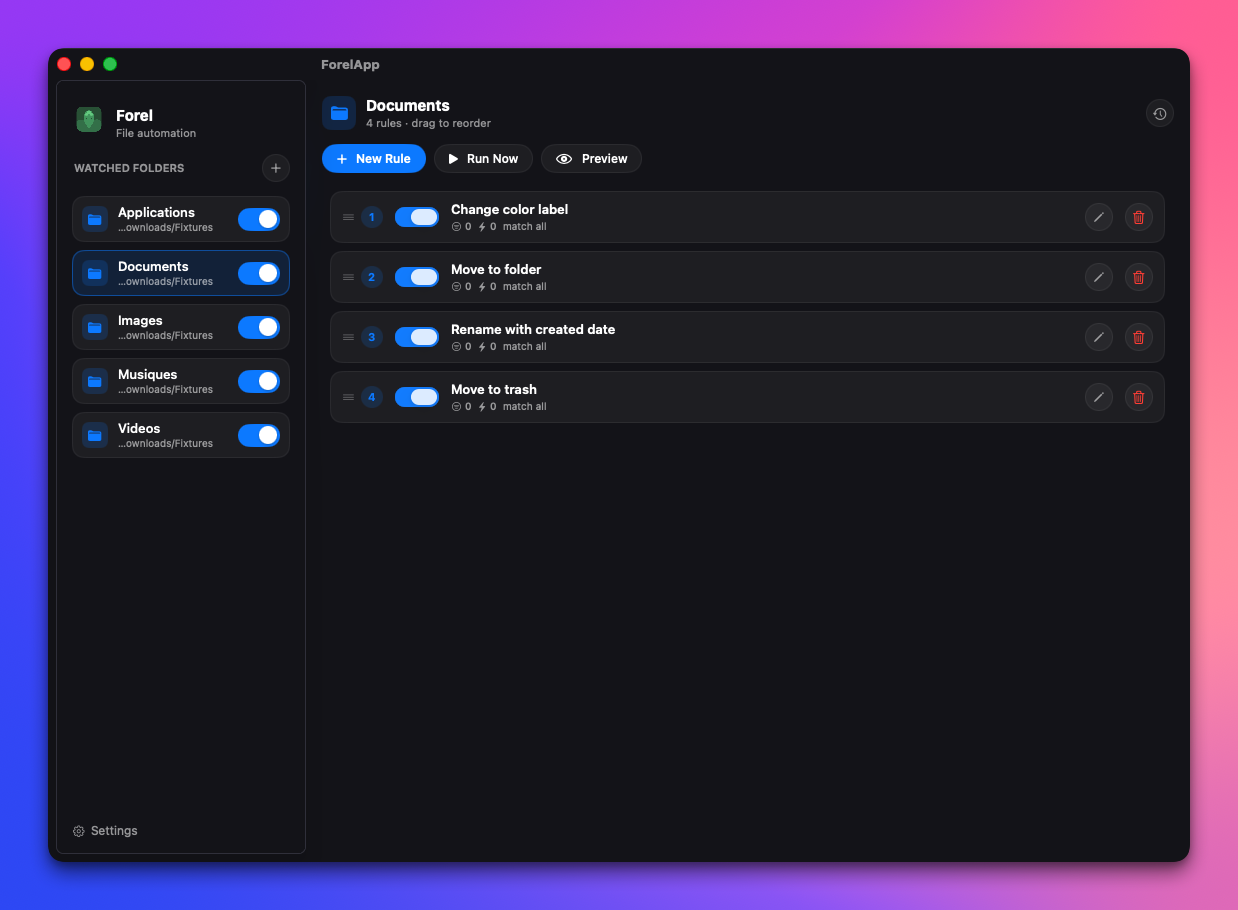
 Forel is an open-source, privacy-focused file automation app for macOS that watches folders and automatically moves, renames, tags, or labels files based on rules you define — it's built as a community alternative to the paid Hazel app.
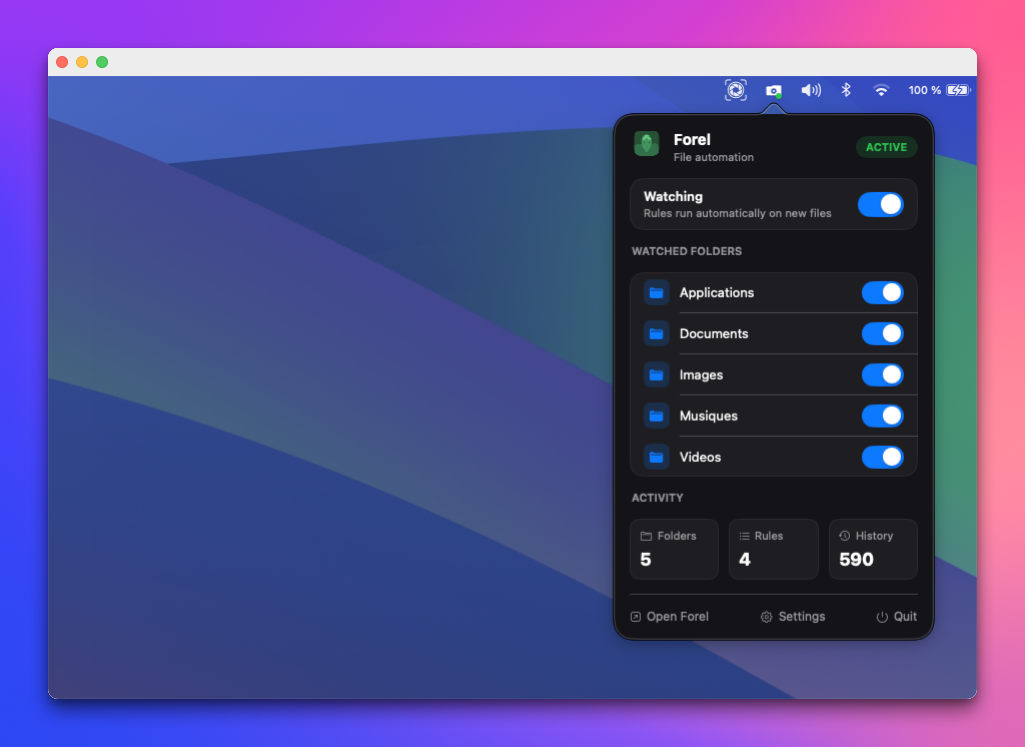
Forel is an open-source, privacy-focused file automation app for macOS that watches folders and automatically moves, renames, tags, or labels files based on rules you define — it's built as a community alternative to the paid Hazel app.Is Forel a background service or a window I keep open?It's a native SwiftUI/AppKit menu-bar app that runs quietly in the background. You can toggle rules on or off from the menu bar without ever opening the main window.
It's a native SwiftUI/AppKit menu-bar app that runs quietly in the background. You can toggle rules on or off from the menu bar without ever opening the main window.Do I need anything beyond macOS itself to use it?No accounts, API keys, or cloud services are needed to run the app. Building it from source requires Swift 6 and macOS 13 (Ventura) or later.
No accounts, API keys, or cloud services are needed to run the app. Building it from source requires Swift 6 and macOS 13 (Ventura) or later.Can it search inside every kind of file when matching?Content matching reads text locally from many formats (PDF, Word, Excel, iWork, images via on-device OCR) but each has size/page limits, and some older formats (.xls, .ppt, .epub) fall back to macOS Spotlight, which only supports a 'contains' match and only works if the file is already indexed.
Content matching reads text locally from many formats (PDF, Word, Excel, iWork, images via on-device OCR) but each has size/page limits, and some older formats (.xls, .ppt, .epub) fall back to macOS Spotlight, which only supports a 'contains' match and only works if the file is already indexed.Does any of my file data leave my Mac?No — Forel is built to run entirely on-device with no account and no telemetry, and all content scanning including OCR happens locally.
No — Forel is built to run entirely on-device with no account and no telemetry, and all content scanning including OCR happens locally.Is there a catch with the GPL license?The source code is GPL-3.0-or-later and free to use or fork, but the Forel name, logo, and look are explicitly carved out and protected separately from the code license.
The source code is GPL-3.0-or-later and free to use or fork, but the Forel name, logo, and look are explicitly carved out and protected separately from the code license.What actions can a rule actually perform on a file?Rules can move, copy, rename, tag, add a color label, trash, delete, uncompress, or run a custom script on matched files, with native notifications when an action fires.
Rules can move, copy, rename, tag, add a color label, trash, delete, uncompress, or run a custom script on matched files, with native notifications when an action fires.Why use Forel instead of Hazel?Hazel is a well-known macOS automation tool but it's closed-source and paid; Forel offers similar rule-based folder automation while being free, open source (GPLv3), and fully local with no telemetry.
Hazel is a well-known macOS automation tool but it's closed-source and paid; Forel offers similar rule-based folder automation while being free, open source (GPLv3), and fully local with no telemetry.How does Forel detect new files in a watched folder?It uses a native wrapper around macOS FSEvents for low-latency, battery-friendly folder monitoring, so rules trigger in real time even while the window is closed.
It uses a native wrapper around macOS FSEvents for low-latency, battery-friendly folder monitoring, so rules trigger in real time even while the window is closed.What's still missing or planned for Forel?The roadmap lists unfinished items like export/import of rules, toggling hidden file extensions, compress/sync/upload actions, and AI features, while core features like rule engine, actions, SQLite persistence, and auto-updates are already done.
The roadmap lists unfinished items like export/import of rules, toggling hidden file extensions, compress/sync/upload actions, and AI features, while core features like rule engine, actions, SQLite persistence, and auto-updates are already done.What are similar projects?dimble, tendedero, MacPacker, OpenYoink, FinderSearch, gyotaku, macos-sysdata, rooms
dimble, tendedero, MacPacker, OpenYoink, FinderSearch, gyotaku, macos-sysdata, roomsWhich topics is it in?open-source-alternative, file-manager, menu-bar, offline-first, native, ocr, document-processing, macos-app, homebrew, workflow-automation, swift, pdf
open-source-alternative, file-manager, menu-bar, offline-first, native, ocr, document-processing, macos-app, homebrew, workflow-automation, swift, pdf