
676 ·GitHub
What is this?
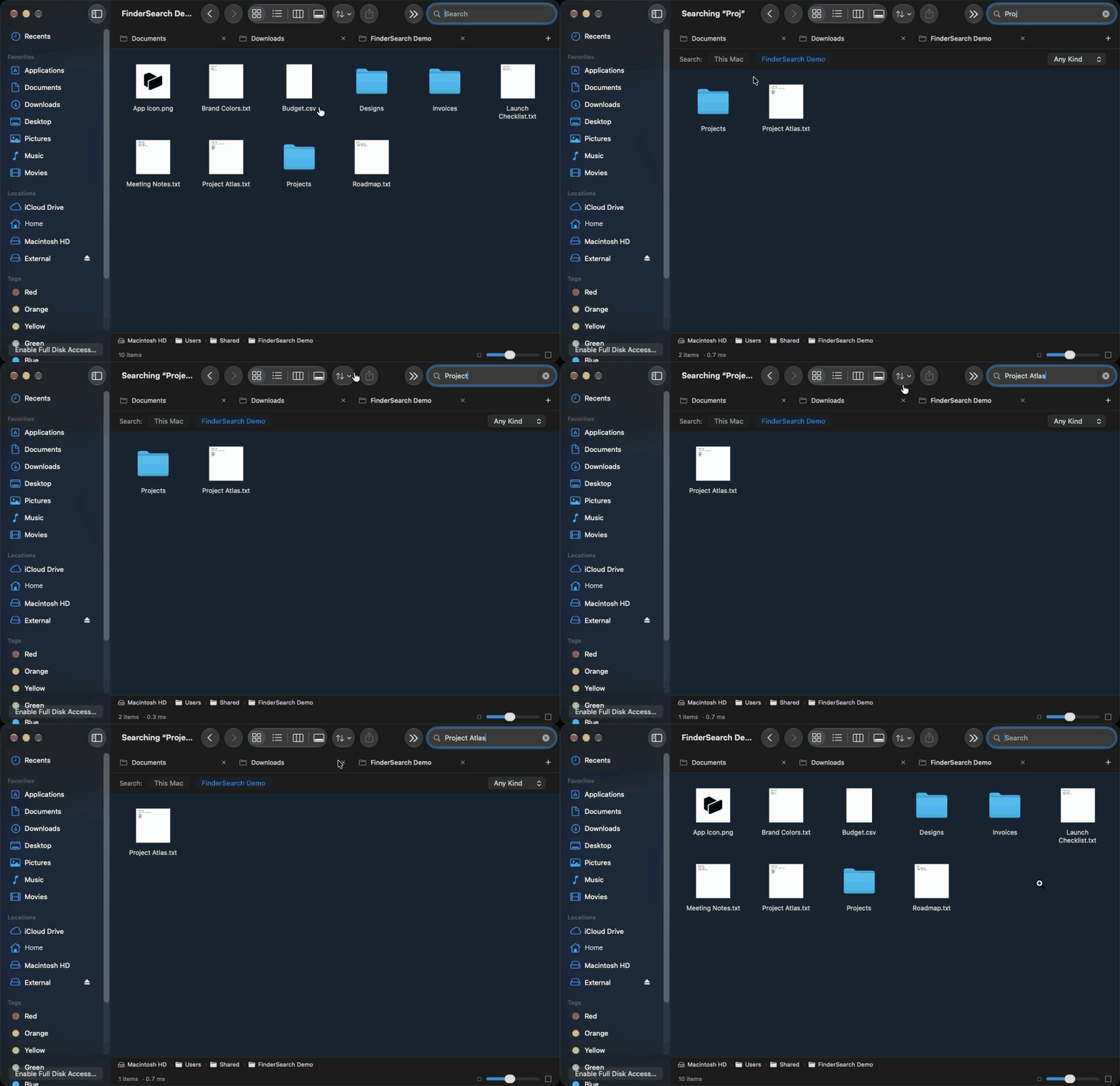
 FinderSearch is a native macOS file browser with fast, fuzzy filename search, built with SwiftUI and AppKit and powered by the fsearch search engine. It lets you browse folders, preview files, and manage them in a familiar Finder-like interface.
FinderSearch is a native macOS file browser with fast, fuzzy filename search, built with SwiftUI and AppKit and powered by the fsearch search engine. It lets you browse folders, preview files, and manage them in a familiar Finder-like interface.Does it search inside file contents, not just names?No, only fuzzy filename matching with filters like ext:pdf and mtime:<7d — content search isn't supported yet, along with AirDrop, Finder extensions, saved smart folders, folder merging, and persistent undo history.
No, only fuzzy filename matching with filters like ext:pdf and mtime:<7d — content search isn't supported yet, along with AirDrop, Finder extensions, saved smart folders, folder merging, and persistent undo history.Do I need Xcode or Rust to use it?No, downloading the DMG only requires macOS 15+. Building from source instead needs macOS 15+, Xcode 16+ (or Command Line Tools), and Rust 1.85+/Cargo since the build bundles fsearch automatically.
No, downloading the DMG only requires macOS 15+. Building from source instead needs macOS 15+, Xcode 16+ (or Command Line Tools), and Rust 1.85+/Cargo since the build bundles fsearch automatically.Is the app notarized and ready to run right away?Not yet — FinderSearch isn't Developer ID-signed or notarized, so Gatekeeper may block it and you'll need to choose 'Open Anyway' in Privacy & Security settings.
Not yet — FinderSearch isn't Developer ID-signed or notarized, so Gatekeeper may block it and you'll need to choose 'Open Anyway' in Privacy & Security settings.Does it work on Intel Macs too?It targets Apple Silicon, which is verified to work; Intel builds exist but remain unverified by the author.
It targets Apple Silicon, which is verified to work; Intel builds exist but remain unverified by the author.Does my data get uploaded anywhere?No, search runs entirely locally on your Mac and your files aren't uploaded anywhere.
No, search runs entirely locally on your Mac and your files aren't uploaded anywhere.Why is FinderSearch faster than Spotlight?It's powered by fsearch, a backend that in benchmarks returned exact-filename results in 0.49–1.14 ms versus 7.06–7.30 ms for Spotlight on an Apple M4 across 10,000 test files.
It's powered by fsearch, a backend that in benchmarks returned exact-filename results in 0.49–1.14 ms versus 7.06–7.30 ms for Spotlight on an Apple M4 across 10,000 test files.What file management features does it include besides search?It offers drag selection, copy/move, batch rename, ZIP tools, tags, sharing, Trash, and undo, plus icon/list/column/gallery views with Quick Look previews and tabs that restore when reopened.
It offers drag selection, copy/move, batch rename, ZIP tools, tags, sharing, Trash, and undo, plus icon/list/column/gallery views with Quick Look previews and tabs that restore when reopened.What is fsearch?fsearch is the vendored search engine by Noah Dunnagan (MIT licensed) that powers the fast fuzzy filename search; FinderSearch adds the native SwiftUI/AppKit interface and file workflows on top of it.
fsearch is the vendored search engine by Noah Dunnagan (MIT licensed) that powers the fast fuzzy filename search; FinderSearch adds the native SwiftUI/AppKit interface and file workflows on top of it.Which topics is it in?appkit, file-manager, swiftui, native, search, macos-app, apple-silicon, swift, offline, utility, local-first, desktop
appkit, file-manager, swiftui, native, search, macos-app, apple-silicon, swift, offline, utility, local-first, desktop