Quiet.md
A fast, quiet, local notes app.
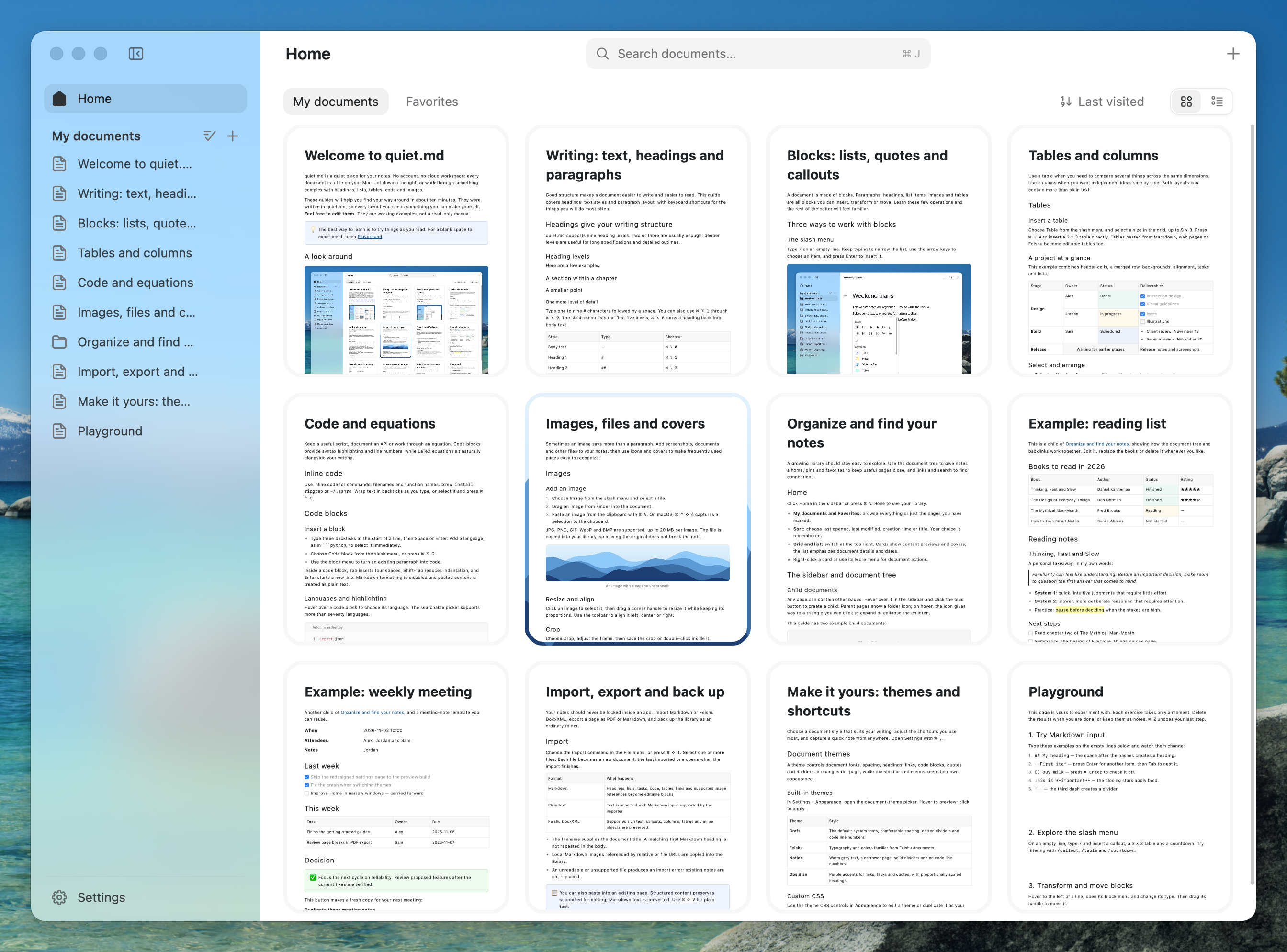
Drawn natively with Rust + GPUI. Your notes stay on your computer, stored in the Feishu (Lark) DocxXML format.
English · 简体中文 · 日本語 · 한국어 · Español · Français









Website ·
Download ·
Performance ·
Features ·
Contributing
[!NOTE]
Quiet.md is in beta and changing quickly. If you hit a bug or have an idea, please open an issue — or better, send a pull request.
Why Quiet.md
⚡ Fast, the native kind of fast. The whole interface is drawn on the GPU by Rust and GPUI. No WebView, no Electron. In a one-million-character document, typing, deleting and scrolling all stay under 6 ms per frame at P95.
🔒 Local-first. Your files are yours. No account, no cloud, and nothing goes over the network by default (the optional update check aside). Your library is an ordinary folder on your computer: the sidebar's folders are real folders, and each note is a file named by its title (.xml, or .md for Markdown). Manage it with Git, iCloud or any sync tool you like; if you ever stop using Quiet.md, your files are still there.
📝 A full rich-text editor that speaks Feishu (Lark) DocxXML. Notes are saved in the DocxXML format used by Feishu (Lark) Docs, so copy-paste, import and export keep their structure. Headings, to-dos, tables, columns, callouts, code, math, images and attachments — the blocks you reach for when writing documents are all there.
Download
- macOS: unzip and drag
quiet.md.app into Applications. The app is signed and notarized by Apple.
- Windows: run the installer. By default it installs for the current user only, and uninstalling never deletes your notes. If SmartScreen appears on first launch, click More info → Run anyway.
- Linux (experimental):
chmod +x quiet-md-*.AppImage and run it; without FUSE, add --appimage-extract-and-run. AppImage 0.1.10 and later support in-app updates; older Linux versions need a one-time manual install. Interactive testing so far covers Omarchy on Wayland; see the Linux notes.
You can also download from Quiet.md. Every release and its SHA-256 checksums are on GitHub Releases.
On first launch, Quiet.md asks for the interface language, where to keep your library and the quick-note shortcut, and offers to copy in notes from Obsidian, Logseq, iA Writer or Typora. An empty library gets a Getting started guide — a ten-minute tour of the main features. Existing notes are never overwritten.
The interface is available in English, Simplified Chinese, Japanese, Korean, Spanish, French and Arabic.
Frame processing time over 100 consecutive operations in a mixed document of 1 million characters and 549 chapters:
| Operation |
P50 |
P95 |
| ⌨️ Typing |
5.06 ms |
5.78 ms |
| ⌫ Backspace |
4.99 ms |
5.55 ms |
| 🖱️ Scrolling |
2.08 ms |
4.14 ms |
A 120 Hz display gives each frame 8.3 ms. Even at P95 on a million-character document, there is headroom left.
|
|
| macOS download |
~18 MB |
| Windows installer |
~14 MB |
| Runtime |
No WebView, no Electron, no background services |
Apple M5 Pro / 48 GiB, macOS 26.5, release build. Methodology and scripts to reproduce: docs/PERFORMANCE.md.
Features
- Editing: headings, ordered and bulleted lists, to-dos, quotes, code blocks with syntax highlighting, LaTeX math, tables (with merged cells), callouts, columns, images, attachments and covers. Markdown shortcuts such as
#, -, [] and >, plus a / slash menu.
- Boards: a whiteboard ported from Excalidraw — shapes, arrows that stay bound, freehand, text, sticky notes, frames and images — as a block in a note or a standalone
.excalidraw file that excalidraw.com opens.
- Version history: each note keeps snapshots of its previous contents as it saves (20 by default, 1–30 under Settings › Documents). A drawer lists them by day; clicking one shows that version in place, read-only, with the blocks it added or rewrote tinted and a one-click restore. Important versions can be named.
- Organizing: a document tree, pinning, favorites, full-text search and a trash.
- Import and export: import Markdown folders (Obsidian picture embeds and callouts included) and Feishu (Lark) DocxXML; export Markdown and PDF, or print directly. Drag files from Finder onto Home or straight into a sidebar folder. Pasting from Feishu or a web page keeps the structure.
- Shortcuts: press
⌘ / (Ctrl+/ on Windows) to see them all. Every one can be rebound. On Windows, Ctrl stands in for ⌘ and Alt for ⌥; the app and the Getting started guides show the keys for your system.
- Themes: four built-in styles — Craft, Feishu, Notion and Obsidian — each with a dark variant, or write your own in CSS; see docs/THEMES.md.
Contributors
Thanks to everyone who has helped build Quiet.md. Issues and pull requests are welcome: building, testing and code conventions are in CONTRIBUTING.md.

Recent updates
- 0.1.12 (Nov 14): drag files from Finder, or a file from Files on this computer, straight into a sidebar folder or between rows; the whole page lights up as a drop target. Redesigned Home cards with squircle corners, an Open in Finder menu, breadcrumbs that start at My documents, a minimum window width that keeps room for the note, and a solid sidebar in full screen. Fixes a hang when creating a document in a folder.
- 0.1.11 (Nov 13): the library is now real folders, with files named by title; older libraries move over automatically, with a backup. A new first launch that sets the language, library location and quick-note shortcut and imports notes from Obsidian and other Markdown apps. Japanese, Spanish and Korean interfaces; display math in Markdown; documents reopen where you left off; faster launch and lower memory use.
- 0.1.10 (Nov 10): choose a document type from the New menu, scroll wide tables horizontally, preserve Markdown column alignment, and keep the caret visible in long fields.
- 0.1.9 (Nov 8): fix Cmd+Q on macOS, unresponsive window controls on Windows, and text selection hidden by highlight colors.
- 0.1.8 (Nov 9): edit local Markdown files in place, import folders while keeping
.md, and organize notes in nested folders with drag and undo. Lower image and preview memory use; steadier table resizing and refined menus. First launch chooses a supported system language. Experimental Linux AppImage packaging.
- 0.1.7 (Nov 6): safer multi-window saving, conflict recovery and disk writes; restricted export file access; Markdown exports keep inline attachments. Fixed Chinese input deletion with Weasel on Windows.
- 0.1.6 (Nov 6): smoother window switching and typing, wider tables, regular saves during continuous typing, and Option+Space for global quick notes on macOS. Windows adds image paste, PDF export and printing, with corrected word deletion.
- 0.1.5 (Nov 5): the app is now called Quiet.md; your library and notes stay where they were.
- Manage several documents at once from Home: duplicate, move or delete them together.
- Empty the Trash in one step; arrow keys move through the insert menu's icons; deleting every document no longer creates an empty one.
- After an in-app update, the sidebar shows once what changed in the new version.
- Windows: shortcuts and the built-in guide read Ctrl / Alt, and a failed launch explains itself and leaves a log.
- 0.1.4 (Nov 5):
- In-app updates: when a new version is out, an Update button appears at the top of the sidebar. The download is verified against its signature, and a restart finishes the install; open documents are saved first. Automatic checks can be turned off in Settings › General. A check only fetches a version manifest and sends no data. Version 0.1.3 and earlier need a one-time manual download of 0.1.4.
- Dark mode: choose System, Light or Dark in Settings › Appearance. Built-in and custom themes all have a dark look; export and printing stay light.
- 0.1.3 (Nov 4): sidebar text is readable again when macOS is in dark mode.
- 0.1.2 (Nov 4): the standard macOS menus and shortcuts (Hide, Minimize, Zoom, Full Screen); clicking the Dock icon reopens a window after the last one was closed. Fixed some Chinese characters rendering with the wrong glyphs.
- 0.1.1 (Nov 3): first Windows x64 release, installed per user, keeping your notes on uninstall. Polished the Chinese and English interface and the built-in guide.
Full notes for each version are on Releases.
License
The code is licensed under MIT. Third-party code, fonts and assets are listed in THIRD_PARTY.md.
The following are not covered by the MIT license and should be replaced in forks:
- The 67 Nucleo icons in
assets/icons/ are under a commercial Nucleo license. Do not extract or redistribute them on their own.
- The name "Quiet.md" and the app icon.

 quiet.md 是一款快速、原生、本地优先的笔记应用,适用于 macOS 和 Windows,使用 Rust 和 GPUI 构建。它兼容飞书(Feishu/Lark)的 DocxXML 文档格式。目前处于测试版(Beta)阶段。