







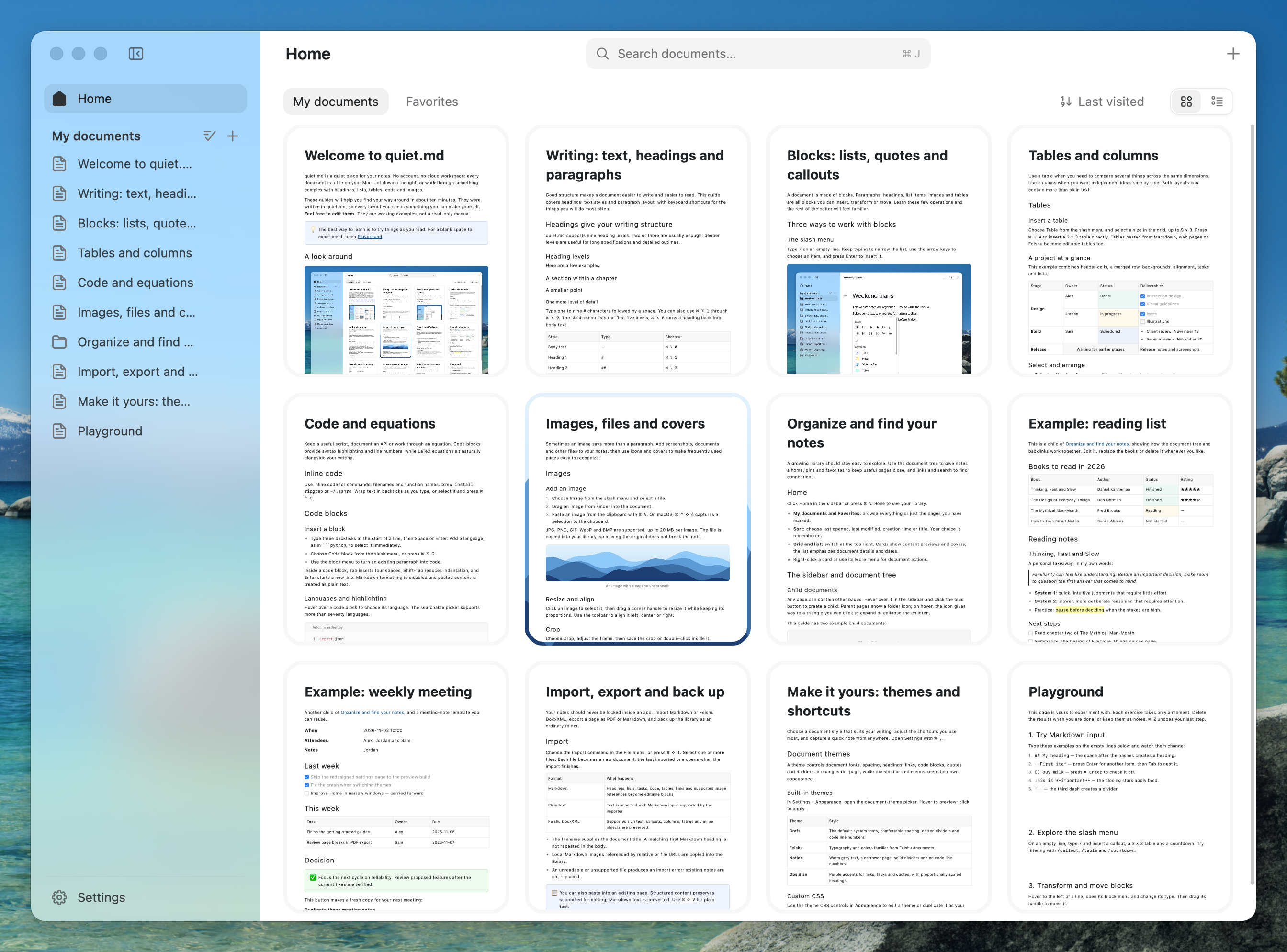
What is this?
 quiet.md is a fast, native, local-first notes app for macOS and Windows, built with Rust and GPUI. It is compatible with Feishu/Lark's DocxXML document format. It is currently in Beta.
Is it a notes app or a framework I can build on?It is a desktop notes application, not a library. Your notes are stored as plain XML files in an ordinary folder on your computer.
It is a desktop notes application, not a library. Your notes are stored as plain XML files in an ordinary folder on your computer.How do I get it running?Download the installer from GitHub Releases or from quiet.md. On macOS, drag quiet.md.app into Applications; on Windows, run the installer. Intel Macs have no prebuilt package and need to build from source.
Download the installer from GitHub Releases or from quiet.md. On macOS, drag quiet.md.app into Applications; on Windows, run the installer. Intel Macs have no prebuilt package and need to build from source.Do I need an account or internet connection?No account and no cloud are needed, and the app does not connect to the internet by default. Sync is up to you, via Git, iCloud, or any sync tool.
No account and no cloud are needed, and the app does not connect to the internet by default. Sync is up to you, via Git, iCloud, or any sync tool.Any caveats before I try it?It is still in Beta and changing quickly. On Windows, the first launch may show a SmartScreen warning; click 'More info' then 'Run anyway'. Intel Mac has no installer yet.
It is still in Beta and changing quickly. On Windows, the first launch may show a SmartScreen warning; click 'More info' then 'Run anyway'. Intel Mac has no installer yet.Does it work on Intel Macs too?No prebuilt installer exists for Intel Macs. The macOS package is for Apple Silicon only (macOS 13 or later), so Intel users must build from source.
No prebuilt installer exists for Intel Macs. The macOS package is for Apple Silicon only (macOS 13 or later), so Intel users must build from source.Why is it so fast?The UI is drawn directly on the GPU by Rust and GPUI, with no WebView and no Electron. In a 1-million-character document, the author reports P95 frame times under 6 ms for typing, deleting, and scrolling.
The UI is drawn directly on the GPU by Rust and GPUI, with no WebView and no Electron. In a 1-million-character document, the author reports P95 frame times under 6 ms for typing, deleting, and scrolling.Can I use my Feishu documents here?Yes. Notes are saved in Feishu's DocxXML format, so you can copy and paste from Feishu, import and export, and keep the structure, including headings, to-dos, tables, columns, highlight blocks, formulas, and images.
Yes. Notes are saved in Feishu's DocxXML format, so you can copy and paste from Feishu, import and export, and keep the structure, including headings, to-dos, tables, columns, highlight blocks, formulas, and images.What can I write in it?It supports headings, lists, to-dos, quotes, syntax-highlighted code blocks, LaTeX formulas, tables with merged cells, columns, images, attachments, and covers. Markdown shortcuts like # and - work, plus a / slash menu.
It supports headings, lists, to-dos, quotes, syntax-highlighted code blocks, LaTeX formulas, tables with merged cells, columns, images, attachments, and covers. Markdown shortcuts like # and - work, plus a / slash menu.Can I change the look?Yes. Four built-in styles are available: Craft, Feishu, Notion, and Obsidian. You can also write your own theme in CSS; see docs/THEMES.md.
Yes. Four built-in styles are available: Craft, Feishu, Notion, and Obsidian. You can also write your own theme in CSS; see docs/THEMES.md.What are similar projects?DeskBox, floral-notepaper, FinderSearch, ambient-context, WeChatBridge, course2md, easyread, Game-Optimizer-CPUs-Threads-Optimizer
DeskBox, floral-notepaper, FinderSearch, ambient-context, WeChatBridge, course2md, easyread, Game-Optimizer-CPUs-Threads-OptimizerWhich topics is it in?beta, rich-text-editor, windows-10, windows-11, note-taking, knowledge-base, apple-silicon, offline, ui, local-first, desktop, markdown
beta, rich-text-editor, windows-10, windows-11, note-taking, knowledge-base, apple-silicon, offline, ui, local-first, desktop, markdown