π RuView
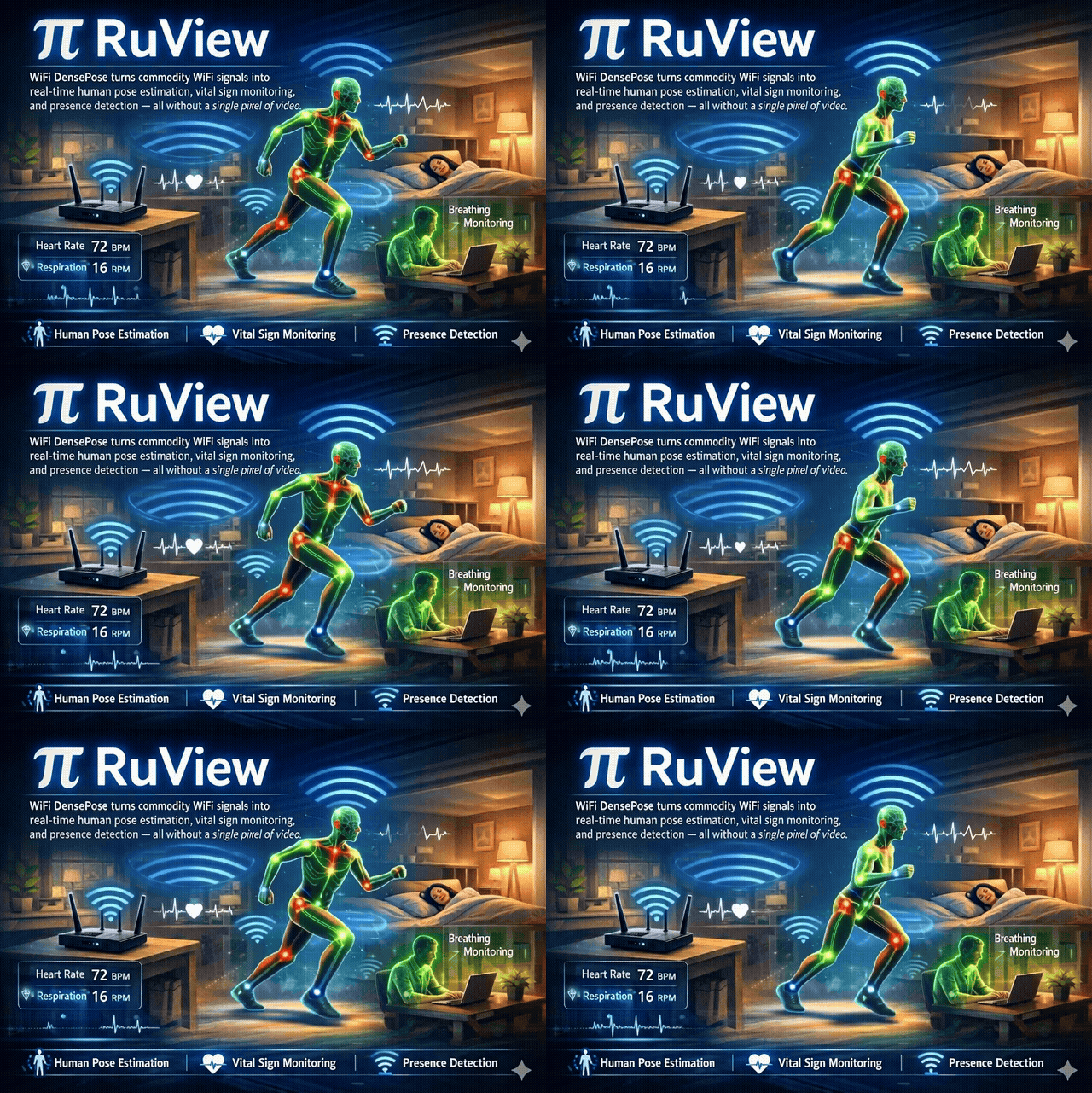
See through walls with WiFi
Turn ordinary WiFi into a spatial intelligence / sensing system. Detect people, measure breathing and heart rate, track movement, and monitor rooms — through walls, in the dark, with no cameras or wearables. Just physics.
Works natively with the four major smart-home ecosystems: Home Assistant via the HA-DISCO MQTT publisher, Apple Home & HomePod as a discoverable HAP-1.1 bridge, Google Home + Amazon Alexa via the same HA bridge or a Matter endpoint. Siri, Google Assistant, and Alexa can voice presence and vitals by room with zero custom skills.





Drop into any Home Assistant install with one --mqtt flag. Or pair into Apple Home / Google Home / Alexa / SmartThings as a Matter Bridge. Ships 21 entities per node (11 raw signals + 10 inferred semantic states: someone-sleeping, possible-distress, room-active, elderly-inactivity-anomaly, meeting-in-progress, bathroom-occupied, fall-risk-elevated, bed-exit, no-movement, multi-room-transition) plus 3 starter HA Blueprints. See docs/integrations/home-assistant.md · ADR-115.
Every WiFi router already fills your space with radio waves. When people move, breathe, or even sit still, they disturb those waves in measurable ways. RuView captures these disturbances using Channel State Information (CSI) from low-cost ESP32 sensors and turns them into actionable data: who's there, what they're doing, and whether they're okay.
What it senses:
- Presence and occupancy — detect people through walls, count them, track entries and exits
- Vital signs — breathing rate and heart rate, contactless, while sleeping or sitting
- Activity recognition — walking, sitting, gestures, falls — from temporal CSI patterns
- Environment mapping — RF fingerprinting identifies rooms, detects moved furniture, spots new objects
- Sleep quality — overnight monitoring with sleep stage classification and apnea screening
Also included:
- Camera-free pose — estimate 17 body keypoints from WiFi CSI
- Built-in model workflow — record CSI, train models, load RVF files, and switch LoRA profiles
- Local automation — HOMECORE provides state, history, automations, signed Wasm plugins, voice hooks, and HomeKit support
- Unified RF world model — combine WiFi CSI, radar, UWB, and cellular sensing in one privacy-bounded scene model; accuracy is still synthetic until real-data validation
- Governed evidence — attach privacy policy, uncertainty, provenance, and witness records to sensing events
- RuView MetaHarness — use an AI operator to onboard, calibrate, train, verify, and check sensing claims
RuView MetaHarness — guided operation for humans and AI agents
The RuView-specific metaharness we created is published as @ruvnet/ruview. It provides source-cited guidance, guarded Claude Code/Codex agents, deterministic verification, an honesty check for accuracy claims, and an explicitly granted OAuth-only Cognitum Spaces read.
# Check the local setup and get source-cited guidance
npx @ruvnet/[email protected] doctor
npx @ruvnet/[email protected] guidance --topic sensing --query "model loading"

# Run a read-only RuView agent through Codex
npx @ruvnet/[email protected] agent run --host codex --repo . \
  --prompt "Find the nearest tests and cite the source files"

# Search or verify the reviewed contributor brain
npx @ruvnet/[email protected] brain search --query "calibration"
npx @ruvnet/[email protected] brain verify --repo .

# Check claims, replay the deterministic proof, or expose the MCP server
npx @ruvnet/[email protected] claim-check --file REPORT.md
npx @ruvnet/[email protected] verify
npx @ruvnet/[email protected] spaces
npx @ruvnet/[email protected] mcp start
Agent runs are read-only by default. Workspace writes require both --allow-write and --confirm; retrieved brain content is evidence, not authority.
Built on RuVector and Cognitum Seed, RuView runs entirely on edge hardware — an ESP32 mesh (as low as $9 per node) paired with a Cognitum Seed for persistent memory, cryptographic attestation, and AI integration. No cloud, no cameras, no internet required.
The system learns each environment locally using spiking neural networks that adapt in under 30 seconds, with multi-frequency mesh scanning across 6 WiFi channels that uses your neighbors' routers as free radar illuminators. Every measurement is cryptographically attested via an Ed25519 witness chain.
RuView turns ordinary WiFi into a contactless sensor. A $9 ESP32 board reads the radio reflections off the people in a room, and a small pretrained model — published on Hugging Face at ruvnet/wifi-densepose-pretrained — tells you who's there, how they're breathing, and how their heart rate is trending. The model fits in 8 KB (4-bit quantized) and runs in microseconds on a Raspberry Pi. (The v2 encoder reports an honest, label-free held-out temporal-triplet accuracy of 82.3% — up from 66.4% raw; the older "100% presence" figure was measured on a single-class recording and has been retracted in favor of this.) No cameras, no wearables, no app on the user's phone.
Built for low-power edge applications
Edge modules are small programs that run directly on the ESP32 sensor — no internet needed, no cloud fees, instant response.








| What |
How |
Speed / scale |
| 🫁 Breathing rate |
Bandpass 0.1–0.5 Hz on wrapped phase, circular variance, zero-crossing BPM (#593) |
6–30 BPM, real-time |
| 💓 Heart rate |
Bandpass 0.8–2.0 Hz, zero-crossing BPM |
40–120 BPM, real-time |
| 👤 Presence detection |
Trained head on Hugging Face (ruvnet/wifi-densepose-pretrained; v2 encoder = 82.3% held-out temporal-triplet acc, honestly re-benchmarked) + a phase-variance fallback that needs no model |
< 1 ms, ~30 s ambient calibration |
| 🧬 CSI embeddings |
128-dim contrastive encoder shipped on Hugging Face, 4-bit quantised variant fits in 8 KB |
164,183 emb/s on M4 Pro |
| 🦴 17-keypoint pose estimation |
cog-pose-estimation Cog v0.0.1 — signed aarch64 + x86_64 binaries on GCS, loads pose_v1.safetensors via Candle (the committed pose_v1 is a first-cut on-device model: PCK@20 = 3.0%, below the ADR-079 ≥35% target, and its runtime path is still a confidence=0 stub — see Model weights: what's real, what's not; the 82.69% figure below is the separate published MM-Fi benchmark, not this live cog). Train your own from paired data in 2.1 s on an RTX 5080 (ADR-101, benchmarks). SOTA on MM-Fi: ruvnet/wifi-densepose-mmfi-pose hits 82.69% torso-PCK@20 (ensemble 83.59%), beating MultiFormer (72.25%) and CSI2Pose (68.41%) on the matched MM-Fi random_split protocol — self-corrected and auditable on AetherArena |
8.4 ms cold-start on a Pi 5 |
| 🚶 Motion / activity |
Motion-band power + phase acceleration |
Real-time |
| 🤸 Fall detection |
Phase-acceleration threshold + 3-frame debounce + 5 s cooldown (#263) |
< 200 ms |
| 🧮 Multi-person count |
Adaptive P95 normalisation + runtime-tunable dedup factor (/api/v1/config/dedup-factor, #491). Six specialised learned counters available as Cogs: occupancy-zones, elevator-count, queue-length, customer-flow, clean-room, person-matching |
Real-time, self-calibrating |
| 🌍 World model prediction |
OccWorld TransVQVAE — 15-frame future occupancy prediction, 209 ms inference, 3.4 GB VRAM on RTX 5080; fine-tune on your space with occworld_retrain.py (ADR-147) |
15 frames × 200×200×16 vox |
| 🧱 Through-wall sensing |
Fresnel-zone geometry + multipath modeling |
Up to ~5 m, signal-dependent |
| 🧠 Edge intelligence |
105-cog catalog (ADR-102) live from app-registry.json — health, security, building, retail, industrial, research, AI, swarm, signal, network, and developer modules. Optional Cognitum Seed adds persistent vector store + kNN + witness chain |
$140 total BOM |
| 🎯 Camera-free pre-training |
Self-supervised contrastive encoder, 12.2M training steps on 60K frames, shipped on Hugging Face |
84 s/epoch retrain on M4 Pro |
| 📷 Camera-supervised fine-tune |
MediaPipe + ESP32 CSI paired training, end-to-end Candle pipeline on RTX 5080 (ADR-079) |
2.1 s for 400 epochs (~5 ms/epoch) |
| 📡 Multi-frequency mesh |
Channel hopping across 6 bands, TDM slot scheduling (ADR-029) |
3× sensing bandwidth |
| 🌐 3D point cloud fusion |
Camera depth (MiDaS) + WiFi CSI + mmWave radar → unified spatial model |
22 ms pipeline · 19K+ points/frame |
Browse the full 105-module catalog (with practical descriptions, sizes, and difficulty) below in 🧩 Edge Module Catalog, or visit seed.cognitum.one/store.
🤗 Pretrained weights: download from ruvnet/wifi-densepose-pretrained — see Loading the pretrained model below for one-command setup.
Quick start options — Docker, ESP32-S3/C6, Cognitum Seed, and Python
# Option 1: Docker (simulated data, no hardware needed)
docker pull ruvnet/wifi-densepose:latest
docker run -p 3000:3000 ruvnet/wifi-densepose:latest
# Open http://localhost:3000

# Option 2a: Live sensing with ESP32-S3 hardware ($9)
# Flash firmware, provision WiFi, and start sensing:
python -m esptool --chip esp32s3 --port COM9 --baud 460800 \
  write_flash 0x0 bootloader.bin 0x8000 partition-table.bin \
  0xf000 ota_data_initial.bin 0x20000 esp32-csi-node.bin
python firmware/esp32-csi-node/provision.py --port COM9 \
  --ssid "YourWiFi" --password "secret" --target-ip 192.168.1.20

# Option 2b: WiFi 6 + 802.15.4 research sensing with ESP32-C6 ($6-10, ADR-110)
# Same csi-node firmware compiled for the C6 target — picks up the C6
# overlay (sdkconfig.defaults.esp32c6) automatically.
cd firmware/esp32-csi-node
idf.py set-target esp32c6 && idf.py build
idf.py -p COM6 flash
# C6 boot extras (vs S3): HE-LTF subcarrier tagging in ADR-018 bytes 18-19,
#   802.15.4 mesh time-sync on channel 15, TWT setup when the AP supports it,
#   opt-in LP-core wake-on-motion for ~5 µA battery seed nodes.
# v0.6.7 adds: real LP-core RISC-V motion-gate program (debounce + motion
#   counter) and a Wi-Fi 6 soft-AP with TWT Responder so two C6 boards can
#   benchmark real iTWT without buying an 11ax router. Both default off,
#   flip CONFIG_C6_{LP_CORE,SOFTAP_HE}_ENABLE to turn them on.

# Option 3: Full system with Cognitum Seed ($140)
# ESP32 streams CSI → bridge forwards to Seed for persistent storage + kNN + witness chain
node scripts/rf-scan.js --port 5006           # Live RF room scan
node scripts/snn-csi-processor.js --port 5006  # SNN real-time learning
node scripts/mincut-person-counter.js --port 5006  # Correct person counting

# Option 4: Python — live on PyPI (ADR-117)
pip install ruview                        # or: pip install wifi-densepose
# Both ship the same compiled PyO3 wheel (~250 KB, abi3-py310, Linux/macOS/Windows).
# Add [client] for the asyncio WebSocket + paho-mqtt clients:
pip install "ruview[client]"              # or: pip install "wifi-densepose[client]"

# from ruview import BreathingExtractor, HeartRateExtractor   # equivalent to:
# from wifi_densepose import BreathingExtractor, HeartRateExtractor
# from ruview.client import SensingClient, RuViewMqttClient


[!NOTE]
CSI-capable hardware recommended. Presence, vital signs, through-wall sensing, and all advanced capabilities require Channel State Information (CSI) from an ESP32-S3 ($9) or research NIC. The Docker image runs with simulated data for evaluation. Consumer WiFi laptops provide RSSI-only presence detection.
Hardware options for live CSI capture:
| Option |
Hardware |
Cost |
Full CSI |
Capabilities |
| ESP32 + Cognitum Seed (recommended) |
ESP32-S3 + Cognitum Seed |
~$140 |
Yes |
Presence, motion, breathing, heart rate, fall detection, multi-person counting, 17-keypoint pose (signed Cog binary — first-cut on-device model, see Model weights: what's real, what's not), 105-cog catalog, persistent vector store, kNN search, witness chain, MCP proxy |
| ESP32 Mesh |
3-6× ESP32-S3 + WiFi router |
~$54 |
Yes |
Same capabilities as above without the persistent-memory features |
| ESP32-C6 research node (ADR-110, witness, reviewer guide, firmware v0.7.0) |
ESP32-C6-DevKit ($6–10) |
~$10 |
Yes (Wi-Fi 6 capable) |
Dual-target CSI with 99.56% measured ESP-NOW sync match and measured HE-LTF capture on IDF 5.5.2. TWT and ~5 µA operation still need hardware validation. |
| Research NIC |
Intel 5300 / Atheros AR9580 |
~$50-100 |
Yes |
Full CSI with 3x3 MIMO |
| Qualcomm CSI beta (ADR-268) |
QCA9300 now; QCN9074/QCN9274 experimental |
~$30-200 |
Simulator now; hardware adapter gated |
Rust QCS1 codec, deterministic replay, UDP/API integration; modern ath11k/ath12k profiles do not claim public CSI export |
| Vendor provider beta (ADR-270) |
Origin, Plume, Mist, NETGEAR, Electric Imp, RF Solutions, Luma, Nest, Linksys, Wifigarden |
Varies |
Capability-dependent |
Bounded Rust adapters and deterministic fixtures; telemetry/network-only/unsupported states cannot masquerade as CSI |
| Any WiFi |
Windows, macOS, or Linux laptop |
$0 |
No |
RSSI-only: coarse presence and motion (see tutorial #36) |
No hardware? Verify the signal processing pipeline with the deterministic reference signal: python archive/v1/data/proof/verify.py
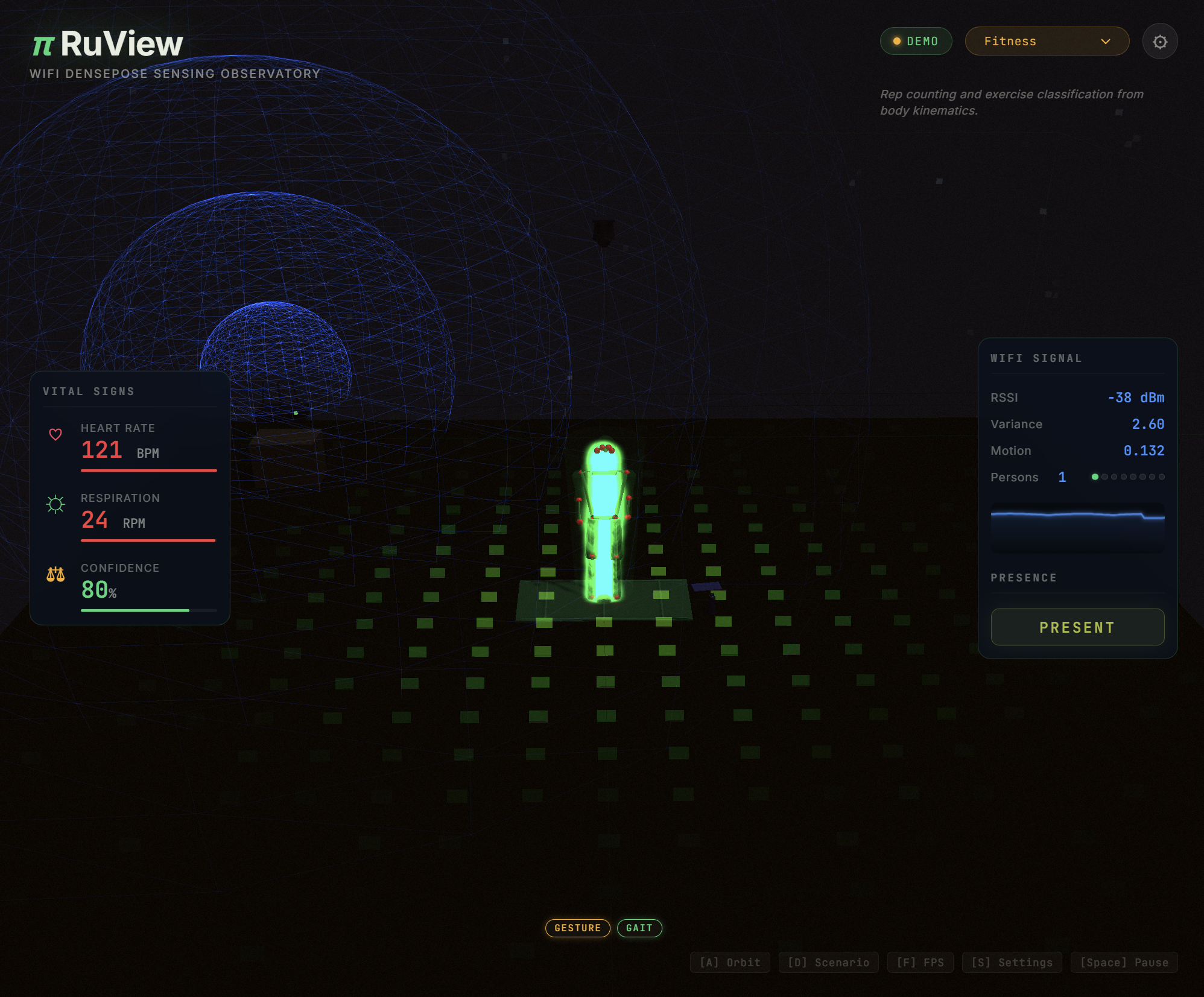 Real-time pose skeleton from WiFi CSI signals — no cameras, no wearables (demo visualization; the live CSI-only single-ESP32 17-keypoint model is still first-cut — see Model weights: what's real, what's not)
▶ Live Observatory Demo
Real-time pose skeleton from WiFi CSI signals — no cameras, no wearables (demo visualization; the live CSI-only single-ESP32 17-keypoint model is still first-cut — see Model weights: what's real, what's not)
▶ Live Observatory Demo
|
▶ Dual-Modal Pose Fusion Demo
|
▶ Live 3D Point Cloud
|
▶ three.js Demos (5)
The server is optional for visualization and aggregation — the ESP32 runs independently for presence detection, vital signs, and fall alerts.
Live ESP32 pipeline: Connect an ESP32-S3 node → run the sensing server → open the pose fusion demo for real-time dual-modal pose estimation (webcam + WiFi CSI). See ADR-059. (The webcam supplies ground-truth pose in this dual-modal demo; the CSI-only on-device 17-keypoint model is still first-cut — see Model weights: what's real, what's not.)
three.js scene gallery at /three.js/ — five progressively richer ADR-097 demos: helpers, cinematic, GLTF skinned, FBX skinned, and a live MediaPipe→Mixamo retargeting feed driven by ESP32 CSI. Demos 04 and 05 require a local Mixamo X Bot.fbx (license boundary — not redistributed).
🤗 Pretrained model on Hugging Face
Pretrained CSI weights live at ruvnet/wifi-densepose-pretrained — 12.2M training steps on 60K frames / 610K contrastive triplets, 82.3% held-out temporal-triplet accuracy (up from 66.4% raw; the older "100% presence" figure was measured on a single-class

 RuView превращает обычные WiFi-сигналы в датчик пространственного интеллекта: он определяет присутствие, измеряет дыхание и пульс, отслеживает движение и падения и даже оценивает позу тела сквозь стены. Для этого используется информация о состоянии канала (CSI), которую собирают недорогие платы ESP32, без камер и носимых устройств.