Clawd on Desk
中文版
·
繁體中文
·
한국어
·
日本語
·
Español
🌏 Don't see your language? Open a PR to add one — Français, Deutsch, etc. all welcome.




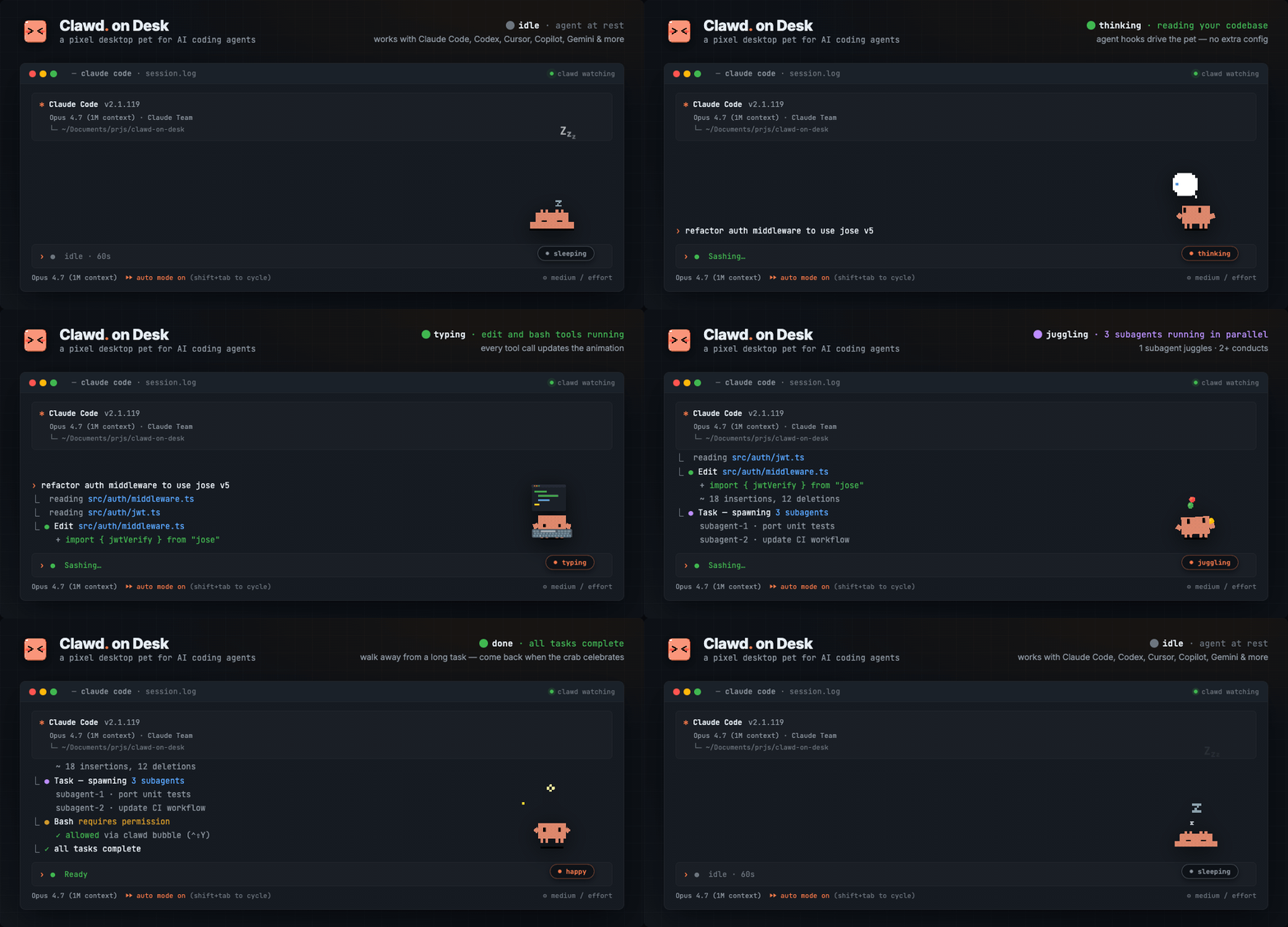
Clawd lives on your desktop and reacts to what your AI coding agent is doing — in real time. Start a long task, walk away, come back when the crab tells you it's done.
Thinking when you prompt, typing when tools run, grooving or juggling for subagents, reviewing permissions, celebrating when tasks complete, sleeping when you step away. Ships with three built-in themes: Clawd (pixel crab), Calico (三花猫), and Cloudling (云宝), with full support for custom themes and imported Codex Pet animation packs.
Supports Windows 11, macOS, and Ubuntu/Linux. Windows releases provide separate x64 and ARM64 installers. Source builds require Node.js. Works with Claude Code, Codex CLI, Copilot CLI, Gemini CLI, Antigravity CLI (agy), Cursor Agent, CodeBuddy, WorkBuddy, Kiro CLI, Kimi Code CLI (Kimi-CLI), Qwen Code, ZCode, CodeWhale, opencode, MiMo Code, Pi, OpenClaw, Hermes Agent, Qoder, QoderWork, QwenWork (千问办公), Reasonix CLI, DeepSeek Harness, and TraeCode (Trae CN).
Features
Multi-Agent Support
- Claude Code — full integration via command hooks + HTTP permission hooks
- Codex CLI — official hooks with JSONL fallback (
~/.codex/sessions/), auto-synced by default with real permission bubbles
- Copilot CLI — optional command hooks via
~/.copilot/hooks/hooks.json (install from Settings → Agents; see the Copilot guide for manual JSON fallback)
- Gemini CLI — optional command hooks via
~/.gemini/settings.json (install from Settings → Agents or run npm run install:gemini-hooks)
- Antigravity CLI (agy) — optional command hooks via
~/.gemini/config/hooks.json (install from Settings → Agents or run npm run install:antigravity-hooks); state-only: Clawd never pops a permission bubble for agy. Every Allow / Deny / Always-allow choice happens in agy's own terminal menu
- Cursor Agent — optional Cursor IDE hooks in
~/.cursor/hooks.json (install from Settings → Agents or run npm run install:cursor-hooks)
- CodeBuddy — optional Claude Code-compatible command hooks + HTTP permission hooks via
~/.codebuddy/settings.json (install from Settings → Agents or run node hooks/codebuddy-install.js)
- Custom HTTP agents — register another local executable in Settings and POST lifecycle events to Clawd's dynamic
/state endpoint. Registration does not install hooks or make an arbitrary application report automatically; v1 is state-only and leaves permission decisions in the application's own UI. See the custom HTTP agent guide.
- WorkBuddy — optional Claude Code-compatible command hooks via
~/.workbuddy-ai/settings.json (current) or ~/.workbuddy/settings.json (legacy; install from Settings → Agents or run node hooks/workbuddy-install.js). State + Notification only: the desktop app resolves permissions in its own native sandbox and GUI, so Clawd does not register a permission hook for it.
- Kiro CLI — optional command hooks injected into custom agent configs under
~/.kiro/agents/, plus an auto-created clawd agent that is re-synced from Kiro's built-in kiro_default after you install the integration, so you can opt into hooks with minimal behavior drift via kiro-cli --agent clawd or /agent swap clawd. State hooks are verified on macOS and Windows.
- Kimi Code CLI (Kimi-CLI) — optional command hooks via
~/.kimi/config.toml ([[hooks]] entries) (install from Settings → Agents or run npm run install:kimi-hooks)
- Qwen Code — optional command hooks via
~/.qwen/settings.json (install from Settings → Agents or run npm run install:qwen-hooks); state tracking and Qwen PermissionRequest desktop approval bubbles are supported
- ZCode — optional state + blocking
PermissionRequest hooks via ~/.zcode/cli/config.json → hooks.events.* (install from Settings → Agents or run npm run install:zcode-hooks); Clawd shows manual Allow/Deny bubbles while global and per-session permission automation stays deferred. Clawd preserves explicit global or per-hook enabled:false settings and will not register over a foreign PermissionRequest hook
- CodeWhale — optional state-only lifecycle hooks via
~/.codewhale/config.toml ([[hooks.hooks]] entries) (install from Settings → Agents or run npm run install:codewhale-hooks); Phase 1 drives idle, thinking, working, sleeping, error, attention, and sweeping animations only, without permission bubbles or subagent tracking
- Reasonix CLI — optional state-only command hooks via
<Reasonix home>/settings.json (~/.reasonix/settings.json on macOS/Linux, %APPDATA%\reasonix\settings.json on Windows; install from Settings → Agents or run npm run install:reasonix-hooks); Phase 1 drives lifecycle, tool, notification, compaction, and subagent-stop animations while leaving permission decisions in Reasonix's own terminal flow
- opencode — optional plugin integration via the effective file under
~/.config/opencode/ (config.json → opencode.json → opencode.jsonc, later wins) (install from Settings → Agents or run node hooks/opencode-install.js); zero-latency event streaming and permission bubbles with Allow/Always/Deny. Child sessions spawned by the task tool are headless and do not participate in the visible multi-session animation fanout
- MiMo Code — optional plugin integration via the effective file under
~/.config/mimocode/ (config.json → mimocode.json → default mimocode.jsonc, later wins; install from Settings → Agents or run npm run install:mimocode-plugin); shares the same @mimo-ai/plugin SDK and permission behavior as opencode. Its task child sessions are likewise headless
- Pi — optional global extension via
~/.pi/agent/extensions/clawd-on-desk (install from Settings → Agents or run npm run install:pi-extension); state-only interactive lifecycle and tool activity updates while preserving Pi's default YOLO behavior
- OpenClaw — optional state-only plugin integration via
~/.openclaw/openclaw.json (install from Settings → Agents or run npm run install:openclaw-plugin; OpenClaw also needs an initialized config); local openclaw tui --local sessions drive Clawd animations, without permission bubbles or terminal focus in Phase 1
- Hermes Agent — optional plugin integration via Hermes' managed plugin directory (install from Settings → Agents or run
npm run install:hermes-plugin); state, sessions, SessionEnd, terminal focus, and supported permission bubbles are available; Settings → Remote SSH can deploy the same plugin to a Hermes install on a remote host
- Qoder — optional state-only command hooks via
~/.qoder/settings.json (install from Settings → Agents or run npm run install:qoder-hooks); Phase 1 drives Clawd animations only — Qoder permission prompts are observed as notifications, and every Allow / Deny choice stays in Qoder's own flow
- QoderWork — optional state-only command hooks via
~/.qoderwork/settings.json (install from Settings → Agents or run npm run install:qoderwork-hooks); Phase 1 drives Clawd animations and the Session HUD — QoderWork permission events are observed silently as part of the working flow, and every Allow / Deny choice stays in QoderWork's own flow
- QwenWork (千问办公) — optional hook-only, state-only command hooks via
~/.QwenWorkCN/settings.json (install from Settings → Agents or run npm run install:qwenwork-hooks, uninstall with npm run uninstall:qwenwork-hooks); macOS and Windows desktop only — qwenwork.cn/download has no Linux client, so there is no WSL pairing. Phase 1 drives Clawd animations and the Session HUD; PermissionRequest / PermissionDenied are observed only and mapped to working, the hook's stdout is always {}, and Clawd never produces an Allow / Deny — QwenWork's native permission flow stays the only decision maker. No startup recovery: the desktop process is long-lived and does not mean a turn is running
- DeepSeek Harness — experimental, web-profile-only integration through a Clawd-managed in-process DSH plugin. Public session events drive Clawd state with per-session ordering, and public blocking
approval/request calls can show an Allow Once / Deny bubble; no-decision always returns to DSH's native web answerer. ask_user_question stays entirely native to DSH, and Clawd never reads DSH projection storage. See the DeepSeek Harness guide
- TraeCode (Trae CN) — experimental, state-only hook integration via
~/.trae-cn/hooks.json (install from Settings → Agents or run npm run install:traecode-hooks, uninstall with npm run uninstall:traecode-hooks). Trae stores the session title server-side, so Clawd derives it from the first prompt line and keeps the first one per session. Hooks must be enabled manually in Trae (Settings → Hooks → Enable, run mode: Sandbox) — see the official Trae hooks doc. First release is scoped to Trae CN; the international Trae build is not covered. State-only: no permission decisions (stdout is always {}) and no SessionEnd — closed conversations retire via the desktop idle-timeout cleanup
- Multi-agent coexistence — run all agents simultaneously; Clawd tracks each session independently
Animations & Interaction
- Real-time state awareness — agent hooks and log polling drive Clawd's animations automatically
- 12 animated states — idle, thinking, typing, building, subagent groove, multi-subagent juggling, error, happy, notification, sweeping, carrying, sleeping
- Codex Pet imports — import Codex Pet zip packages from
Settings… → Theme; Clawd adapts their atlas animations into managed themes
- Eye tracking — Clawd follows your cursor in idle state, with body lean and shadow stretch
- Sleep sequence — yawning, dozing, collapsing, sleeping after 60s idle; mouse movement triggers a startled wake-up animation
- Click reactions — double-click for a poke, 4 clicks for a flail
- Drag from any state — grab Clawd anytime (Pointer Capture prevents fast-flick drops), release to resume
- Mini mode — drag to right edge or right-click "Mini Mode"; Clawd hides at screen edge with peek-on-hover, mini alerts/celebrations, and parabolic jump transitions
Permission Bubble
- In-app permission review — when a permission-capable integration sends a supported request, Clawd can pop a floating bubble card instead of waiting in the terminal; state-only agents keep their native permission flow
- Allow / deny / agent-native extras — one-click approve or reject, plus permission rules /
Always actions when the source agent supports them
- Permission handling modes — choose Ask every time, confirmation-gated Question prompts only (tool-shaped requests from explicitly supported agents), or Auto-approve. Auto-approve handles every request the adapter marks automation-eligible—including unrecognized non-empty Claude/Qwen request names—but missing names, unsupported decision shapes, and CodeBuddy questions/plans still defer to the native flow. It downgrades after restart, and each eligible live session can independently choose Ask every time or tools-only. See the setup guide
- Optional remote approval — Telegram and Feishu/Lark can mirror eligible pending requests while the local bubble remains available. A channel failure produces no remote decision and never a denial: the desktop request stays pending, while remote-only requests fall back to the agent only after every available client returns no decision
- Global hotkeys —
Ctrl+Shift+Y to Allow, Ctrl+Shift+N to Deny the latest permission bubble (only registered while bubbles are visible)
- Stacking layout — multiple permission requests stack upward from the bottom-right corner
- Auto-dismiss — if you answer in the terminal first, the bubble disappears automatically
- Per-agent toggle — open
Settings… → Agents, pick an agent, and turn off Show pop-up bubbles to keep prompts in that agent's own terminal/TUI
Remote Notifications
- Telegram / Feishu (Lark) — interactive remote approval: route permission requests to your phone and Allow/Deny them without touching the desktop
- Slack — notification-only: task done, errors, and permission requests are pushed via a Slack Incoming Webhook (or an optional
xoxb- bot token + channel id) as rich Block Kit cards. Slack cannot Allow or Deny in this version — a permission message is an announcement, and you decide in the desktop app. Configure it next to Telegram/Feishu in the remote approval channels; secrets are stored locally in an env file outside prefs (0600 on macOS/Linux; Windows relies on the AppData ACL), and everything degrades gracefully when unconfigured or offline. Messages can carry the session title, folder, and host name, so a private channel is recommended — see slack-notifications.md
Session Intelligence
- Multi-session tracking — sessions across all agents resolve to the highest-priority state
- Subagent awareness — headphones groove for 1 subagent, three-ball juggling for 2+
- Sessions dashboard + HUD — right-click or tray →
Open Dashboard to inspect live sessions, recent events, aliases, and jump to a terminal; a compact HUD near Clawd keeps current live sessions visible
- Private local recap —
Settings → Recap (or right-click → Open Recap) reviews accepted agent activity by hour/day for today, week, month, or year. It distinguishes unsupported metrics from zero and uncovered time from quiet time, keeps DND activity, stores only minimized local data, and adds no telemetry, export, sharing, token, cost, duration, streak, or productivity score. See the recap guide.
- Subscription quota at a glance — optional Orbit rings beside the pet and detailed Dashboard bars show the quota windows reported by supported agents. Local Claude collection is off by default and uses Claude Code's official status-line
rate_limits payload; it does not make an additional request to Anthropic. See the data-flow and ownership notes.
- Terminal focus — Dashboard/HUD actions jump to a specific session's terminal window; notification/attention states auto-focus the relevant terminal
- Process liveness detection — detects crashed/exited supported agent processes and cleans up orphan sessions
- Startup recovery — if Clawd restarts while any supported agent is still running, it stays awake instead of falling asleep
Mobile Companion (PWA)
- Live mirror on your phone — enable
Settings… → Mobile / PWA and open the pairing URL on your phone; the Clawd Mobile web app shows your agent sessions and their live states in real time
- Read-only by design — the LAN bridge only broadcasts state; nothing in the PWA can touch your machine (LAN PWA approval is on the roadmap; Telegram and Feishu/Lark are separate supported channels)
- LAN-only + token-gated — pairing requires a token, tokens rotate automatically with a grace window, and access can be regenerated or reset in one click
- Installable — it's a PWA: add it to your home screen for an app-like experience
The mobile companion line — from the first prototype to token rotation — is built and led by core contributor @Bynlk, who also maintains clawd-on-mobile, a sister fork with a native Android app.
System
- Click-through — transparent areas pass clicks to windows below; only Clawd's body is interactive
- Position memory — Clawd remembers where you left it across restarts (including mini mode)
- Single instance lock — prevents duplicate Clawd windows
- Auto-start — Claude Code's SessionStart hook can launch Clawd automatically if it's not running
- Do Not Disturb — right-click or tray menu to enter sleep mode; the pet stops reacting until you wake Clawd. DND suppresses things that ask you to act, not status: remote completion notifications (Telegram/Slack) still arrive, since they are the point of walking away. Permission bubbles are suppressed during DND — Codex, opencode, and MiMo Code fall back to their native prompts, while Claude Code and CodeBuddy fall back to their built-in permission flow. WorkBuddy uses state + Notification only; Antigravity and Pi are state-only integrations.
- Sound effects — short audio cues on task completion and permission requests (toggle via the system tray or Settings; 10s cooldown, auto-muted during DND)
- System tray — DND mode, auto-start, check for updates
- i18n — English, Simplified Chinese, Traditional Chinese, Korean, Japanese, Brazilian Portuguese, and Spanish UI; switch in Settings → General
- Auto-update — checks GitHub releases; Windows installs NSIS updates on quit, macOS/Linux
git pull + restart when running from a cloned repo
Animations
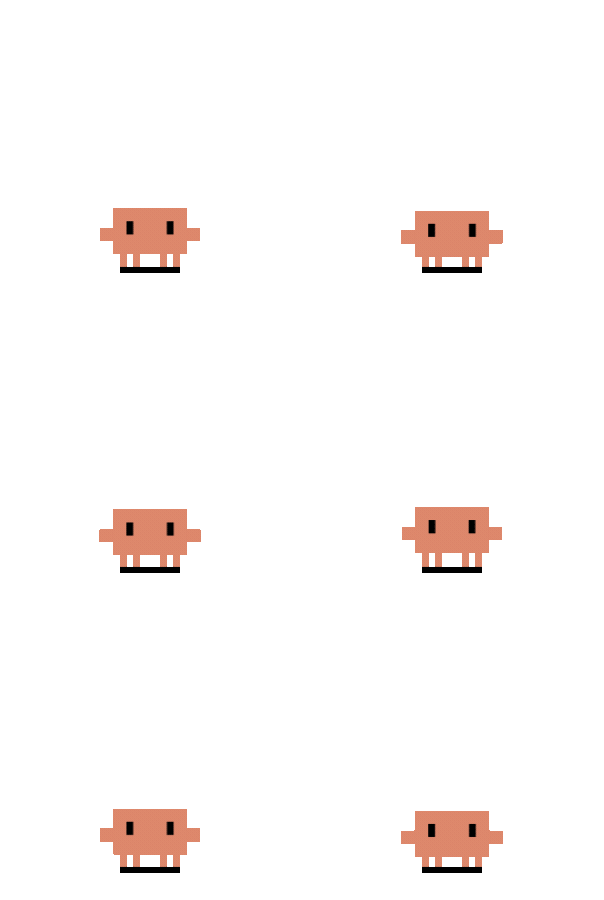
Idle |
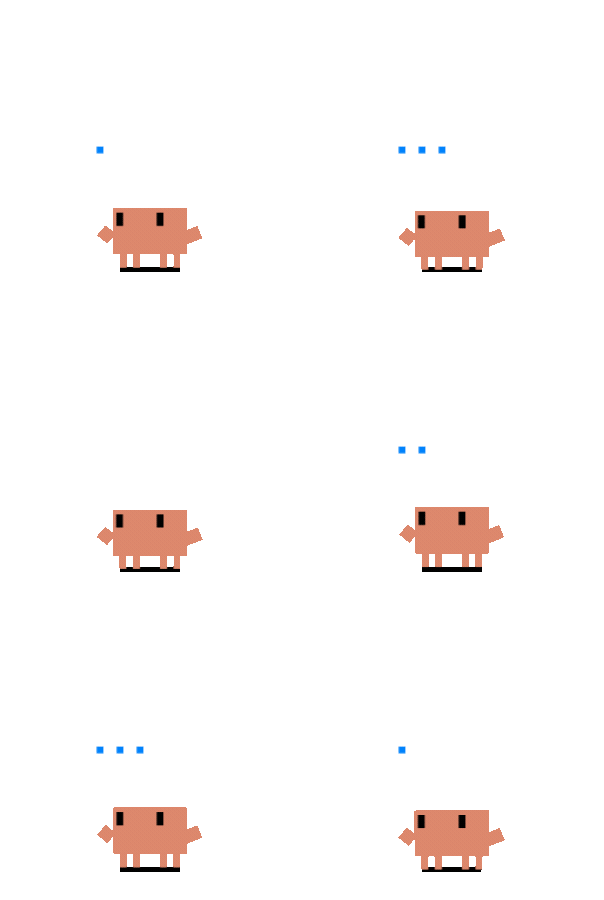
Thought Bubble |
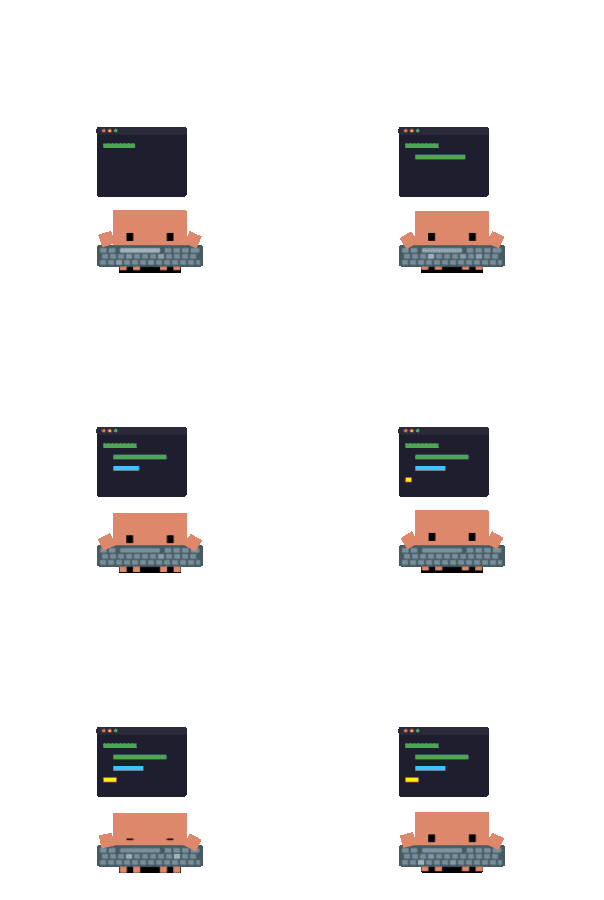
Typing |
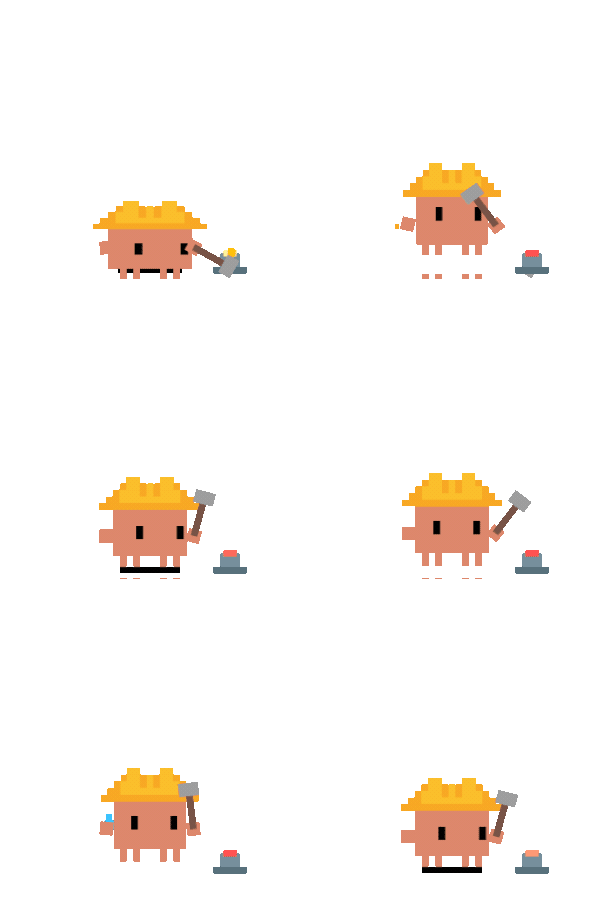
Building |
|

 Clawd on Desk 是一个像素风桌面宠物,它待在你的屏幕上,实时反映你的 AI 编程智能体(Claude Code、Codex、Cursor 等)正在做什么,让你一眼就能看出它是在思考、工作,还是已经完成。