4.2K ·GitHub
What is this?
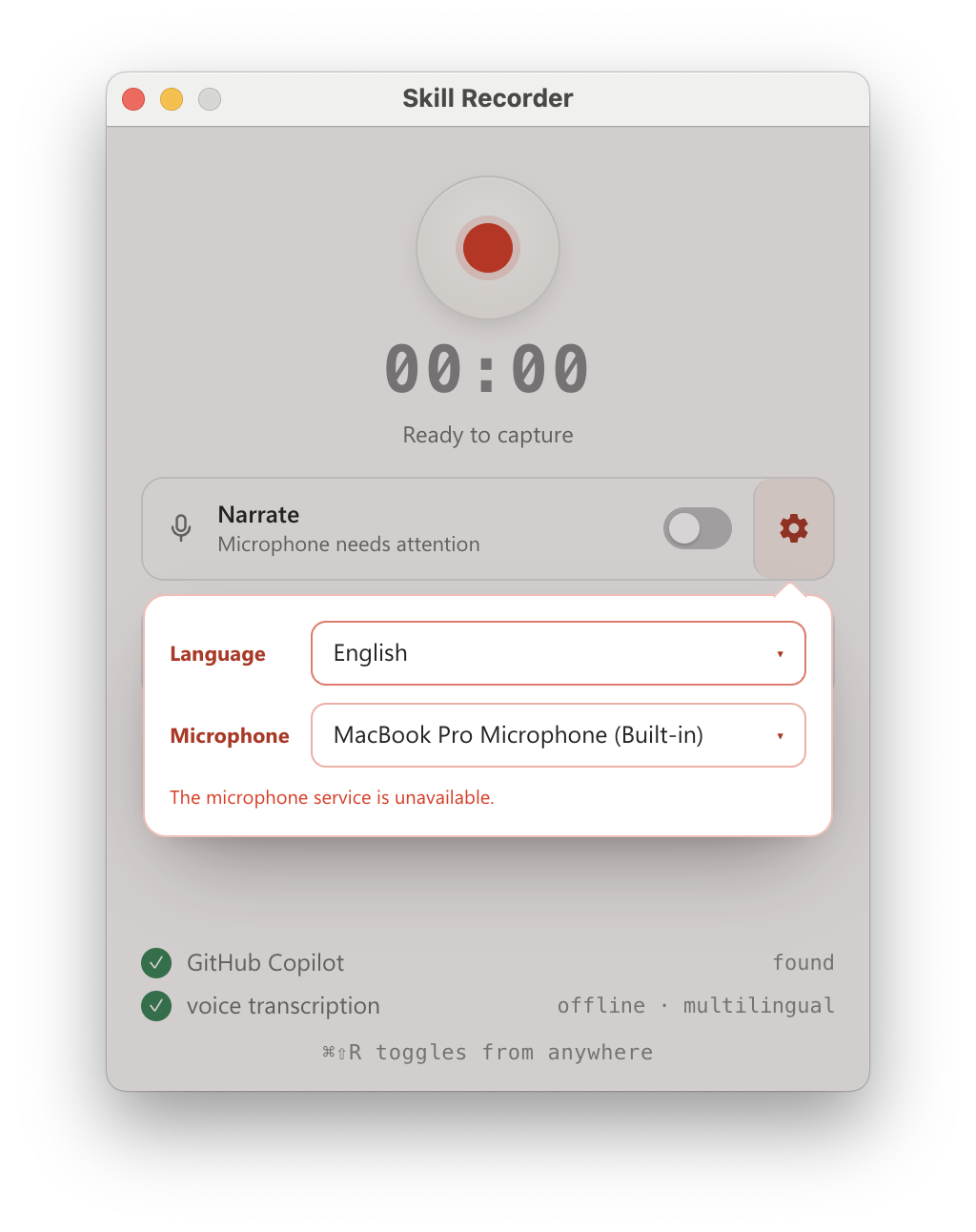
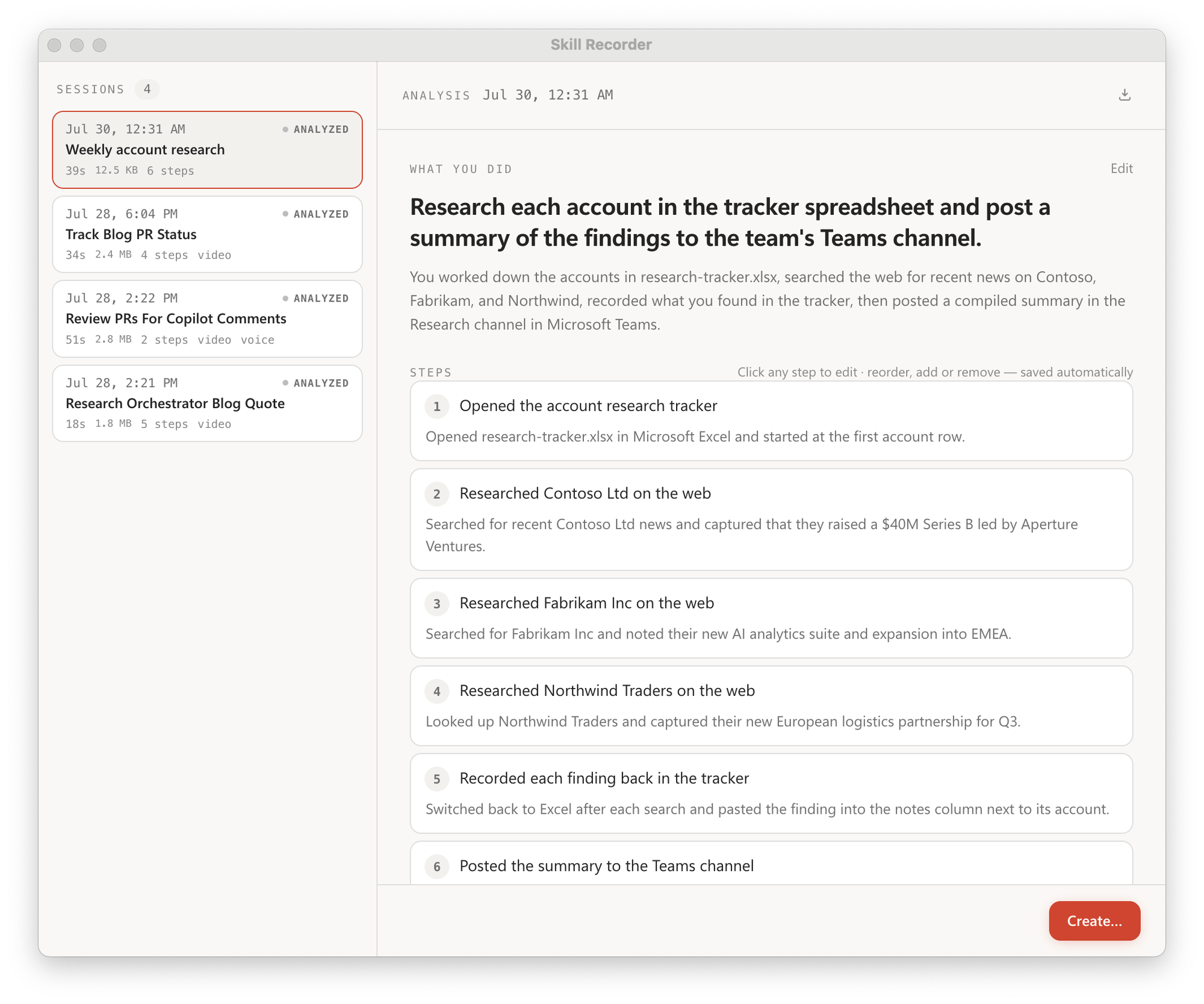
 Skill Recorder is a desktop app that records you doing a task once on screen, then uses the GitHub Copilot CLI to turn that recording into a reusable Skill or scheduled Automation that an AI agent can run.
Skill Recorder is a desktop app that records you doing a task once on screen, then uses the GitHub Copilot CLI to turn that recording into a reusable Skill or scheduled Automation that an AI agent can run.Is this a desktop app or a cloud service?It is an Electron desktop app that records your screen, window switches, and optional narration locally; it only reaches out to the network when you explicitly click Analyze.
It is an Electron desktop app that records your screen, window switches, and optional narration locally; it only reaches out to the network when you explicitly click Analyze.How do I install and start recording?Open the latest GitHub release and copy the install command for your platform; it downloads a pinned Node.js runtime, builds that exact release commit on your machine, and adds a 'Skill Recorder (Source)' app you can relaunch. Then grant Screen Recording permission and hit record.
Open the latest GitHub release and copy the install command for your platform; it downloads a pinned Node.js runtime, builds that exact release commit on your machine, and adds a 'Skill Recorder (Source)' app you can relaunch. Then grant Screen Recording permission and hit record.Do I need a GitHub Copilot subscription to use this?Yes, you need a GitHub account with Copilot access; the Copilot CLI itself ships bundled inside the app, so you don't install it separately.
Yes, you need a GitHub account with Copilot access; the Copilot CLI itself ships bundled inside the app, so you don't install it separately.What happens to my recording when I click Analyze?Clicking Analyze sends the event timeline (window/document titles, URLs, clipboard previews), extracted screen images, and narration text to GitHub's cloud for Copilot to process, so you should never record passwords, tokens, or other secrets.
Clicking Analyze sends the event timeline (window/document titles, URLs, clipboard previews), extracted screen images, and narration text to GitHub's cloud for Copilot to process, so you should never record passwords, tokens, or other secrets.Does it run on Windows and Linux too, or just Mac?macOS is the primary target, but Windows 11 (x64 and ARM64) is fully supported, and the install script also adds an application entry on Ubuntu.
macOS is the primary target, but Windows 11 (x64 and ARM64) is fully supported, and the install script also adds an application entry on Ubuntu.Does any of my screen data leave my machine before I choose to analyze it?No, capture, storage, and even narration transcription happen entirely on-device; data only leaves your machine once you deliberately hit Analyze.
No, capture, storage, and even narration transcription happen entirely on-device; data only leaves your machine once you deliberately hit Analyze.What is the difference between a Skill and an Automation here?A Skill is a SKILL.md procedure an agent runs on demand, while an Automation runs that same reconstructed procedure on a schedule or trigger.
A Skill is a SKILL.md procedure an agent runs on demand, while an Automation runs that same reconstructed procedure on a schedule or trigger.Is the spoken narration transcribed in the cloud?No, narration is transcribed on-device using Whisper, covering 99 supported languages, with a one-time ~252MB model download the first time you use it.
No, narration is transcribed on-device using Whisper, covering 99 supported languages, with a one-time ~252MB model download the first time you use it.Which Microsoft agents can actually use the Skills it creates?Generated Skills and Automations are built to be run by Microsoft Autopilots such as Scout, Microsoft Copilot Cowork, or Copilot Studio.
Generated Skills and Automations are built to be run by Microsoft Autopilots such as Scout, Microsoft Copilot Cowork, or Copilot Studio.How do I start and stop a recording?Press Cmd+Shift+R on macOS or Ctrl+Shift+R on Windows from anywhere, or use the always-on-top control bar shown while recording to mute, switch mics, finish, or discard the take.
Press Cmd+Shift+R on macOS or Ctrl+Shift+R on Windows from anywhere, or use the always-on-top control bar shown while recording to mute, switch mics, finish, or discard the take.What are similar projects?clawd-on-desk, skills, ClawX, vicoa, brag, awesome-copilot, LobsterAI, pi-gui
clawd-on-desk, skills, ClawX, vicoa, brag, awesome-copilot, LobsterAI, pi-guiWhich topics is it in?screen-recording, copilot, whisper, github-copilot, electron, skill, agent-skills, productivity, react, desktop-app, automation, ai-agents
screen-recording, copilot, whisper, github-copilot, electron, skill, agent-skills, productivity, react, desktop-app, automation, ai-agents