





4.3K ·GitHub
What is this?
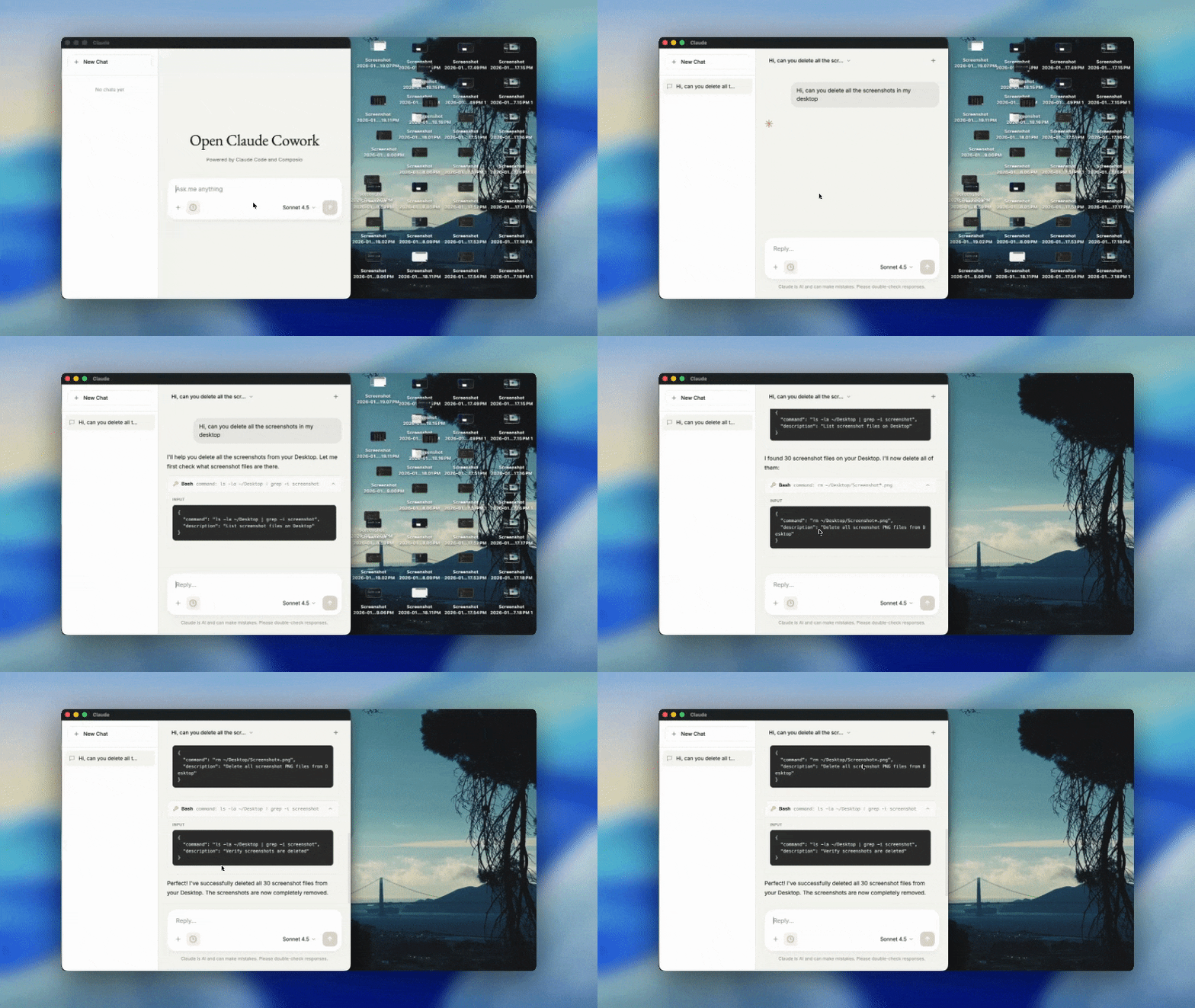
 Open Claude Cowork is an open-source desktop chat app powered by the Claude Agent SDK and Composio Tool Router that automates work across desktop and your work apps, with 500+ SaaS integrations like Gmail, Slack, and GitHub.
Open Claude Cowork is an open-source desktop chat app powered by the Claude Agent SDK and Composio Tool Router that automates work across desktop and your work apps, with 500+ SaaS integrations like Gmail, Slack, and GitHub.Is this one app or two separate tools?The repo actually contains two tools: Open Claude Cowork, a full desktop chat interface, and Secure Clawdbot, a personal AI assistant that runs on messaging platforms instead of the desktop.
The repo actually contains two tools: Open Claude Cowork, a full desktop chat interface, and Secure Clawdbot, a personal AI assistant that runs on messaging platforms instead of the desktop.How do I get it running?Clone the repo and run it in two terminals (backend and Electron frontend) for Open Claude Cowork; for Secure Clawdbot, choose 'Terminal chat' to test or 'Start gateway' to connect messaging apps.
Clone the repo and run it in two terminals (backend and Electron frontend) for Open Claude Cowork; for Secure Clawdbot, choose 'Terminal chat' to test or 'Start gateway' to connect messaging apps.Do I need an Anthropic API key before I start?Yes, you need an Anthropic API key from console.anthropic.com, a Composio API key from app.composio.dev, and optionally an Opencode API key if you want to use Opencode as the model provider.
Yes, you need an Anthropic API key from console.anthropic.com, a Composio API key from app.composio.dev, and optionally an Opencode API key if you want to use Opencode as the model provider.What should I check if the app won't connect?The troubleshooting table flags that the backend server must be running on port 3001, API keys must start with sk-ant-, and slow streaming is usually a firewall/network issue blocking SSE connections.
The troubleshooting table flags that the backend server must be running on port 3001, API keys must start with sk-ant-, and slow streaming is usually a firewall/network issue blocking SSE connections.Which messaging platforms does Secure Clawdbot support?Secure Clawdbot connects to WhatsApp, Telegram, Signal, and iMessage, giving on-the-go AI access, reminders, and persistent memory outside the desktop app.
Secure Clawdbot connects to WhatsApp, Telegram, Signal, and iMessage, giving on-the-go AI access, reminders, and persistent memory outside the desktop app.What platforms does the desktop app run on?Open Claude Cowork runs on macOS, Windows, and Linux as an Electron desktop app.
Open Claude Cowork runs on macOS, Windows, and Linux as an Electron desktop app.Can I switch between different AI model providers?Yes, Open Claude Cowork supports both Claude Agent SDK and Opencode SDK as interchangeable model providers.
Yes, Open Claude Cowork supports both Claude Agent SDK and Opencode SDK as interchangeable model providers.Can I extend Claude with custom capabilities?Yes, you can add SKILL.md files to the .claude/skills/ directory to extend Claude with custom skills.
Yes, you can add SKILL.md files to the .claude/skills/ directory to extend Claude with custom skills.What's the tech stack behind the desktop app?It uses Electron.js for the desktop shell, Node.js plus Express for the backend, the Claude Agent SDK and Opencode SDK for AI, Composio Tool Router plus MCP for tools, and Server-Sent Events for streaming responses.
It uses Electron.js for the desktop shell, Node.js plus Express for the backend, the Claude Agent SDK and Opencode SDK for AI, Composio Tool Router plus MCP for tools, and Server-Sent Events for streaming responses.Can Secure Clawdbot remember things about me over time?Yes, it has persistent memory that remembers facts, preferences, and daily notes across conversations, plus natural language scheduling for reminders and cron jobs.
Yes, it has persistent memory that remembers facts, preferences, and daily notes across conversations, plus natural language scheduling for reminders and cron jobs.What are similar projects?nocobase, evenfire, brigade, mindshub, rowboat, hermes-agent, nanoclaw, clawd-on-desk
nocobase, evenfire, brigade, mindshub, rowboat, hermes-agent, nanoclaw, clawd-on-deskWhich topics is it in?aiagents, anthropic-claude, claude-cowork, whatsapp, slack, chat, telegram, opencode, workflow-automation, electron, anthropic, productivity
aiagents, anthropic-claude, claude-cowork, whatsapp, slack, chat, telegram, opencode, workflow-automation, electron, anthropic, productivity