


17.8K ·GitHub
Что это такое?
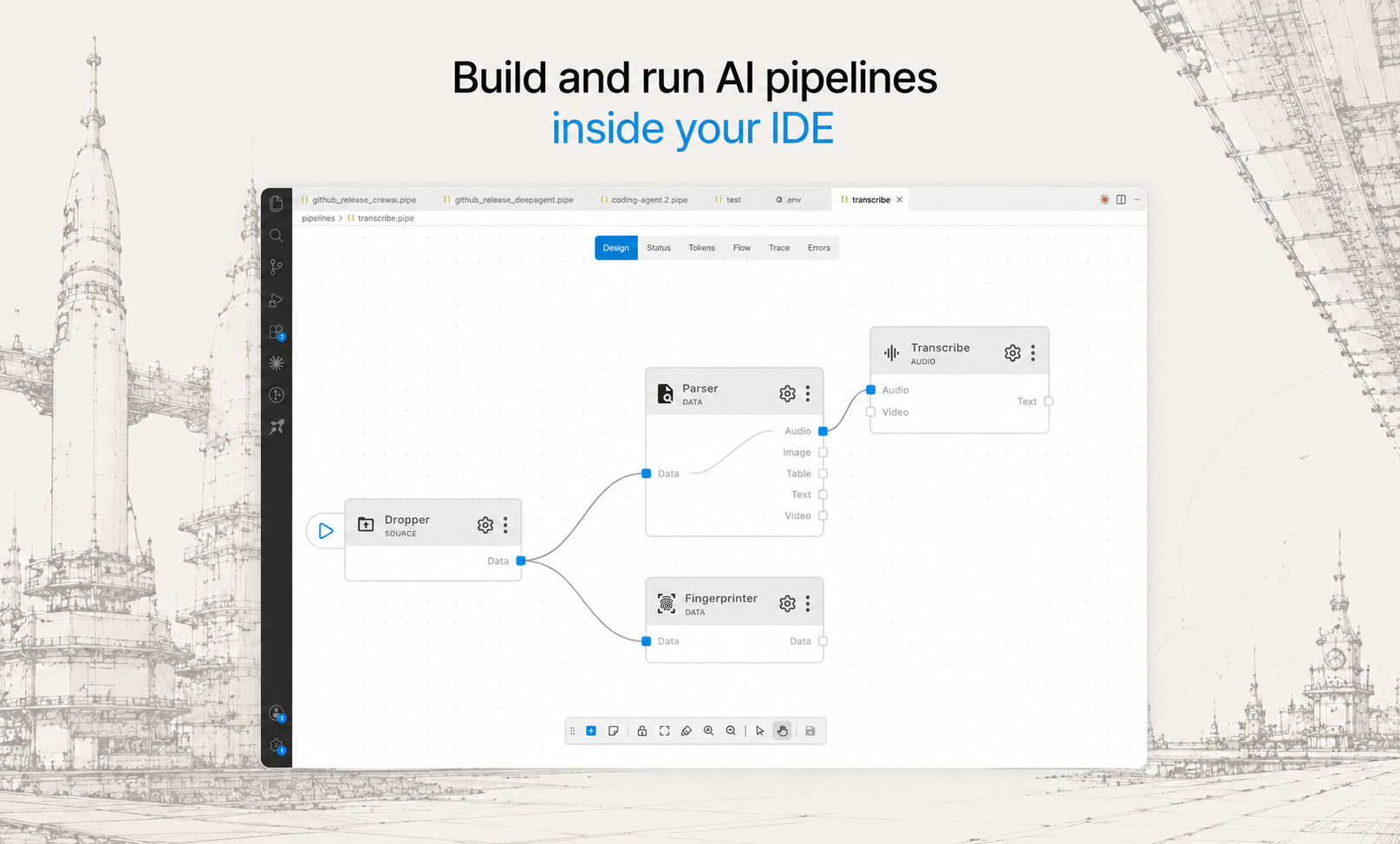
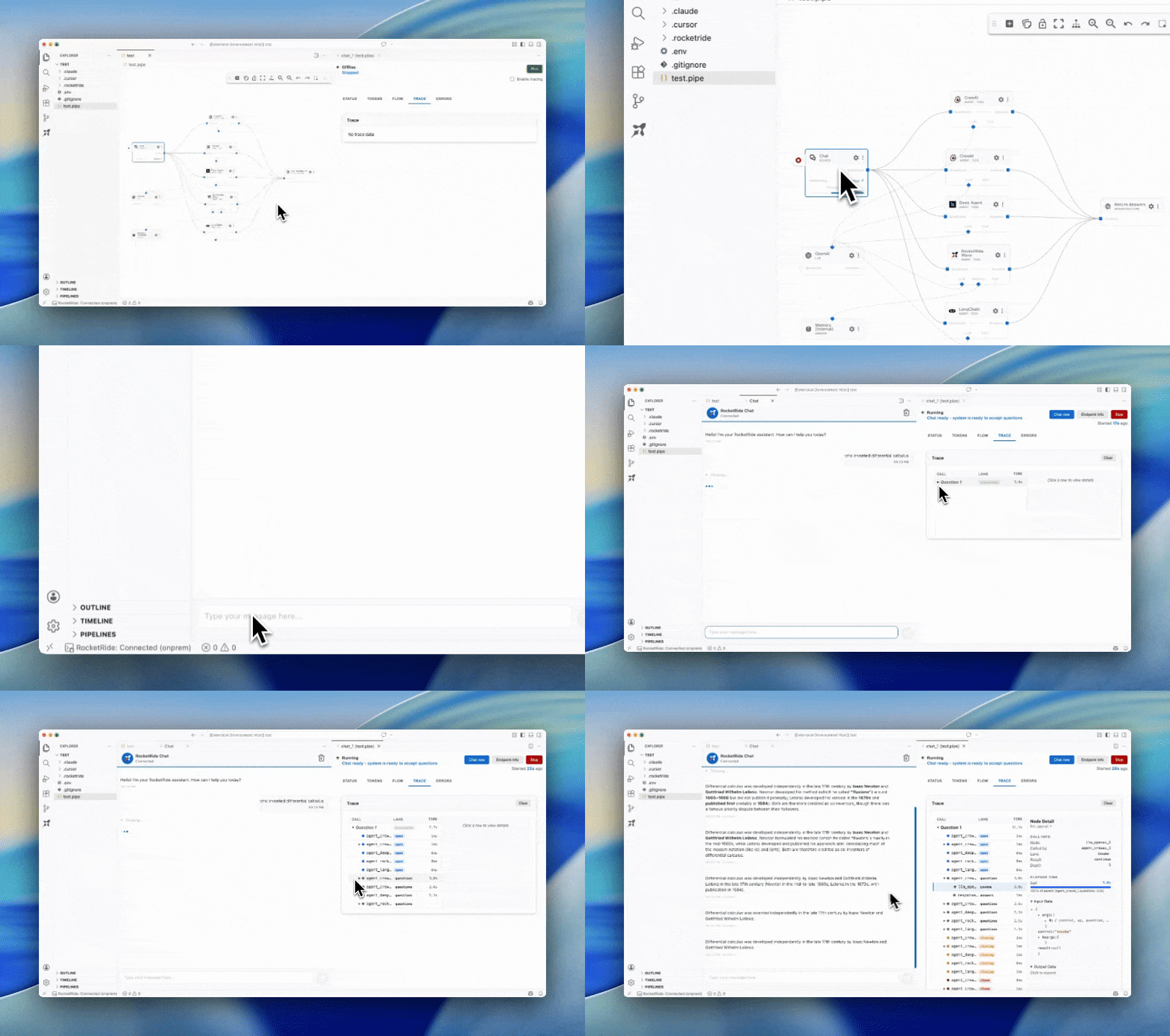
 Среда разработки с открытым исходным кодом для работы с ИИ: конструктор пайплайнов и среда выполнения для задач AI/ML. Она превращает вашу привычную IDE в единое место, где можно собирать, отлаживать, наблюдать и развертывать ИИ-сценарии на многопоточном движке на C++.
Среда разработки с открытым исходным кодом для работы с ИИ: конструктор пайплайнов и среда выполнения для задач AI/ML. Она превращает вашу привычную IDE в единое место, где можно собирать, отлаживать, наблюдать и развертывать ИИ-сценарии на многопоточном движке на C++.Что именно я устанавливаю — облачный сервис, приложение или библиотеку?Это пайплайн-движок, который можно развернуть у себя и запускать как сервер, плюс расширение для VS Code с визуальным холстом, SDK для TypeScript/Python/MCP и CLI. RocketRide Cloud — это необязательная облачная версия того же движка под управлением компании.
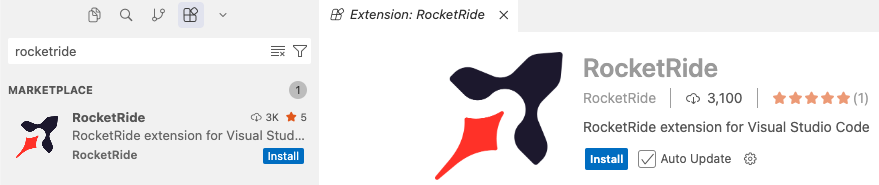
Это пайплайн-движок, который можно развернуть у себя и запускать как сервер, плюс расширение для VS Code с визуальным холстом, SDK для TypeScript/Python/MCP и CLI. RocketRide Cloud — это необязательная облачная версия того же движка под управлением компании.Как его запустить?Установите расширение RocketRide из маркетплейса вашей IDE и нажмите на его значок. Рекомендуемый локальный вариант подтягивает сервер прямо в IDE без каких-либо дополнительных настроек — после этого вы собираете свой первый .pipe.
Установите расширение RocketRide из маркетплейса вашей IDE и нажмите на его значок. Рекомендуемый локальный вариант подтягивает сервер прямо в IDE без каких-либо дополнительных настроек — после этого вы собираете свой первый .pipe.Нужно ли мне самому устанавливать Python, инструменты для C++ или Java?Нет — окружения Python, инструменты для C++, Java/Tika и все зависимости узлов управляются автоматически. Единственное дополнительное требование — Docker, и только если вы выбираете вариант развертывания через Docker.
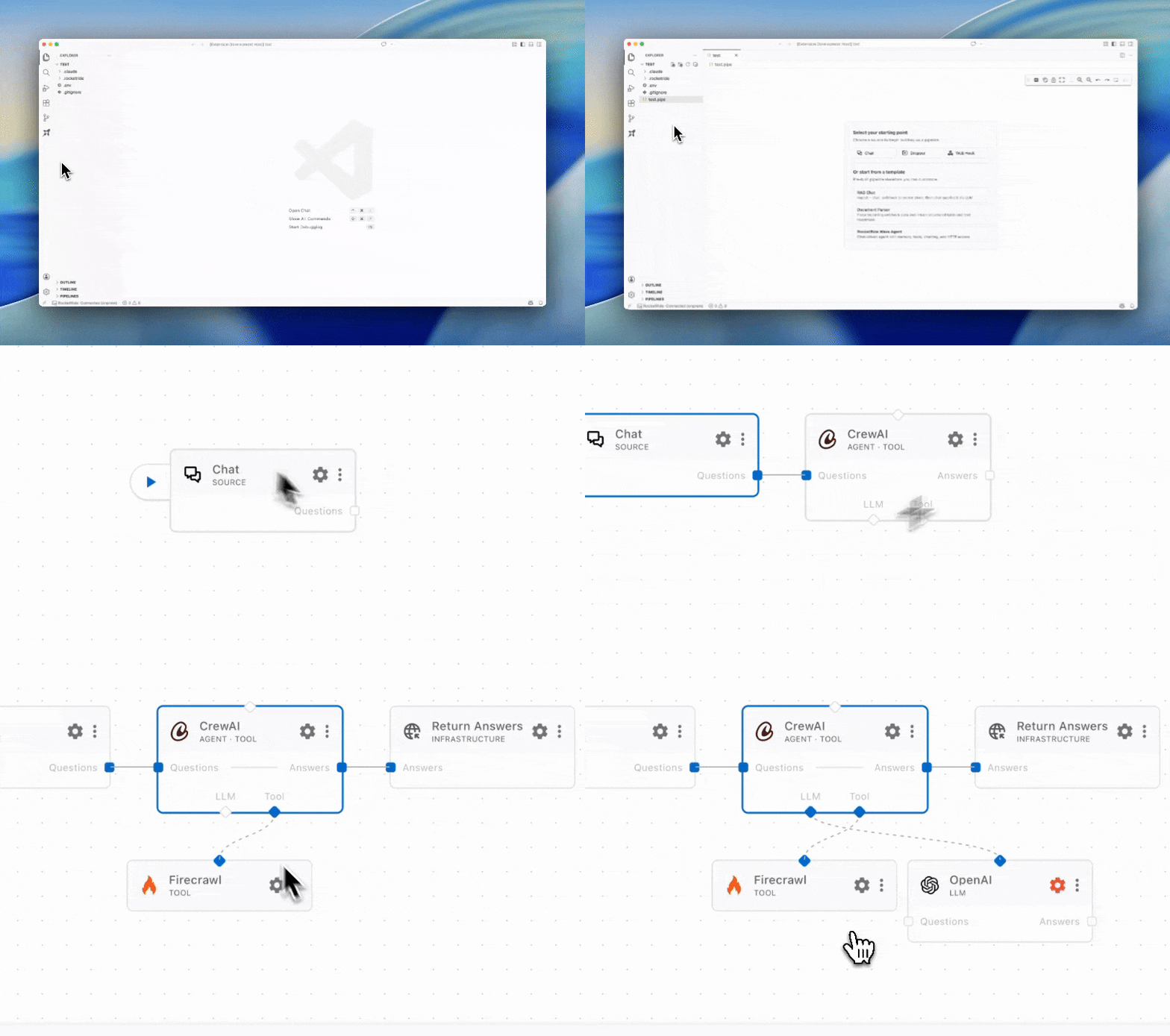
Нет — окружения Python, инструменты для C++, Java/Tika и все зависимости узлов управляются автоматически. Единственное дополнительное требование — Docker, и только если вы выбираете вариант развертывания через Docker.Визуальный конструктор доступен вне VS Code?Заявленный вариант — именно VS Code: узлы перетаскиваются и настраиваются в нём. Другие IDE не упоминаются; если вашей нет в маркетплейсе, предлагается открыть issue, а как запасной вариант — скачать расширение напрямую.
Заявленный вариант — именно VS Code: узлы перетаскиваются и настраиваются в нём. Другие IDE не упоминаются; если вашей нет в маркетплейсе, предлагается открыть issue, а как запасной вариант — скачать расширение напрямую.Где может работать сервер — я привязан к одной ОС или к одному облаку?Где угодно: локальный процесс, Docker, собственные серверы или железо без ОС-прослойки — а когда потребуется больше мощности, можно масштабироваться до кластера с помощью Helm-чарта.
Где угодно: локальный процесс, Docker, собственные серверы или железо без ОС-прослойки — а когда потребуется больше мощности, можно масштабироваться до кластера с помощью Helm-чарта.Если я разверну всё у себя, мои данные останутся на моей инфраструктуре?Да — ваши данные и вызовы моделей никогда не покидают вашу инфраструктуру. Всё может работать за файрволом или даже полностью в изолированной сети без доступа в интернет; только облачный вариант выполняет ваши задачи на серверах RocketRide.
Да — ваши данные и вызовы моделей никогда не покидают вашу инфраструктуру. Всё может работать за файрволом или даже полностью в изолированной сети без доступа в интернет; только облачный вариант выполняет ваши задачи на серверах RocketRide.Есть ли платная или корпоративная версия?Нет — весь движок распространяется по лицензии MIT, совместимой с OSI, без корпоративной редакции и без чего-либо за платным доступом. RocketRide Cloud — это отдельный управляемый вариант; собственное развертывание полностью бесплатно.
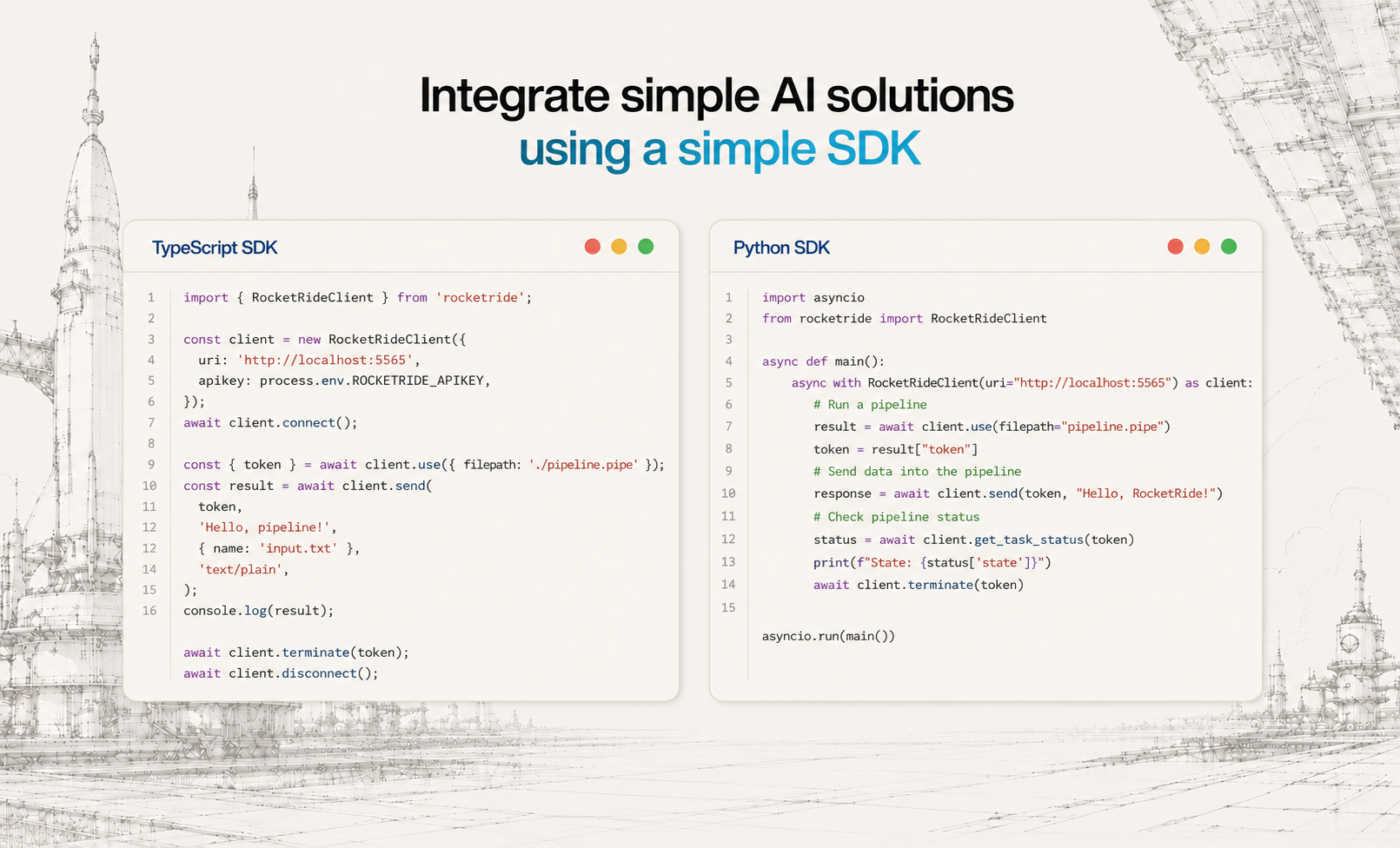
Нет — весь движок распространяется по лицензии MIT, совместимой с OSI, без корпоративной редакции и без чего-либо за платным доступом. RocketRide Cloud — это отдельный управляемый вариант; собственное развертывание полностью бесплатно.Как вызвать пайплайн из своего приложения?Используйте SDK для TypeScript, Python или MCP: вставьте пайплайн в любое приложение на Python или TypeScript парой строк кода без написания инфраструктурного кода, либо откройте пайплайны как вызываемые инструменты для ИИ-ассистентов через MCP.
Используйте SDK для TypeScript, Python или MCP: вставьте пайплайн в любое приложение на Python или TypeScript парой строк кода без написания инфраструктурного кода, либо откройте пайплайны как вызываемые инструменты для ИИ-ассистентов через MCP.Как он масштабируется под production-нагрузки?Среда выполнения — изначально многопоточный движок на C++, созданный специально для пропускной способности ИИ-задач. Запускайте пайплайны как отдельные процессы, в Docker-контейнерах или масштабируйтесь до кластера с помощью Helm-чарта — один и тот же .pipe переносится между собственным развертыванием и облаком без изменений.
Среда выполнения — изначально многопоточный движок на C++, созданный специально для пропускной способности ИИ-задач. Запускайте пайплайны как отдельные процессы, в Docker-контейнерах или масштабируйтесь до кластера с помощью Helm-чарта — один и тот же .pipe переносится между собственным развертыванием и облаком без изменений.Почему пайплайн-движок, а не просто код агентов?В README RocketRide позиционируется как каркас для всего, что стоит за вашими ИИ-приложениями — не только агентов, но и всего стека под ними: обработка данных, поиск по документам, OCR — с глубокой наблюдаемостью и производительностью, готовой к production с первого запуска.
В README RocketRide позиционируется как каркас для всего, что стоит за вашими ИИ-приложениями — не только агентов, но и всего стека под ними: обработка данных, поиск по документам, OCR — с глубокой наблюдаемостью и производительностью, готовой к production с первого запуска.What are similar projects?ruflo, claude-context, headroom, cline, LongMemory, mem0, LazyMind, opik
ruflo, claude-context, headroom, cline, LongMemory, mem0, LazyMind, opikWhich topics is it in?data-pipeline, data-processing, vscode-extension, ide, langchain, vscode, vector-database, ocr, embeddings, workflow, nlp, observability
data-pipeline, data-processing, vscode-extension, ide, langchain, vscode, vector-database, ocr, embeddings, workflow, nlp, observability