


 , reach out directly to me (do not open an issue on GitHub)


24.3K ·GitHub
Что это такое?
 Social-Analyzer — это OSINT-инструмент, который ищет и сопоставляет профиль человека примерно на 1000 сайтах социальных сетей и веб-ресурсах. Доступен в виде CLI, API и веб-приложения.
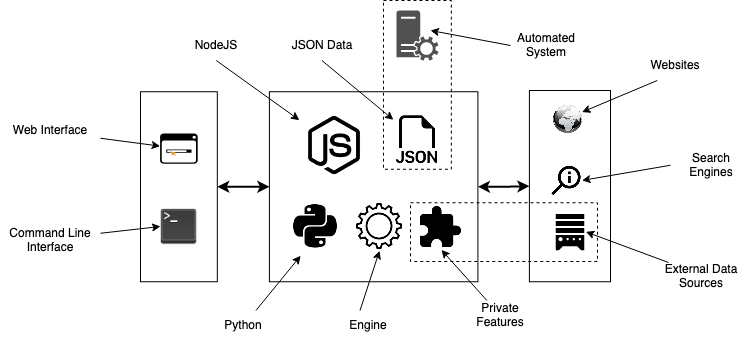
Social-Analyzer — это OSINT-инструмент, который ищет и сопоставляет профиль человека примерно на 1000 сайтах социальных сетей и веб-ресурсах. Доступен в виде CLI, API и веб-приложения.Это CLI-инструмент, API или веб-приложение?Это всё три варианта: веб-приложение на Node.js с графическим интерфейсом, CLI на Node или Python, а также его можно импортировать как объект Python или использовать через API.
Это всё три варианта: веб-приложение на Node.js с графическим интерфейсом, CLI на Node или Python, а также его можно импортировать как объект Python или использовать через API.Как его запустить?Запустите его как веб-приложение на Node.js (`node app.js --gui`), используйте CLI на Node или Python, установите как Python-пакет или скрипт либо поднимите более быстрый режим 'Grid' с помощью Docker Compose.
Запустите его как веб-приложение на Node.js (`node app.js --gui`), используйте CLI на Node или Python, установите как Python-пакет или скрипт либо поднимите более быстрый режим 'Grid' с помощью Docker Compose.Нужно ли устанавливать Node, Python или Chrome?Нужен Node.js (>=20.18.1) и/или Python — в зависимости от того, каким CLI вы пользуетесь, а также последний браузер Chrome и webdriver (geckodriver), если хотите делать скриншоты профилей.
Нужен Node.js (>=20.18.1) и/или Python — в зависимости от того, каким CLI вы пользуетесь, а также последний браузер Chrome и webdriver (geckodriver), если хотите делать скриншоты профилей.Есть ли серьёзные ограничения, о которых стоит знать?Определение возраста профиля или человека прямо отмечено как ограниченный анализ, а некоторые специальные модули с окончанием -private требуют связаться с автором напрямую, а не создавать issue на GitHub.
Определение возраста профиля или человека прямо отмечено как ограниченный анализ, а некоторые специальные модули с окончанием -private требуют связаться с автором напрямую, а не создавать issue на GitHub.Какие операционные системы поддерживаются?Официально поддерживаются Linux, Windows, macOS и Raspberry Pi; несколько способов установки описаны в вики проекта.
Официально поддерживаются Linux, Windows, macOS и Raspberry Pi; несколько способов установки описаны в вики проекта.Безопасно ли открыть это как публичный сервис?Нет — автор прямо предупреждает, что у инструмента нет контроля доступа и его задумано запускать локально, а не размещать как онлайн-сервис.
Нет — автор прямо предупреждает, что у инструмента нет контроля доступа и его задумано запускать локально, а не размещать как онлайн-сервис.Нужен ли ключ Google API, чтобы всё работало?Нет, поиск через Google и DuckDuckGo, а также пользовательские поисковые запросы — необязательные дополнения для более широкого поиска; основные функции поиска профилей работают без каких-либо API-ключей.
Нет, поиск через Google и DuckDuckGo, а также пользовательские поисковые запросы — необязательные дополнения для более широкого поиска; основные функции поиска профилей работают без каких-либо API-ключей.Можно ли искать человека сразу по нескольким именам пользователя?Да, можно передать несколько имён пользователя или имён через запятую, и инструмент использует многопрофильный поиск, чтобы сопоставить результаты по ним.
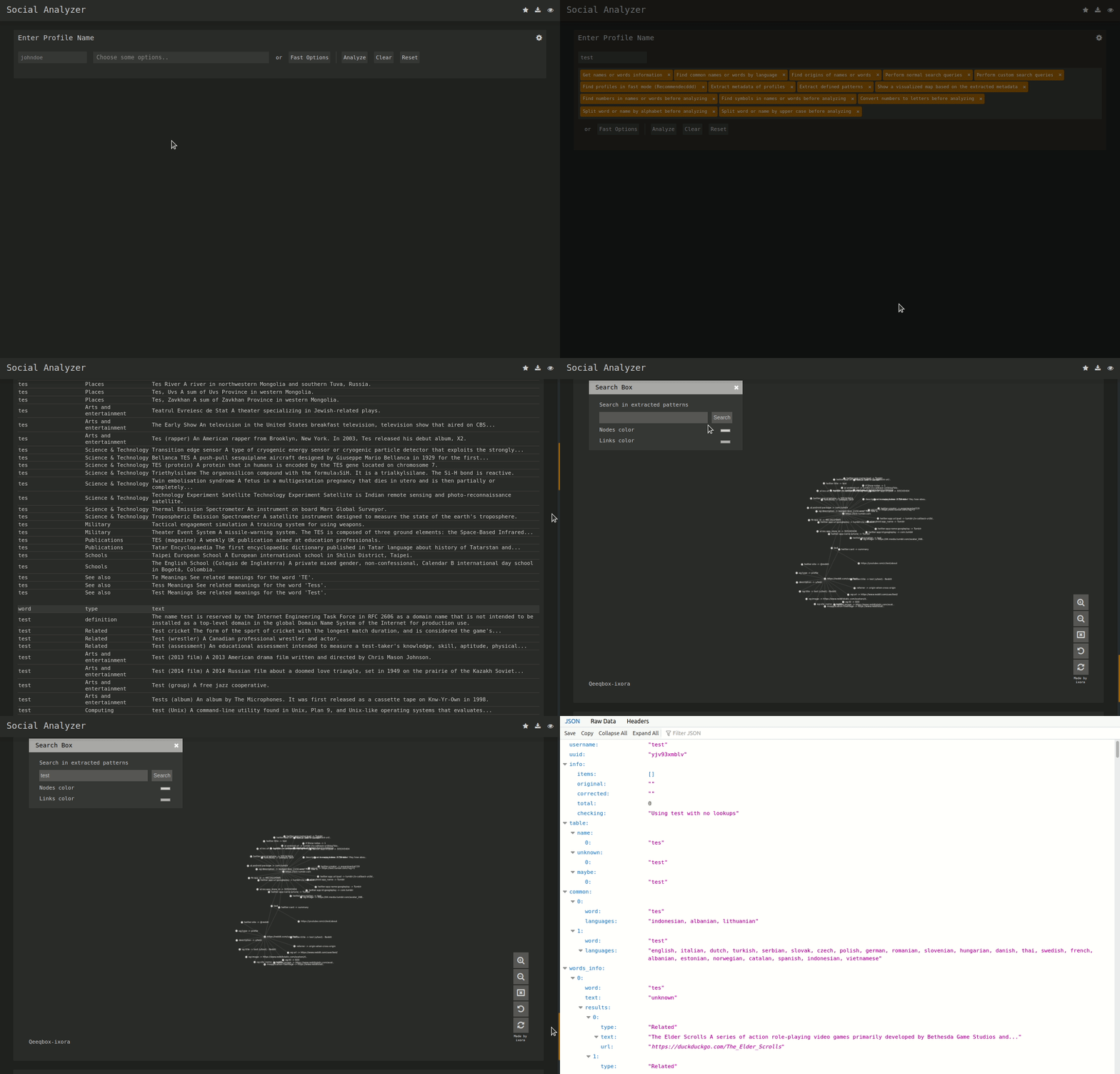
Да, можно передать несколько имён пользователя или имён через запятую, и инструмент использует многопрофильный поиск, чтобы сопоставить результаты по ним.Что добавляют граф метаданных и OCR?Граф метаданных визуализирует извлечённые метаданные и закономерности (перенесены из проекта QeeqBox OSINT) в виде графа с силовой раскладкой, а OCR и обычные и расширенные слои обнаружения подтверждают совпадения профилей.
Граф метаданных визуализирует извлечённые метаданные и закономерности (перенесены из проекта QeeqBox OSINT) в виде графа с силовой раскладкой, а OCR и обычные и расширенные слои обнаружения подтверждают совпадения профилей.What are similar projects?maigret, theHarvester, Photon, sherlock, bbot, Osintgram, GHunt, Decepticon
maigret, theHarvester, Photon, sherlock, bbot, Osintgram, GHunt, DecepticonWhich topics is it in?analyzer, analysis, information-gathering, pentest, reconnaissance, social-media, screenshot, osint, pentesting, raspberry-pi, penetration-testing, ocr
analyzer, analysis, information-gathering, pentest, reconnaissance, social-media, screenshot, osint, pentesting, raspberry-pi, penetration-testing, ocr