
potpie README

The project's README from github.com/potpie-ai/potpie. As one markdown file: README.md.

Potpie AI logo

Docs Tests PyPI Discord Apache 2.0

Potpie turns your codebase and software development lifecycle into a living context graph for AI agents. It indexes code, structure, decisions, source history, team knowledge and engineering workflows, so agents can answer questions, plan changes, debug failures, and write code with project-specific context.

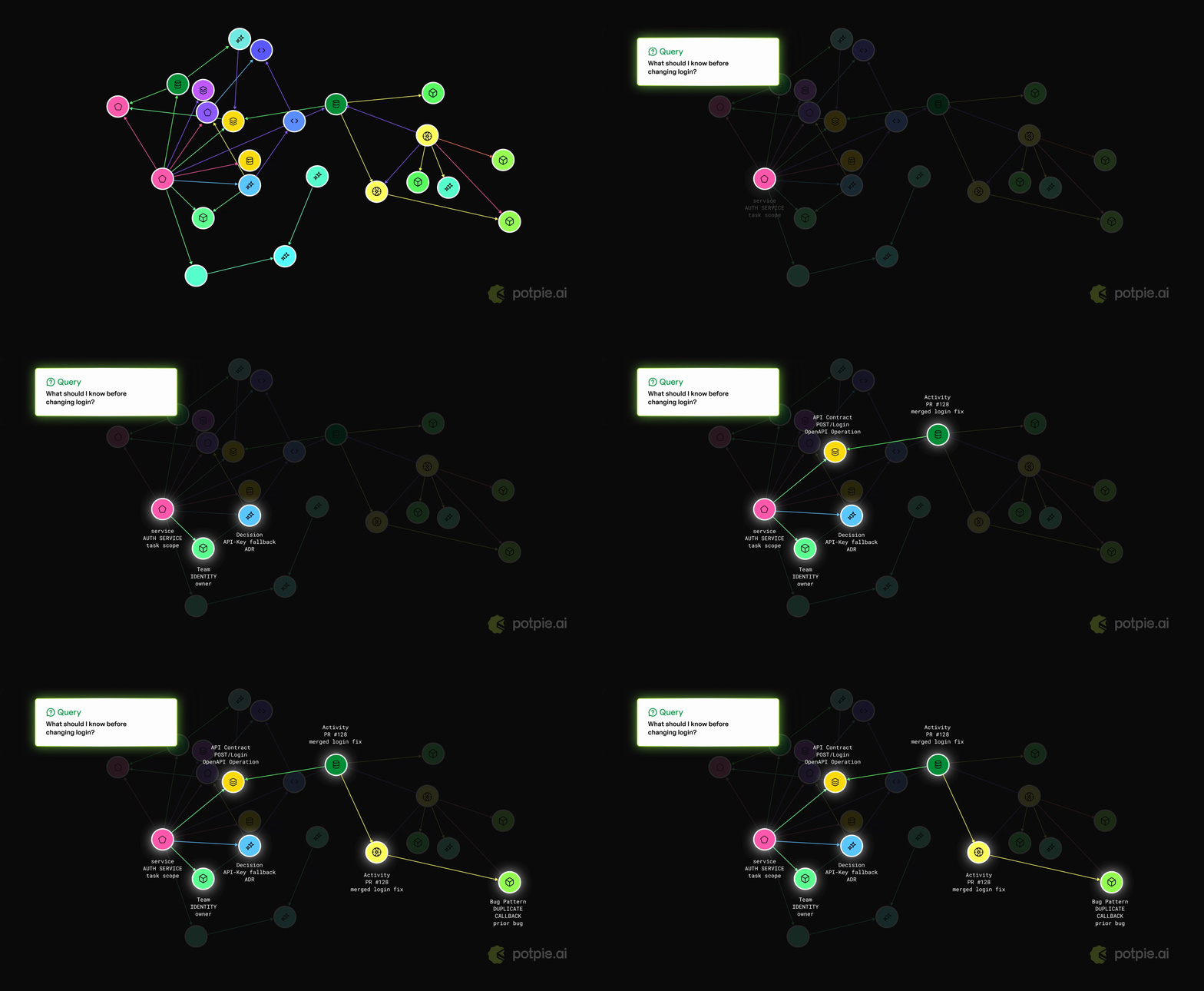
Potpie context graph demo

Install and setup Potpie

Step 1: install the CLI through PyPI with uv or pip:

uv tool install potpie

or:

python3 -m pip install --user potpie

[!NOTE] uv tool install potpie is recommended for CLI installs because global mutation of Python packages is generally not recommended.

Step 2: Run the Potpie setup wizard

potpie setup

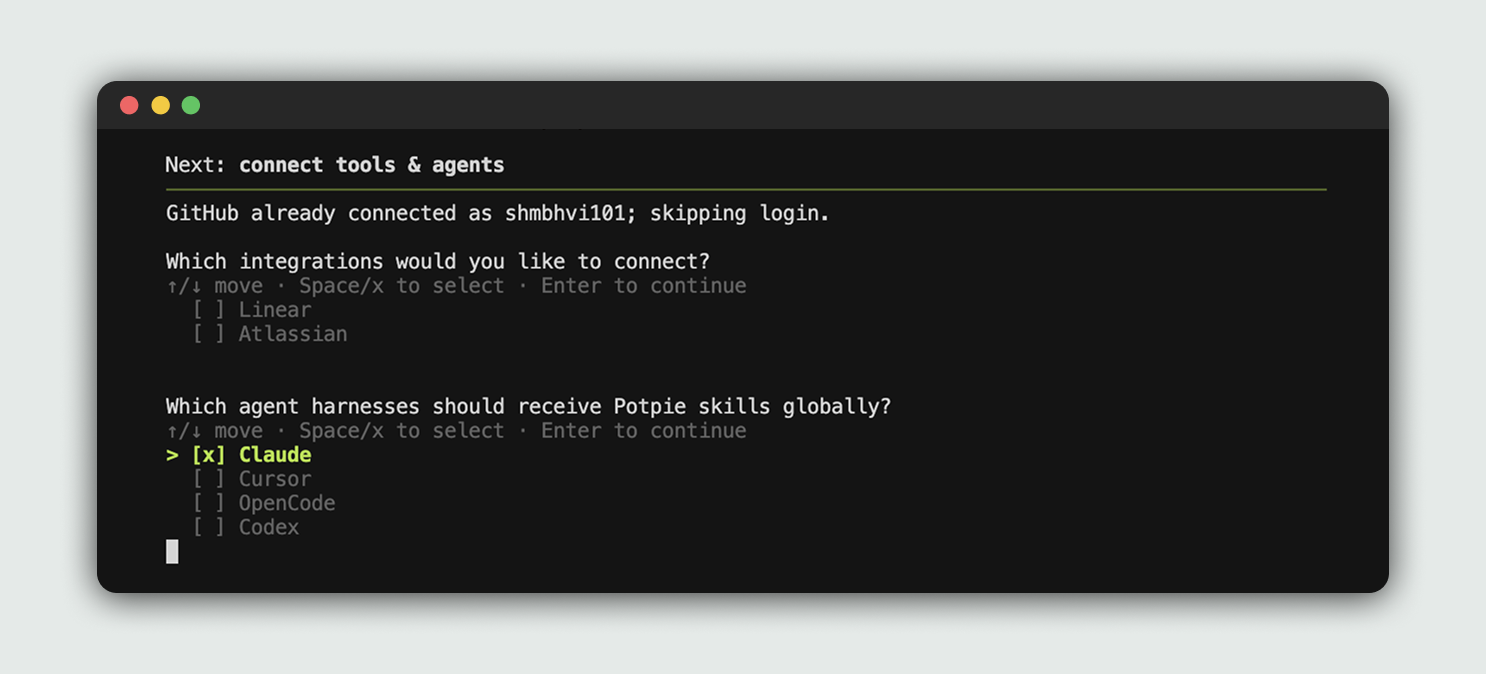
The setup wizard provisions local config, storage, the daemon, a default pot, and agent skills. It also lets you choose integrations and the coding harness Potpie should configure.

Potpie setup wizard

Step 3: Open your configured harness

Potpie is already integrated into your selected harness. You can start using Potpie with the repo of your choice.

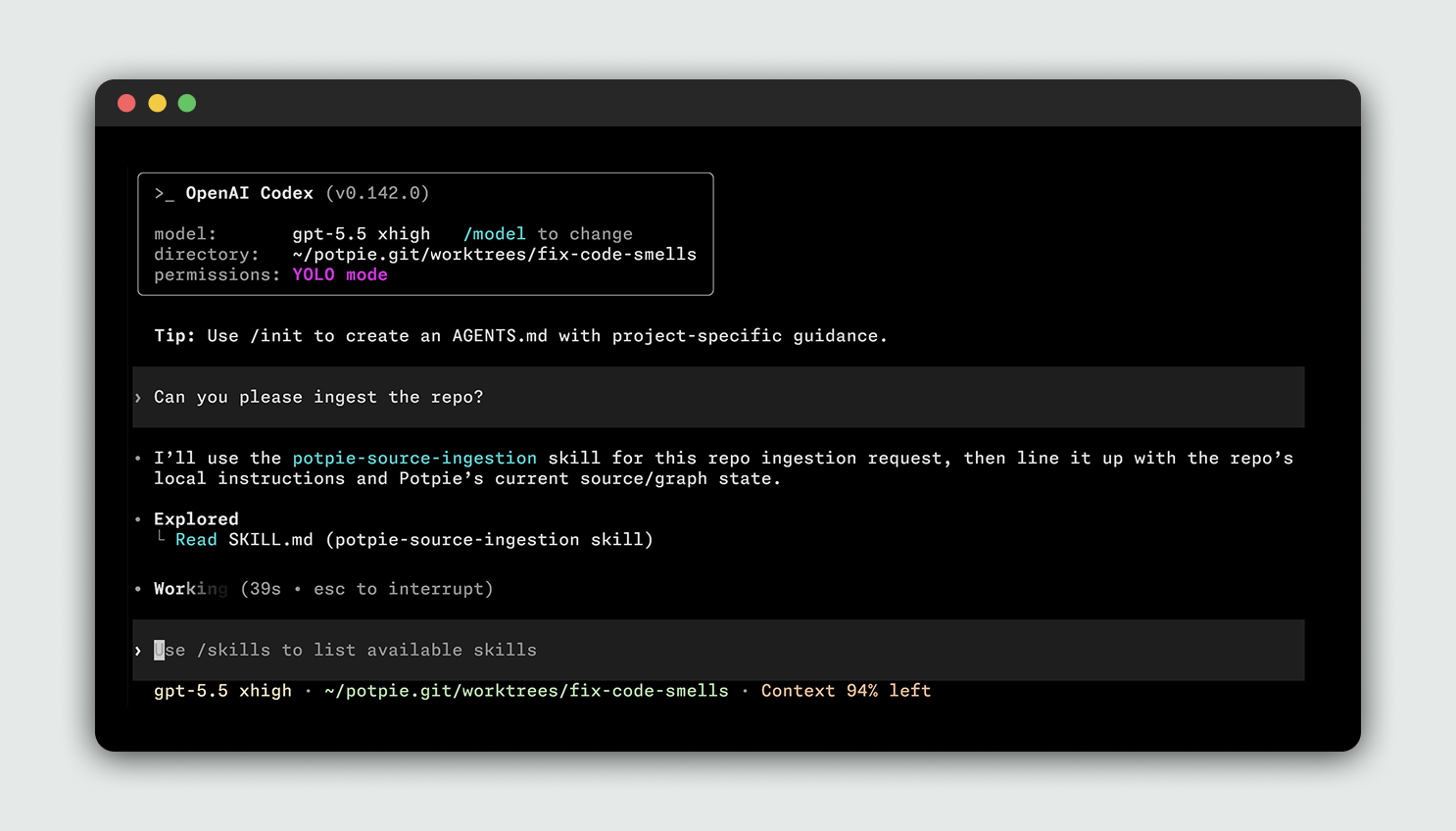
Open your previously selected harness and ask it to use Potpie for the repo. Potpie in OpenAI Codex

[!NOTE] You don't need to run a separate manual ingest command. The CLI registers sources and the configured agent can ingest or update project context when the task requires it.

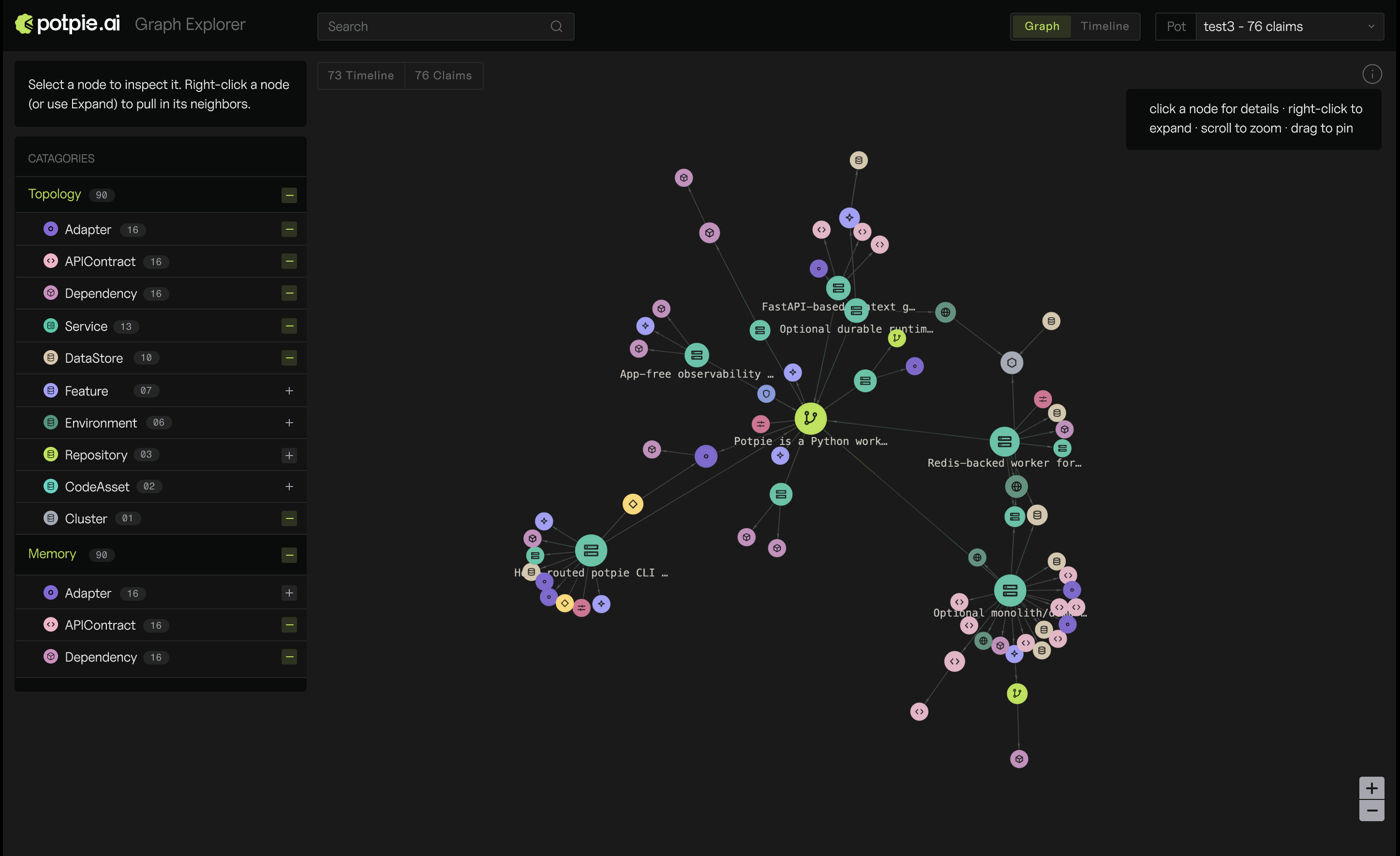
You can view your context graph in the web UI:

potpie ui

This will open a graph explorer in your browser. Potpie web UI

Basic CLI user checklist

The main CLI commands are:

Command Purpose
potpie setup Run first-time local setup for config, daemon, default pot, and agent skills.
potpie login Sign in to Potpie for account-backed and managed features.
potpie github login / potpie linear login Connect source integrations you want agents to use.
potpie status Show context readiness for the active pot, including daemon, graph, and skill checks.
potpie auth status Show configured integration auth status.
potpie auth status --verify Verify integration credentials with lightweight API checks.
potpie doctor Run local diagnostics for daemon, backend capabilities, and skill drift.
potpie source add repo . Register the current repo as a source for the resolved pot.
potpie pot list / potpie pot use <id-or-name> List pots and choose the active workspace.
potpie resolve "<task>" Pull the context an agent should read before doing a task.
potpie search "<query>" Look up a specific file, workflow, bug, decision, or convention.
potpie record --type <type> --summary "<summary>" Write a durable project learning.
potpie graph ... Use lower-level graph reads, quality checks, proposals, and commits.
potpie ui Open the local graph explorer served by the daemon.
potpie skills install --agent <agent> Install or refresh Potpie guidance for an agent harness.

Examples:

potpie setup --repo . --agent claude
potpie github login
potpie auth status
potpie status
potpie source add repo .
potpie resolve "what should I know before working in this repository?"
potpie search "authentication flow"
potpie record --type decision --summary "Prefer the Potpie CLI for graph work"

You can find an exhaustive list with more examples in our docs.

Integrations and Coding Harnesses

Potpie supports a variety of integrations and coding harnesses, with more coming. If your team needs a new integration or harness, please raise a ticket.

Integrations

Tool Description
GitHub Index repositories, pull requests, issues, reviews and source history.
Linear Index teams, issues, projects and documents.
Jira Index projects, issues, status and changelog context.
Confluence Index spaces, pages, runbooks and decisions.

Coding harnesses

Tool Description
Claude Code Install Potpie instructions and skills for Claude Code.
OpenAI Codex Install Potpie instructions and skills for OpenAI Codex.
Cursor Install Potpie instructions and skills for Cursor.
OpenCode Install Potpie skills for OpenCode.

Architecture

Potpie's current architecture is CLI-first. CLI is designed to be used by both humans and agents. Read the deeper architecture notes in docs/context-graph/architecture.md.

License

This project is licensed under the Apache 2.0 License. See LICENSE.

Community & Support

New contributions are always welcome. Read the Contributing Guide to set up your environment, understand the workflow, and open a pull request.

Contributors

potpie (potpie-ai/potpie)

Searching Database…

5.7K ·GitHub
这是什么?Potpie 把你的代码库和软件开发生命周期变成 AI 代理可用的动态上下文图谱。它为代码、结构、决策、源码历史、团队知识和工程工作流建立索引,让代理能带着项目专属的上下文回答问题、规划改动、调试故障和编写代码。
这是一个 CLI 工具,还是要导入代码里的框架?它是 CLI 优先的:你安装“potpie”命令,运行本地守护进程,还会得到一个本地图谱浏览器;你不需要把它当库导入,而是把你的编码代理(harness)指向由 CLI 管理的上下文图谱。
怎么让它跑起来?用“uv tool install potpie”(推荐)或 pip 安装 CLI,运行“potpie setup”配置好本地配置、存储、守护进程、默认 pot 和代理技能,然后打开你配置好的代理(harness),让它对这个仓库使用 Potpie。
GitHub、Linear 或 Jira 集成需要账号或登录吗?账号相关的托管功能需要先执行“potpie login”,每个来源集成还要单独登录,比如“potpie github login”或“potpie linear login”;可以用“potpie auth status --verify”验证凭据。
如果我的编码代理不是 Claude Code、Codex、Cursor 或 OpenCode 怎么办?目前只支持这四种编码代理(harness);如果你的团队需要别的 harness 或集成,只能提交工单,等待支持被加入。
Potpie 里的“pot”是什么?pot 是 Potpie 跟踪上下文的活动工作区——你可以把仓库注册为某个 pot 的来源,并用“potpie pot list”和“potpie pot use”在多个 pot 之间切换。
它和对我代码库做普通 RAG 有什么不同?Potpie 不只是对文本片段做嵌入和检索,而是构建一个结构化图谱,把代码、决策、源码历史以及来自 GitHub、Linear、Jira、Confluence 等工具的工作流关联起来。
能以可视化方式查看上下文图谱吗?可以,运行“potpie ui”会在浏览器中打开一个本地图谱浏览器,由本地守护进程提供服务。
代理能把新知识写回图谱吗?可以,“potpie record --type --summary”命令能让代理或用户把持久的项目经验保存到上下文图谱中。
Creator
potpie-ai
Size
59.2 MB
Stars
5.7K
Age
2y
Commits · 90 Days